
Google Docs
Google docs is all to do with cloud computing. Cloud computing by definition (Strickland,2008) is a ‘networked computer system’ which gathers the ‘resources of several servers’ to ‘complete tasks’ What cloud computing allows you to do is to store data without the need of a CD ROM, Hard Drive or USB memory stick. Fundamentally, with cloud computing the 2008 (Strickland) ‘responsibility of storage and processing power falls to a network’ not a personal computer user. Google docs is an example of cloud computing. It is an online tool and FUJIKAWA( 2014) states it is a ‘collaborative platform’ which allows users to create spreadsheets and word processing documents online, then from there you can then edit and store them online. Below you can see a screenshot of the URL which is docs.google.com and thus the homepage.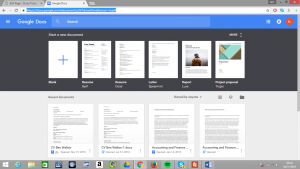
From this page you can look at previous documents below or at the top ‘start a new document’ Though you do need a google or gmail account to use this online tool.
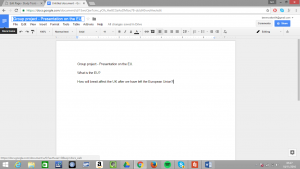
An advantage of using such a tool is that it can be accessed from any computer with an internet connection and google account. You then have the ability ‘edit, share and open’ documents if you want to whether it be either collaboratively or individually. The screenshots below illustrate its use for collaborative work. The document is a group project for details on the european union. From this I can choose the file drop down menu and click share.
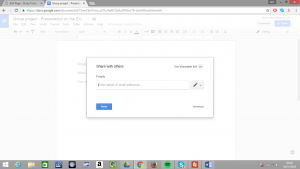
This brings up an option ‘share with others’ by which you type the email addresses of other group members, so they can see the document as well as add to it.
The great advantage it has is you can view past edits of documents if you wish to as well. I have experience with using google docs in the past, this was to to edit and save online my CV. I was using a computer that did not have my CV saved on (in order to be connected with a printer), I simply sent the CV from my personal computer to my email and then edited and updated the document on google docs. From this I could upload it to job recruiting websites and thus apply for jobs on indeed and reed. In order to help me find work from using google docs I could print off multiple cv’s to hand out at local bars and restaurants. From going through these processes I managed to find a job at JD Wetherspoon as a barman and waiter, the online tool has assisted me significantly and am now able to earn money at university, to support my living costs and tuition fees. (WCLENDENIN,2012) States that an advantage of using google docs is that it is free to use, unlike ‘other cloud computing services’. As well as this one of the great advantages it has is that ‘all documents are saved to google’s servers’ so if for example your hard drive crashes, documents will not be lost you can still access it through google docs. However, (DANA FUJIKAWA,2014) lists that the most important and useful feature of google docs is the ‘ability to collaborate on the same document’ as well as ‘seeing each other’s changes as they are happening’ say for example if two or more people are working on a document, this (Strickland, 2008) ‘online collaboration’ is useful as it can ‘streamline teamwork over the web’ and lead to completing tasks in a business to a higher standard than if carried out individually, It is significantly quicker to complete tasks if it is done collaboratively as well. Google docs and cloud computing services in general do have their disadvantages however such as the issue with documents not having a (WCLENDENIN, 2012) ‘physical location’. Also there is the issue with privacy as now with recent updates, ‘search will know the contents of people’s email’ and ‘videos you watch on YouTube’ this deters people from using such an app.
http://movsgd2.blogspot.co.uk/2012/02/google-docs-advantages-and.html 2012 WCLENDENIN – PAGES USED – 1 ‘ Google Docs advantages and disadvantages’
http://essentialinstructions.ca/weighing-on-the-pros-and-cons-of-google-docs/ – 2014 DANA FUJIKAWA- PAGES USED 1 – ‘Weighing in on the pros and cons of Google Docs’
http://computer.howstuffworks.com/internet/basics/google-docs.htm – Jonathon Strickland 2008 – PAGES USED 1 ‘How Google Docs works’