Recent research has shown a significant decline in some garden birds (such as Greenfinches and Chaffinchs) due to Trichomonosis, a highly contagious disease that spreads when birds gather in large numbers and share contaminated food. The RSPB have released new guidance to help make a difference. In this blog we have provided a summary of the two key recommendations to feed seasonally and feed safely, so we can all help protect our garden birds 🐦.
Feed seasonally
May – October
In summer and autumn (1 May – 31 October) put a hold on filling bird feeders with seeds or peanuts. Instead, you can feed them small amounts of mealworms, fatballs or suet.
Natural foods are more available in summer, so feeding isn’t necessary!
November – April
You can feed your birds a full range of bird foods, including seeds and peanuts
Feed safely
Clean bird feeders and water baths at least once a week with hot soapy water and non-toxic disinfectant such as Ark-Klens or a mild (5%) bleach solution. Also clean away old food or droppings beneath the feeders
Refresh water every day
Place your bird feeder in a new spot every week
Avoid putting feeders under places where birds roost such as under trees
Choose hanging feeders over flat feeders.
Adjust the amount you offer based on demand and try to prevent it from getting wet
Help birds find their own food by filling your outdoor space with bird-friendly plants e.g. sunflowers, teasel and ivy
What are we doing?
In April 2025 and 2026, we conducted urban bird surveys, which confirmed the presence of European Greenfinches on our City campus.
In line with updated RSPB guidance on bird feeding and to help reduce the risk of spreading bird disease, we will be removing the bird feeders on campus that we are aware of. We are currently in the summer season where food is prevalent, and the summer it would also be challenging to keep all bird feeders regularly clean on our large campus.
If you think one of these bird feeders was yours or you see a bird feeder that needs removing, please email us at sustainable-campus@newcastle.ac.uk.
Instead, our campus planting provides natural food sources for many types of wildlife, with areas designed to support pollinators and wider biodiversity. We also provide dedicated habitats for birds and bats, including 2 large bat barns at Park View Student Village Accommodation which are used by both birds and bats.
For more information about how we are supporting biodiversity on campus, visit our biodiversity page.
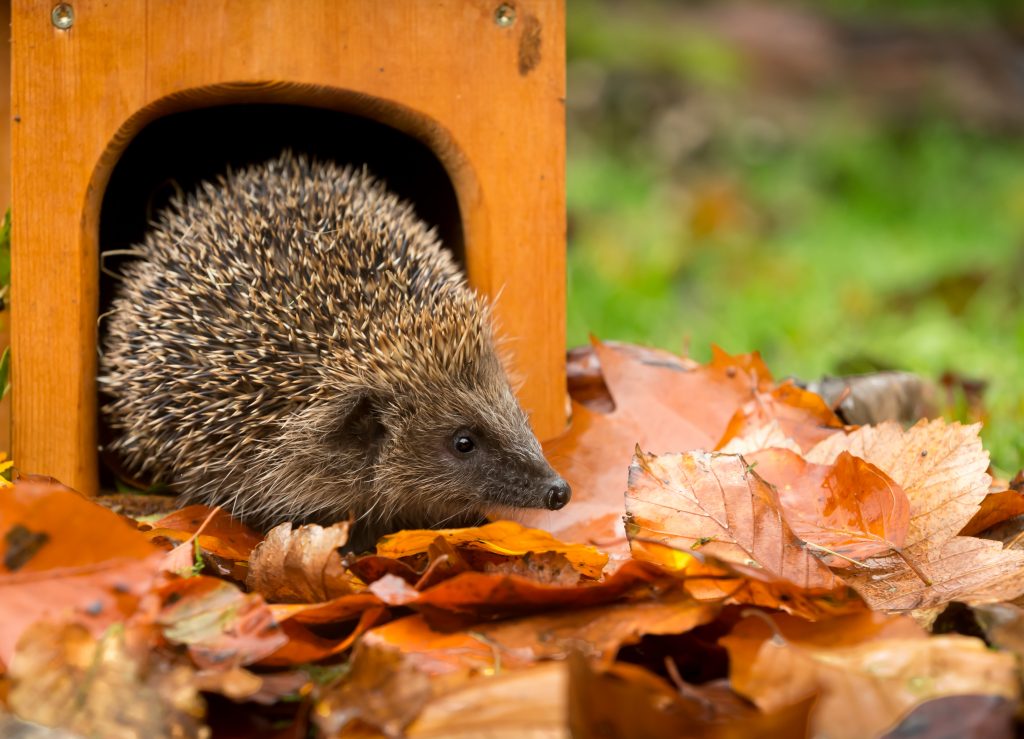
Hedgehog numbers in rural areas have been dropping for many years and, according to the State of Britain’s Hedgehogs 2022 report, have declined by 30-75% since 2000, depending on the area of the UK. Some of the challenges they face include:
Road casualties due to high volumes of traffic
Habitat loss and fragmentation
Increased use of pesticides in gardening
What action is the University taking?
Biodiversity is one of the Sustainability Teams areas of work and the University is committed to preserving and enhancing biodiversity on campus. You can find more of our environmental commitments listed in the Environmental Sustainability Policy.
Some of the work we conduct to create a safer environment for hedgehogs on campus include:
We conduct monitoring surveys annually (using footprint tracking tunnels) to update records about where hedgehogs are present on campus and log the findings on the Big Hedgehog Map
We work with the Grounds Team to ensure:
Leaf piles will be left where safe to do so and they will be checked for mammals if they need to be swept
Create small natural habitats for mammals and insects where possible
Grass cutting regimes are minimised and when necessary, cuts are scheduled so sword length varies
Netting (garden and sport) is secured to prevent animals from getting stuck when it is not in use
We annually partake in hedgehog awareness week to educate colleagues and students about the dangers hedgehogs face and raise money for the British Hedgehog Preservation Society via a bake sale
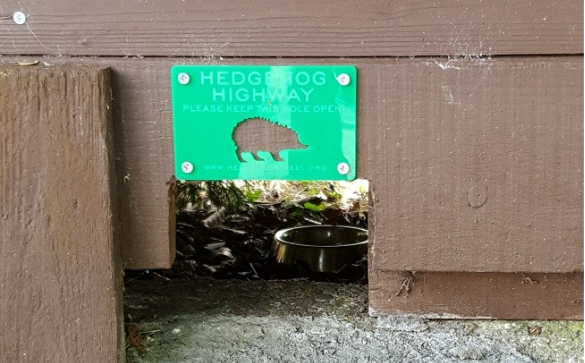
Create a hedgehog highway in your garden. Hedgehogs are struggling in Britain because our gardens are becoming more secure with fences, reducing the amount of land available to them
Put out hedgehog friendly food and water. Hedgehog Street recommend any combination of meat-based wet dog or cat foods, or dry cat/kitten food (not ones that contain milk)
Check your bonfires for hedgehogs before lighting them and check before strimming
Create leaf and log piles, wildflower patches, or overgrown ‘wild’ corners
Talk to your neighbours and encourage them to take action too
Hedgehog highways. Photo from www.hedgehogstreet.org
Thank you for reading this blog, and let us know in the comments what hedgehog friendly action you are taking this summer!
The Sustainability Team, based within Estates and Facilities, lead on environmental management and operational sustainability initiatives at Newcastle University.
Established in 2006, our team’s remit has grown significantly over time, reaching across university activity and working with a range of colleagues to embed positive change. Key areas of work in our day to day include:
Leading projects and initiatives to advance sustainability
Evaluating compliance with environmental legislation
Monitoring and reporting on progress towards objectives and targets
Development and implementation of operational control procedures
Collaborating with internal and external stakeholders to work on areas of improvement
The teams’ work focuses on eight key themes including: waste, travel, biodiversity, and carbon.
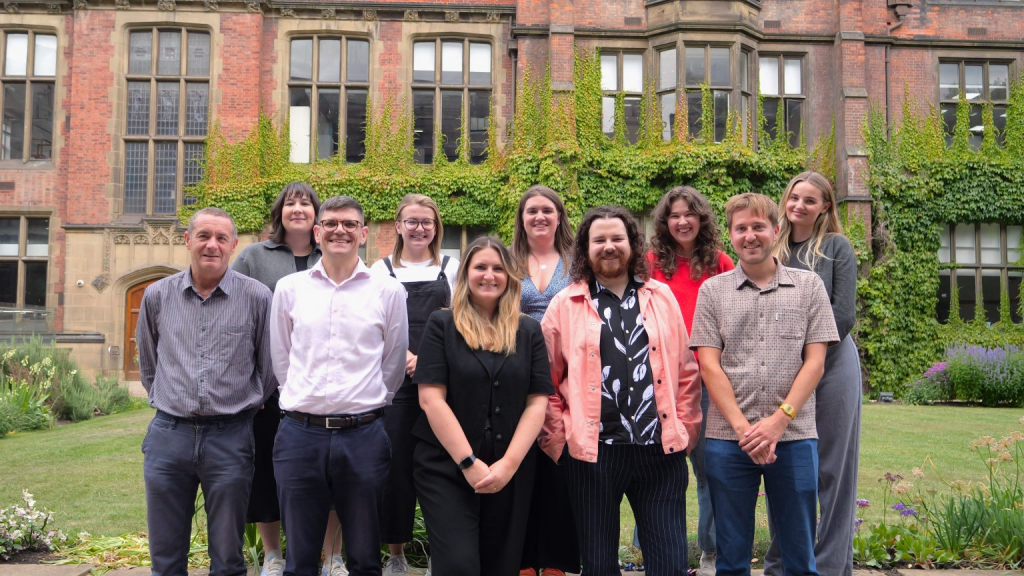
So, who’s behind this work? Meet our team and learn more about how we are working to build a more sustainable future for our university.
As the Head of Sustainability, Hannah has oversight across operational sustainability, ensuring compliance with ISO14001 standards. She works with colleagues to develop and implement sustainability plans and initiatives, driving continual improvement and embedding more sustainable decision making within the University.
Matt leads on the University’s progress towards Net Zero carbon dioxide emissions, working with a range of stakeholders to fund and deliver major projects, such as our rooftop solar PV and heat network programmes, to reduce the carbon footprint of the University’s estate and operations.
Luke oversees implementation of the University’s ISO50001 certified Energy Management System and utilises a range of tools (including the Building Management System) to manage and reduce energy consumption and carbon emissions.
Paul provides engineering support to operation of the University’s Building Management System (BMS), including investigation of faults and recording of BMS assets.
Melissa is our Waste Manager. Her role involves ensuring the University disposes of waste in a safe, legally compliant and sustainable manner, and aims to move waste up the Waste Hierarchy, minimising its environmental impact.
For our Sustainability Officers, no two days are the same!
Jordan works with Luke on energy and carbon management and co-leads our Green Impact programme for colleagues. All things communications and engagement are co-ordinated by Olivia, contributing to in-person events and our network newsletter and LinkedIn.
Charlotte works on sustainable travel initiatives and has also been working with our Grounds Team to promote and protect campus biodiversity.
Phoebe focuses on water reduction, supports waste initiatives and manages the LEAF programme for wet labs.
Together, all our Sustainability Officers support implementation of the University’s Environmental and Energy Management system through conducting internal audits, fostering continuous improvement and making sustainability a part of everyday life at Newcastle.
Charlotte joined the team as a communications placement, and is now working as our Assistant Sustainability Officer. She works closely with the social media and internal communications team to promote our sustainability initiatives and events. Some of her other responsibilities include editing our webpages, managing the Sustainable Campus inbox, and assisting with electricity and gas invoicing.
If you would like to get in contact with the Sustainability Team, you can reach us at Sustainable-Campus@ncl.ac.uk
Every year, around 400 million tonnes of paper and paperboard are produced, with numbers predicted to double by 2050. The paper industry is among the top five most energy-intensive industries globally and production requires significant amounts of water.
Printing may seem like a small, everyday activity, but its environmental impact can add up quickly. Adopting more sustainable printing practices can help us to reduce waste, energy use, and carbon emissions across campus.
The Quad – Photograph by Charlotte Robson
Print less
Before printing, take a moment to think about the necessity of printing. Could a digital version of the document serve the same purpose?
Print better
Sometimes printing is necessary. When there is a need to print, there are steps we can take to be more sustainable and efficient.
Print double-sided to reduce paper usage
Choose black and white instead of colour
Print multiple slides per page for lecture notes
Always preview documents before printing to avoid reprints
Recycle!
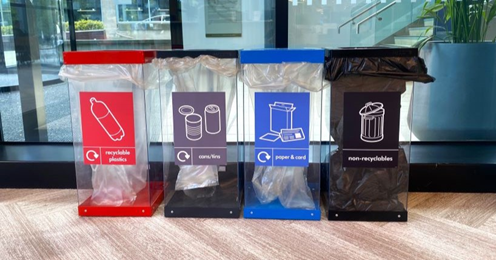
When printing can’t be avoided, it’s important that all paper waste is correctly disposed of in one of our designated paper recycling bins (blue bin).
If clean, you can recycle all types of paper in the paper recycling bins, including:
any white or coloured paper
shredded paper
photocopier and computer paper
leaflets, magazines, journals, newspapers and catalogues
envelopes, including those with brown paper and/ or windows
thin card such as cereal packaging and microwave meal sleeves
Books
Please do not put paper coffee cups, waxed paper or sandwich wrappers in the paper bins.
Thank you for reading this blog. Make sure you rethink next time you print!
It is therefore essential we avoid food waste where we can, and that where food waste can’t be avoided, we process it in the best way possible.
Food waste at Newcastle University
In March 2025, the Simpler Recycling legislation came into force, meaning that all UK businesses with 10 or more employees must have food waste segregation and collections in place. While Newcastle University has had food waste caddies and collections for several years on campus, this was expanded to all University-owned accommodation in January 2025.
All food waste is taken by Biffa to a local anaerobic digestion (AD) facility. Here, food waste is processed into fertiliser, as well as a methane-rich ‘biogas’ which is fed back into the national grid.
Newcastle University is highly aware of the issues surrounding food waste and has also implemented several initiatives to combat them, such as:
Giving excess food to local food banks and to our new Student Pantry.
Catered events are advised to order an amount of food which is less than the amount of people visiting so there is less waste.
Ingredients which are left over are used to make other meals if possible.
If one food outlet closes earlier than another, the food is transported to another that is open later.
How to reduce food waste
Want to save some money and produce less food waste? Check out these top tips from Love Food Hate Waste…
Think before you shop
Take a few moments to consider what you need before you hit the shop. Check what you actually need in your fridge, freezer, and cupboards, and plan to use up anything that’s going to expire soon. And don’t forget to take your shopping list with you to keep you on track!
Plan your meals
Create a realistic flexible meal plan, and leave space for a ‘use up fridge food’ meal. Planning for what you’ll eat during the week reduces buying any ‘just in case’ food, saving you money and reducing the possibility of wasting food.
Don’t throw your leftovers
If you have food leftover from a meal, put it in the fridge or freezer. This means you can eat it at a later date, and it doesn’t get wasted!
Top tip: Make sure to label your food with a date so you know how long it has been there to ensure its safe to eat.
Store your food right
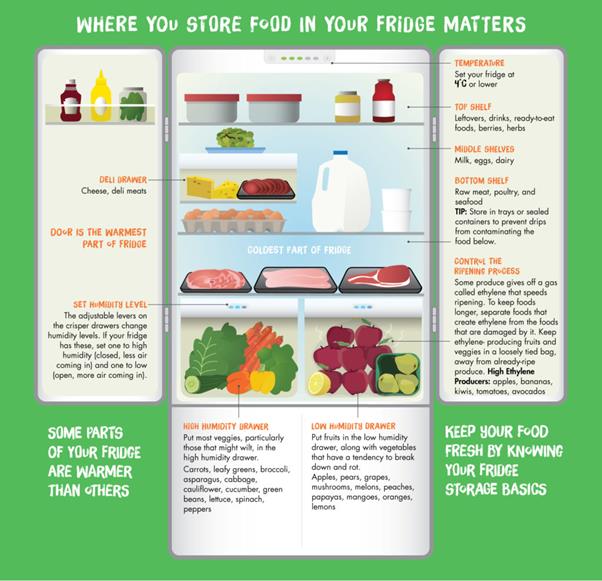
Putting your food away in the right places will help keep it fresher for longer. This guide created by Love Food Hate Waste has some great tips about how to best store different food items, and the visual guide below shows what should go where in the fridge.
Get more value and nourishment from your food by eating and using all the edible parts and reduce what goes in the bin. One example would be to save yourself some time by not peeling carrots or potatoes – less food waste and time saved is surely a win-win situation!
Try a food waste app
If you know you won’t use your item and it is still within its use-by date, list it on a food waste app like Olio. This way, you can get rid of items you won’t use and somebody in your community can benefit from a free food donation!
For more good food habits, recipe information and more, visit Love Food Hate Waste.
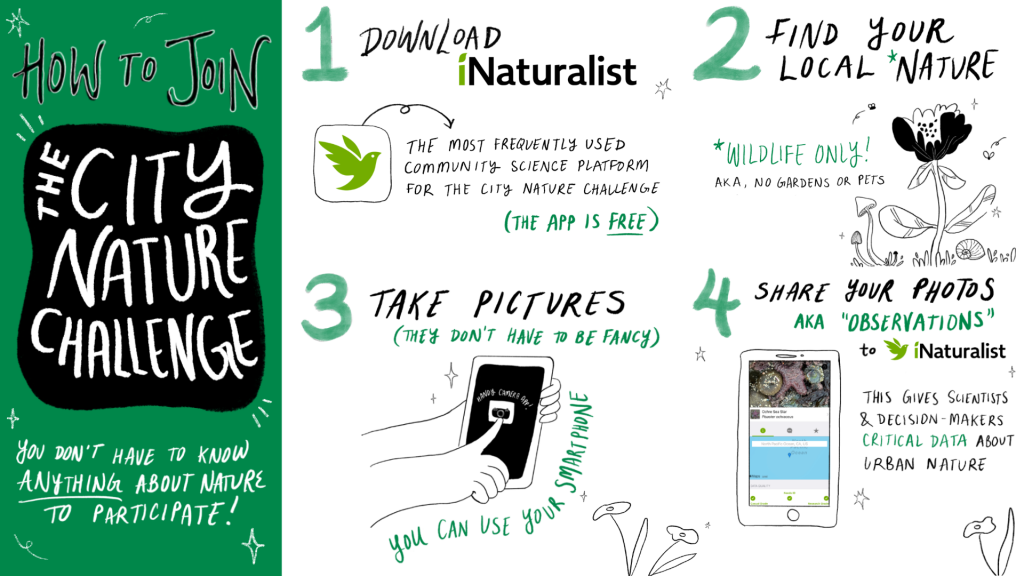
The City Nature Challenge is a global event that takes place every year at the end of April, it consists of two parts:
Recording – cities partake in a global bioblitz and take photos and recordings of the wild nature (plants and animals) they find during the four-day period
Identifying – cities upload their observations to iNaturalist and add identifications to the recordings
Part breakdown
Dates for the 20206 City Nature Challenge
Recording
24 – 27 April 2026
Identifying
28 April – 10 May 2026
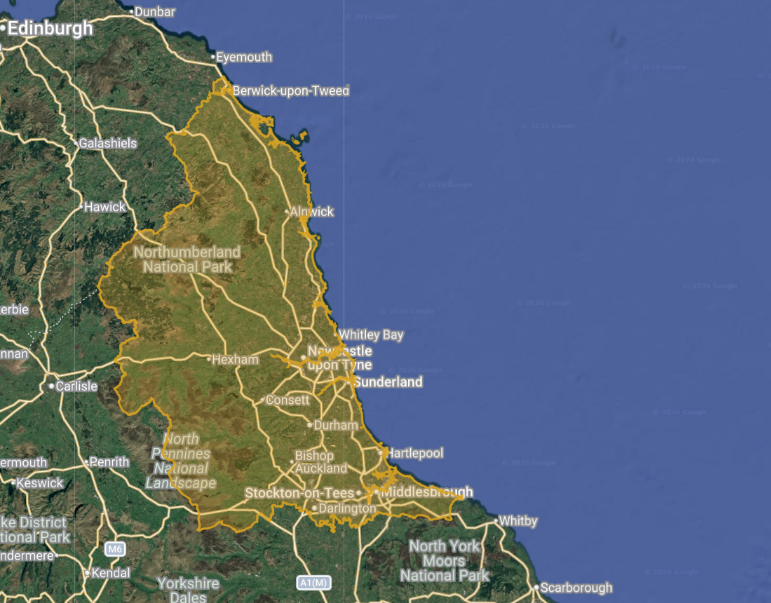
The North East of England is registered to partake in the 2026 City Nature Challenge, and our project has been set up on iNaturalist.
Below is an overview of how you can get involved and a guide on how to use iNaturalist to partake in the City Nature Challenge.
Find wildlife anywhere within the North East project boundary and take a photo or make a sound recording of what you find as evidence and note when and where you found it
a. Wildlife includes any organism that has not been planted or looked after by humans. Focus on finding bugs, birds and weeds instead of planted flowers and trees or animals that are looked after by humans.
Search through the results and find an observation you may be able to add in identification too, click the image and use the ‘Add ID’ button, type in what you think it may be – this can be broad. Save your identification
a. Add identifications to the taxonomic level that you are confident of, use the evidence provided in the observation.
b. You can use different sources to help you if you are not sure, such as all the images uploaded in the observation, identification sheets, ID books and apps such as Merlin ID to help
How to make an observation for the City Nature Challenge
An observation records an encounter with an organism in a particular time and location. Observations can be uploaded via the mobile app or the webpage.
Making an observation with the app
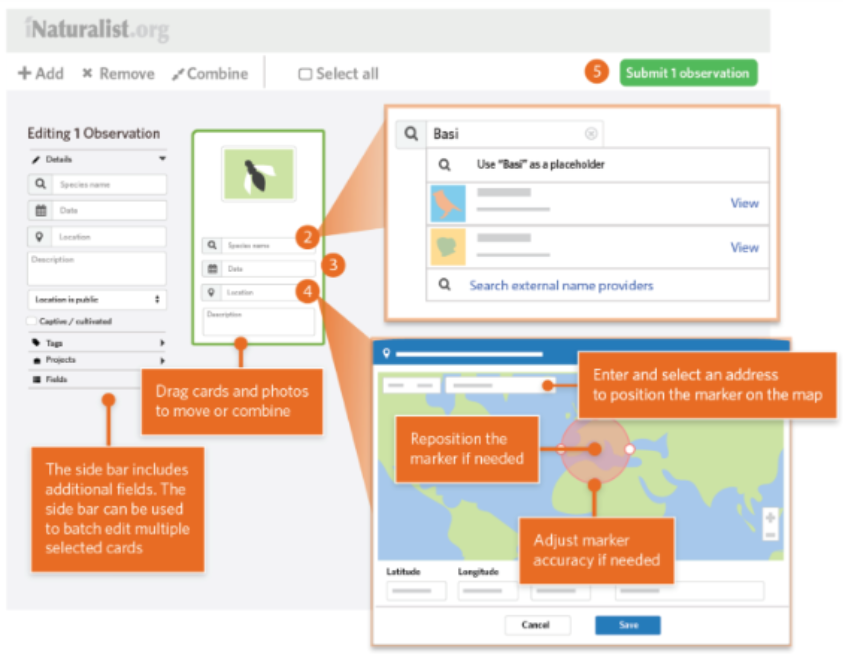
Making an observation on the website
Open the iNaturalist Classic app and tap “Observe.”
Log in at iNaturalist and click the green “Upload” button in the header.
Add one or more photos or sounds as evidence
Drag in one or more photos or use the “Add” button to manually create observation cards.
Choose what you saw – either from suggested species or by searching. If you are unsure, you can keep the label as simple as “plant” or “insect.”
Choose what you saw from suggestions or by searching. If unsure, leave it blank or use a broad category.
The date and location should be added automatically. If not, check your device’s location and privacy settings.
Use the calendar to record when the observation was made.
Does the plant look like it was planted or is looked after by a human? If yes, mark the finding as ‘captive/cultivated’ as this is not a wild observation.
Enter a location and adjust the map marker and accuracy circle as needed.
Tap “Save”, then “Upload” to share your observation.
Does the plant look like it was planted or is looked after by a human? If yes, mark the finding as ‘captive/cultivated’ as this is not a wild observation.
Once uploaded, others in the iNaturalist community can help refine the identification.
Once all details are added, click “Submit.”
Please note: Non-wild observations need to be marked as captive/cultivated on iNaturalist.
Additional guidance
iNaturalist have shared a slideshow that contains helpful tips about how to make a good observation. The key principles are:
Take clear, close-up photos
Focus on wild organisms
Document the location
Add an identification
Image: How to upload an observation on the iNaturalist website (Source: iNaturalist, 2025).
Why are observations important?
iNaturalist is an important tool that helps connect people with the nature around them and build their knowledge of biodiversity. Through iNaturalist and the City Nature Challenge, your photos and identifications contribute valuable data that supports research, conservation, and our understanding of local biodiversity.
At Newcastle University, these records contribute to our Campus Biodiversity Network and help us establish our biodiversity baseline, allowing us to monitor species over time and better understand our campus biodiversity. Whether you’re recording or identifying, every contribution counts, so get involved in this year’s City Nature Challenge!
If you would like to find out more about other biodiversity initiatives on campus, check out our webpage. For any queries about iNaturalist or sustainability in general, please email us at sustainable-campus@newcasle.ac.uk.
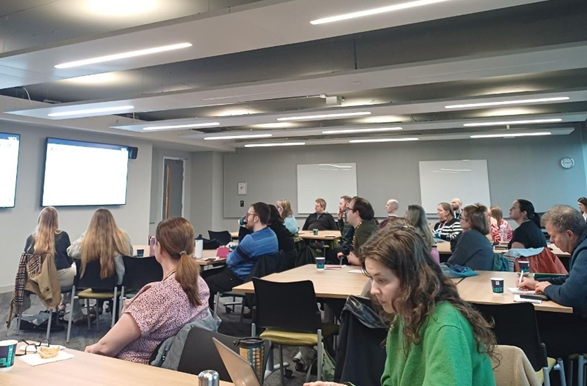
Last week we hosted the North East’s first LEAF Audit training workshop!
The event was organised by one of our sustainability officers, Phoebe, and was open to all Universities in the region taking part in LEAF. Attendees joined us from Newcastle, Northumbria University and Durham University.
This in person training session was delivered by Caitlin Broadbent a member of the UCL LEAF team, who expertly informed our participants on how to audit a LEAF lab to a high level. A range of discussions of scenarios taking place in labs across the institutions led to some great deliberations. As a result, all workshop attendees are now equipped as LEAF lab auditors!
LEAF Audit Workshop
What is LEAF?
LEAF, or the Laboratory Efficiency Assessment Framework, is an online platform for laboratory users designed by UCL to improve the sustainability and efficiency of working practices within wet labs. Teams work through sustainability actions covering a wide range of topics to reduce waste, water, and energy along with improving the efficiency of other resources aiming to get either a bronze, silver or gold accreditation.
We have a rapidly growing group of LEAF Labs and auditors at Newcastle University, and we’re excited to see how our community grows over 2026.
Veganuary is a global movement that encourages people to commit to a vegan diet for 31 days in January. Started in 2014 by the UK charity Veganuary, people from over 228 countries have participated in the challenge over the last ten years, and over three-quarters of people in the UK have heard of Veganuary. This blog explores the environmental benefits of a vegan diet and shares some helpful resources, recipes, and our favourite local vegan spots to try!
To celebrate, we hosted a vegan charity bake sale in our office. This year we raised over £100 for the West End Refugee Service, whilst enjoying some delicious vegan bakes.
Vegan charity bake sale.
Environmental Benefits of a Vegan Diet
Cutting down our intake of animal products is crucial for reducing the environmental impact of the agricultural industry (Viroli et al, 2023). Researchers at the University of Oxford found that moving from current diets to a diet that excludes animal products would deliver a 28% reduction in global greenhouse gas emissions (Poore and Nemecek, 2018).
“Converting grass into (meat) is like converting coal to energy. It comes with an immense cost in emissions.” –Joseph Poore
Agriculture uses nearly 40% of land, 70% of freshwater and is responsible for up to 30% of global greenhouse gas emissions (Willett, 2019). Moreover, land conversion for food production is the largest driver of global biodiversity loss (ibid). Dairy and meat products have an especially high environmental impact in comparison to other food groups. This because the process of raising animals is overall much more carbon intensive than harvesting plants. Animal-based food production involves clearing forests for animal pasture, making millions of tons of animal feed and large amounts of waste generated from farm animals. It is therefore important that we re-examine what we eat and move towards an eco-friendlier diet.
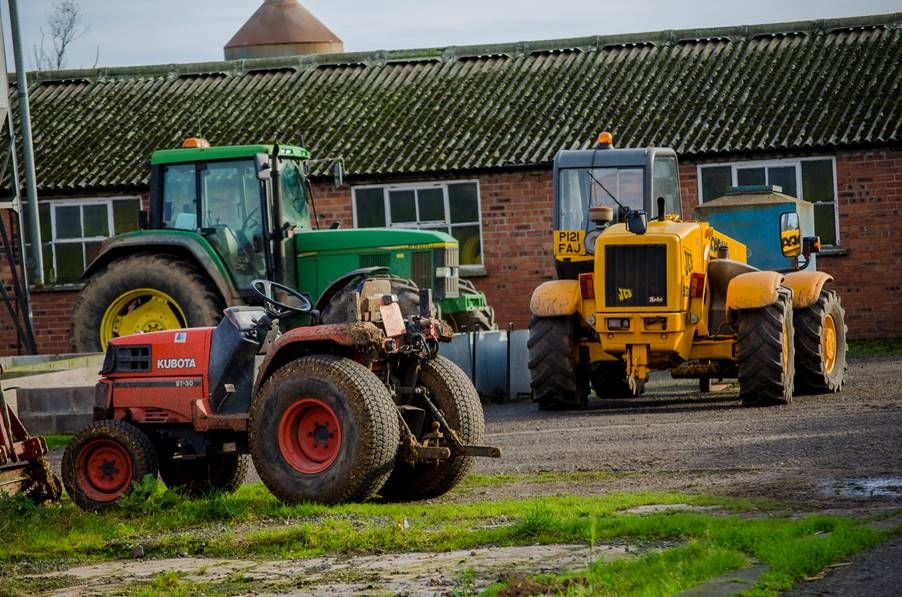
Photo: Tractors at Newcastle University’s Cockle Park Farm by Matt Horne
Top Tips
Enjoy inadvertently plant-based foods
Some of your favourite foods might be totally vegan, you have just not realised or known it!
In almost every global cuisine, there are inadvertently vegan dishes which remain at the heart of every meal. From Indian favourites such as dhal or bhajis/pakoras to Arab plates like falafel and hummus, there is ‘vegan’ food everywhere! Tofu is great example of a naturally plant-based signature ingredient. In South-East Asian meals, it has been used for many years to create delicious dishes.
A great way to start incorporating more plant-based meals into your diet is to reinvent dishes you know and love. Try swapping some of the meat/dairy ingredients for plant-based alternatives. You might even find you like the vegan alternative better than the original! Check out these recipes for a plant-based chilli, lentil bolognese and macaroni cheese.
Try a non-dairy milk
Plant-based milks have grown hugely in popularity in recent years due to their environmental credentials. From oat to soya to almond, there is plenty of choice when it comes to milk alternatives! Take your time to try a few different alternatives ‘til you find which one suits you.
Make small switches
There are plenty of small switches you can make in your kitchen which can help you make a smooth transition to a more plant-based lifestyle. Trying using oil instead of butter when you cook or maple/golden syrup instead of honey. These changes shouldn’t alter the flavour of your dish too much and puts you well on your way to a more sustainable diet.
Popular Vegan Spots in Newcastle:
Supernatural Café – the first completely plant-based restaurant in the city
Chicken Shack – menu includes a vegan burger. Located in the Students Union
The Ship Inn – a pub in Ouseburn with a fully vegan food menu
A little Piece of Sky – vegetarian “fish” and chip shop takeaway on Friday Evenings, as well as vegan sweet treats and “sausage” rolls. Located in Heaton
Fat Hippo – vegan menu with vegan burgers. Located in Jesmond and the city centre
Vegano – vegan burgers, pizzas, pastas, and kebabs. Located in the city centre
Photo: Roast Chicken Seitan at Supernatural Cafe (left) credit: supernaturalnewcastle.com. Food from Veganatomy (right) credit: veganatomy.co.uk. Dabbawal vegan starter (last) (they have a plant based menu!)
Nemecek, T., 2018. Reducing food’s environmental impacts through producers and consumers. Science, 360(6392), pp.987-992.
Viroli, G., Kalmpourtzidou, A. and Cena, H., 2023. Exploring benefits and barriers of plant-based diets: Health, environmental impact, food accessibility and acceptability. Nutrients, 15(22), p.4723.
Willett, W. et al. (2019) “Food in the Anthropocene: The EAT–lancet commission on healthy diets from sustainable food systems,” The Lancet, 393(10170), pp. 447–492. Available at: https://doi.org/10.1016/s0140-6736(18)31788-4.
We are pleased to share that Newcastle University has been awarded a Gold Cycle Friendly Employer Accreditation from Cycling UK.
The Cycle Friendly Employer (CFE) accreditation is an internationally recognised standard for promoting active travel in the workplace. Organisations are assessed and can achieve a Bronze, Silver or Gold accreditation – and we are proud to have achieved gold!
The assessment looks at everything from an organisation’s cycling facilities and infrastructure to workplace culture and policies, all focused on making it easier for colleagues to cycle to and from work.
Professor Jane Robinson, PVC of Business, Partnerships & Place and the Executive Board lead for sustainability said: “The Gold Cycle Friendly Employer accreditation recognises the progress we have made to date in enabling active travel at Newcastle University and supports our commitment to be sustainable in all that we do. As someone who regularly cycles to work, I know the difference this initiative has made and hope it will encourage more people to travel sustainably in the future.”
Some of our key initiatives that contributed to the gold accreditation include:
Dr Alistair Ford, Senior Lecturer in the School of Engineering and member of the University’s Sustainability Committee and Bicycle User Group, said: “The Gold Cycle Friendly Employer accreditation is a recognition of the hard work that the University is doing to enable staff and students to travel sustainably to campus. The accreditation demonstrates great progress but importantly it also requires continual improvement to ensure more colleagues feel able to cycle in the future. We will continue to work on our own campus, and in partnership with the City Council and with organisations in Newcastle, to enable more people to get to work, study, or visit by bike.”
Find out more!
If you would like to learn more about sustainable travel at Newcastle University, you can have a read of the Sustainable Campus website, email us or give our brand new LinkedIn a follow at NCL_SustainableCampus.
We look forward to continuing to work with Cycle Friendly Employer so we can learn from the organisation and expand our support for active travel commuters!
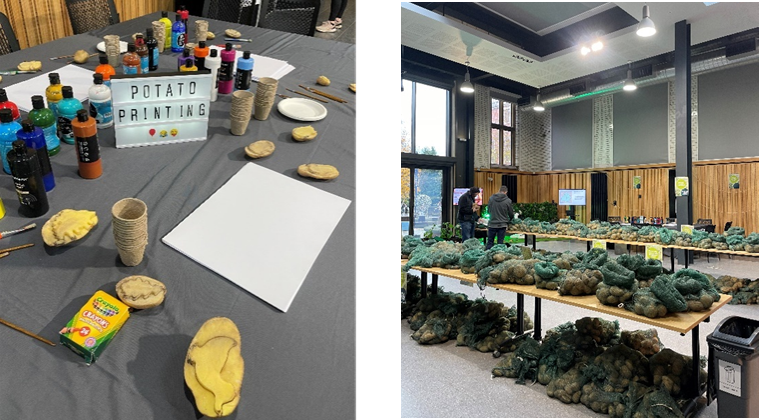
On Thursday 28th November the School of Natural and Environmental Sciences (SNES) hosted SpudFest, transforming the Boiler House into potato heaven. From research posters and company stalls to a potato-printing art station, the event brought together students, colleagues and local partners for a fun and informative day.
Why?
As part of their research, SNES has collaborated with NU Farms to drive innovation in plant and crop science. Every year, University farms Cockle Park Farm and Nafferton Farm grow tonnes of potatoes for research. When harvest season ends, rather than letting the produce go to waste, SNES shares the potatoes with the University community through SpudFest.
Over 1000 people attended the event this year, and over two tonnes of potatoes were given away!
Eat@Newcastle
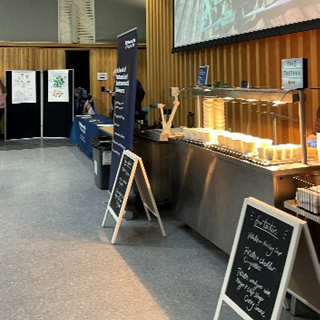
One of the highlights of the day was the complimentary food samples, courtesy of Eat@Newcastle. The wedges and potato soup were fan favourites, drawing long queues of students and colleagues throughout the day.
Sustainability
Our team had a stand at the event to talk all things sustainability. Alongside us, Annita from Biffa highlighted the environmental impact of food waste with some eye-opening statistics:
Food waste contributes to 8% of the UK’s total greenhouse gas emissions.
UK households throw away 4.4 million fresh potatoes every day.
Every day, 20 million slices of bread are thrown away. This is equivalent to a million loaves wasted daily!
Top Tips: To keep your potatoes fresher for longer, store them somewhere cool, dry, dark – and away from onions. If they’re starting to look a little old, boil them for five minutes and freeze them. They’re perfect for roasting later! Also:
If you are a student in university owned accommodation, make sure to use your food waste bins
Men’s Pie Club
North east charity Men’s Pie Club joined the event to raise awareness of their mission to bring local men together over good food and friendly conversation.
‘It’s all about making pies, having a laugh, and getting to know a great bunch of lads in a relaxed, no-fuss environment.’ – Men’s Pie Club
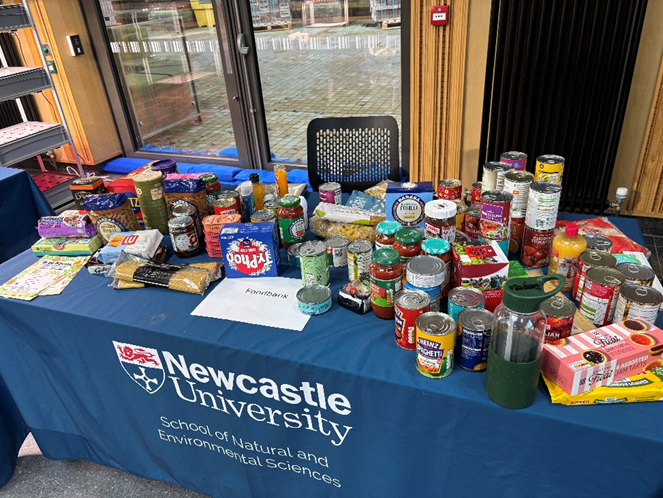
There was also a table to donate food items to the local foodbank! A great way to give back to the community.
SpudFest 2025 brought together research, sustainability, wellbeing and community spirit in one brilliant event. Huge thanks to SNES and Katy Sawyer for organising the event.
We are already looking forward to next year’s celebration of all thing’s potato!