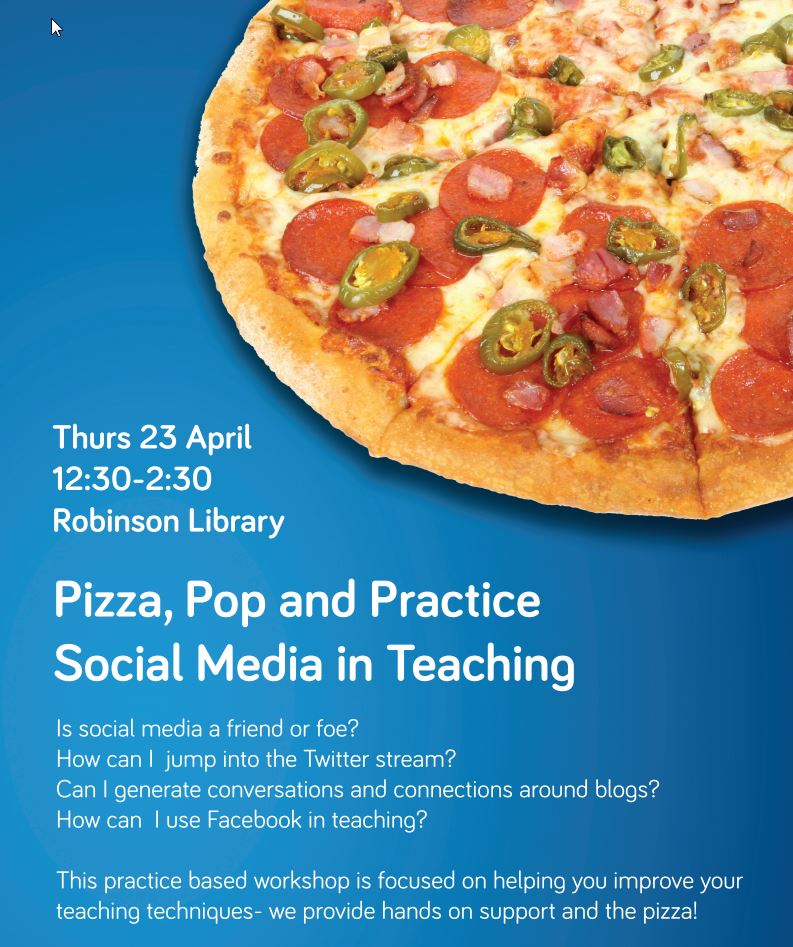
The recent Pizza, Pop and Practice workshop on Sound and Vision, looking at making recordings and short video clips for use in teaching, was a tremendous success.
Participants enjoyed their pizza and pop, whilst learning about Audacity (which enables you to make short sound recordings and clips), Animoto (which allows you to make short video clips to advertise events or explain simple concepts – see Jo’s video about the workshop below), as well as looking at ways to use Microsoft Office Mix to create videos and recordings for use in powerpoints or online.
Thanks to everyone who came along and thanks in particular to Lucy Keating, Marc Bennett, Jo Robinson-Lamb and Nuala Davis for delivering such interesting workshops!
All of the materials from the workshops are now available on this blog.
Interested in using these materials in your teaching? Contact LTDS for more information and support.
Office Mix is a PowerPoint plugin that enables you to take new and existing presentations and transform them into interactive online learning resources that you can easily publish to your website and/or Blackboard. You can use the tool to add:
An excellent range of resources, including some more advanced features, like embedding mixes in webpages, can be found at mixforteachers.com
When you come to publish your mixes you can either publish to a personal account or use your University account which Microsoft refers to as ‘Work or School Account’. Simply sign in with your username@newcastle.ac.uk (e.g. nmb84@newcastle.ac.uk) and your university password.
If you want to track your students’ progress and engagement with your mixes via your Blackboard Module you can use the integrated Office Mix tool in the VLE. This will give you stats on a range of things that you can link to individual students including how many attempts they took to answer questions and time spent on specific slides.
Please note: Office Mix is currently in Beta which means that it could change or be removed completely in the future. We believe this is very unlikely given the growing popularity of the product and as your mix PowerPoints will remain functional as presentations it is very low risk experiment should you wish to try it.
If you wish to install Office Mix on a University machine simply request that your computing officer apply the following policy: ‘4 NUIT Office Mix Beta’
In session 3 of our 3P event on Friday 27th we had a look at sound recording and sound file use. Here are a few resources we used for this part of the session:
Experience tells me that if you are doing anything with sound the quality of the recording is important – here’s a post showing that a decent microphone is a must.
If you’re sad there was no PhotoStory in this session you can see how to do something similar in Powerpoint or with Movie Maker (but let’s face it Animoto makes short work of this).
The University’s Innovation Fund awards are designed to encourage the development of new or innovative approaches to learning and teaching and to enable their dissemination across the University.
The Innovation Fund is a fantastic opportunity to propose and deliver projects with real benefit to learning, teaching, and the student experience.
Past projects have also offered stepping stones to other internal and external learning and teaching opportunities and funding (eg: evidence for the reward and recognition of teaching; HEA schemes).
Whilst Innovation Fund projects can offer opportunities to undertake educational research, it is essential that the primary focus of projects is on improving the student learning experience.
Workshops for prospective applicants to the Innovation Fund are available giving an overview of the purpose of the fund, and the responsive and strategic strands of funding.
Presentations will be made by winning Innovation Fund project teams.
Guidance will be available from the Careers Service about employing students as part of an Innovation Fund project.
Introduction to the application process, key dates, and where to find further information will also be included:
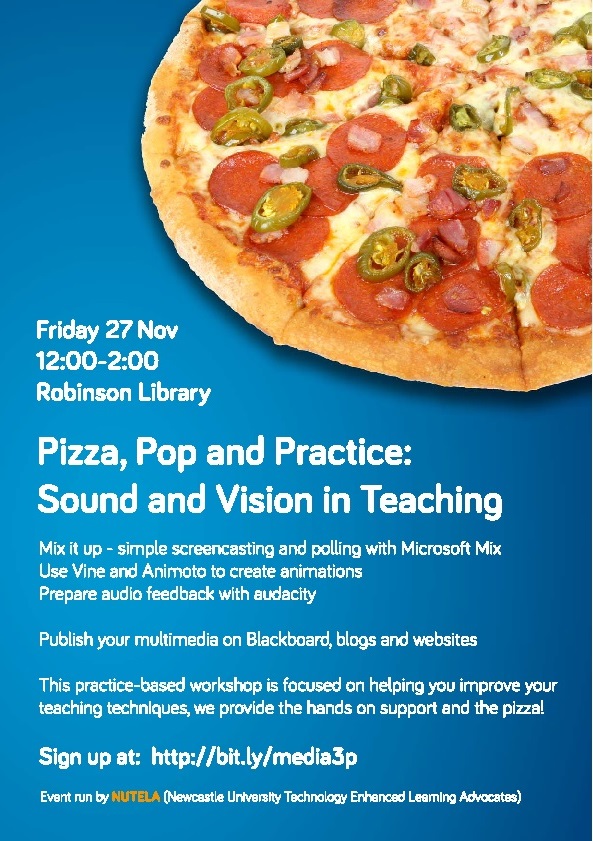
NUTELA will hold it’s first Pizza, Pop and Practice workshop of this academic year in the Tees Cluster at the Robinson Library on Friday 27th November 2015.
The workshop, entitled Sound and Vision in Teaching, will showcase techniques to use video and sound editing software to create short film sequences and audio recordings for teaching.
As well as vast quantities of FREE PIZZA and POP over lunchtime, the event will offer a series of short workshops to show participants how to use Microsoft Mix to put together or mix up words and images, Vine and Animoto to make short animations and Audacity to record short sound clips.
See Animoto in action and learn more about the event:
Follow these steps to use an Office Mix Placement inside a module in Blackboard:
Go to the module you’d like to use.
In the Tools menu, select Office Mix.
In the Link Name box, type a name.
Configure any additional settings you’d like.
Click Submit.
When you return to the Module, click the item that you just added.
When the item appears, use one of these methods to select a mix:
By URL: A simple way to select a mix is to visit the Office Mix website, watch a mix, and copy/paste the URL in the dialog. This method makes it easy to include mixes that have been created by other people.
My Mixes: Select a mix from your My Mixes page. In order to prevent students from having to sign in to view a mix, only those mixes with permissions set to Unlisted or Public are shown. You can find our how to set these preferences here
After you have selected a mix, click Yes to confirm that this is the mix you’d like to use.
NUTELA is pleased to announce the winners of its 2015 Peer Recognition Awards.
The awards are designed to recognise University staff who go above and beyond the call of duty to help their colleagues, schools and units to adopt forms of TEL (technology-enhanced learning).
This year’s winners Gigi Herbert (Development Officer within the Curriculum Development team at the Careers Service) and Graham Patterson (Computing Technician with Sage Faculty IT) have both been integral to helping other staff to adopt innovative technologies in their teaching.
NUTELA Peer Recognition Award winner Gigi Herbert [Right] with Salome Bolton, who nominated her.Gigi was responsible for helping Careers Service staff to adopt technologies such as Grademark and Turnitin in their year-long Career Development Modules.
She was nominated by her colleague Salome Bolton. Salome said: ‘Gigi has been fundamental in developing the team of six to help manage the complexities around student assessment and enhancing learning through the innovative use of technology.
‘[She] helped each team member work through these issues and address any problems using individual support and training.
‘[We] have received very positive feedback from students informally and via our student-staff committee about the additional benefits of being able to access their feedback online via this system.’
Graham has worked tirelessly helping staff in the School of Civil Engineering (CEG) to use mobile technologies in their teaching.
For this a tablet devices (Android based) were issued to each all incoming students in CEG from 2012.
Henny Mills (Senior Teaching Associate, CEG), who nominated Graham said: ‘Graham has been central to the introduction and management of the PEARL project and without him, the use of tablet devices within the teaching environment of CEG would not have been such a success.
‘When I was not able to deliver the tablet inductions sessions due to other teaching commitment, Graham run the sessions for up to 100 students, which is well beyond the scope of an IT Technician.
‘The use of these devices has revolutionized teaching delivery in CEG and improved student experiences. This would not have been possible without Graham’s support and enthusiasm for technology-enhanced learning.’
Graham Patterson Peer Recognition Award Winner
Graham added: ‘Using these mobile devices is great because it encourages interaction between lecturers and students and means that lecturers can poll immediate feedback during classes.’
NUTELA Chair, Laura Delgaty, who helped to choose the winners, said: ‘We had some great entrants this year and it was tough deciding on the winners.
‘I think everyone at Newcastle can be really proud of how staff are working together to support each other in using these innovative new methods in their teaching.
‘We are excited this year to offer these awards. The focus was on recognizing colleagues that have gone out of their way to help others at the University learn about or use technology.
‘We asked for peer nominations focusing on how these individuals contributed to the advancement of others using technology and how this related to NUs LTSE.’
Do you have an extra-special colleague who has helped you with incorporated TEL into your teaching practice? Do you want to recognise someone who has provided excellent support or advice on TEL to your school, unit or faculty? Watch out for details of next year’s competition on the NUTELA blog or email: nutelaops@newcastle.ac.uk for more information.
Has someone helped you? Has another member of University staff gone out of their way to help you use technology? Would you like her/him to be recognised? If so, let us know!
NUTELA is offering two peer recognition awards this year. We are looking for nominations of staff members who have contributed to peer support or the mentoring of others learning about and/or working with technology.
It might be someone who has helped you understand the purpose of a specific learning technology, or someone who has been instrumental in progressing Technology Enhanced Learning (TEL) initiatives in your unit. You are welcome to nominate any member of staff at Newcastle University.
The nomination process is simple. In 500 words or less, just answer these two questions and send your response to nutelaops@ncl.ac.uk.
How has this staff member contributed to your learning, working or development with TEL?
The deadline is April 30, 2015. NUTELA will review the applications and make a decision. All nominees will be told they have been nominated, and will be invited to present their work at the year-end NUTELA conference in June, 2015. The award will be presented by Suzanne Cholerton, Pro-Vice-Chancellor (Learning and Teaching) and the winners will be invited to the Vice-Chancellor’s Celebrating Success event.

![NUTELA Peer Recognition Award winner Gigi Herbert [Right] with Salome Bolton, who nominated her.](https://blogs.ncl.ac.uk/ltdev/files/2015/06/Salome-and-Gigi.jpg)