The Learning and Teaching Development Service has moved offices.
From January 2018 we can be found in a new dedicated space on the first floor of the Marjorie Robinson Library Rooms. Continue reading “LTDS has a new home!”
The Learning and Teaching Development Service has moved offices.
From January 2018 we can be found in a new dedicated space on the first floor of the Marjorie Robinson Library Rooms. Continue reading “LTDS has a new home!”

Learning and Teaching Conference 2018 – Education for Life: celebrating partnership, encouraging innovation
Wednesday 21 March 2018
We are pleased to announce that registrations are now open. Book your place here
The event will include a diverse mix of sessions including Workshops, Presentations, Lightning Talks and Poster presentations. Further information about the conference can be found on our website. Continue reading “Registration Open: Learning and Teaching Conference 2018 Education for Life: celebrating partnership, encouraging innovation”

Last year we decided to open the great big can of worms that was our School’s Undergraduate Blackboard site.
Dental Sciences was one of the first schools to adopt Blackboard some 15 years ago and was perhaps a lesson in how not to structure it. We just had one very large community with all the learning material from our 5-year non-modular course crammed inside. Continue reading “Guest Blog: School of Dental Sciences Blackboard update”

From quizzing in the classroom to embedding quizzes in your recap recordings, our latest Pizza, Pop and Practice event covered them all (with a bit of a Christmas theme).
Our experts for this session were Marc Bennett (NUIT), Rebecca Gill (LTDS), Chris Graham (Mathematics, Statistics and Physics) and Carol Summerside (LTDS). They all provided a great overview of the different tools and the session ended with Laura Delgaty’s International Christmas Quiz with prizes for everyone.
Find out about each of the quizzing tools below: Continue reading “NUTELA 3Ps: Quizzing”
If you are an undergraduate or a recent graduate with a piece of independent research that you’re proud of—or you’re a lecturer with students like that—please read on! Newcastle University is looking for people to represent us at the British Conference of Undergraduate Research 2018.
Continue reading “Undergraduate research: present at BCUR, get Newcastle to pay for it, CV points”
The Learning and Teaching Conference 2018 theme has been announced: Education for Life: celebrating partnership, encouraging innovation.
This one-day event will take place Wednesday 21 March 2018, 9am-5.30pm. Read more about the conference theme, find full details of the event and register on the conference webpage.
Proposals are welcomed from academic staff, students and Professional Services staff, for individual or collaborative submissions. Further information about the conference theme Education for Life: celebrating partnership, encouraging innovation is available on the conference webpage.
All sessions will have a member of LTDS staff allocated to help in advance of the event, who will also be in the session on the day.
A hands on session to solve a problem, practice something new, showcase a method. Learning by doing. Choose a flat teaching space arranged cabaret style, or a PC cluster.
These sessions will be chaired by a member of academic staff, and wherever possible grouped into themed sessions to enable a short panel discussion and Q&A at the end.
A speedy way to introduce a new idea, share an approach, or ask a question. Grouped in themed sessions wherever possible. A chance to meet people doing similar things to you. Several lightning talks will be followed by a Q&A session. You can choose whether or not to use audio visual aids, or you could submit a 3 minute video!
Posters will be on display all day in the Boiler House. Poster presenters should be available by their poster to answer questions during the lunch break. Delegates will vote on their favourite and a prize will be awarded.
Complete the call for submissions form to submit your ideas by Friday 19 January 2018.
All submissions will be reviewed by the Learning and Teaching Conference Programme Committee, and session allocations will be confirmed by Wednesday 31 January 2018. We will wherever possible try to accommodate your preferred session, however you may be allocated a different session format, at the discretion of the committee.
If you have a query email LTDS@ncl.ac.uk
If you have somewhere to put it up you can print out this poster, or use this version to send out to colleagues.
I recently attended the Turnitin UK Academic Integrity Summit 2017 held in Newcastle Upon Tyne. This was a very timely conference following the release of the QAA report into contract cheating. I was concerned that this would be a day-long sales pitch from Turnitin but was pleasantly surprised to find the opposite. There were many presentations from institutions around the world, but very little ‘grandstanding’ from Turnitin.
The first session I attended was a look at the approach from the University of York towards academic integrity. They discussed the importance of the language used at the University, moving away from terms such as “plagiarism” towards “academic integrity”. All their students have a mandatory academic integrity online tutorial they must complete in Semester 1 of Stage 1. They are working closely with the student union on their “integrity week” and are also working more closely with staff, including on their Postgraduate Certificate in Academic Practice (PGCAP).
The second session was a discussion session with the Turnitin staff exploring the types of data and statistics institutions would like to get out of Turnitin. This included reports on feedback return time, statistics around number of students receiving extensions, archiving, learning analytics, and reporting on the various functions used. We hope Turnitin will use this in the further developments of the software.
The third session was facilitated by Bill Loller, Chief Product Officer at Jobvite, who is working on a technical solution to expose contract cheating for Turnitin. They are using expertise from the field of forensic linguistics to develop a product. Forensic linguistics may be used in a court case to determine whether a person did, or did not, write a document. They are currently testing their modelling and developing a report that will provide a confidence score.
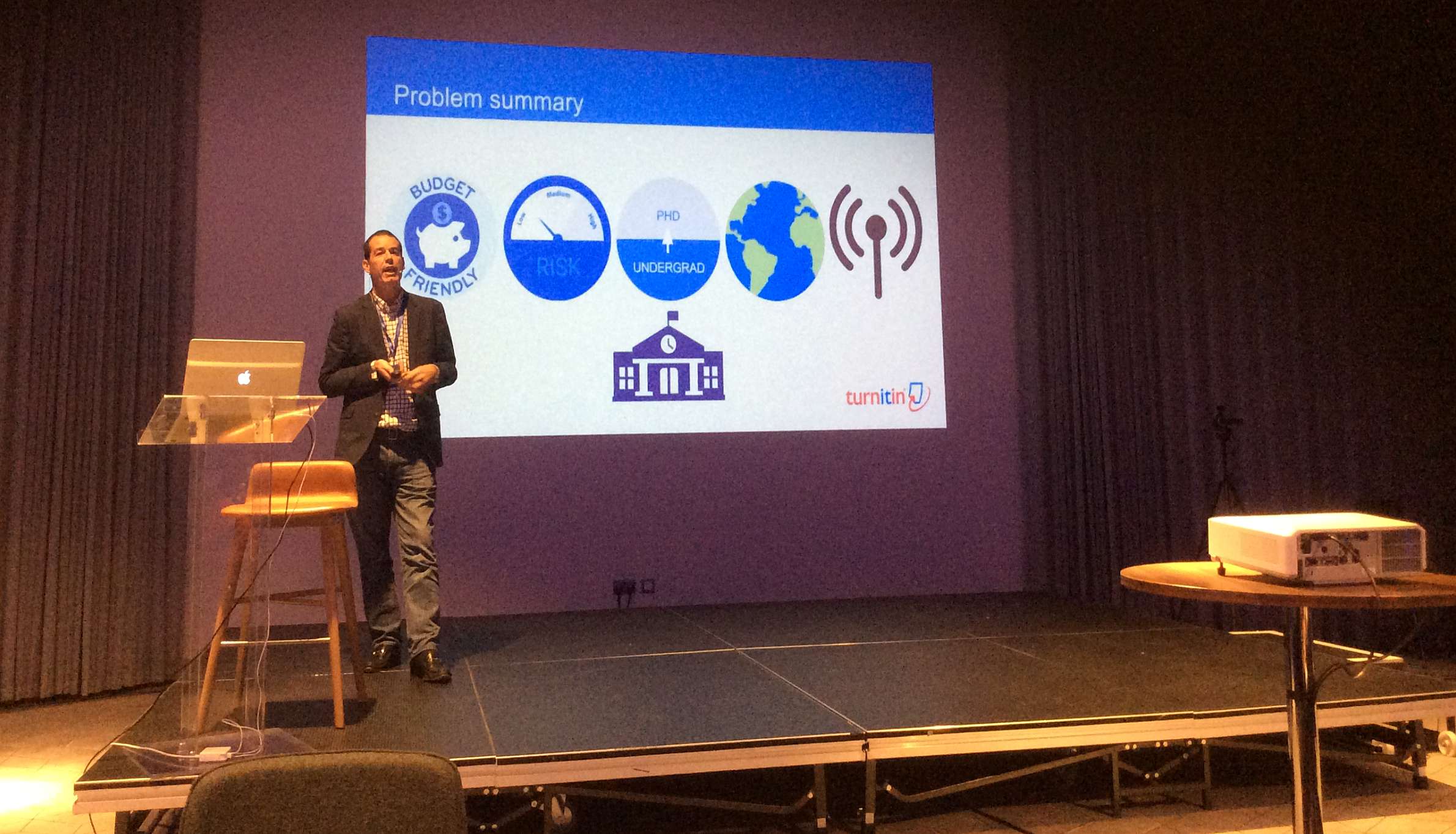 Bill continued this theme into a larger session with the group, showing some of the contract cheating/essay mills websites prevalent online. He admitted that Turnitin may have helped with this problem – “crack down on plagiarism and students will look elsewhere”. These websites offer 10,000 words for approximately £300.
Simon Bullock from the QAA was next to discuss his recent publication “Contracting to Cheat in Higher Education – How to Address Contract Cheating, the Use of Third-Party Services and Essay Mills.” He discussed the risks to the public if students were obtaining their degrees through cheating but that despite attempts it is not yet illegal to offer essay mill services online. The QAA is exploring as many non-legislative methods as possible.
Irene Glendinning of Coventry University presented her research work analysing the impact of policies for plagiarism in Higher Education across Europe. She highlighted the UK and Ireland as being some way ahead of many other countries in Europe. They have developed an academic integrity maturity model, a tool to compare the results of the impact analysis across 27 EU member states.
The presentation that had the most impact on me was from Cath Ellis from the University of New South Wales. Cath reported that there was too much anecdotal information forming decisions, and not enough hard data.
To find out how many students are using contract cheating services, Cath asked them anonymously. Out of the 14,096 students surveyed around 6% (n=814) admitted to cheating in some form during their programme. The vast majority of this cheating comes in the form of assistance from other or former students. It is not commercially driven. The cheating group’s attitudes show they are less likely to think it’s wrong, although there was no discernible difference between English and non-English speaking students. Non-English speaking students are as likely to think cheating is wrong as English speaking students. Other findings of the study showed that when there are perceptions that there are a lot of opportunities to cheat, cheating goes up. And when there is dissatisfaction with the teaching environment, cheating goes up.
Cath discussed the need for students to have “ethical fitness” – we should not try to remove every opportunity to cheat as students need to be ethical.
She then discussed the various types of contract cheating and review some of the typical websites.
Assessment design is widely advocated as a possible solution to contract cheating, but Cath argued that this is a myth. We should not change our assessment design because of a small percentage of cheaters. Reduced assessment time (shorter deadlines) will actually drive students towards essay mills.
Cath noted that we are not having the correct conversations with students and advised us to discuss contract cheating with them. Part of the study looked at the perceptions of how prevalent contract cheating is, compared to how damaging it is. 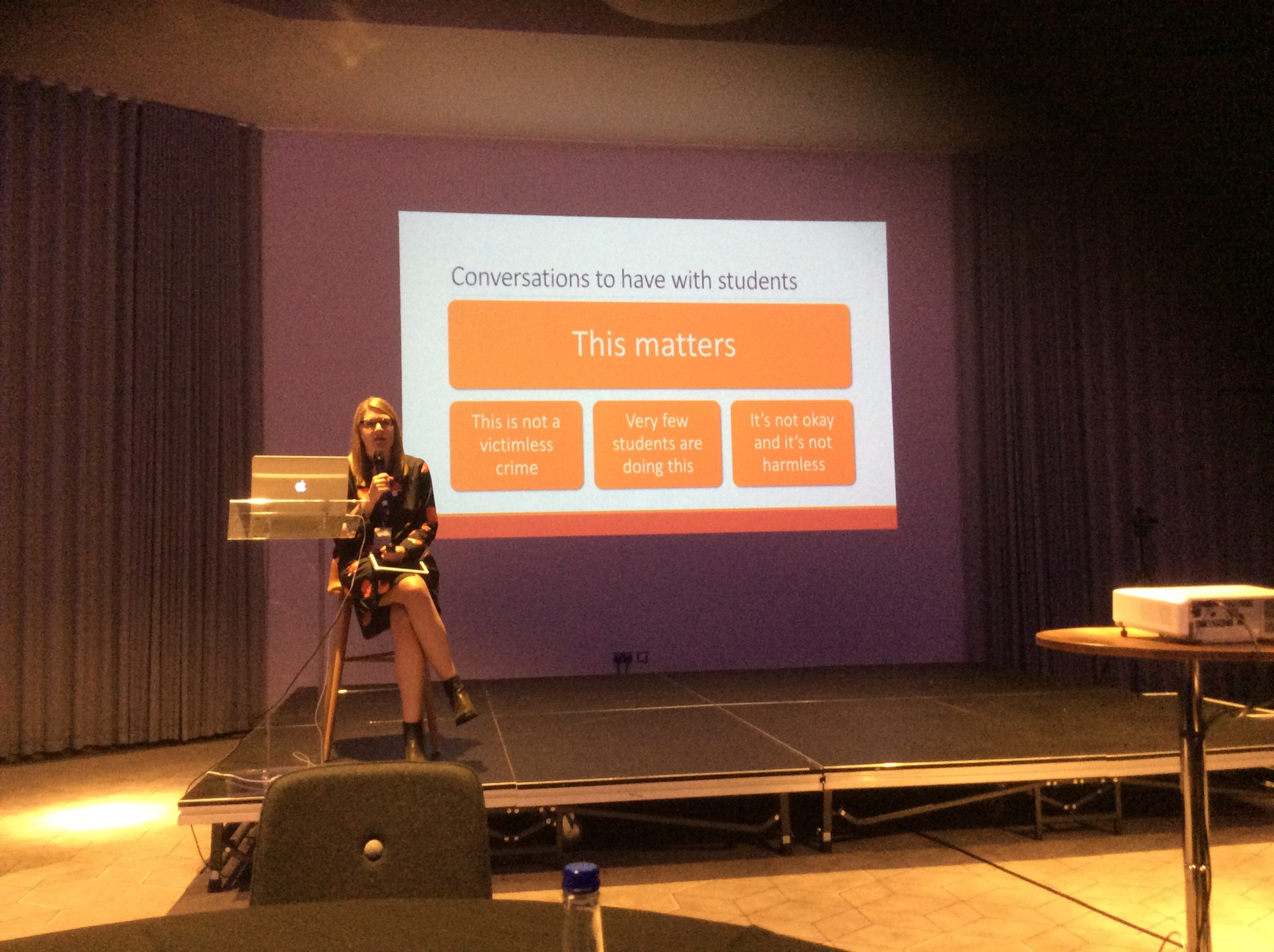 The study showed that students in the cheating group thought that a lot of students were doing it and it was not that serious. Staff members thought it was not very common but it was very serious. Students in the non-cheating group followed the same path as the students in the cheating group. They also thought that lots of students were doing it while it was not very serious.
The last presentation was given by Professor Phil Newton from Swansea University. He presented various research projects that explored academic integrity.
I found the event extremely useful and I have reflected since on the way Newcastle University approaches academic integrity. The presentation from Cath Ellis convinced me that we should not be changing any approaches to assessment to attempt to counter the small number of cheating students, but we should be minimising their opportunities to cheat. We also need to be having more conversations with staff and students about the promotion of academic integrity, and the impact contract cheating could have on their career.
The International Student Barometer is currently open and, as with any survey, there are actions that could be taken to help boost response rates.
Mobile Devices
Actively encourage completion using a mobile device. Most people have at least one mobile device and the ISB Survey can be completed on any device by following the personalised link emailed to students. Wireless access is being continuously improved across campus (as a result of student feedback!) which should make this really easy and convenient.
If possible arrange dedicated information sessions or set aside a brief amount of time at the start or end of timetabled sessions for students to complete surveys on their own devices.
Engage Students
Task student ambassadors or stage reps with encouraging their cohort to take part in surveys by posting on School/Programme social media. Encouraging discussion among student cohorts may lead to positive suggestions for improvement. Announcements could also be made on Blackboard community or module pages.
For all internal and external surveys it is important to ensure examples of improvements made both in house and across the wider University in response to results are communicated to students. Try to highlight what has been achieved at local level in response to past surveys of any kind and direct students to the ‘You Said We Did‘ webpage for examples of how student feedback has helped shape the student experience.
Prizes to be won!
Don’t forget to remind students that in return for their valued opinions, all respondents are entered into a prize draw (see terms and conditions). In 2017, the prizes include:
What does it matter anyway?
The Student Voice is an essential component of how the University does business. We need to hear about student experiences and work with students to improve the student experience for them and for future students. While feedback can be gathered in other ways such as through Student-Staff Committees, student surveys give the opportunity to capture data that can be compared easily between academic years and stages. Positive and negative responses are equally as important as we need to know what we do well so it can be rolled out as best practice, and where we can improve to help students have the best experience possible.
The higher the response rate to a survey, the more representative the findings should be.
If you have any queries regarding the ISB or any examples of efforts to boost response rates you would like to share please contact us.
Do you need to organise and work with a team on a project? Office 365 Groups is a collaborative tool, enabling you to work collectively when writing documents, creating spreadsheets, working on project plans and scheduling meetings.
Members of a created group will have access to a shared:
Create a group in: Outlook on the web | Outlook 2016
Join a group in: Outlook on the web | Outlook 2016
Have a group conversation in: Outlook on the web | Outlook 2016
Schedule a meeting on a group calendar in: Outlook on the web | Outlook 2016
Share group files in: Outlook on the web | Outlook 2016
Time Sensitive Group Projects:Consider creating a Microsoft Team for your group. This further enhances group collaboration by offering instant messaging on desktop and mobile in addition to the ability to schedule video meetings and screen sharing.
Audience: Groups/teams can be made public or private and you can invite members outside of the University to a group or team.
Group/Team Name: Searchable to all staff and students within the University so please take care when naming your group.
Spring Cleaning: Leave the Office as you found it by deleting your inactive groups.
Make it Private and add a Description: Add a description to your private group as this will help prevent unwanted joining requests from staff and students.
Group Members Visibility: Staff and students can see who is a member of a group, even if it is private.
Office 365 at Newcastle University
Learn more about Office 365 Groups
Training: Unite your team with Groups
Frequently-asked questions (FAQs) and further ‘How-To’ documentation
QAA/Jisc/HESA Business Intelligence Labs
Over the past few months three members of the LTDS team have undertaken the role of ‘Development Team Member’ as part of a QAA team within the QAA/Jisc/HESA Business Intelligence labs project. The idea is that members of the Higher Education community develop data ‘dashboards’ that analyse existing data in new ways. If deemed of interest to wider sector these dashboards may be published on HESA’s HeidiPlus Community Dashboard site.
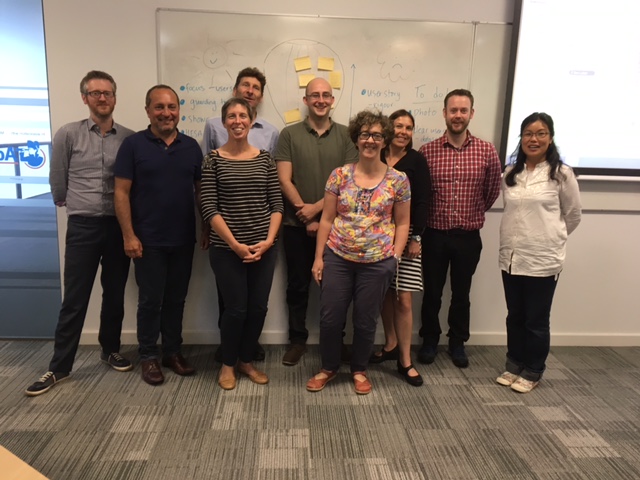
Using ‘Agile’ methodology and working with colleagues from Durham, Cardiff Met, Queen’s University Belfast and Bournemouth University (alongside support from a QAA ‘scrum master’ and data and tableau experts), we set out to develop a data dashboard that would allow a university to consider the student journey/value added/learning gain, by looking at different factors and how they affect outcomes and leaning gain, so that support and gap areas and effectiveness of interventions can be identified.
Working remotely with only four face to face meetings the team narrowed down the data source to HESA and DLHE data to analyse the outcomes of students from different backgrounds and answer the following questions;
The final outcome was a set of data dashboards that can aid an institution to assess their position in terms of adding value. The dashboards were presented to a Jisc/HESA experts group with a voting session at the end. The work produced by the team received strong support and it is hoped that some of it will be earmarked to be made available in Heidi Plus Community Dashboards Beta in 2018.
You can find out more about the Business Intelligence labs project by following the link. If you would like further information regarding the project please contact LTDS@ncl.ac.uk