Digital Accessibility Demo Day – 4th November 2025

What does “accessible” mean?

What difficulties do students have accessing the material we provide?

How do students surmount those difficulties?

How do you improve the accessibility of your material?

We’re putting on an event to help answer those questions.

It’s important that all of our digital services are accessible to their users, whether they’re students or colleagues. The Public Sector Bodies Accessibility Regulations set out some legal requirements that we must meet.

But digital accessibility is a complex topic and many colleagues have found it hard to understand what they need to do to ensure their teaching material is accessible.

At our digital accessibility demo day, you can have a go at accessing university teaching material at a selection of stations simulating different access requirements and supports, including:

  • Screen reader
  • Speech to text
  • Keyboard-only interaction
  • Low vision
  • Low mobility
  • Magnification
  • Canvas Ally

We’ll have plenty of pointers to guidance and training opportunities to help you improve the accessibility of your material.

People from LTDSNUIT and the Disability Interest Group will be there to offer support and answer any questions you may have about digital accessibility.

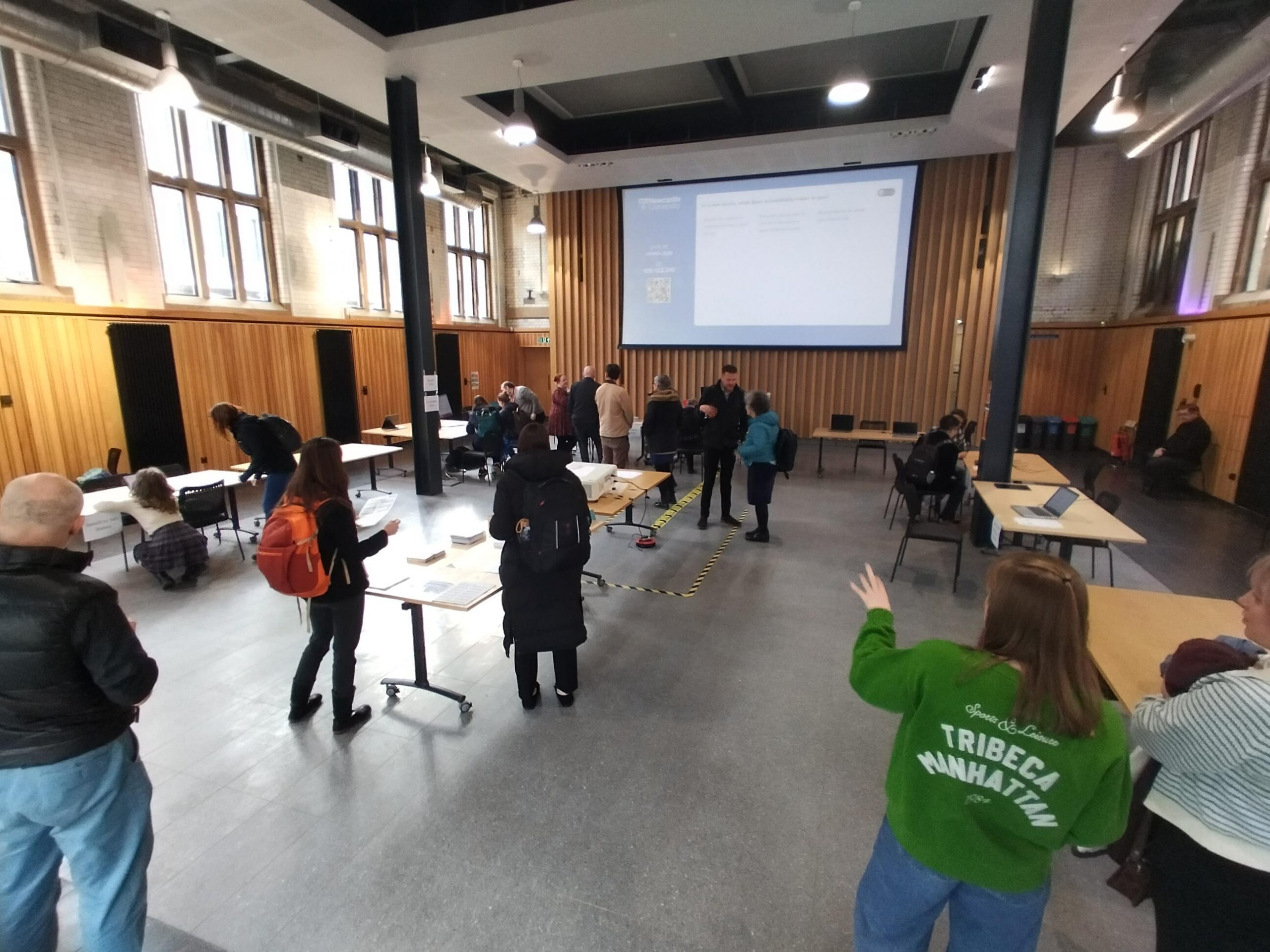
Colleagues at the Digital Accessibility Demo Day held in March 2025.

Time and location

The event will take place on Wednesday 5th March 2025, in the Boiler House. We are hosting a drop in for colleagues from 10:30-12:00 and for students from 12:30-14:00.

The Boiler House is in the middle of campus, between the Armstrong Building and the Student Union. Access is step-free.

There’s no presentation as part of the session – just drop in and talk to one of the facilitators.

Preparation for August Assessment Period

The August Assessment Period is taking place from 4th to 15th August 2025, with Inspera Digital Exams running from 7th to 15th August. In this blog post, we are sharing communications that are useful for Module Teams to share with their students ahead of their Inspera exams, along with information around support with marking.

Communications for Students 

Module Teams are encouraged to share the following communications with their students. These communications are also shared via emails with module teams once the exam is set up by our Digital Exams Team:

Preparing for your [module code] Inspera digital exam: make sure you know your log in details 

To sit your upcoming Inspera digital exam you will need to know your University login details (username and password).  

Please check that you know your login details before the day of the exam and that you can successfully sign into a campus Cluster PC. If you do not know your login details on the day of the exam it may not be possible to reset them before the exam starts. 

Your username begins with a letter (usually c) followed by the middle 7 numbers from your student number, which you can find on your smartcard. E.g. if your smartcard shows your student number is 212345678, your username is c1234567. 

If you cannot remember your password, you can reset it online or you can contact the IT Service Desk for help. If you have your password but would like to change it to something that is easier to remember you can change your password online. 

To help you prepare for your assessment, you can try out our demo exams via Canvas. There is a locked down demo and an open book demo. Both demo exams reflect the same demo content. The locked down demo allows students to experience the in-person Inspera exam security, therefore this particular demo should only be taken within a Campus PC cluster (as the required software will be installed). 

There is also a student page on the Academic Skills Kit about Inspera which students may wish to look at ahead of your exams. 

Marking your Inspera Exams 

Once the Inspera exams have taken place, Module Teams mark the exams under the Grade area of Inspera. You can find various marking hints and tips in a previous blog post about this. You can also view our Marking Exams in Inspera webpage, as well as our Inspera Feedback Release webpage.

Save the Date 

Inspera are hosting an on-campus event with our users on Wednesday 5th November (Time TBC – but will be PM). Further details will be circulated to Module Teams using Inspera. 

Questions? 

If you have any questions, please contact digital.exams@newcastle.ac.uk where a member of our team can assist you.  

You may also wish to join our Inspera Assessment Teams site to stay up to date with updates. 

Inspera Digital Exams Team Leading External User Group

Inspera External User Group

The Inspera Digital Exams Team at Newcastle have set up and led on a user group for Inspera users at other institutions in the UK. 

Through existing connections and the support of our Account Manager at Inspera, we have contacted colleagues in similar roles to ourselves (Learning Enhancement and Technology Advisers) to create a group where we can share best practice, learn from each other and have the opportunity to discuss aspects of our Inspera use.

The group first met in November 2024 and as of June 2025 has 33 members across 13 institutions. We have received lots of positive feedback on how useful the group is, and we have enjoyed meeting other fellow Inspera users.

The Inspera Leads at Newcastle are always looking for ways to improve the service our Digital Exams Team can offer and work with Inspera to share feature requests. The group have been sharing what their priorities are in terms of things we would like to see in Inspera so that we can share this with Inspera.

Inspera Priorities at Newcastle 

Maddie and Kimberly of the Digital Exams Team, along with some of our academics who use Inspera, took part in some user research with Inspera in relation to marking and feedback. 

In relation to marking and feedback, our key priorities are: 

  1. Release of feedback restrictions, i.e. flexibility to release essay feedback comments without releasing banks of MCQs. 
  1. Editing questions after an exam i.e. where mistakes have been found afterwards upon marking. A request has been highlighted whereby, for auto marked questions, users can use answer key corrections (like the functionality of MCQs) but for all for auto marked questions. 
  1. Data availability for questions used in exams. Inspera are currently working on their analytics, with a psychometric dashboard currently available for the Inspera Digital Exam Leads to access. 

Other feature requests we support, which are in relation to question authoring, include: 

  • Author tab to include example questions and question sets. 
  • ‘Tick box’ to confirm when a question set has been finalised.   
  • Ability to have template of example question sets to share across users.   
  • Being able to collapse sections in assessments to avoid having to scroll up and down when editing one of the later sections. 

If you would like to know more about our priorities at Newcastle, you can get in touch with the Digital Exams Team via: Digital.Exams@newcastle.ac.uk.  

Vevox Customer Story

Read Vevox’s customer story about why Newcastle University chose Vevox as our go-to student response solution.

Vevox interviewed Vevox Lead, Carol Summerside, of the Learning and Teaching Development Service to find out about our use of Vevox at Newcastle.

You can check out the customer story on the Vevox website.

Vevox Logo
Vevox Logo

GAAD Week Blog Day 2 – Document Design Fundamentals

Thursday 15th May 2025

Document Design Fundamentals

Welcome to Day 2 of our Accessibility Awareness blog series. In this post, you can learn about aspects of document design to help you create documents that are accessible from the go. By ensuring that your documents are designed in an accessible format when you create them, anyone using them have the opportunity to engage with the content from the get go. Making a document accessible does not need to happen after the fact. You can do it as you create, and make a difference from now.

Our Learning and Teaching Development Service (LTDS) have created a helpful crib sheet available that covers the do’s and don’ts to enable you to design documents for a diverse range of learners. Take a look at the Designing for Diverse Learners resource – and why not save a copy to your ‘favourites’ or put a copy in your office space?

We’ll now dive into some of the guidance from the Designing for Diverse Learners resource in more detail to understand ways you can design documents to ensure that they are accessible:

On each page, you’ll find essential digital document design guidelines along with step-by-step instructions on how to implement these changes in your own digital documents.

Global Accessibility Awareness Day (GAAD) – Thursday 15th May

Global Accessibility Awareness Day (GAAD)

Global Accessibility Awareness Day (GAAD) takes place on the 3rd Thursday of May each year. Individuals are encouraged to take an hour to experience first-hand the impact of digital accessibility (or lack thereof). This year GAAD takes place on Thursday 15th May

Participate Directly 

There are many ways to get involved. The GAAD webpage recommends ways that individuals can participate directly – for example, you can: 

  • Think about how you can make your events and meetings more accessible – whether it’s the moment you start planning, writing communications, and looking at how these are hosted (online, in-person or hybrid). 
  • Make accessible digital experiences – e.g. ensure images have alt text and considering contrast when using colour.  

There is also a list of actionable ideas for GAAD available. 

Spread Awareness 

The GAAD webpage also shares how we can spread awareness. One of the suggestions is sharing blog posts. To help our colleagues and students at Newcastle to engage with accessibility content, colleagues in the Learning and Teaching Development Service (LTDS) are going to be sharing blog posts each day during the week that GAAD falls in (week of 12th May). We will be writing and sharing content for you to engage with, including additional resources available to you, around digital accessibility

Resources 

There are plenty of resources you can use to get started and learn about how you can make further considerations around accessibility and encourage others to do the same. You can check out the following resources available at Newcastle: 

Check back on the blog on Monday 12th May for more information.

Inspera Digital Exams External Case Study and Introduction of Newcastle Inspera Users Teams Community

In this post we will share the external case study that colleagues from the Digital Exams Team wrote for Inspera, and share details of the new Microsoft Teams Community for Inspera users at Newcastle. 

Inspera Case Study 

The Inspera Co-Leads worked with Inspera to write and design a case study about Newcastle University’s work with Inspera Digital Exams. You can read the case study entitled ‘Newcastle University: Fostering Creativity and Innovation with Digital Assessment’ on the Inspera website. Colleagues in our Digital Exams Team here at Newcastle are delighted to have worked with Inspera to write this. We have a fantastic relationship with our Account Manager at Inspera, Fiona Orel, who supports us with our Inspera needs. 

Image of the Inspera case study on Inspera’s website

Newcastle University’s Inspera Digital Exams Team have created an External User Groups with other Inspera users across Higher Education in the UK. The Group currently has members across 14 institutions and meets online every few months. 

Digital Exams using Inspera Assessment @ Newcastle – Teams Community 

We are pleased to share that we have created an internal user space in the form of a Microsoft Teams Community for Inspera users at Newcastle. 

This Teams community is a place for colleagues to share ideas about how Inspera can be used, and maybe even find inspiration.

It also will allow you to keep up to date with the latest developments in the software and flag any general problems, that peers might be able to assist with. Though if you do have any immediate/specific queries about an active exam we would recommend contacting digital.exams@newcastle.ac.uk.

You can request to join the community where you will have access to various materials to support you as an Inspera user. 

The Inspera Assessment Teams Community. 

Save the Date: Digital Education Technologies Showcase Day 

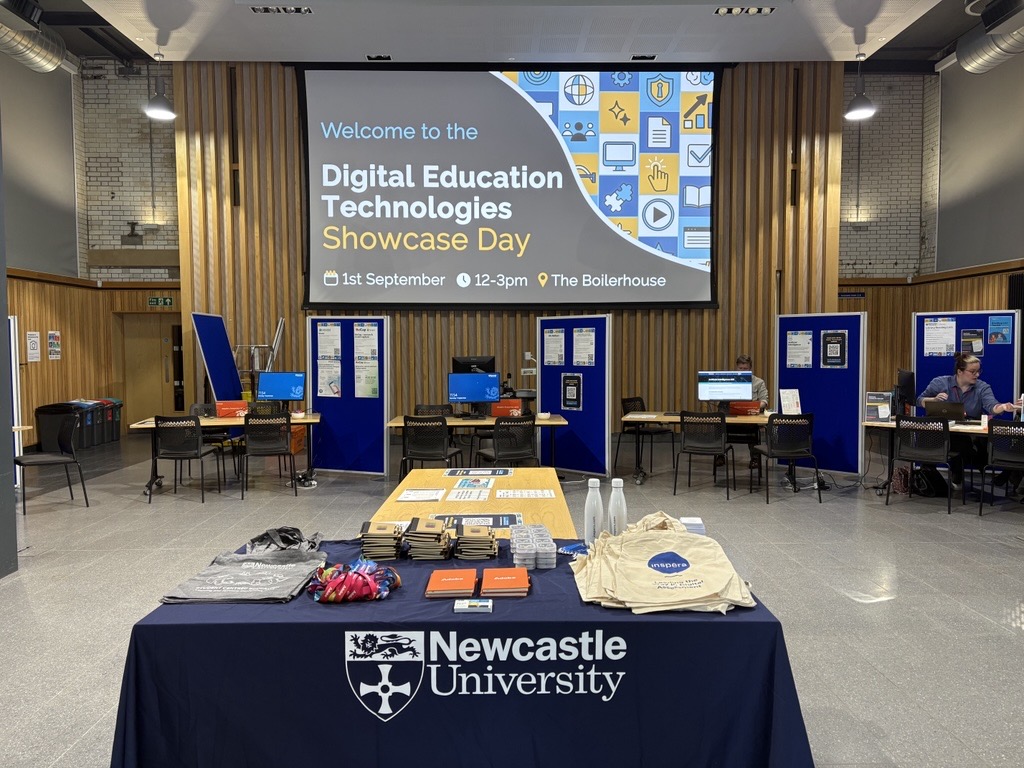
The Learning Enhancement and Technology Team in the Learning and Teaching Development Service (LTDS) are hosting a Digital Education Technologies Showcase Day on Monday 1st September 2025 between 12 and 3pm in the Boilerhouse.

This is a fantastic opportunity to meet the teams and people behind our Digital Education Technologies here at Newcastle. This will include: Canvas, ReCap, Vevox, Inspera (Digital Exams), Assignments (Canvas, Turnitin and New Canvas Quiz), Buddycheck, NULA, NU Reflect, AI, H5P, as well as the Numbas Team, Digital Adoption (M365 and Adobe) and Library Reading Lists Team.

This event is aimed at both academic and professional services colleagues already using these systems who want to take that step further, as well as new colleagues who want to learn about the digital technologies available.

The event will take place as a drop in, so you don’t need to sign up. If you would like to make any suggestions around what you would like to see at the event, please complete our Microsoft Form.

More information will be shared about this event over the summer.

Psychometric Dashboard Access for Inspera Digital Exams Team

What is the Psychometric Dashboard?

Inspera have been working on the release of a psychometric dashboard for data on Inspera exams. The dashboard is built using AWS QuickSight and provides insights into assessments conducted on the Inspera platform. The QuickSight Dashboard is part of Inspera’s phase 1 in their strategy for introducing Test-Level Analysis. You can find out more about the Psychometric Dashboard on Inspera’s website. 

What can Inspera users access at the moment? 

Phase 1 allows the Digital Exams Team to have access to an administrative dashboard, but by Phase 3 Inspera hopes to have this integrated into the Inspera platform, where colleagues currently create questions and grade exams. There is not currently an estimated date for this to be available, but we will be keeping up to date with all developments. 

If colleagues are interested in accessing data, the Digital Exams Team can provide a PDF download from Inspera exam’s scheduled from 1st December 2024 onwards that have been graded and marks confirmed. Note: there are some limitations in how much can currently be shared in the PDF but a fuller view is expected later in 2025.  

What data is available? 

Information around the sort of data available is noted within this section and has been extracted from the Psychometric Dashboard page on Inspera’s website. Within this blog post, you can find out about all the different type of data available. Some screenshots are included but check out the Psychometric Dashboard page on Inspera’s website for further graphics. 

Continue reading “Psychometric Dashboard Access for Inspera Digital Exams Team”