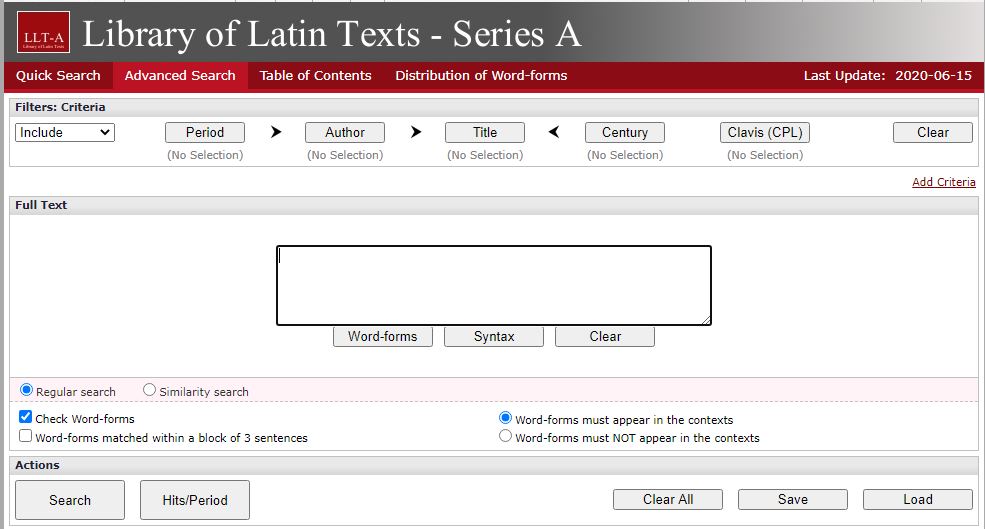
This database gathers together Latin texts of all genres and from all periods. Series A contains over 4,000 texts by nearly 1,400 authors, from the beginning of Latin literature to the modern era.
The companion Series B gathers Latin texts of all genres and periods, with the aim of more rapidly integrating a huge number of Latin texts into online form.
Together, the two databases form one large linguistic corpus, with sophisticated tools enabling a variety of search and analytical methods, with the stated objective being simply summarised as “who said what, when, where, and how many times?”
The databases are updated regularly, and can also be used to read texts as a whole.
A new dataset is now available within Digimap called the Pilot Collection. This provides temporary access to data that EDINA are trying out and want feedback from users. This means the data will be replaced with other data sets over time as new sets become available.
Digimap Pilot is free for staff and students at current subscribing higher and further education institutions and research councils. All you will need to do is to accept the end user licence agreement which is available when you log into Digimap with your Campus ID and password. As these datasets will change regularly then you’ll need to re-accept each new licence agreement as sets are replaced.
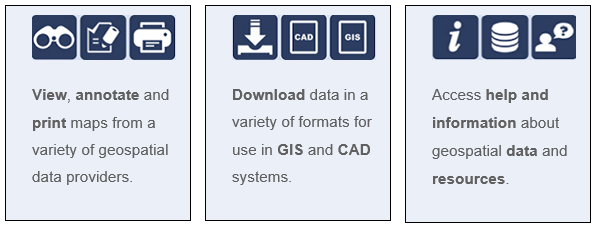
Digimap Pilot comprises two applications, one for creating maps online, the other for downloading data which enables further analysis and investigation in other packages:
Use Roam to view, annotate and print maps online.
Use Data Download to download data and load it into a GIS or CAD package for further manipulation
As of April 2020, Pilot currently offers access to the following data.
UKMap a modern, highly detailed, feature-rich mapping database of Greater London. Its unique, innovative design offers users a flexible choice of integrated map features within a single geographic information source. It comprises addresses, retail names, detailed shopping centre data, building heights, a wide range of points of interest, aerial photography, together with Digital Terrain and Surface Models.
This one dataset has different components for Greater London. This includes UKMapLondon which provides aerial imagery with a resolution of 10cm, UKMap Upper Floors which shows more granular information e.g. which shops are on different floors of shopping centres, UKMap Tree Canopy which indicates tree canopies.
UKBuildings a unique database created and regularly updated to help you understand the age, structure, characteristics and use, of commercial, public and residential buildings across the UK.
UKLand a maintained, national land information database providing a detailed consistent breakdown of the use of land across the UK. There are 30 different land classes available e.g. woodland, water features, transport and commerical.
An EDINA Satellite data collection initially consisting of:
Sentinel 2 derived cloud free optical mosaic for Great Britain, 2019.
Sentinel 2 derived Near Infrared mosaic for Great Britain, 2019.
These 2 sections are currently available until the 31/07/2020.
Within the Pilot Data Download section you’ll also find some useful product information such as where the data comes from, it’s availability and sizing and Copyright information.
If you’re using mapping data already you might want to use this in conjunction with GIS if you’re manipulating or working with the data. Or doing a comparison to other maps you might have found freely available e.g. Google Maps.
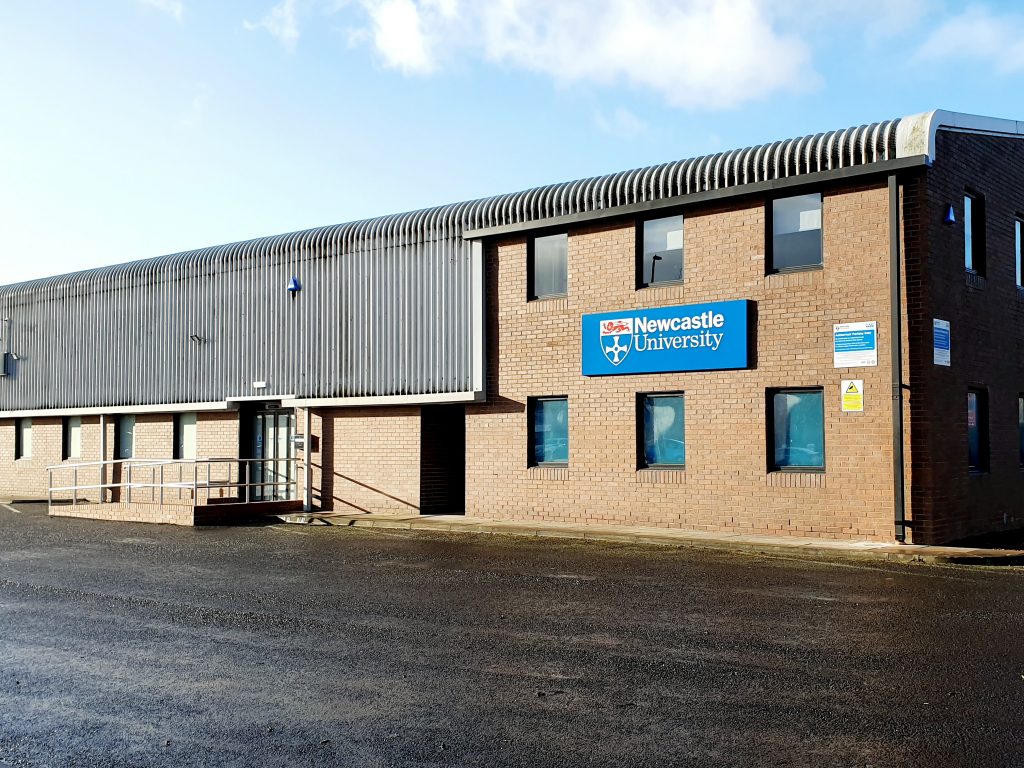
The exterior of the Research Reserve facility in the Team Valley.
The eagle-eyed amongst you may have noticed a curious thing on Library Search. Where normally you would expect to see the name of one of the libraries next to an item’s shelfmark, occasionally you’ll see “Research Reserve”.
If you’ve ever wondered just what exactly the Research Reserve is, this is the blog for you, discover here exactly what the Research Reserve can offer you and your studies.
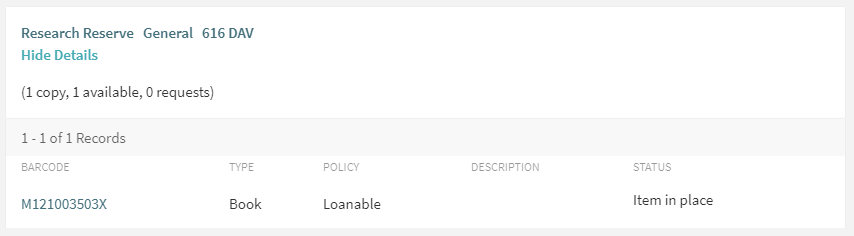
Before an item’s shelfmark is its location. This book is held off-site at the Research Reserve facility in the Team Valley.
The Research Reserve is the Library’s stores, located throughout campus and including a state-of-the-art storage facility in the Team Valley. These facilities allow the Library to keep less-used material for much longer than other academic libraries. These combined storage facilities provide over 29 kilometres of storage space, which is used to house old editions of journals and books which are consulted infrequently.
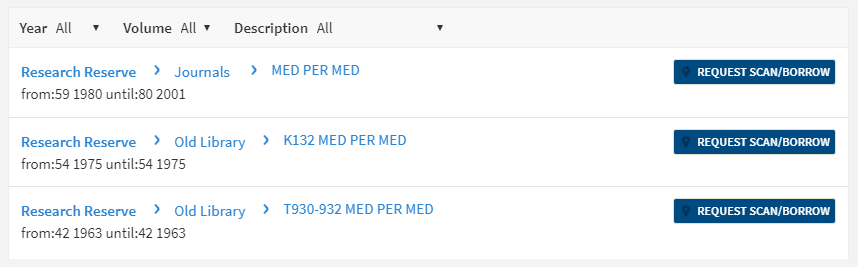
If you’d like to request items from the Research Reserve facilities, click the “Request Scan/Borrow” button once you’ve located the item on Library Search.
You can loan a variety of materials from the Research Reserve,
including: books, theses and journal volumes. These can be requested from Library
Search. Simply log
in using your campus ID, find the item you are looking for and then click
the blue “Request Scan/Borrow”
button. You’ll get a choice of pickup locations (either the Walton or Philip
Robinson libraries).
There are request forms to complete if you’d like to borrow
a thesis
or an entire volume
of a journal.
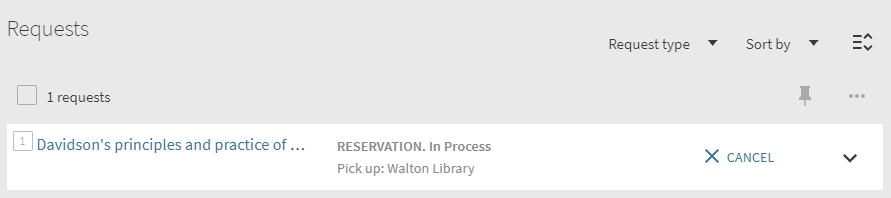
Requests can be viewed by going to “My Account” in Library Search and clicking on “My Requests” from the drop down menu. If you’d like to cancel your request, simply click the blue cancel hyperlink (as seen below). You’ll receive an email confirming your cancellation shortly afterwards.
You can cancel requests for Research Reserve items by clicking the blue ‘Cancel’ hyperlink, as shown above.
There is a collection service that runs between the Research
Reserve and the various libraries (weekdays only, not on bank holidays) and
your request will be generally be fulfilled within 24 hours. Anything requested
on a Friday or over the weekend will be delivered on the following Monday
afternoon.
Once your item has arrived at your chosen library, you’ll receive an email letting you know it’s available to loan. The item will be kept on the reservations shelves for five days before being returned to the Team Valley, or passed on to the next person in the reservation queue. Items from the Research Reserve are issued in the same way as standard long loan items, either using the self-issue machines or at the service desk. Once you’ve finished with the item, simply return it as normal.
The Desktop Delivery Service (DDS) allows you request a
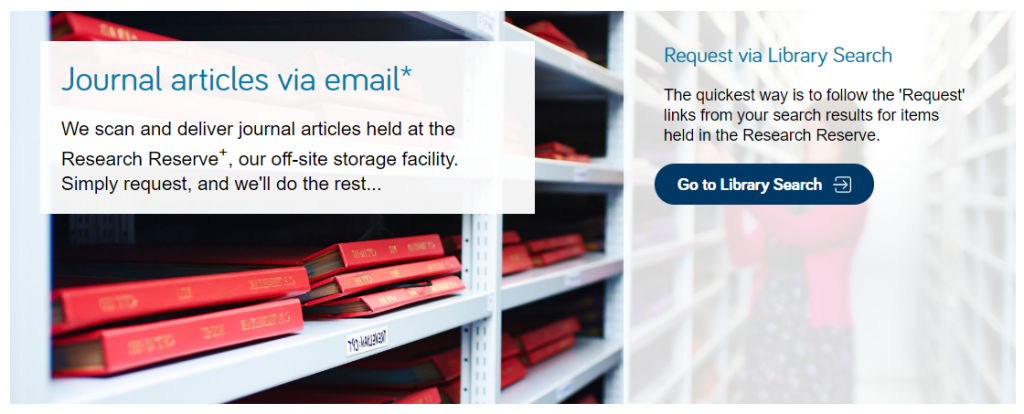
scanned article from a journal held in one of the Library’s stores. Articles
can be requested via Library Search (same as a book) or by filling out the relevant request form. Please try and include
as much detail as possible on your request form. This helps Library staff
locate your article and fulfil your request quicker.
You are only able to request one scanned article per journal
issue. The scanned article will be delivered to your University email address,
where it can be downloaded and printed off. Requests are generally fulfilled
within 24 hours, although this may take longer over the weekends or on bank
holidays. You have 30 days to download your article before it is ‘archived’ and
no longer available.
We do not scan items that are available electronically or
can be borrowed.
If you have any other queries about the Desktop Delivery Service, read the FAQs.
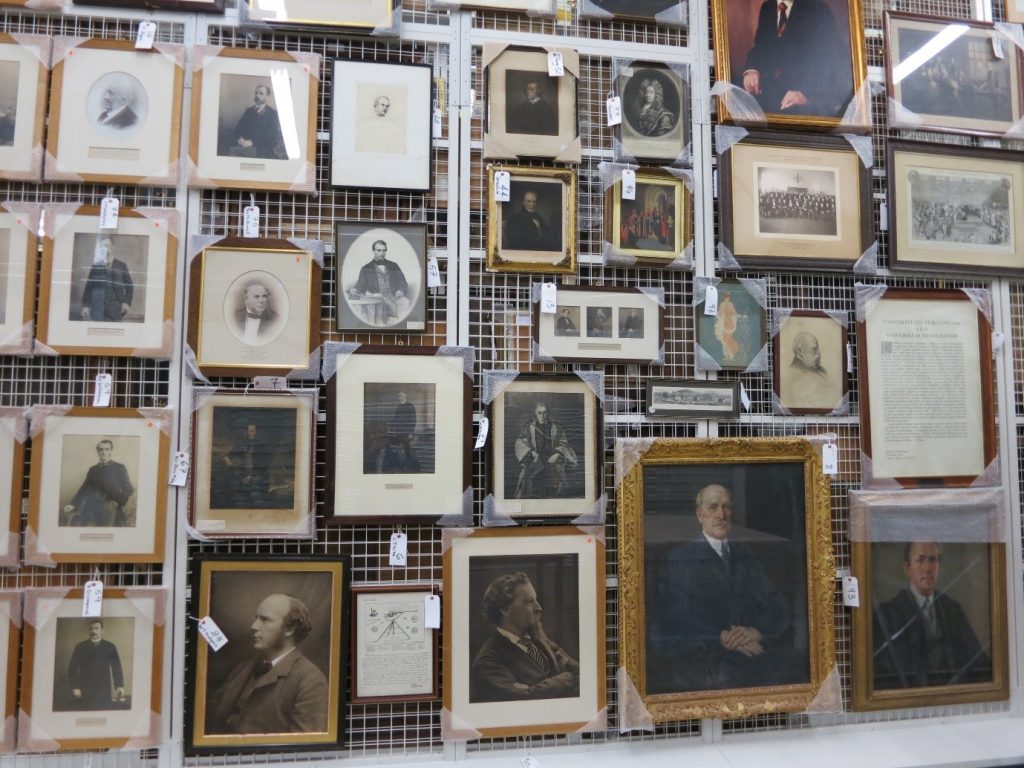
Just some of the amazing treasures held at the Research Reserve facility in the Team Valley.
You can also visit the off-campus Research Reserve facility in the Team Valley. Daily access is available by appointment only with the Research Reserve team, weekdays between 10AM and 4PM. Access outside of these hours can be organised given sufficient notice. There is a large car park available at the facility and buses stop nearby.
Full contact information, directions and opening hours for the Team Valley facility are available via the Library website.
Hi! I’m Caitlin, a final year law student and law library
aide – and by now I’m used to the stress of exams and deadlines.
I tried the ‘poetry-pick me up’ after going into the common room for a revision break.
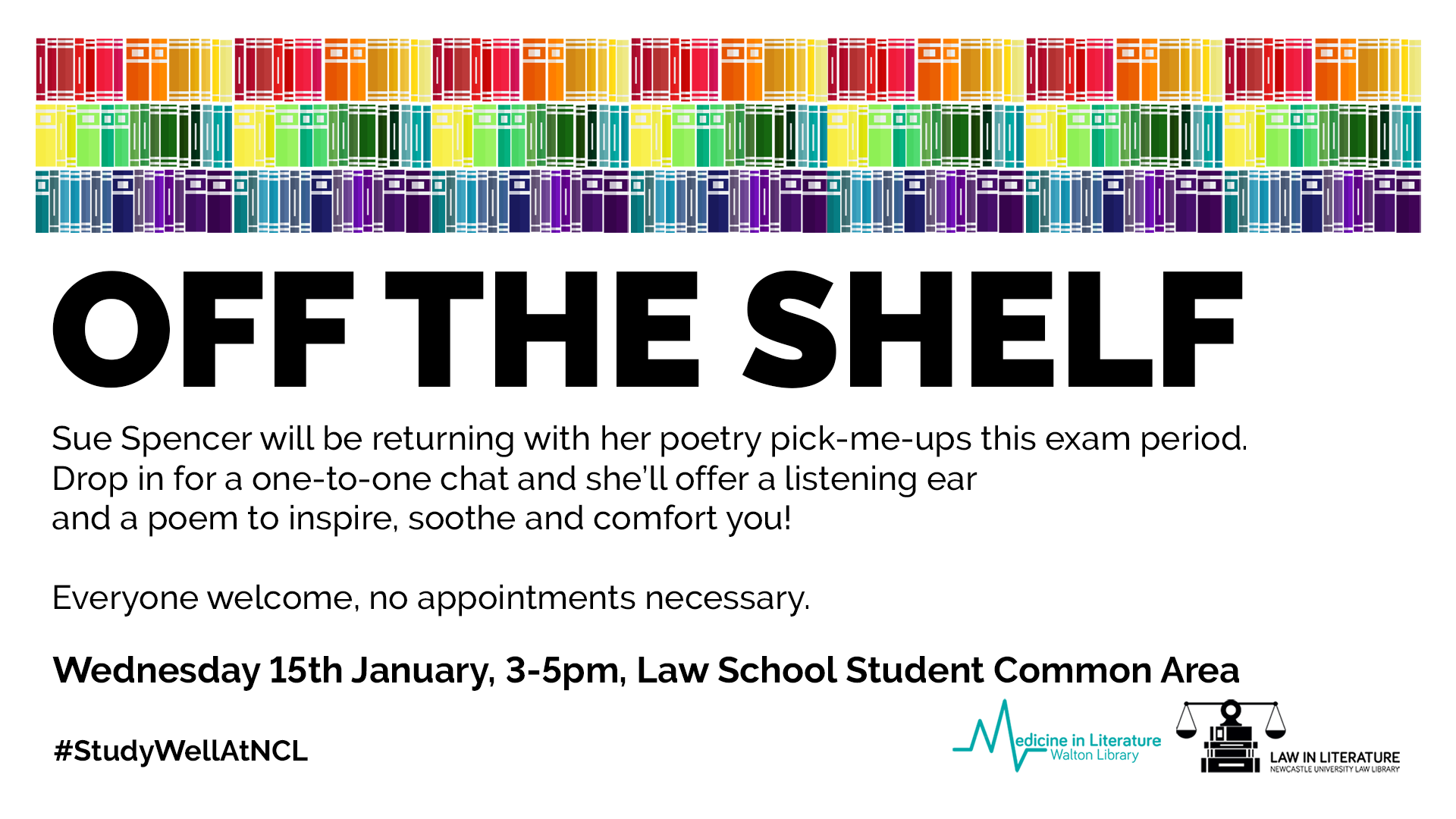
I stumbled across Sue (@kind_curious) in the Law School Student Common Room, where she asked, ‘do you want a poem?’. Not really knowing what to expect, I had to overcome a bit of social awkwardness! I was surprised by Sue’s passion and love of poetry, which was clear in the way she spoke about how she’d used poetry in the NHS before and it was what she enjoyed most.
I was asked questions about my current stress levels and how
I was feeling with exams, and how I dealt with stress. I told her that when I
get stressed I talk even more than usual, which for anyone who knows me sounds
like I’m going at a million miles an hour, and she suggested something that
would relax me.
I laughed as I saw no signs of chocolate or Netflix – my
usual go to relaxation strategies.
Instead she said I needed something like a lavender bubble
bath – again I saw no sign of a bubble bath in the Law School and I’d yet to
find one in the Dungeon.
She picked out two poems that would make me feel like the
relaxing in lavender: she suggested ‘Sonnet’ by Elizabeth Bishop and Shennagh
Pugh’s ‘What if This Road’.
What if this road reminded me of Robert Frost’s ‘A Road Not Taken’,
and was great for me as a an indecisive person. It was matched perfectly to the
questions that Sue had asked me, as I read it as a ‘roll with it’ approach to life, which is
definitely needed to cope with exams and deadline stress.
The second poem, Bishop’s ‘Sonnet’, had great visualisation
techniques, almost like a meditative poem – which was spot on to turn off the
stress and slow everything down!
The experience was a great switch off from deadline stress,
and a great use of the 10 minutes which I’d usually scroll through twitter or
Instagram. It was something different, and really quite unique and relaxing,
which I would definitely recommend to help have a break from any exam and
deadline stress!
Historic Digimap is an online map and data delivery service, available to all staff and students of Newcastle University. It delivers access to historical Ordnance Survey maps of Great Britain dating from 1846-1996 across various scales, including 1:25,000 and 1:10,650.
If you are a first time user of Digimap then you will need to complete a brief registration form and agree to the license agreements for each collection, but that takes seconds and then you’re ready to go!
Viewing historic maps (3:36 min)
If you want to ‘roam’ through the ages in an area, then you can use the timeline tool to see how the landscape has developed through the years, or view two maps side-by-side to compare and contrast your findings. Imagine looking at the Newcastle University Campus and seeing what used to be on the site before buildings such as the Henry Daysh Building, Stephenson Building and Philip Robinson Library graced us with their facilities!
Once you have your area of interest, the Roam service will allow you to view, annotate and print the map in PDF format. Data Download will allow you to download OS data for use in GIS/CAD (if you wish!).
The full scope of what Historic Digimap (and the other collections available to you including Ordnance Survey, Geology, Marine, Environment, Aerial, Lidar and Improvement Service) are covered in EDINA’s comprehensive Help service:
(Improvement Services is an organisation dedicated to the improvement of local government services in Scotland. This data collection comprises of 37 local authority datasets, such as planning applications, green belts and school catchment areas. A wealth of information, who’d have thought.)
Go on, give it a try! But please do read EDINA’s Digimap FAQs on what you are permitted to do with the data you use, to ensure you comply with the educational use licence.
The archive brings you the full content of this world-renowned weekly literary and arts publication, dating back to its first issue. For over a century, the TLS has published reviews, features, debates and original works from across the arts world, not to mention its legendary letters page!
Many of the world’s most notable writers and thinkers have contributed to the TLS over the decades, including T.S. Eliot, W.H. Auden, Seamus Heaney, Noam Chomsky, Virginia Woolf, Bertolt Brecht and Umberto Eco. Until 1974, contributions published in the TLS were often anonymous, but the digital archive now reveals the identity of all contributors.
To find out more about the TLS, click Research Tools to read a selection of essays about different periods of its history.
You can browse the TLS by date to find a specific issue, or search in various ways (choose Advanced Search to see all options, including searching by contributor, book title, or document type.)
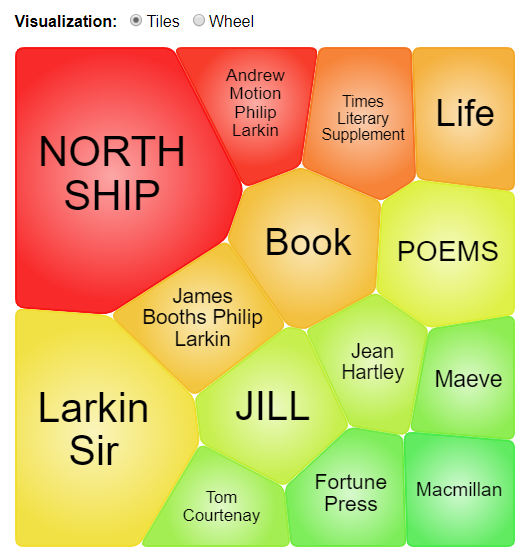
Additional search features on the home page include Term Frequency, to trace how often a word, phrase or person has featured in the TLS over the years, and Topic Finder, to explore and visualise connections between topics.
Topic finder
As the TLS archive is published by the company Gale, you can cross-search it with any of the other Gale archives to which we have access, via Gale Primary Sources.
Brill’s Jacoby Online is an important resource for Classical Studies and Ancient History. It comprises five separate works, based on the original multi-volume work by the German classicist, Felix Jacoby (1876-1959). The ‘Jacoby’ was a critical edition of over 800 Greek historians whose works had been lost, but were preserved incompletely in fragments. Jacoby collected, annotated and commented on the fragments, but was unable to complete the huge project in his lifetime.
The five components of Jacoby Online are:
Felix Jacoby’s original multi-volume work, Die Fragmente der Griechischen Historiker: Parts I-III.
Brill’s New Jacoby (BNJ): a revised English edition of the above.
Brill’s New Jacoby – Second Edition (BNJ2): a revised and enlarged edition of Brill’s New Jacoby.
Die Fragmente der Griechischen Historiker Part IV: Biography and Antiquarian Literature: a continuation of Felix Jacoby’s work, adding many new historians and texts.
Die Fragmente der Griechischen Historiker Part V: Geography (FGrH V), a continuation of Felix Jacoby’s work, adding many new historians and texts.
It includes expert critical commentaries on the texts and fragments, together with brief biographies of all the historians. The project is still ongoing, and Jacoby Online is updated twice a year: the latest updates have added 1.2 million words.
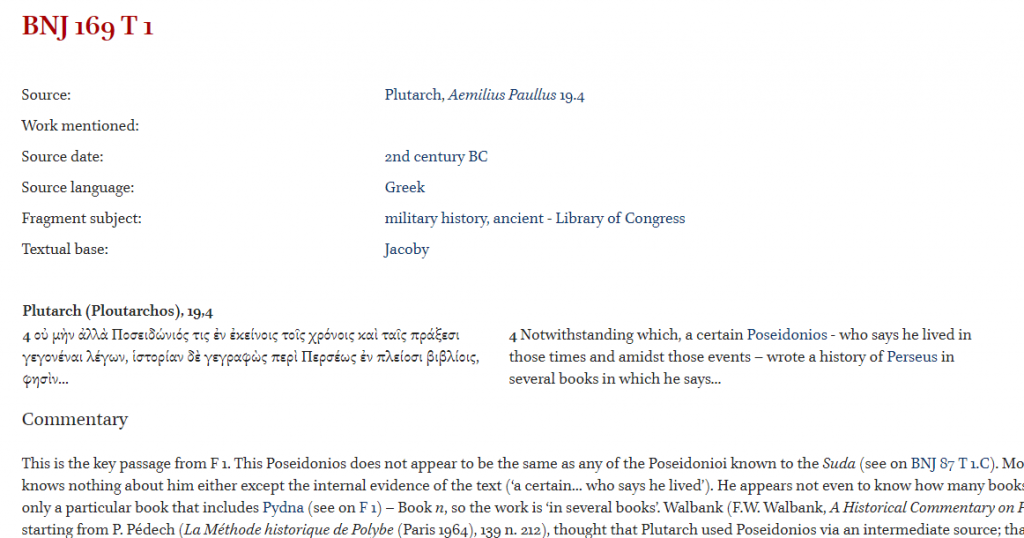
Example entry from Jacoby Online
You can browse each of the five component works by historian name, historian number or publication date, and you can search for words or phrases, or historians. You can search any of the five component works individually, or across all of them at once. Greek original texts and translations are included, and you can search in English or Ancient Greek.
Exams are a tricky time. Often you will be juggling different exams themselves, on top of other deadlines. However, we want you to know that you aren’t alone at this crazy time of year. We are here to help you through.
But how exactly can we help? Sadly, we can’t take go into the exam with you, or magically freeze time to give you more hours in the day, but do make the most of the following:
Library Help – the place to go when have a question via chat, email, text, twitter, Facebook. Or alternatively search our Frequently Asked Question (FAQ) database.
Librarians – yes you heard right. Book a one-to-one appointment to get the best out of the University Library resources. Also remember our staff in every library are friendly and approachable. There is no such thing as a silly question, so ask away!
Study Space– The University Library has a range of different study rooms and spaces to suit your needs.
24/7 – The Philip Robinson Library is open 24/7 during the exam period. We want you to sleep and get enough rest, but if you do need to study through the night, we are here.
Subject guides – we have a range of subject guides put together by expert librarians which draw together all the main resources for your studies.
Be well@NCL collection – we don’t just have books for study. This new collection includes tried and tested books that support your wellbeing.
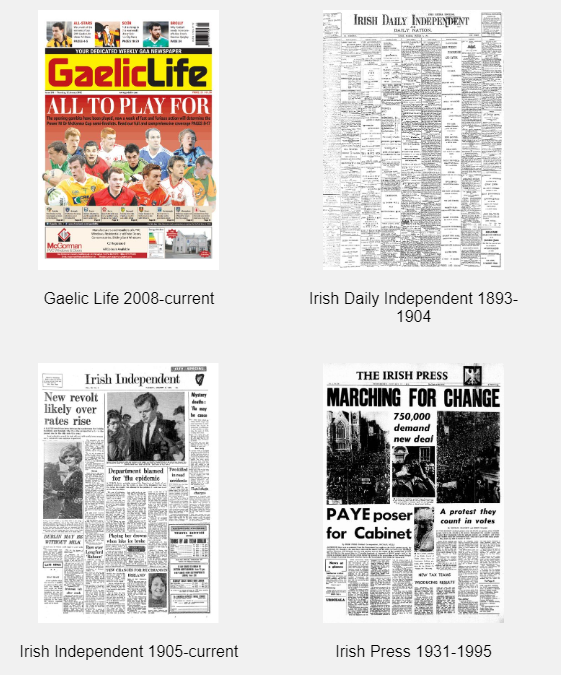
Following a successful trial, the Library now has access to the Irish Newspaper Archives: a fascinating resource for any aspect of Irish studies.
It provides access to the archives of national and local Irish newspapers from the 1700s to the present day. Major national titles such as the Irish Examiner, Irish Independent and Sunday Independent are included, together with a wide range of regional titles, such as the Meath Chronicle, Kerryman, Connacht Tribune and Ulster Herald.
The archive is updated daily with the latest editions of current titles, and it also includes significant newspapers which are no longer published, such as the Freeman’s Journal and The Nation.
A selection of title pages from the archive.
You can search and refine your results in various ways, or choose browse to look through individual newspapers by date. Various save and export options are available, and there are some short help videos on the archive’s home page to give you some tips (note, these don’t have sound). Follow Irish News on Twitter for interesting highlights from the archive.
Thank you to everyone who gave us feedback on the trial.
The content remains the same, but you should note various improvements to the interface. Key changes include:
Additional search and filter options.
The new platform adapts fully to all devices, including phones and tablets.
Improved viewing of results, with larger thumbnails and images.
Text Creation Partnership transcriptions are now included.
Improved export and personalisation options.
You can now cross-search EEBO with other Proquest content, such as Early European Books.
You will still be able to access the old EEBO platform until the end of June 2020, but we would encourage you to familiarise yourselves with the new platform as soon as possible.
Find out more about the new platform, together with further enhancements planned for early 2020, on the Proquest EEBO site or for more detail, visit the EEBO lib guide.