Resource in Focus: Statista

This is an extensive statistics platform covering over 1.5 million data sets (and adding an additional 500 each day) with revenue forecasts up to 5 years into the future and historical data going back 10 years on over 170 industries.

Data is collected from over 22,500 sources covering over 80,000 different topics.

The platform can broken down into different elements including:

Statistics : where you can choose your industry e.g. Consumer goods, Retail & Trade.

Reports : This section is very comprehensive and you can select :

  • Dossiers which are a quick quantitative overview of a topic. These are in house reports which contain the most recent and relevant statistics concerning a single subject. You can export these in PowerPoint or PDF format.
  • Outlook Reports which are trend forecasts
  • Surveys which are market insights from an expert and consumer perspective
  • Toplists which are company ranking for sales and analysis
  • Market studies
  • Industry Reports which are perfect for highlighting key figures for a particular industry sector. These are updated annually and contain textual information as well as numerical data such as turnover and revenue.
  • Global Business Cities Reports which are ranking and key statistics on particular cities.
  • Brand reports contain insights into the brand itself
  • Country reports
  • Further studies which are more in-depth reports

Outlooks; these provide information on specific areas and help you identify the potential in those areas. This can include forecasts, detailed market insights and key performance indicators.

Statista online help video

This short video from Statista gives a nice overview of the different search functionalities:

Access via https://www.statista.com/ or via the record on Library Search.  (If you are accessing on campus, the platform will authenticate using IP address. If you are accessing off campus you will be taken through EzProxy so access should be seamless if you’ve logged in previously using your Campus username and password).

EndNote

What is EndNote?

The official blurb on EndNote is that it is “…the industry standard software tool for publishing and managing bibliographies, citations and references.”

Have you drifted off yet? Don’t – read on!

EndNote takes a little getting used to and we recommend you familiarise yourself with it at the start of your research process. But as Library Staff, we wouldn’t spend a significant amount of time demonstrating and training our academic staff and students on what EndNote is, and how to use it, if we didn’t think it was valuable. It will save you a huge amount of time in terms of writing up your assignments.

Essentially, you can use EndNote to create and organise a personal library of resources relevant to your research. You can import references from Library Search, and a huge range of databases such as Scopus, Web of Science, IEEE Xplore and Business Source Complete. You can ask EndNote to locate the full-text PDFs of the resources you are going to use in your research, and you can annotate them as you wish too. Did you know you can instruct Google Scholar to import references into EndNote? No? Try it. Finally, if you already have materials stored in your home folder (H:\) then you can attach them to a manually-created reference within EndNote, bringing all your research together in one place.

In addition to organising your references (and this is the clever bit) you can then get EndNote to ‘talk’ to your word processing software, e.g. Microsoft Word, and insert the citations into your work for you in your chosen referencing style, e.g. Harvard at Newcastle, Vancouver, APA or MLA. If you don’t want to do that, then EndNote will also allow you to create an independent bibliography of your references, saving you an awful lot of typing.

Using EndNote

Intrigued? You should be. Take a look at our EndNote Guide. It contains all the introductory information you need, step-by-step workbooks to train yourself on the use of EndNote (the Desktop and Online versions), videos, useful FAQs, and contacts for help, should you need it.

Finally, Newcastle University provides support for EndNote but it is not compulsory to use. You may prefer Mendeley, Zotero, RefWorks or another piece of bibliographic management software. That’s fine, whatever makes your referencing lives easier. Go on, give them a try.

When is a website not a website?

A common mistake made in referencing is grouping all sources found online under the category and reference type of a website. Your aim should be to reference the information you have in front of you rather than where it was sourced. Simply grouping items found online as a website would be the equivalent of referencing a book by the publisher details rather than the author and title.

For example, a government publication found online would be referenced like this in Chicago.

United Kingdom. Department for Education. Cloud computing: how schools can move services to the cloud. London: The Stationary Office, 2016. Accessed: February 01, 2018. https://www.gov.uk/government/publications/cloud-computing-how-schools-can-move-services-to-the-cloud. 

An electronic journal article might appear like this in APA.

Gillum, J. (2012). Dyscalculia: Issues for practice in education psychology.  Educational Psychology in Practice, 28(3), 287-297. doi:10.1080/02667363.2012.684344

While a video posted on the Tate website would look something like this in Harvard.

TateShots (2016) Grayson Perry: think like an artist. Available at: http://www.tate.org.uk/context-comment/video/grayson-perry-think-artist-tateshots (Accessed: 27 November 2018). 

Identifying the type of information you are using as well as the source, are essential skills of evaluation and developing a critical approach to information. In many cases, you will be unconsciously using your judgment to assess the value of information for your purpose. So when you are using any source of information, ask yourself what it is you are looking at, what details are recorded about it, and whether it measures up as a quality piece of information.

New resource in focus: Literary Print Culture

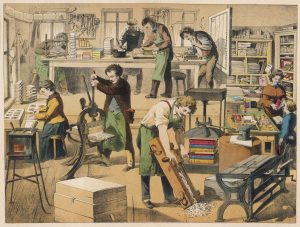
A bookbinder’s workshop, with the finished products in a domestic scene over on the right. Date: 1875

Continuing our series of blog posts exploring our brand new resources in more depth…

We have recently bought access to Literary Print Culture: the Stationers’ Company Archive. This is one of the most important resources for understanding the workings of the early book trade, the printing and publishing community, the establishment of legal requirements for copyright provisions, and the history of bookbinding. Explore extremely rare documents dating from the 16th to 21st century in this invaluable resource of research material.

This archive contains a huge range of primary sources. Before you dive in, we’d recommend clicking Introduction, in which you can learn more about its scope and features.
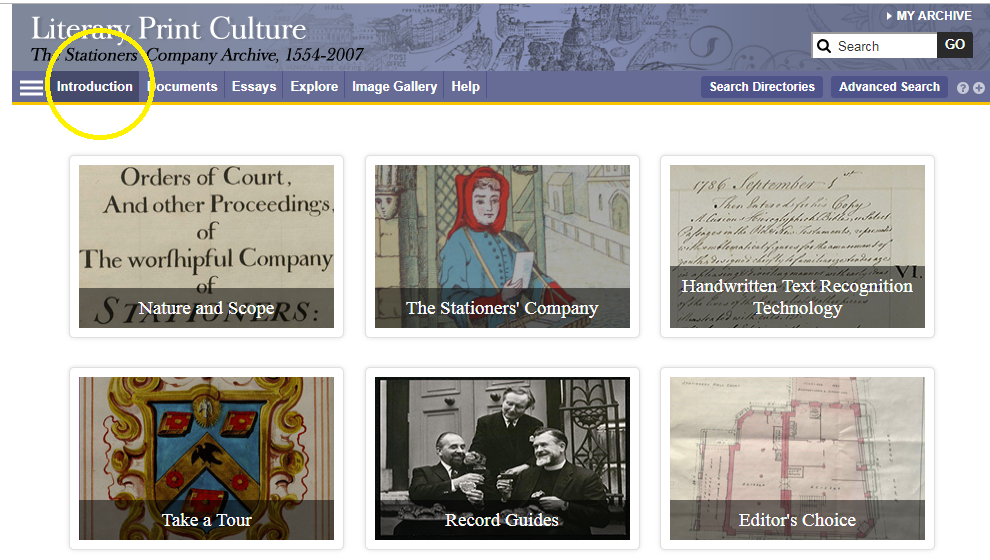
The primary sources include many different record types, relating to finance, membership, court, trade and charity. More recent sources include photographs and oral histories. These sources are supplemented by contextual essays and other commentary to give you ideas for interpreting and exploiting the archive.
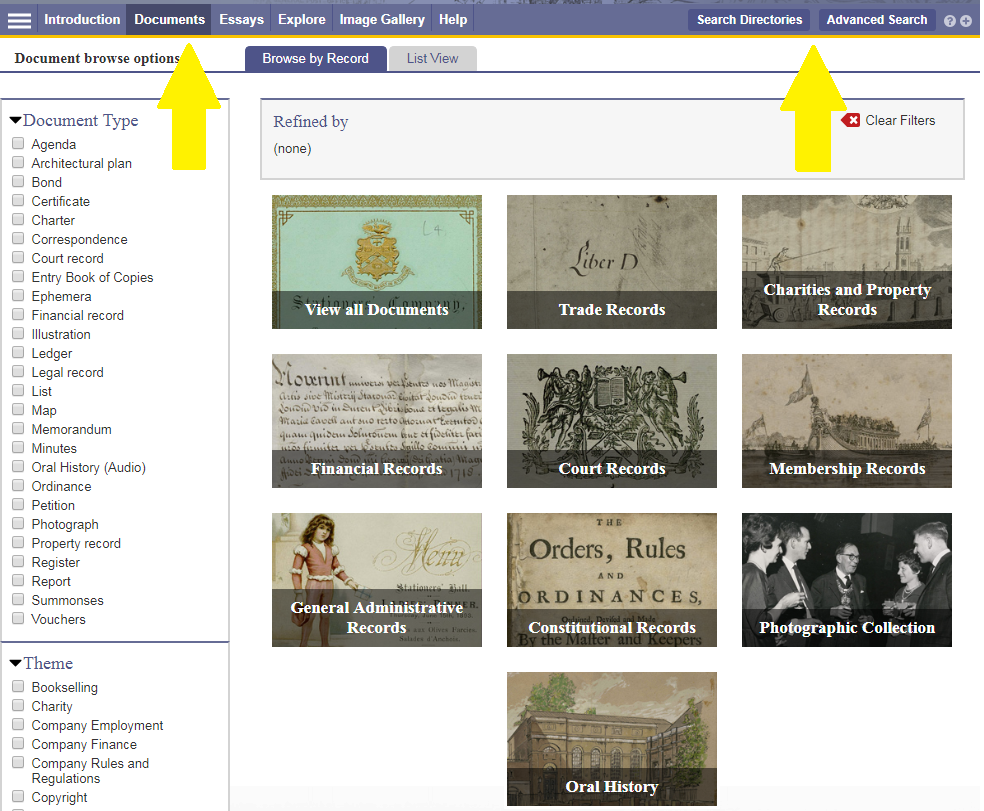
You can browse or search the archive contents by clicking Documents (to browse) or one of the two search buttons. You can filter your search in various ways, e.g. by document type, year or theme.

For some of the documents in the archive, you can now use handwritten text recognition to enable you to search the handwritten items effectively. Split screen viewing enables you to view a document and its index simultaneously.

Have you used Literary Print Culture? Please feel free to post your comments and experiences by clicking Leave a comment below.

Drama Online: what’s new?

The Library has subscribed to Drama Online for a few years.  This resource contains the text of over 2,000 international plays, from ancient to contemporary, together with contextual resources. It’s likely to be of interest to anyone studying literature, languages (ancient to modern), film studies and media.

We’ve recently upgraded our subscription to include the Nick Hern Books collection (over 400 plays) together with the 2017/18 core update (117 plays).

All the plays are individually catalogued and searchable via Library Search, or you can search/browse them all in various ways on the Drama Online site.

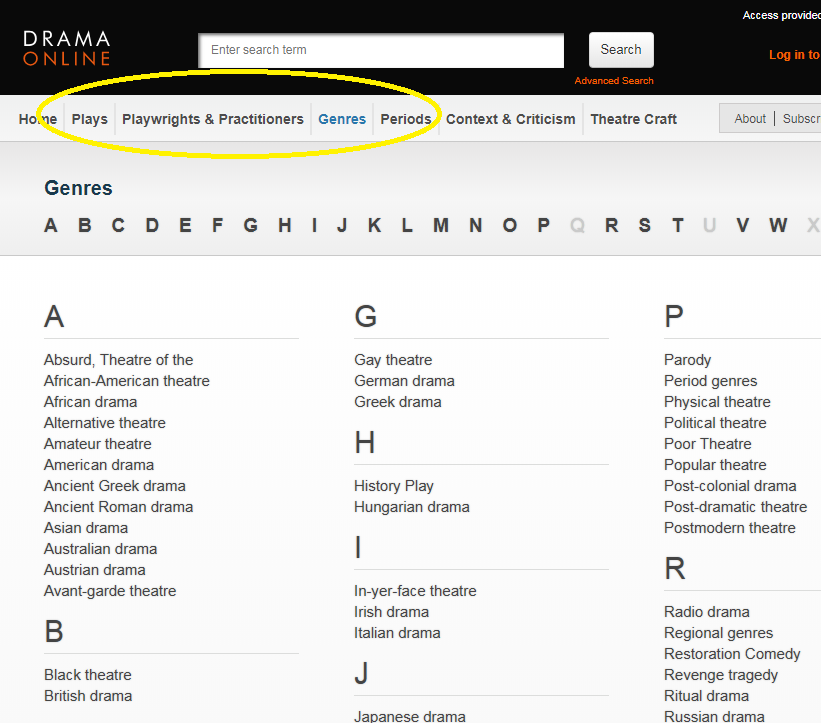
For example, using the options at the top of the screen, you can browse by title, author, genre and time period, or if you click Find Plays on the home page, you can add in other search filters, such as number of roles or scenes. Select Context and Criticism for access to a wide range of e-books about drama.

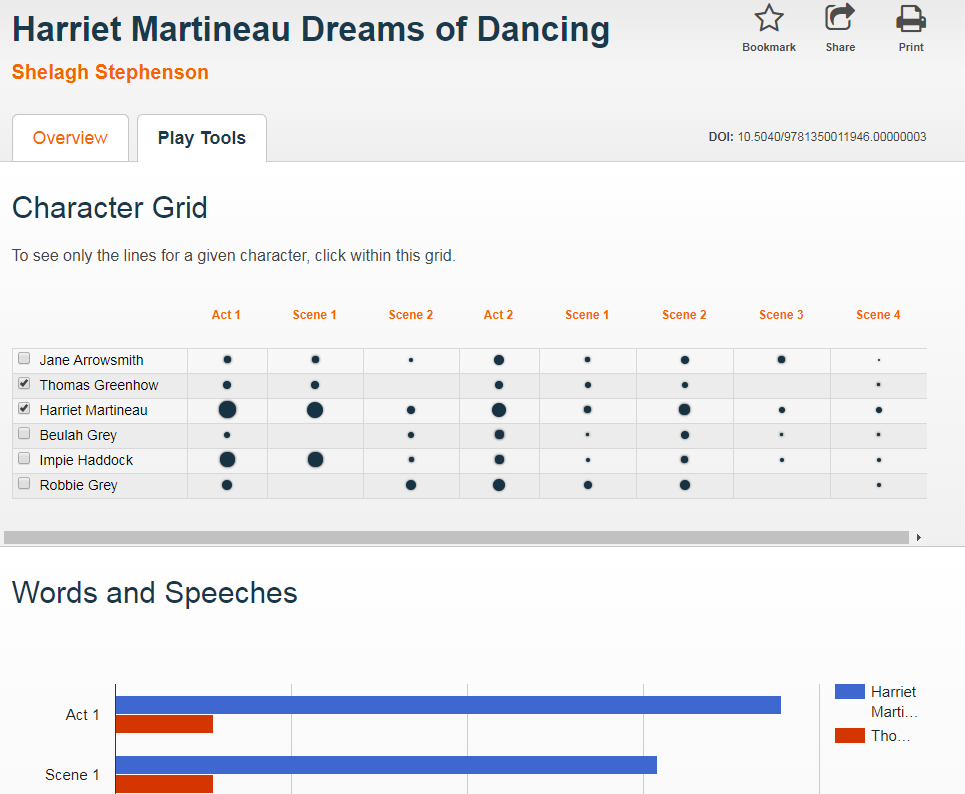
When viewing a play text, click Play Tools to analyse the speaking parts and appearances of different characters throughout the play.

Finally, follow @dramaonlinelib for news and features about this fantastic resource!


To google or not to google?…That is the question

Can you remember life before Google? It is such a huge part of our lives that even those of us who can remember a time before it (hmmm, yes I am that old!) can’t imagine life without it now. It is a great place to find the latest cinema listings or who won last night’s football match, but what about finding information for your latest assignment or research?

There is a time and a place to use Google, but you need to be aware of its limitations. Google, after all, is a business. It earns the majority of its money from advertising, and it will not reveal how it ranks its search results (every wonder how Wikipedia always appears at the top of every search you do?). A search that we do today and repeat tomorrow for a piece of research could give us hugely different results, with no explanation of why. We are also often bombarded with millions of search results and the reality of our searching habits mean that we rarely look beyond the first or second page.  Admittedly, advanced search features on Google and the use of Google Scholar can really help us to become a smarter and effective Google users, but is it enough for our own research? Are we finding everything that is out there?

We need to think about our information needs before we work out where it will be best for us to search. Imagine, for a moment, that we are want to buy a particular local cheese, which we love. Would we go to a general shop or would we go to a specialist deli? We are probably going to need to go to a deli. It is just the same when searching for information. Google may be great for some background information or a starting point of a project, but it may simply not give us the high quality, niche information that we need to give us top marks for an assignment. So what are the other options?

Aimee Cook, a Liaison Librarian here at Newcastle University, explains more.

So next time you think about googling something for an assignment, stop and check out Library Search and your subject guide first for the books, eBooks and specialist databases that are available to you. If you are going to use Google, make use of the advanced search features and get to grips with Google Scholar. Happy searching!

Photo by Emily Morter on Unsplash

Finding and using images

New from the humanities library liaison team!

Every week, we’re giving you quick Twitter tips and tricks to help you get the best out of our resources. We’ve got so many great collections, it can be hard to keep up with what’s on offer. So sit back and let us tweet you to search success!

Earlier this week, we focused on finding and using images. Missed our tweets? Don’t worry, we’ve compiled them all together into a Twitter moment below!

News and media resources

New from the humanities library liaison team!

Every week, we’re giving you quick Twitter tips and tricks to help you get the best out of our resources. We’ve got so many great collections, it can be hard to keep up with what’s on offer. So sit back and let us tweet you to search success!

Last week, we focused on our news and media resources. Missed our tweets? Don’t worry, we’ve compiled them all together into a Twitter moment below!

Film and television resources: quick tips


New from the humanities library liaison team!

Every week, we’re giving you quick Twitter tips and tricks to help you get the best out of our resources. We’ve got so many great collections, it can be hard to keep up with what’s on offer. So sit back and let us tweet you to search success!

Today, we focused on our film and television resources. Missed our tweets? Don’t worry, we’ve compiled them all together into a Twitter moment below!