In the library we love these short guides from OUP who provide a variety of great concise books on lots of different topics.
We’ve recently updated this collection so it includes to most recent publications from OUP published in 2022 and 2023.
This series offers concise introductions to a diverse range of subjects—from artificial intelligence to folk music to medical ethics—in 35,000 words or less.
Each one of these big little books provides intelligent and serious introductions written by experts who combine facts, analysis, new ideas, and enthusiasm to make even the most challenging topics highly readable.
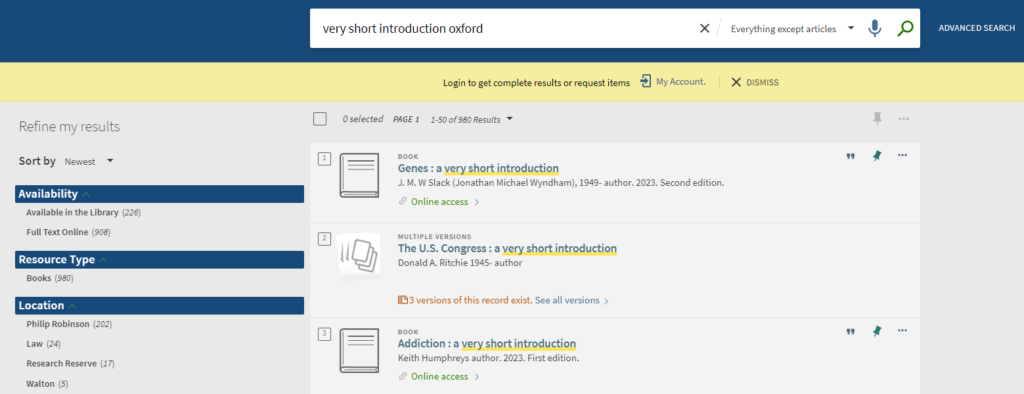
On our catalogue, Library Search you can search by keywords like in the screenshot below so “very short introduction” and browse through or add in Oxford to add in results for that publisher. Re-sort your results to “newest” if you’d like to browse through the latest ones added to our collection.
Or visit the OUP Very Short Introductions website directly and then filter using the subject categories. OUP have arranged the titles under headings such as Medicine and Health, Arts and Humanities, Law, Social Sciences
if you are accessing off campus then once you’re on the OUP site please click “sign in” (on the left hand menu and select Newcastle University from the list to enter your Campus ID and password.)
Oxford University Press also have a podcast you can subscribe to about titles and topics in this collection.
Our Recommend a Book service for students allows you to tell us about the books you need for your studies. If we don’t have the books you need, simply complete the web form and we’ll see if we can buy them. For books we already have in stock, if they are out on loan please make a reservation/hold request using Library Search.
In Semester One, academic year 2022/2023 we successfully 7 processed requests from 7 students (2 PGR, 4 PGT and 1 UGT) in GPS totalling just over £181.
Our Recommend a Book service for students allows you to tell us about the books you need for your studies. If we don’t have the books you need, simply complete the web form and we’ll see if we can buy them. For books we already have in stock, if they are out on loan please make a reservation/hold request using Library Search.
In Semester Three, academic year 2021/2022 we successfully processed 32 requests from 12 students (11 PGR, 1 PGT and 0 UGT) in GPS totalling just over £2300.
The Scopus Search Results page has been redesigned, the following new and exciting features include: –
Search functionality on search result page itself
User-friendly filters/facets and customized different views on how the results are displayed
A new an intuitive page layout
Why not try the new version for yourself! Just perform a Scopus search then click on the ‘try the new version’link at the banner at the top of the page. If you want to know more just click on ‘take a tour’. You can easily return to old version by clicking on the link ‘return to old version’.
If you want to know what else Scopus have done in 2022, have a look on their website.
We are hosting a Scopus webinar on December 8, which is a great opportunity to come and find out more about getting the most from the database.
The Topics pages on ScienceDirect have been compiled into a new homepage, and offers a way to:-
Search all Topics pages
Search and browse within specific subject areas
Register to receive recommended articles based on your search activity.
The extracts provided on ScienceDirect Topics are written by experts and are drawn from foundational and reference materials. The source materials used include major reference works such as encyclopaedias, journal review articles, monographs, book series and handbooks.
For a list of ScienceDirect topics, have a look on their website.
My name is Lia, and I am a 3rd year undergraduate law student. The modules I am doing this year are Employment, Careers, Company, Mediation, Evidence and Commercial. I am originally from Peterborough but love Newcastle so much that I want to stay here after I’ve finished studying! My career aspirations are hopefully to become a commercial solicitor in Newcastle.
What do I know now that I wish I knew when I first started?
My 1st year was very different to the norm as I was the Covid year, which made my 2nd year even harder having to learn to adapt to in-person teaching. My advice would be to work 9-5 during the week and give yourself as much time off in the evenings so that you can go out, hang out with your friends, and do extracurricular societies and sports clubs.
1st year and 2nd year are all about making mistakes and learning from them, so never be too hard on yourself. It is more important to always get feedback from coursework and exams, knowing that whatever questions you have other students, the librarians and lecturers will all be able to help.
Seminars are also everyone’s saviours as they literally ask you to prepare the exam questions. I think you should prepare these to your best ability and try do some follow up work on the seminar after you have had everyone’s input.
Client Interviewing
In my 2nd year I entered the client interviewing competition with my friend, Daisy. This was highly rewarding as we learnt how to conduct ourselves when meeting clients and eventually won the competition overall.
The best part of our prize was that we got free work experience at Ward Hadaway, a regional law firm in Newcastle. I completed seats in Real Estate and Commercial litigation whilst I was there.
Image from Newcastle Uni Law Society Instagram @nulawsociety
Now, in my 3rd year, I am one of the client interviewing officers this year for the law society. This year Daisy and I are hoping to make the competition better than ever and help participants develop their skills by offering more training sessions than previous years and more competitions. I really advise any 1st or 2nd years to do this as an extra-curricular as it doesn’t take up too much time, looks great on your CV and is judged by Ward Hadaway solicitors who offer money and work experience as a prize!
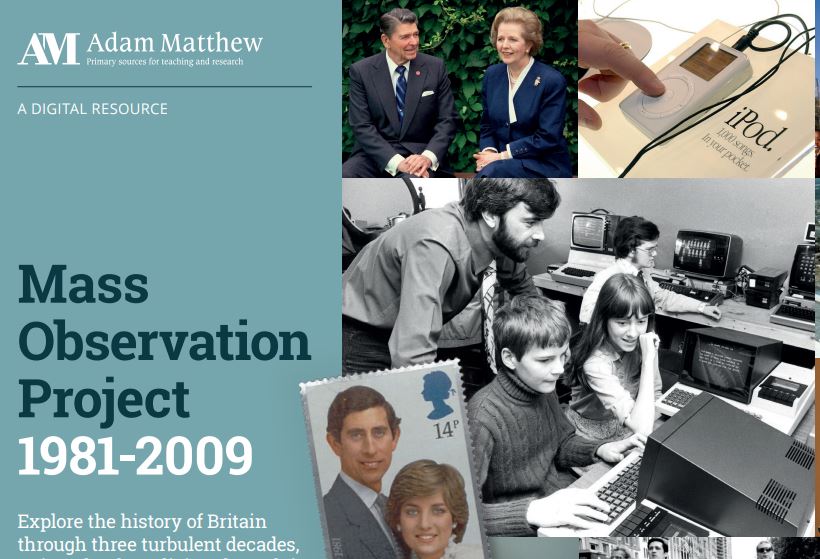
We’re pleased to announce that we have now added the latest 2000s module to the very popular Mass Observation Online resource. We already had access to the 1980s and 1990s modules.
About Mass Observation
Mass Observation is a pioneering project which documents the social history of Britain by recruiting volunteers (‘observers’) to write about their lives, experiences and opinions. Still growing, it is one of the most important sources available for qualitative social data in the UK. This latest instalment is a great resource for anyone researching aspects of the early 21st century. It complements our existing access to the original Mass Observation project archive, which covers 1937-1967.
2000s collection
This module has a strong emphasis on technological advancements and the changing means of communication that came with the new Millennium. Highlights include the Millennium Diaries, the events of September 11th and environmental concerns, as well as detailing the everyday lives, thoughts, and opinions of respondents.
Searching and browsing
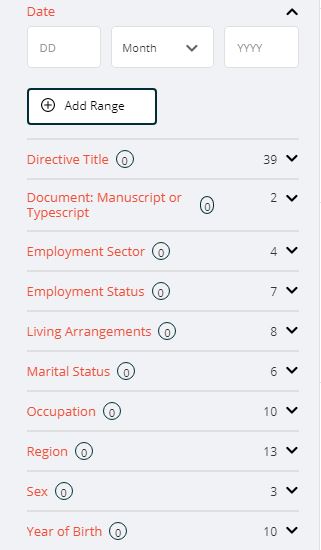
Filtering options
You can browse or search Mass Observation in various ways.
Browse by directive: browse the different directives (surveys), which are arranged chronologically and by topic.
Browse all documents: browse all the individual documents, and then further filter your search as required.
You can also use the Advanced search box at the top of the screen to search for specific topics.
Help
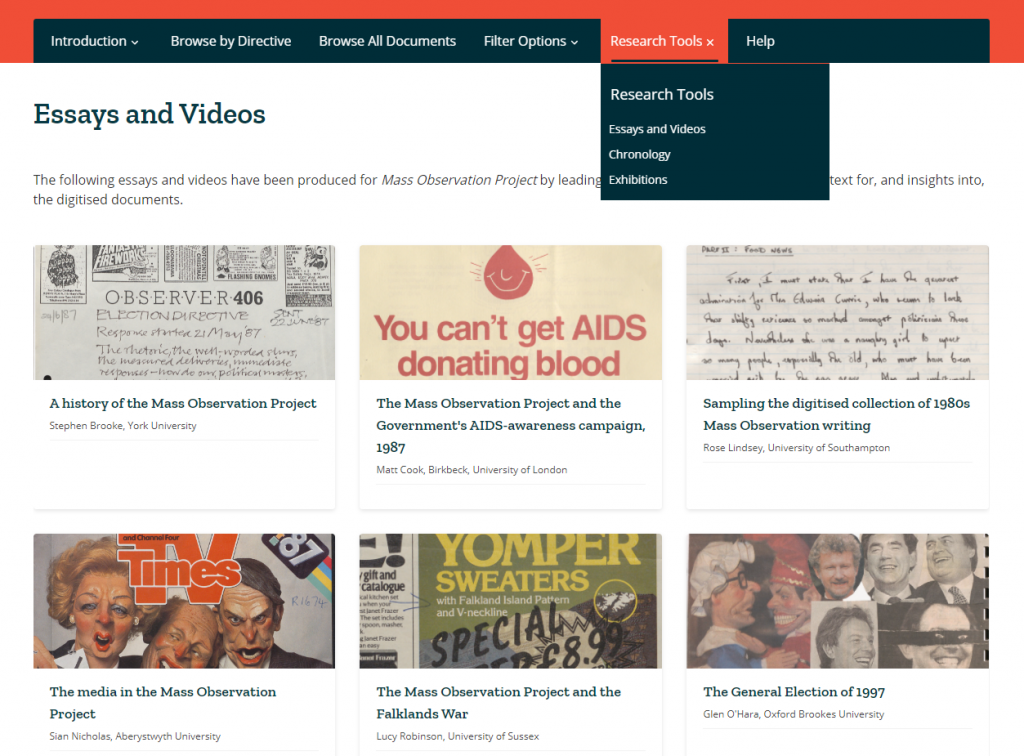
Research tools
We’d recommend you start by reading through the Introduction (top menu) which explains more about the project and the different document types. If you’re looking for ideas about how to make use of it, take a look at the Research Tools, which includes essays, videos, exhibitions and chronological timelines.
Note that as over half the materials in these collections (mainly the pre-2000s modules) are handwritten, the database enables Handwritten Text Recognition (HTR) to help you search. We would recommend you read about how HTR works, to help you get the best out of the database, in the Introduction section.
Our Recommend a Book service for students allows you to tell us about the books you need for your studies. If we don’t have the books you need, simply complete the web form and we’ll see if we can buy them. For books we already have in stock, if they are out on loan please make a reservation/hold request using Library Search.
In Semester Two, academic year 2021/2022 we successfully processed 100 requests from 30 students ( 19 PGR, 2 PGT and 9 UGT) in GPS totalling nearly £7000.
If you’re working on a dissertation, thesis or project right now, or will be doing so next academic year, what can you do if the Library doesn’t have access to all the specialist books and other information resources you need? How can you find out about resources relating to your research topic which are held elsewhere? Can you visit other libraries and archives if you’re away from Newcastle over the vacation?
Read on to find out how you can expand your search beyond our library….
1. Search
You can search across the catalogues of over 170 UK and Irish academic and national libraries, together with other specialist and research libraries, via Library Hub Discover (formerly COPAC). The range of libraries included in Library Hub Discover is expanding all the time, and includes all UK universities, as well as the libraries of such diverse organisations as Durham Cathedral, the Institution of Civil Engineers, the Victoria and Albert Museum, and the Royal Horticultural Society.
In response to Covid restrictions, Library Hub Discover has also made it easier for you to find Open Access resources via its catalogue: it has recently incorporated the HathiTrust Digital Library, as well as the Directories of Open Access Books and Journals to its searchable database.
For a more in-depth and up-to-date search, you can also search individual academic library catalogues online. Need to look further afield? Search library catalogues internationally via WorldCat.
If we haven’t got the book you want, you can ask us to consider buying or borrowing it via our Recommend a book service.
If you need a copy of a journal article to which we don’t have access, you can apply for it via our inter library loan service, which is currently free.
You can search UK doctoral theses via the national EThOS service. This has records for over 500,000 theses, dating back to the year 1800, of which over half are freely available online (do note you have to register with EThOS before being able to download: it’s a separate login process to your usual University login).
3. Visit
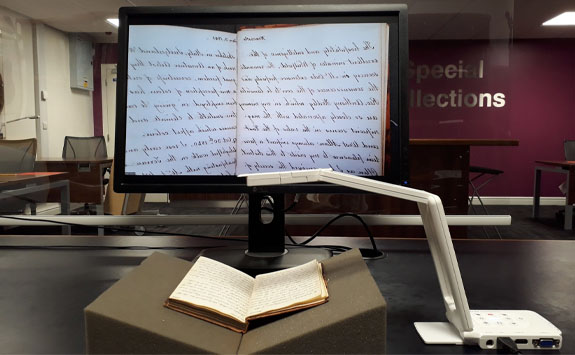
Special Collections Virtual Reading Room
The SCONUL Access Scheme enables students to visit most other academic libraries around the country, and in some cases, borrow from them. This service has recently resumed since its suspension during the Covid pandemic, but please note that not all academic libraries are currently participating in the scheme, so do check carefully before you visit, and read the latest information on the SCONUL Access site.
You will need to register with SCONUL Access before you can visit another Library, so do allow time for your registration to be processed.
If you want to consult archives or special collections elsewhere, you’ll need to check with the organisation in question beforehand (you’ll usually need to request to consult items in advance of your visit). If you can’t visit in person, archives services may still be able to answer queries, provide access to selected digitised items, or even operate a Virtual Reading Room, so it may well be worth enquiring.
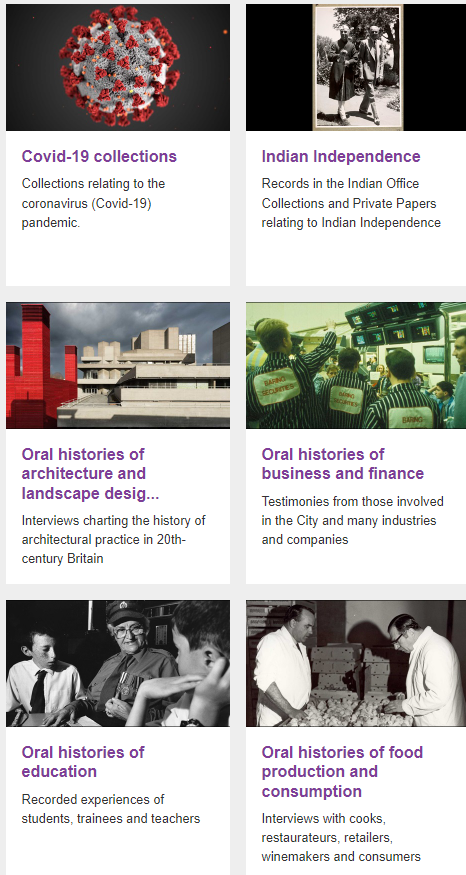
Where can I find pictures relating to transport which I can use in my project? How do I find out what was broadcast on British television and radio on a particular day in the 1970s? Where are the best places to find examples of digital art? I need audio clips of scary sounds for my presentation – where to start? Are there any interesting oral histories in my subject area? How do I reference a podcast? I’ve found an ideal picture online, but I don’t know where it’s from – what can I do? Is there an authoritative list of famous music plagiarism cases anywhere, including audio clips?
We’ve updated and expanded our old images guide, and included new databases and resources for finding films and television programmes, plus audio content such as radio programmes, sound clips, podcasts and oral histories.
We’ve also updated the original still images section, which helps you find images of all genres and subjects, such as anatomy, archaeology, architecture…. and all other letters of the alphabet!
Need more help?
Keyword searching isn’t always the best way to search for audiovisual content, so if you want to find an image which looks like another one, search by colour, or find exactly what you want on Box of Broadcasts, visit our guide.
Finally, if you’re unsure whether you’re permitted to use an audiovisual resource in your assignment, and/or how to cite it, we can help with that too. Our guide contains plenty of helpful advice on using and citing audiovisual materials, and we’ve tried to include links to collections and databases which are licensed for educational use where possible (but please do check the terms and conditions in each case).
Have you met BoB? Box of Broadcasts is a fantastic resource for all subject areas: an archive of over two million radio and television broadcasts from over 75 free-to-air channels, including all BBC channels, ITV and Channel 4, plus some international channels. New programmes are added to BoB as they are broadcast each day.
We know it’s a very popular resource, but are you getting the best out of it? Here are some quick tips for newbies and experienced users alike!
Smarter searching
BoB is a huge database, so searching by keyword may retrieve a lot of irrelevant results, especially as the default search looks for your keyword in all programme transcripts (i.e. every word spoken in a programme). Click on the Search options link just under the search bar to see various ways of making your search more precise, including searching in the programme titles only, or limiting by date. This help video gives more detail:
Playlists and clips
You can create your own playlists: really helpful if you’re researching for an assignment, or preparing to teach a module. You can also search public playlists curated by other BoB users around the UK: just select Public playlists underneath the search bar, or explore this showcase of playlists for more inspiration.