This academic year it is more important than ever to capture how our students are doing in these first few weeks of teaching. Two tools that will help us do so are informal module check-ins and the Student Pulse Survey.
Informal Module Check-ins
As the Student Voice Schedule indicates, module leaders are asked to organise informal module check-ins in Teaching Weeks 3 or 4 of each semester. There are various ways in which you can approach these informal check-ins, which will provide you with feedback on students’ engagement and help you decide on any changes you might want to make. Q&A were organised in Teaching Week 2 and at the start of Teaching Week 3 to support you with any queries. Should you have additional queries, do not hesitate to get in touch (ltds@newcastle.ac.uk).
Student Pulse Survey
While the informal check-ins are focused at module level, the Student Pulse Survey gathers information on the student experience at University and programme level.
In Teaching Week 4, all of our taught students will be asked to undertake a short survey. This survey is run centrally from Monday 9th November until Monday 16th November, 10am.
The questions, available on Sharepoint, relate to a student’s overall experience. The survey also includes a reminder about the support available from their personal tutor and an opportunity to request to speak to someone about their broader student experience.
While the administration of the Student Pulse Survey will be managed centrally, we ask that academic units encourage their students to complete the survey, to supplement central promotion.
The results of the survey are to provide academic units with additional feedback from students on their experience, to further reflect on what is working well and what you may want to adapt/modify for the second half of the semester. The same questions from the Student Pulse Survey will be included in the Stage/Semester Evaluations that will take place at the end of Semester 1. This way you can see whether and if so how student views have developed and changed.
Academic units will be sent the quantitative results of the Student Pulse Survey on 16th November. Academic units will receive one PDF report of results, per programme per stage of study.
The Accessibility in Practice online course is designed to provide you with some of the core skills and techniques for embedding accessibility into your teaching and learning practice, and in making your digital resources accessible to everyone.
Tom Harrison recently completed the online course. He shares the parts of the course he found most useful and how he has changed his practice resulting in real benefits to students.
Hi, I’m Tom Harrison; I work as a Student Recruitment Co-ordinator at Newcastle University and also teach English Literature. My roles involve designing lots of activities and presentations for a wide variety of students, so I was interested in using the Accessibility in Practice course to develop my awareness of how to adjust my materials to accommodate different learner needs.
One of the most revealing sections was an exercise to simulate difficulties that dyslexic students could have reading slides in lectures. The team presented a simple story (Aesop’s ‘Tortoise and the Hare’: a classic!) and changed the text a bit to give an idea of how reading speeds can differ.
Even with such a simple, familiar story I found the text difficult to read, and although I managed a couple of lines I got nowhere near finishing the full paragraph in the two minutes allotted by the presenter. The experience was confusing and frustrating, and made worse when the presenter spoke while the text was onscreen: at this point my attention was split between the audio and the visuals, which meant I wasn’t paying attention to either.
The manipulated text, the short reading time, and the over-talkative presenter were of course all part of the team’s cunning plan to show how difficult it can be for dyslexic students to read large blocks of text in a lecture setting. I have to confess that previously I’ve assumed that students can multi-task as I rattle through text-heavy lecture slides, and that highlighting key words and phrases in bold or in different colours was enough to focus students on what they need to know. Those visually-enhanced techniques work fine for some, but of course are no help at all to students who are colour blind, or who are accessing lecture materials through specialist software. I looked back over my old PowerPoints with fresh eyes and realised that, to some students, my beautifully colour-coded, quote-heavy slides would have just been a big blocky mess.
The biggest change the training has made to my practice is that I now appreciate that students need more time to process on-screen text, and that they may be accessing this text in a different way to how I’ve previously assumed. I now make a point of reading out any text that I include on slides to help keep students focused and avoid unnecessary distractions. As an added bonus, I’ve also learnt to cut down the size of my on-screen quotations: no one, not even me, wants to hear me reading out huge chunks of text!
If you are delivering information to students in any capacity I recommend having a look at this resource: the course is full of useful, practical tips that will help you modify what you already do rather than change it to something completely different. Well worth an hour of your time, I’d say, and your students will thank you for it!
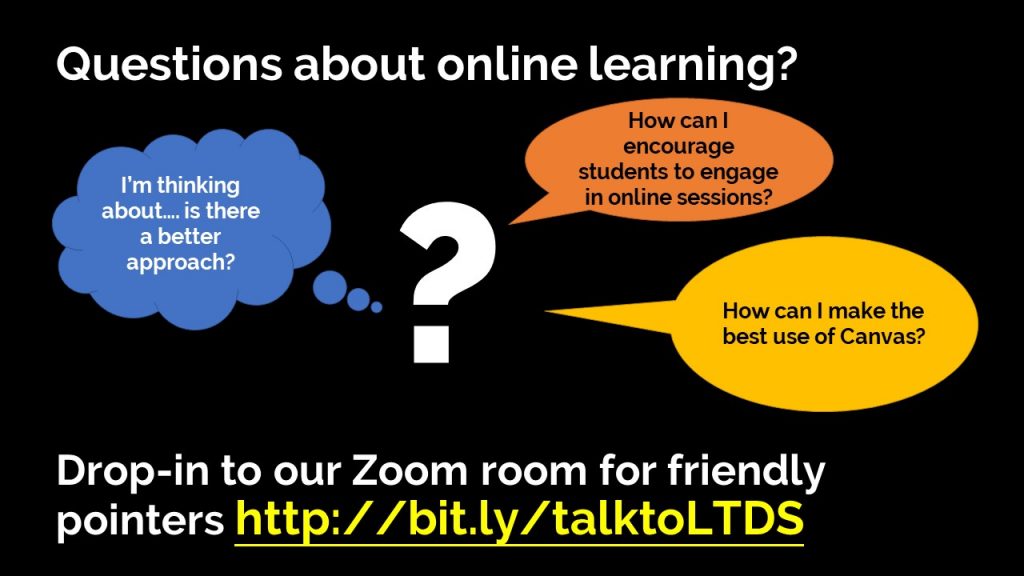
There’s loads to learn to get ready for teaching this term, Canvas, synchronous online teaching, guidance in the ERF all of these are new. If you are puzzled about the best place to start you aren’t alone!
LTDS’s Learning Enhancement and Technology Teams are here to help. We are running regular drop-in sessions each week where we can chat through options with you, give pointers to resources we know that will help and suggest ideas for you to consider.
We don’t know much about thermodynamics, cell biology or philosophy but between us we have loads of experience with online learning. If we don’t know the answer we can phone a friend and get back to you.
No question is too basic!
We run hour long drop-in sessions on Mondays, Wednesdays and Fridays. You don’t need to make an appointment. Each drop-in has two members of our team to help answer your questions.
See http://bit.ly/talktoLTDS for our drop-in and webinar schedule and information about how to join.
There are lots of different ways of making videos and generating captions. In this blog post we’ll present two of these recipes – think of them as starting points that you can adapt and develop – they use existing University systems – so all you need is a web browser.
When we make recordings and videos for student to watch before or after scheduled teaching sessions we need to add captions to these videos. Captions are a text alternative that makes the video meaningful to someone with hearing difficulties. We also know that they are used significantly by non-native speakers, and those working in noisy environments.
When a video has captions applied the person watching the video can turn them on and off – this is normally done by clicking on a “CC” (closed captions) button.
The captions for a video are held in a text file that contains segments of text along with timestamps.
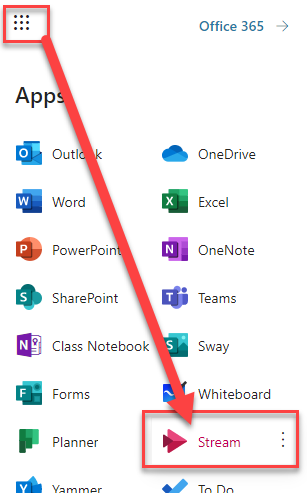
Video files are large, and your Canvas course is limited to 20GB of file attachments. So, it makes sense to add videos to one of our University Video Platforms (ReCap or Stream) and embed them into Canvas from there. ReCap and Stream both have Automatic Speech Recognition (ASR) capabilities and can add machine generated captions to videos. These won’t be 100% accurate, but they can be edited.
In overview the process is:
Upload your video
Add, edit and publish the machine generated captions
Publish the video in your Canvas course
ReCap
You can view all the content that you have access to on ReCap by going to your campus ReCap site (Newcastle, London and NUMED/NUIS)
Do I have to edit automatic captions for my videos?
The university has recently agreed text for a captions disclaimer for students. This makes it clear that automatically generated captions aren’t 100% accurate and that students need to be use these alongside their wider reading. Students requiring accurate captions as part of their reasonable adjustments should contact their disability adviser.
If time permits, light touch editing of captions will help many students.
The Advance HE National Teaching Fellowship Scheme (NTFS) celebrates excellent practice and outstanding achievement in learning and teaching in higher education. The awards support individuals’ professional development in learning and teaching and provide a national focus for institutional teaching and learning excellence schemes.
LTDS support applications to the NTFS, and work with the National Teaching Fellows in the University to promote their work and teaching excellence. Each institution can nominate three colleagues to each round of the scheme. In 2019 and 2020 the University was very successful with all six candidates successful in achieving their NTF status.
Nominations are welcomed from all members of staff who feel their work has a major, positive impact on student teaching and learning. Staff who would like to be considered should provide a reflective submission, with a maximum of 1000 words, which addresses the following criteria:
Your personal practice and why this should be recognised as outstanding,
Your impact on colleagues, both internally and externally,
Your commitment to your ongoing professional development.
All UK higher education providers are eligible to enter up to three members of staff that teach and/or support learning in higher education. Your submission should be sent to LTDS@newcastle.ac.uk by 12 noon on the 16th November 2020.
1. Individual excellence: evidence of enhancing and transforming the student learning experience commensurate with the individual’s context and the opportunities afforded by it.
This may, for example, be demonstrated by providing evidence of:
stimulating students’ curiosity and interest in ways which inspire a commitment to learning;
organising and presenting high quality resources in accessible, coherent and imaginative ways which in turn clearly enhance students’ learning;
recognising and actively supporting the full diversity of student learning needs;
drawing upon the results of relevant research, scholarship and professional practice in ways which add value to teaching and students’ learning;
engaging with and contributing to the established literature or to the nominee’s own evidence base for teaching and learning.
2. Raising the profile of excellence: evidence of supporting colleagues and influencing support for student learning; demonstrating impact and engagement beyond the nominee’s immediate academic or professional role.
This may, for example, be demonstrated by providing evidence of:
making outstanding contributions to colleagues’ professional development in relation to promoting and enhancing student learning;
contributing to departmental/faculty/institutional/national initiatives to facilitate student learning;
contributing to and/or supporting meaningful and positive change with respect to pedagogic practice, policy and/or procedure.
3. Developing excellence: evidence of the nominee’s commitment to her/his ongoing professional development with regard to teaching and learning and/or learning support.
This may, for example, be demonstrated by providing evidence of:
on-going review and enhancement of individual professional practice;
engaging in professional development activities which enhance the nominee’s expertise in teaching and learning support;
engaging in the review and enhancement of one’s own professional and/or academic practice;
specific contributions to significant improvements in the student learning experience.
How LTDS can help:
We can provide support and advice on the NTFS scheme and the application process. For all queries please contact LTDS@newcastle.ac.uk
The Advance HE Collaborative Award for Teaching Excellence (CATE) celebrates collaborative work that has had a demonstrable impact on teaching and learning.
LTDS support applications to CATE, and work with the National Teaching Fellows/CATE winners in the University to promote their work and teaching excellence. Each institution can nominate one team to each round of the scheme. In 2020 there was success for the E-Learning Unit in the School of Mathematics, Statistics & Physics, who received the Awardfor promoting the use of technology to support the teaching and learning of mathematics in the School, University and wider community.
We are pleased to announce the launch of the University process to determine the institutional nominees to the 2021 Collaborative Award for Teaching Excellence.
Application to be an institutional nominee
Nominations are welcomed from teams who feel their work has a major, positive impact on student teaching and learning. Collaborative teams who would like to be considered should provide a maximum of 1000 words, which address the following criteria:
Evidence of excellence in the team’s collaborative approach
Excellence in the impact of collaborative working
All higher education providers are eligible to enter one team. Your team’s submission should be sent to LTDS@newcastle.ac.uk by 12 noon on 16th November 2020.
Advance HE Criteria
1. Excellence in the team’s collaborative approach: Evidence of excellence in the team’s approach to working collaboratively; commensurate with their context and the opportunities afforded by it.
This may, for example, be demonstrated by providing evidence of:
having a clear set of aims, objectives and rationale for the team’s approach and how the group constitutes a team and developed as a team;
demonstrating direct engagement of students within or with the team;
illustrating how the team has contributed to wider thematic and sector priorities, for example, assessment and feedback; retention, employability, staff development; students as partners; technology and social media;
working collaboratively with a range of stakeholder groups;
embedding practices across different programmes, disciplines, campuses or institutions;
being flexible and creative in working to address unanticipated situations or events;
measuring the impact or outcomes of collaborative work.
2.Excellence in the impact of collaborative working: Evidence of the team having a demonstrable impact on teaching and learning beyond their immediate academic or professional area.
This may, for example, be demonstrated by providing evidence of:
the reach of the team’s work;
the benefit or value derived from working as a team;
the impact of supporting colleagues and/or influencing support for student learning;
the impact on student learning or outcomes;
the impact of any outcomes/outputs of collaborative work.
How LTDS can help:
We can provide support and advice on the CATE scheme and the application process. For all queries please contact LTDS@newcastle.ac.uk
As we move into the new academic year this is a question that many colleagues may have.
With an increased amount of online teaching and non-synchronous learning activities, ensuring that students are effectively engaging with their studies will be particularly important in 2020-21.
Many of the ways in which you gauge whether groups of students, or individuals, are engaging in the teaching on your module will remain the same, some will need tweaking for different teaching formats, and others tools and information are new for this year.
This blog post gives a whistle stop tour through some of the approaches that colleagues may be using in 2020-21 to look at students’ engagement in their modules and identify those needing additional support or guidance.
Reading the (Zoom) room
Whether the session is on campus in present-in-person format, or an online synchronous teaching session, as educators you will still glean much from observing your students as they participate in their small group teaching.
This can be as simple as keeping an eye on attendance. If a student doesn’t attend a session or multiple sessions without cause or notice, follow up with them and potentially escalate this to their personal tutor if required.
Tip: To find a student’s Personal Tutor search for them in NUStudentSearch
For those that are attending, are they participating? Are they contributing to discussions, working with other students on the learning activities you set, asking questions in or outside of the session?
Does the informal check in in teaching week 3, as detailed in the Student Voice schedule, highlight individuals or groups of students who are struggling to engage in the module? Perhaps it helps you to identify content or topics that need revisiting or a need for further support on how students should approach their learning? There are many ways you can approach this informal check in which provide you with feedback on students’ engagement.
What does your Canvas show?
Our new VLE Canvas, has an in-built tool which provides a wealth of information about students’ engagement with the teaching materials and activities in your module.
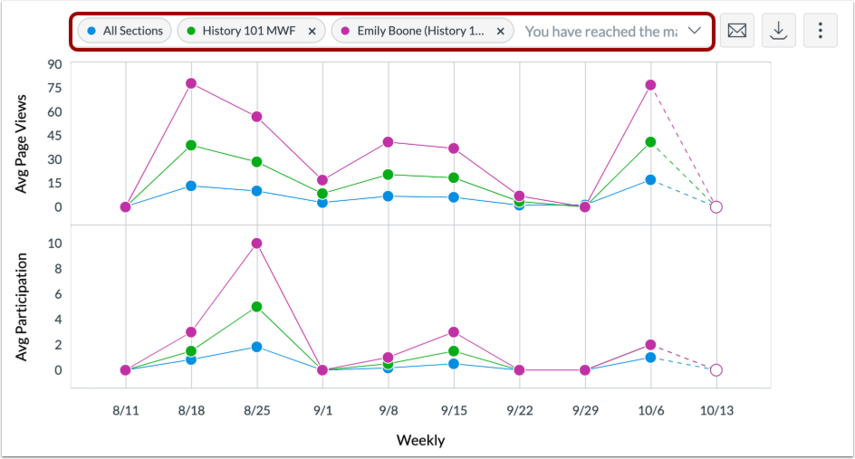
The New Analytics tool in Canvas provides a daily updated set of information to colleagues on the module at the level of the whole cohort, and down to individual students.
This tool allows you to get a quick overview of the module, providing useful real-time insights as the module progresses including:
marks and averages for both formative and summative assessments
data on student participation with structured learning activities – including collaborating in Canvas, posting in online discussions, responding to announcements and other forms of student activity
weekly page views data showing the sections of the module and resources being accessed
Its flexibility means you can also look at the level of all students, smaller groups or individual students to identify those in need of support and to inform conversations with your students.
You can also easily directly contact specific students based on their activity through the tool, a way of highlighting additional resources on a particular topic to those whose quiz scores suggest they would benefit from this, for example.
For more information on the tool and how to access it see the staff guides on the Digital Learning website.
What about attendance monitoring?
The Attendance Monitoring Policy has been adapted to the new academic year, to allow schools to take a more flexible approach of considering a combination of attendance and engagement information.
Present-in-person teaching sessions will continue to record student attendance via room scanners for those students who attend in Newcastle, with reports accessible in SAMS through the usual processes.
Where colleagues wish to take attendance, but the teaching session is not held in a space with a scanner, they can choose to make manual attendance lists which can be input into SAP.
As some students will be studying remotely, and the SAMS data will therefore only provide a partial picture, a new report in Canvas can be accessed alongside this data. TheZero Activity Report will show any students who are enrolled on the course but have not accessed Canvas in the period specified when the report is run.
It is recommended that colleagues in schools look at the SAMS data and Zero Activity report in conjunction as part of their monthly attendance reporting.
The Zero Activity report can be run more regularly, and colleagues are recommended to run this a few weeks into term to identify any students who have not accessed the VLE or participated in their learning across their programme of study.
It can also provide additional information to Personal Tutors or Senior Tutors when identifying a need for, and providing additional pastoral support to, individual students.
To help you to check that the Canvas course for your module is ready for your students, we have created a handy checklist which can be found on the Canvas section of the Digital Learning Website. You can also view our downloadable pdf version.
Remember, your Canvas course must be published for your students to be able to access it. This also applies to archive courses from 2017-18 to 2019-20.
If you need help with Canvas you can access the following channels of support:
Canvas 24/7 support for your ‘How do I?’ Canvas questions
The Advance HE Collaborative Awards for Teaching Excellence
(CATE) celebrate collaborative work that has had a demonstrable impact on
teaching and learning.
LTDS support applications to CATE, and work with the National Teaching Fellows/CATE winners in the University to promote their work and teaching excellence. Each institution can nominate one team to each round of the scheme.
LTDS will be promoting further details of the application process to become an institutional nominee soon. Advance HE are running webinars for those thinking of applying. Details below:
Prof Mark O’Hara, CATE-Net Co-ordinator, Advance HE, will be facilitating four webinars – three (repeated on different dates) focusing on helping those applying for CATE in the 2020/21 academic year, and one focussing on helping those thinking of applying further in the future. Details of these CATE webinars are as follows:
Applying for CATE in 2020/21
If you are planning to submit a claim for CATE in the 2020-21 cycle these briefings will introduce you to the nature of the Award and its associated professional and institutional benefits. It will help you to understand the process and timelines and will offer practical suggestions and advice from previous CATE winners.
In 2014 University Learning, Teaching and Student Experience Committee agreed a set of principles which stated that all appropriate assessments should be submitted through Turnitin.
Now we have moved to Canvas as the Virtual Learning Environment, this has opened up some new options for online submission. Alongside the Turnitin tool it is now possible to create Canvas assignments, which offer features like double blind marking, group submission and moderated marking, whilst still using the Turnitin similarity checker.
Given the new functionality now available, this is an appropriate time to revisit the principles. The updated Online Assignment Submission Principles were approved by University Education Committee in August 2020.
These principles are guidelines for how to get the most from submissions, advising that the Turnitin Similarity checks are carried out on Canvas and Turnitin assignments. If you allow students to submit multiple drafts they should not be allowed to see the similarity score, unless the assessment is focused on improving the students’ academic writing. Where appropriate the students’ work should be added to the Turnitin repository.
The principles recommend that Schools communicate to their students when their work is going to be put through the Turnitin similarity checker.