Canvas training webinars for October are now available to book online. We will be continuing to run online training webinars until Semester 2 next year. Sessions include:
Canvas Webinars: Fundamentals, Assignments, Quizzes, Advanced Quizzes, Professional Services, Collaboration and Communication and Online Marking and Feedback
Need some specific advice on that one little thing you need to be able to do with your content/assessment/learning activity? Pop into a drop in sessions and we can help you decide what might be most effective way for you.
Join any session at the days and times noted on the Flexible Learning schedule. (Campus login required: nid@newcastle.ac.uk)
Visit the flexible learning webpages to find out more about the support available for the implementation of the Education Resilience Framework (ERF). You can also access a number of step by step guides to help support teaching delivery in 2020/21.
We start 2020 with our new VLE, Canvas, and a rich array of digital learning tools that can be used to support teaching. There are so many possibilities and it could easily be overwhelming.
This is a short post to begin to answer one of the questions I heard last week “What tools should I invest in?”.
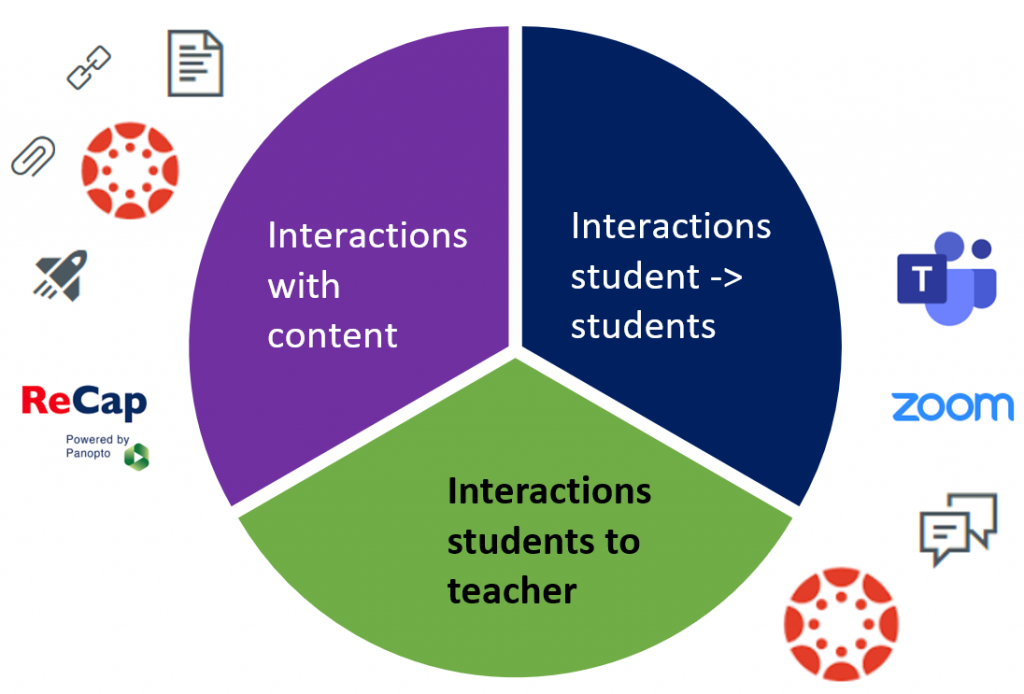
But, let’s back up a bit, before considering tools we need to think about what we want these tools to help us to achieve? Way back in 1998 Anderson and Garrison described three more common types of interaction involving students:
Student-content interactions
Student-teacher interactions
Student-student interactions
Let’s use this to come up with our list…
Student-content interactions
Your starting point here is Canvas itself. You can present information on pages, embed documents, link to resources on library reading list, include videos, audio and ReCap recordings.
Canvas support a wide range of question types: multiple choice, gap fill, short answer, matching, multiple answer. Quizzes can help students practice skills, check their learning and encourage them revisit material.
For short PowerPoint narrations the easiest place to start is the recording features that come as part of ReCap. We tend to think of ReCap as a lecture recording tool, but there is also a fabulous ReCap Personal Capture tool that you can use to record yourself, and publish in Canvas. There are several bonuses with using ReCap – you have the ability to do make simple edits, you can use automatic speech recognition to generate captions, and students have the ability pause, rewind and make notes on the recordings that you publish. ReCap personal capture comes in as tool #3 – you can install on your computer, or if you prefer you can use the new browser based recorder – Panopto Capture (beta).
Outside the limited amount of PiP time you are likely to be meeting your students online. For synchronous meetings there is increasingly little to choose from between Zoom and Teams – the only significant factor being that Zoom permits people to connect by phone – so supports those on lower bandwidth.
Now is a great time to become confident with the online meeting tool you are planning on using throughout your module. I’ll leave it to you if #4 for you is Teams or Zoom – it would be sensible to settle on one, for you and your students. Teams could be a strong contender if you plan to use this as a collaboration space over the module/stage, in which case do review the article on Building an online community using Teams.
Once you setting on your meeting tool, now is a great time to explore options for using whiteboards, polling, breakout rooms in these spaces and to begin to plan active online sessions.
For tool #5 I’d go with Canvas Discussions – these are easy to use, work really well in the Canvas Student and Teacher apps and are great for Q&A sessions, introductions, crowd-sourcing activities, and of course discussions!
Learning at university is a social! There are huge limitations on what we can do in person – but what can we do to help learning be as social as it can be? This isn’t so much about tools, but about the activities we design in: break out room discussions, group tasks, peer reviews, debates – things that might start in a timetabled session and then spill out.
For synchronous meetings and study sessions all our students have access to Zoom and Teams. We can model how to use these, build students’ confidence in these spaces and show them how they can collaborate in Microsoft 365 collaborative spaces (Word documents, OneNote…). I’ve already mentioned Teams and Zoom (#4), so for tool #6 I’ll pitch for Microsoft 365 with an emphasis on collaboration.
Our
teams are here to support and collaborate with you as you rethink your
students’ skills provision for the coming academic year.
In 2020/21, Library inductions for
all undergraduates and taught postgraduates will be delivered non-synchronously
online through the central University induction programme. Therefore,
there is no need for you to book an induction session with us as part of a
separate programme timetable. Our induction materials will introduce students
to the services and resources we offer, and equip them with essential
literature searching skills, including finding and accessing academic
information via Library Search.
Beyond induction (for example, for students working on dissertations or projects), we‘re developing a range of adaptable online learning resources suitable for embedding into Canvas, and will work with you to develop content tailored for your subject area that can be embedded within your modules. These are very well-suited to non-synchronous delivery, with opportunities for further support via Q&A sessions, discussions etc.
For the second year in a row, three Newcastle academics have been elected as National Teaching Fellows.
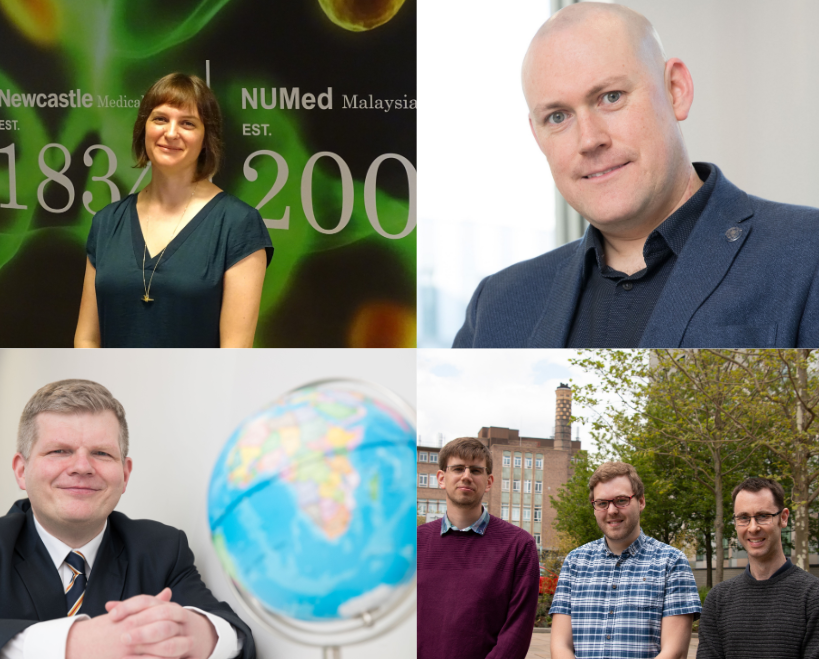
Awarded by Advance HE, the fellowships recognise excellence in enhancing and transforming student outcomes and teaching. Newcastle University’s Dr Clare Guilding, Professor Simon Tate and Dr Iain Keenan are among this year’s 56 new National Teaching Fellows.
In 2017, Dr Guilding took up the position of Dean of Academic Affairs in Newcastle University Medicine Malaysia (NUMed), leading the development and implementation of Newcastle’s new MBBS curriculum there. She also played a key role in developing the British Pharmacological Society’s (BPS) new undergraduate pharmacology curriculum, now used to develop pharmacology curricula nationally and internationally.
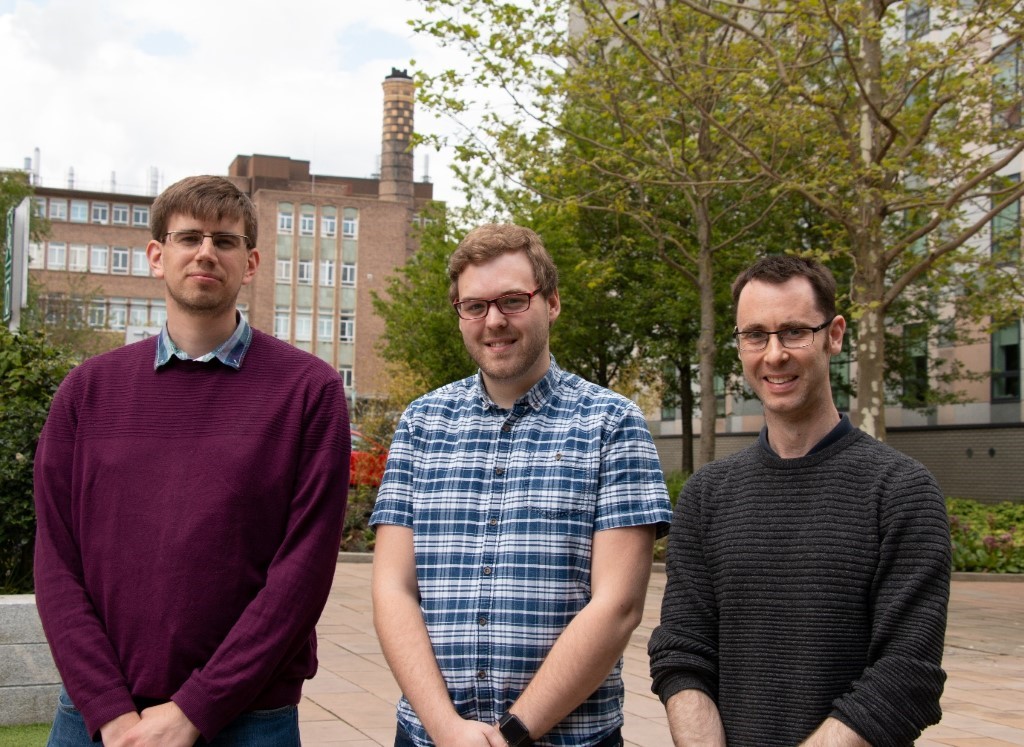
The successful team is made up of Dr Chris Graham, Christian Lawson-Perfect and Dr George Stagg.
Chris, Director of E-Learning, School of Mathematics, Statistics and Physics said:
“We are absolutely delighted to receive the Collaborative Award for Teaching Excellence, recognising our E-Learning Unit’s contribution to our School, institution and wider community, in enhancing the teaching and learning of mathematics, with initiatives such as the Numbas e-assessment software.
“The award celebrates our collaborative approach to establishing Numbas as a tool used here at Newcastle by over 3,000 students each year in Schools across all three faculties, and at our Malaysia and London campuses. And recognises our role worldwide, with several key international partnerships, a role in high profile national projects in primary and secondary education, and over 2,000 teachers worldwide using our assessment software.
New Analytics in Canvas is an interactive tool that helps you and your students better track performance and activity within individual courses. It can be accessed in the menu of any Canvas course and allows you to:
Identify which students have viewed pages and resources
Identify which students have participated in the course
Compare grades across assignments by cohort or individual students
Contact students, or groups of students, based on their interactions
As part of the University’s Task and Finish group on learning analytics we will be running a pilot looking to gather some Newcastle specific information and feedback on the use of the tool. Our aim is to identify the functionalities within New Analytics that Newcastle colleagues find to be most useful in improving student attainment and engagement so that we can make recommendations to the University about how best to implement this system, or others, University-wide.
As part of a pilot, all we would ask for would be a summary of what you did and how you measured any benefit for your students in terms of attainment or engagement. We appreciate how busy everyone is at the moment so are keen to make sure that taking part requires minimal extra work (setting up the New Analytics within your module assessments or workflow is quite intuitive) and fits in with your already established plans for online delivery in 20/21.
For the second year in a row, three Newcastle academics have been elected as National Teaching Fellows, at the same time the University has won a Collaborative Award for Teaching Excellence.
Awarded by Advance HE, the fellowships recognise excellence in enhancing and transforming student outcomes and teaching. Newcastle University’s Dr Clare Guilding, Professor Simon Tate and Dr Iain Keenan are among this year’s 56 new National Teaching Fellows.
There was further success for the E-Learning Unit in the School of Mathematics, Statistics & Physics Development Team received the Collaborative Award for Teaching Excellence (CATE). These awards recognise collaborative work that has had a demonstrable impact on teaching and learning, highlights the key role of teamwork in higher education.
Over the last three years there have been huge changes in the external framework within which English universities operate. The creation of the Office for Students (OfS) in 2018 has had significant impacts that are still working their way through the sector. One of these was to change the focus and nature of the Quality Assurance Agency (QAA).
QAA still has a place in the external regulatory framework. It carries out reviews of higher education in England on behalf of OfS. It also supports development of the UK Quality Code (i.e. the things all higher education providers need to do to maintain and enhance educational quality).
The volume of this work for QAA has significantly decreased though over the last two years. In its place QAA has established a membership scheme to (as QAA put it) ‘improve quality and secure standards by giving exclusive access to expert advice, insight and valuable resources based on our extensive expertise’.
Newcastle is a QAA member. This means that we get access to a range of webinars, workshops and resources to help us in our work to give our students an outstanding educational experience while they are studying with us.
There’s an overview at https://www.qaa.ac.uk/membership/programme-2020-21, of what we have access to as QAA members. Not all of it is for everyone, but the opportunities and resources (https://www.qaa.ac.uk/membership/resources) cover a wide range of areas – including some you might not normally associate with QAA. To access these all you need is your Newcastle email address.
We are getting closer to the 31 July 2020 when all access to Blackboard ends for colleagues and students and we go fully live with Canvas.
There are 5 key steps which will help colleagues to prepare for the transition date and for course delivery next academic year:
More information about each of these steps, as well as links to support, can be found on the Canvas website.
Don’t forget Canvas 24/7 support is available to all colleagues and students for any of your ‘How do I’ Canvas questions direct from the Canvas Help Menu or via telephone on + 44 808 189 2336.