
Meet the Walton Library Team
Hello and a warm welcome from all of us here at the Walton Library!
With the beginning of the year in mind (and what a year this is looking to be!) we wanted to make sure you are familiar with at least some of our faces.
Aimee, our Deputy Medical Sciences Librarian will begin by welcoming you all and talking a little bit about her role and the role of the Walton Library Liaison Team.
Compared to previous years, we won’t get to see as many of you as we would like, but we want to assure you that we are real and still very keen to help. So, let’s hear from Helen, one of our Library Aides, who ensures that physical resources are tidy and readily available, but is also here to welcome you when you come to the library, help you find your study space and your books.
A lot of work is put in ensuring that the academic resources required for your course are available. This extends from liaising with your lecturers and putting together reading lists of essential and recommended material, to ensuring that you can access these resources, to delivering session that will help you make the most out of them, as Marian, the Assistant Librarian in the Liaison team will explain.
Our Library assistants have a huge role in the reading list process as they check, double check and triple check… and then they check again that things work well. Elizabeth has a role in all of this, but she will also explain what she does when we receive new books and they need to be sorted and catalogued.
While we do have a lot of online resources on the website that will help you teach yourself a variety of academic skills, it can be quite daunting sometimes to find your way to the correct link, on the correct page, for the correct resource. That is why we are also happy to give you one-to-one guidance and point you in the right direction and if you ever get stuck, do our best to answer your questions. Bogdan will tell you in a few words how much he enjoys this element of interacting with you all.
Remember, you can always ask for assistance via Library Help.
Resource in focus: OUP Law Trove
This Oxford University Press resource contains most of the essential, recommended and background reading titles you would normally find listed in your Newcastle Law School module handbooks and on the Law Library shelves.
If you’re asking if you need to buy your course texts for 2020/21 then we can’t answer that question for you, as the answer depends on you. Ask yourself: can you work with e-books? Do you prefer to have your own copy of a book so you can fold pages, write notes in the margins or use a highlighter to annotate the text (*librarians across the world gasp in horror!*). Can the University Library provide a copy of the book you need to use via the Click+Collect service? We certainly can’t provide a copy of every book to every single student even when we want to. We do advise you to try OUP Law Trove and see how easy it is to access, and how versatile it can be (including annotating the text!). It may just save you spending money on books where you don’t need to.
Read on, or you can take a tour of the resource before diving in. OUP have released a YouTube playlist for you to watch to make the most of OUP Law Trove too.
Logging in
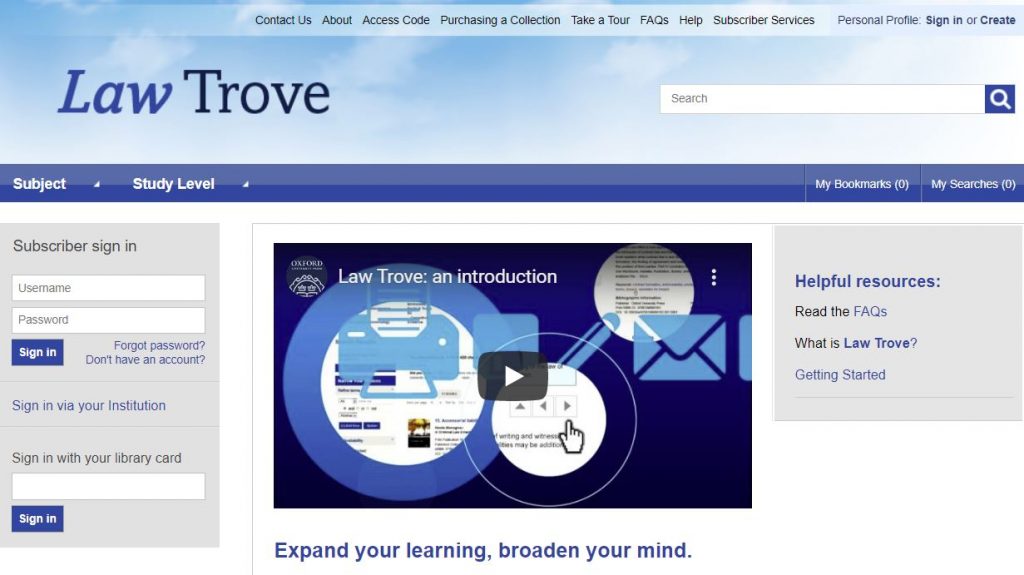
You can access OUP Law Trove directly via Library Search (log in with your Campus ID and password), via your Reading Lists in your Canvas modules, and directly too. You can go to OUP Law Trove and use the ‘Sign in via your institution’ option in the left-hand login box on the homepage, and follow the instructions.
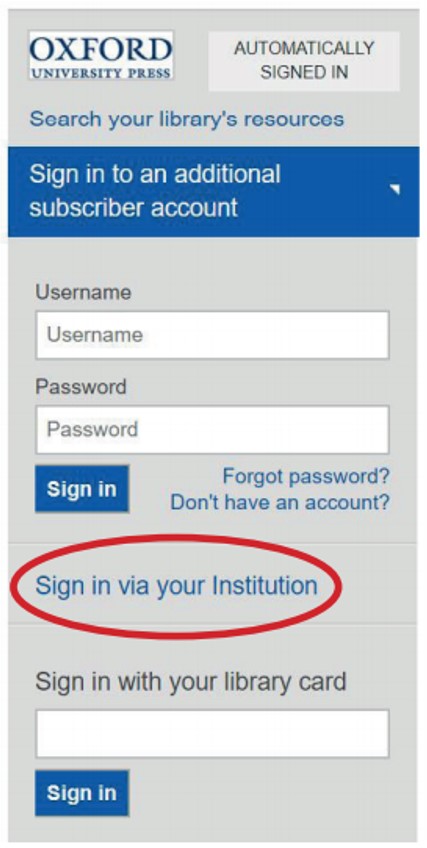
Further guidance on logging in is provided by OUP in this video (1:26 mins):
Searching
You can search OUP Law Trove by author, title or keyword. You can narrow your search to those titles available to us alone by selecting Show titles in my subscription (left-hand menu). Select those that are unlocked or free.
You can further narrow your results by refining by subject using the options available in the left-hand menu.
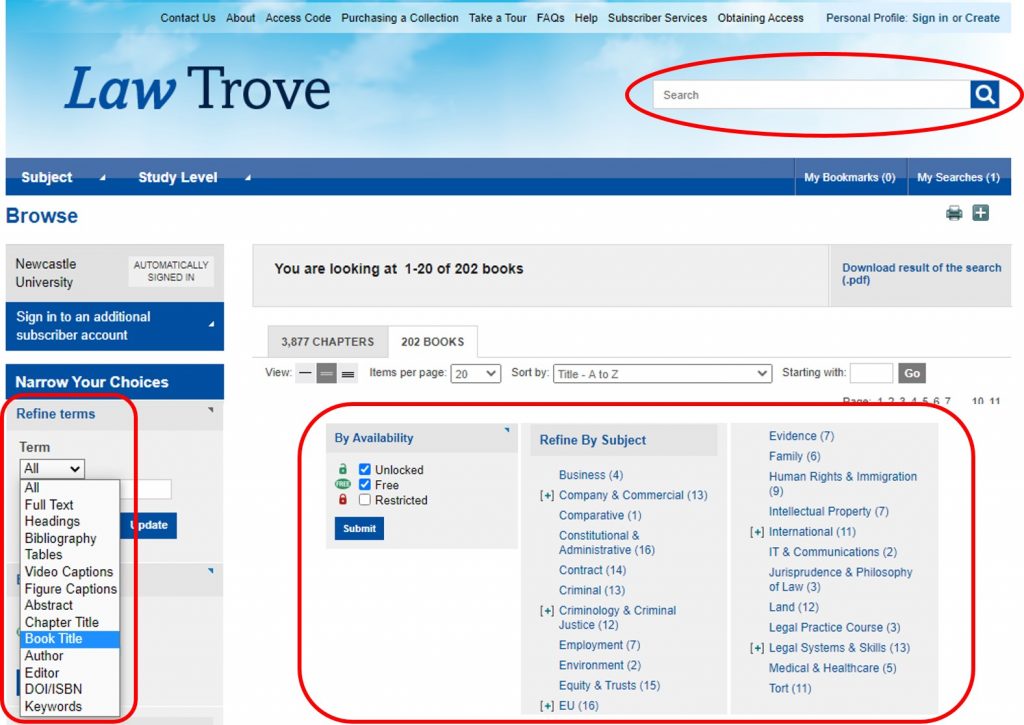
Further guidance on navigating and searching is provided by OUP in this video (2:55 mins):
Personalisation
You can create a Personal Profile to experience the full functionality of OUP Law Trove, including bookmarking and annotating (without writing on your books!). Click the ‘Sign in’ button on the top menu bar and follow the instructions.

Further information on the benefits of creating and using the Personal Profiles features is provided by OUP in this video (0:58 mins):
Reading Lists and Handouts
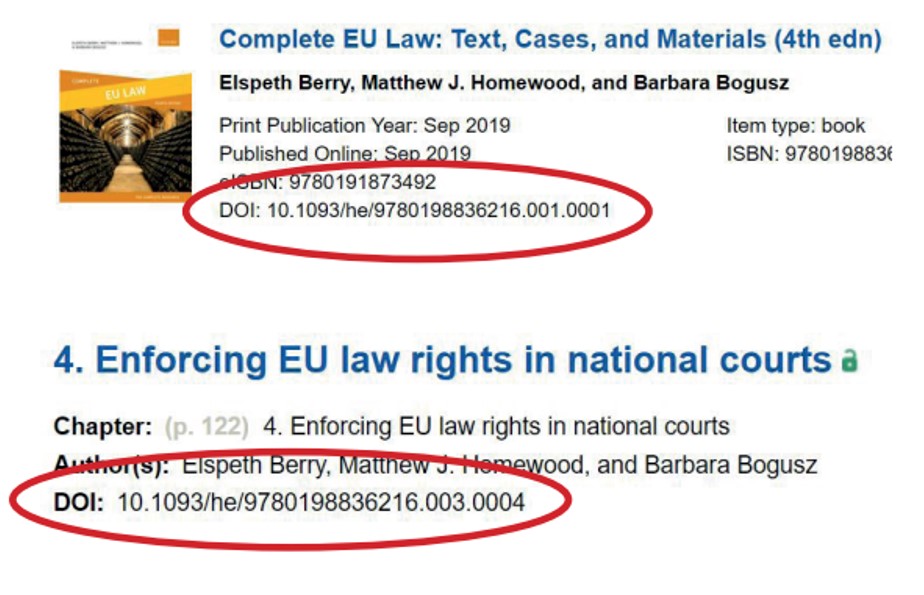
You may find your module teaching staff are using the DOI: for a specific book or chapter from your Reading List or module handout. What’s a DOI? A Digital Object Identifier. It’s a ‘permalink’ (permanent link) to the specific materials you need to read and looks like a weblink (which it is, essentially). If it doesn’t directly link to OUP Law Trove then add https://dx.doi.org/ to create the full DOI link. You will still be asked to login using your Campus ID & password to gain access to the materials.
Tips
Search OUP Law Trove directly for your resources if you can. Library Search and your Reading Lists are linking to most of the books, and some of the chapters available, but not all. You may find more resources by performing a keyword search; the results could show a useful chapter in another book that you would never have thought to search in.
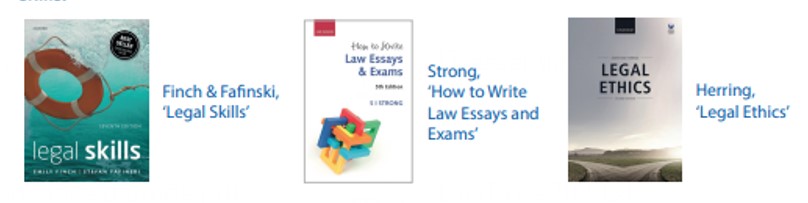
You have access to some good study skills information in OUP Law Trove too. Whether you are wondering what academic writing actually is, how to write a case note, how to prepare for a moot or dealing with an exam, there are materials in Trove to assist you alongside the Academic Skills Kit made available to you by the University, the University Library and the Writing Development Centre.
Further information on the online resources, including MCQs, is provided by OUP in this video (2:12 mins):
We think you will find this resource very useful in supporting your studies at Newcastle Law School. If you have any feedback or questions, please leave a comment or contact libraryhelp@ncl.ac.uk.