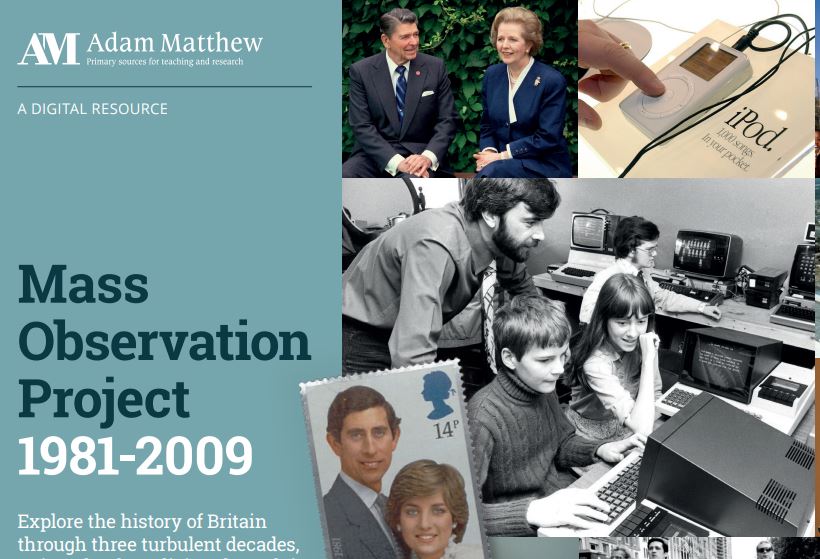
We’re pleased to announce that we have now added the latest 2000s module to the very popular Mass Observation Online resource. We already had access to the 1980s and 1990s modules.
About Mass Observation
Mass Observation is a pioneering project which documents the social history of Britain by recruiting volunteers (‘observers’) to write about their lives, experiences and opinions. Still growing, it is one of the most important sources available for qualitative social data in the UK. This latest instalment is a great resource for anyone researching aspects of the early 21st century. It complements our existing access to the original Mass Observation project archive, which covers 1937-1967.
2000s collection
This module has a strong emphasis on technological advancements and the changing means of communication that came with the new Millennium. Highlights include the Millennium Diaries, the events of September 11th and environmental concerns, as well as detailing the everyday lives, thoughts, and opinions of respondents.
Searching and browsing
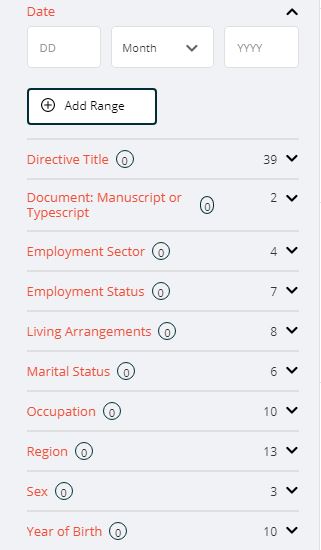
Filtering options
You can browse or search Mass Observation in various ways.
Browse by directive: browse the different directives (surveys), which are arranged chronologically and by topic.
Browse all documents: browse all the individual documents, and then further filter your search as required.
You can also use the Advanced search box at the top of the screen to search for specific topics.
Help
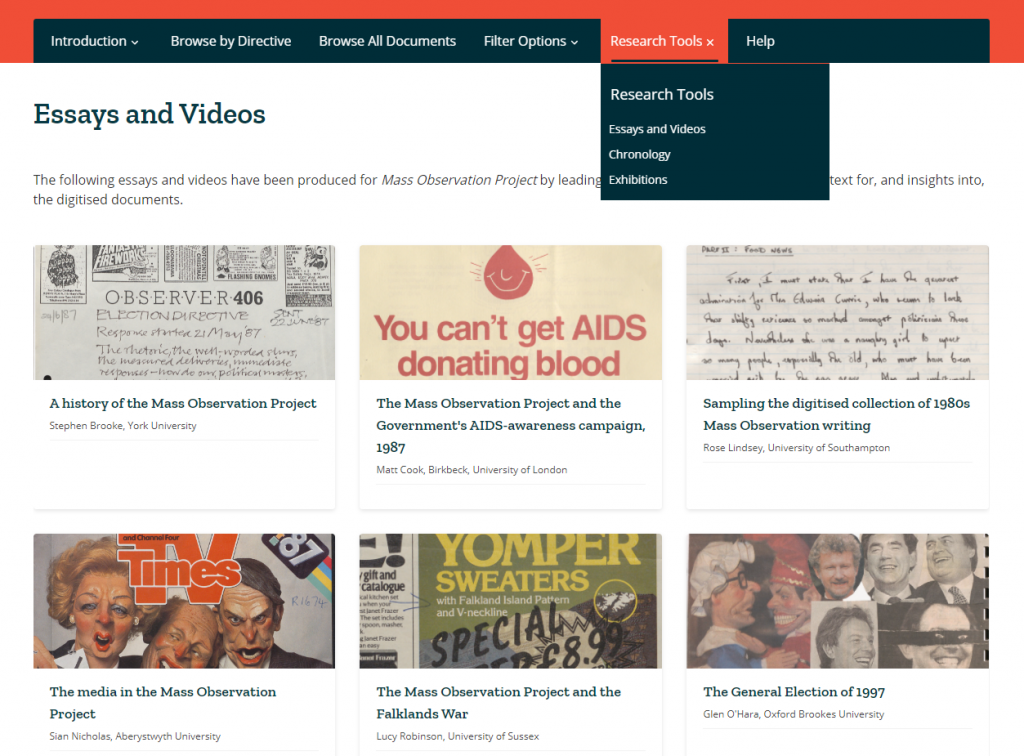
Research tools
We’d recommend you start by reading through the Introduction (top menu) which explains more about the project and the different document types. If you’re looking for ideas about how to make use of it, take a look at the Research Tools, which includes essays, videos, exhibitions and chronological timelines.
Note that as over half the materials in these collections (mainly the pre-2000s modules) are handwritten, the database enables Handwritten Text Recognition (HTR) to help you search. We would recommend you read about how HTR works, to help you get the best out of the database, in the Introduction section.
Our Recommend a Book service for students allows you to tell us about the books you need for your studies. If we don’t have the books you need, simply complete the web form and we’ll see if we can buy them. For books we already have in stock, if they are out on loan please make a reservation/hold request using Library Search.
In Semester Two, academic year 2021/2022 we successfully processed 100 requests from 30 students ( 19 PGR, 2 PGT and 9 UGT) in GPS totalling nearly £7000.
Our Recommend a Book service for students allows you to tell us about the books you need for your studies. If we don’t have the books you need, simply complete the web form and we’ll see if we can buy them. For books we already have in stock, if they are out on loan please make a reservation/hold request using Library Search.
In Semester Two, academic year 2021/2022 we successfully processed 42 requests from 32 students ( 15 PGR, 7 PGT and 10 UGT) in SAPL totalling just over £2800.
Our Recommend a Book service for students allows you to tell us about the books you need for your studies. If we don’t have the books you need, simply complete the web form and we’ll see if we can buy them. For books we already have in stock, if they are out on loan please make a reservation/hold request using Library Search.
In Semester Two, academic year 2021/2022 we successfully processed 33 requests from 22 students ( 16 PGR, 6 PGT and 0 UGT) in ECLS totalling just over £2600.
Our Recommend a Book service for students allows you to tell us about the books you need for your studies. If we don’t have the books you need, simply complete the web form and we’ll see if we can buy them. For books we already have in stock, if they are out on loan please make a reservation/hold request using Library Search.
In Semester One, academic year 2021/2022 we successfully processed 62 requests from 33 students ( 13 PGR, 6 PGT and 14 UGT) in GPS, totalling just over £4900. This is what we bought :
Our Recommend a Book service for students allows you to tell us about the books you need for your studies. If we don’t have the books you need, simply complete the web form and we’ll see if we can buy them. For books we already have in stock, if they are out on loan please make a reservation/hold request using Library Search.
In Semester One, academic year 2021/2022 we successfully processed 126 requests from 44 students (14 PGR, 13 PGT and 17 UGT) in SAPL, totalling just over £7,500. This is what we bought :
Our Recommend a Book service for students allows you to tell us about the books you need for your studies. If we don’t have the books you need, simply complete the web form and we’ll see if we can buy them. For books we already have in stock, if they are out on loan please make a reservation/hold request using Library Search.
In Semester One, academic year 2021/2022 we successfully processed 45 requests from 31 different students (19 PGR, 11 PGT and 1 UGT) in the ECLS, totalling just over £5,500. This is what we bought :
We have bought several new e-book collections from Bloomsbury and Manchester University Press, complementing and updating our existing collections from these two publishers.
From Bloomsbury, we have bought new collections in:
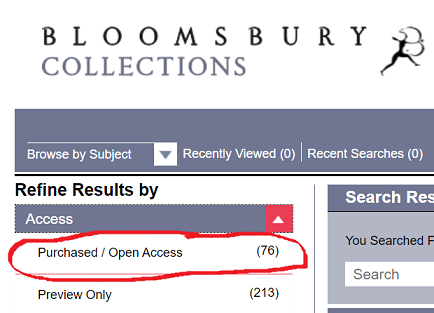
All the titles are individually catalogued on Library Search, or if you prefer, you can browse them from the publishers’ platforms via the links above. NB If you are browsing any of the Bloomsbury subject collections, under Access, tick Purchased/Open Access.
We’ve subscribed to OUP Law Trove for a little while now. What is it? This Oxford University Press e-resource contains most of the essential, recommended and background reading titles you would normally find listed in your Newcastle Law School module handbooks and on the Law Library shelves.
If you’re asking if you need to buy your course texts for 2021/22 then we can’t answer that question for you, as the answer depends on you. Ask yourself: can you work with e-books? Do you prefer to have your own copy of a book so you can fold pages, write notes in the margins or use a highlighter to annotate the text (*librarians across the world gasp in horror!*). Can the University Library provide a copy of the book you need to use? (We’ll answer that for you! It’s certainly possible but we certainly can’t provide a copy of every single book to every single student even if we wanted to.) We do advise you to try OUP Law Trove to see how easy it is to access, and how versatile it can be (including annotating the text!). It may just save you spending money on books where you don’t need to.
For those students with mobile devices, the OUP Law Trove website has been revised for the new academic year and is now mobile responsive. The updated design offers improved accessibility features and a better experience on phones, small screens and tablets.
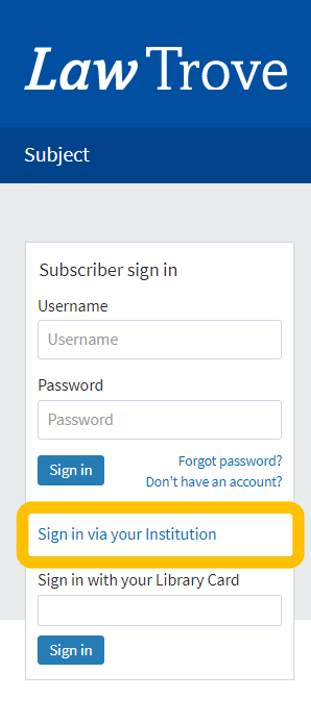
Logging in You can access OUP Law Trove directly via Library Search (log in with your Campus ID & password), via your Reading Lists in your Canvas modules, and directly too. You can also go to OUP Law Trove and use the ‘Sign in via your Institution’ option in the left-hand login box on the homepage, and search for Newcastle University.
Further guidance on logging in is provided by OUP in this video (1:05 mins):
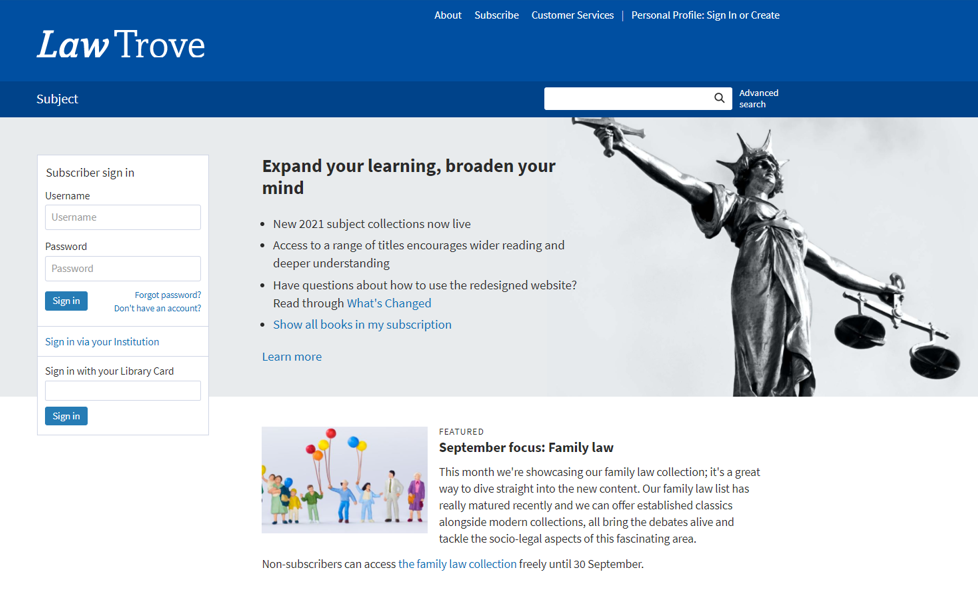
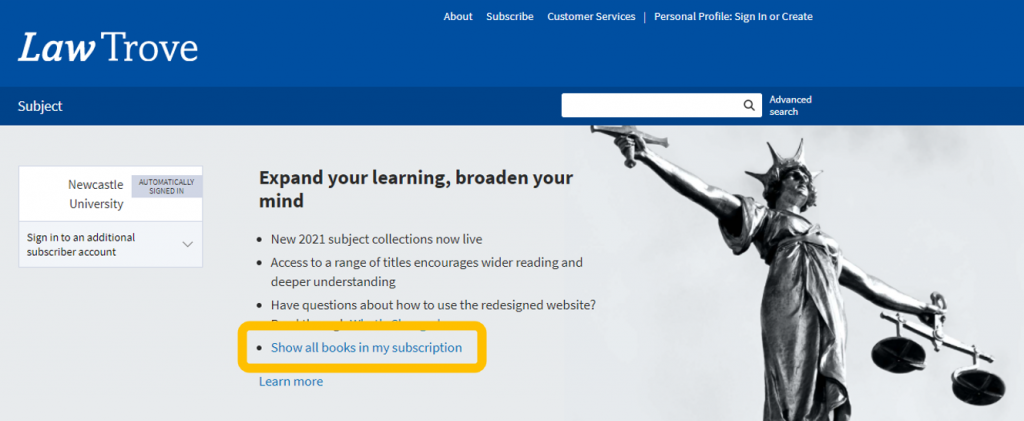
Searching From the OUP Law Trove home page you can immediately select to view those titles included in our subscription.
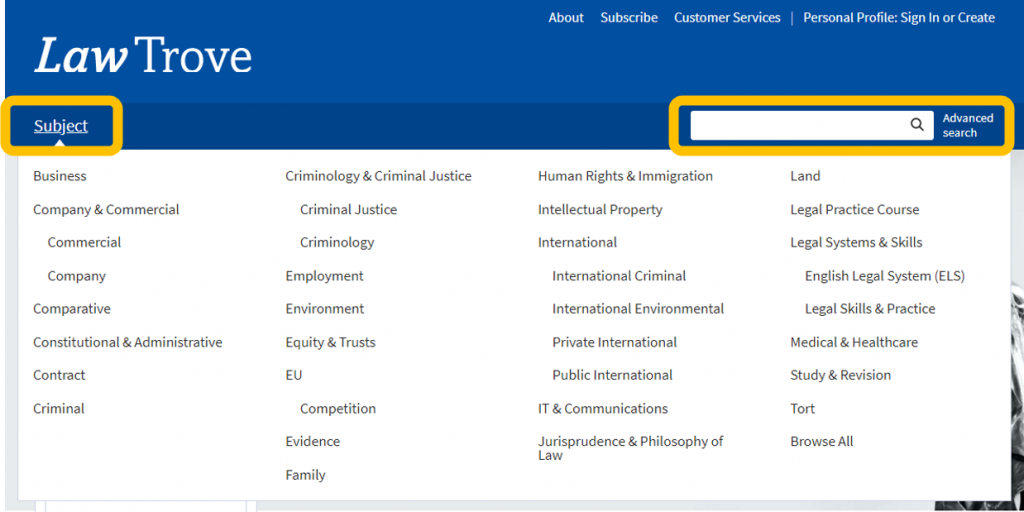
You can search OUP Law Trove by subject by using the browse option from the home page, or search by term for any author, title or keyword.
NB The results retrieved from either search will include all chapters and books related to your subject or search term, in alphabetical order.
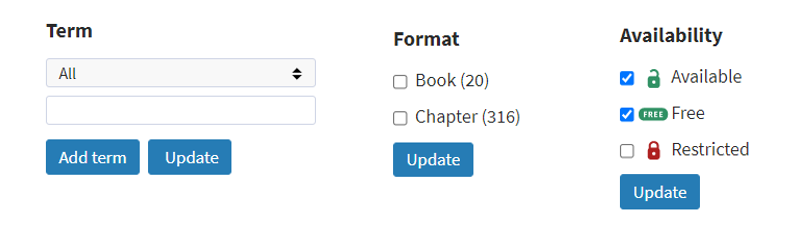
Using the options in the left hand menu, you can narrow your choices by searching for a term within your results, by selecting the format of the results you want to see, or the availability (it makes sense to select those that are unlocked or free if you have not selected to view those titles included in our subscription) and updating your search.
Further guidance on accessing and navigating books within Law Trove is provided by OUP in these videos (2:28 mins and 2:41 mins):
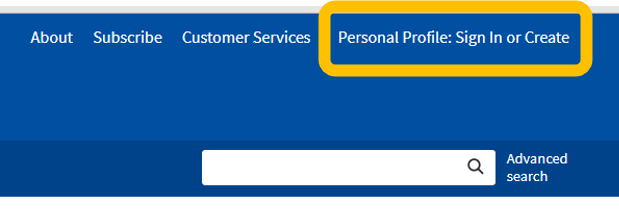
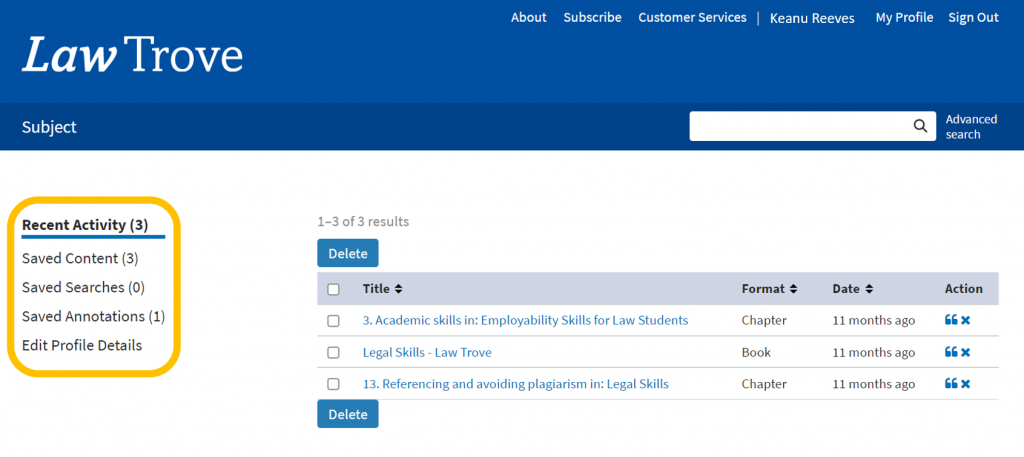
Personalisation You can create a Personal Profile to experience the full functionality of OUP Law Trove, including bookmarking and annotating (without writing on your books!). Click the ‘Sign In or Create’ button on the top menu bar and follow the instructions to set up your profile.
Once active you can access your saved content, searches and annotations quickly and easily.
Further information on the benefits of creating and using the Personal Profiles features is provided by OUP in this video (1:54 mins):
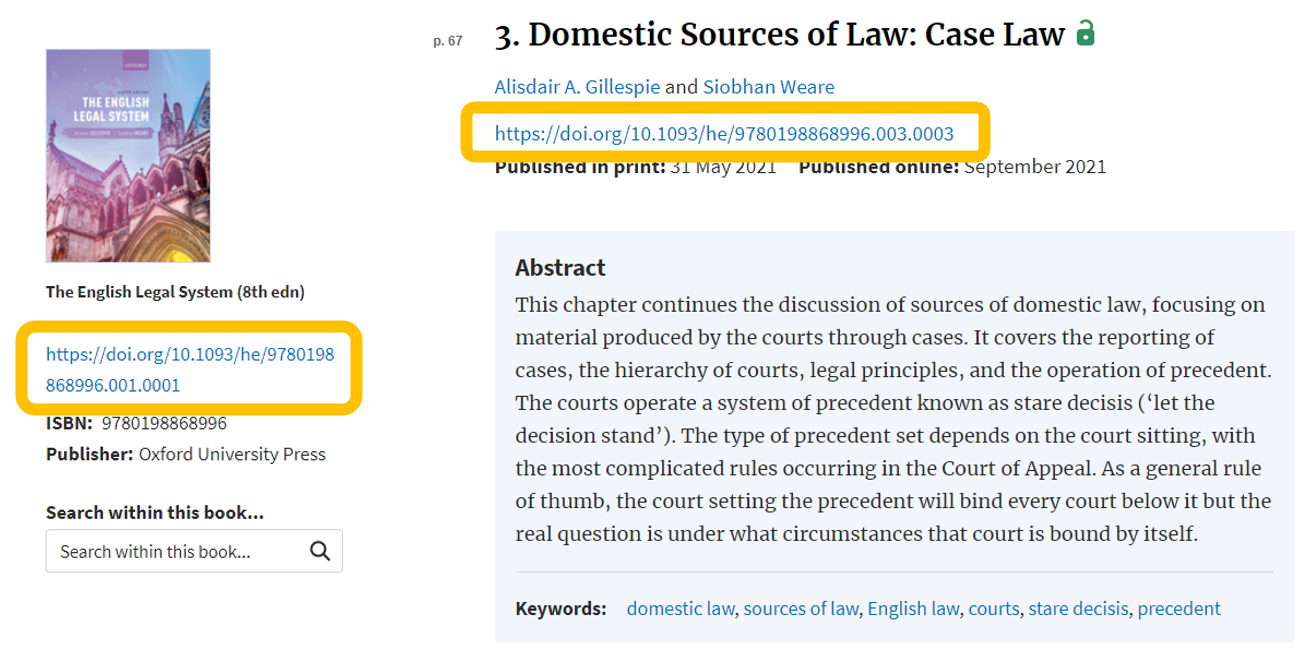
Reading Lists and Handouts You may find your module teaching staff are using the DOI: for a specific book or chapter from your Reading List or module handout. What’s a DOI? A Digital Object Identifier. It’s a ‘permalink’ (permanent link) to the specific materials you need to read and looks like a weblink (which it is, essentially). If it doesn’t directly link to OUP Law Trove then add https://dx.doi.org/ to create the full DOI link. You will still be asked to login using your Newcastle University Campus ID & password to gain access to the materials.
Tips Search OUP Law Trove directly for your resources if you can. Library Search and your Reading Lists are linking to most of the books, and some of the chapters available, but not all. You may find more resources by performing a keyword search; the results could show a useful chapter in another book that you would never have thought to search in.
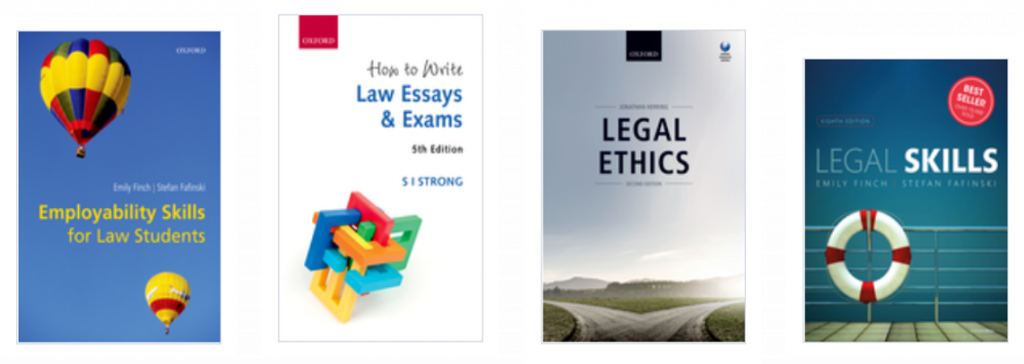
You have access to some great employability and study skills information in OUP Law Trove too. Whether you are wondering what academic writing actually is, how to write a case note, how to prepare for a moot or dealing with an exam, there are materials in Trove to assist you alongside the Academic Skills Kit made available to you by the University, the University Library and the Writing Development Centre.
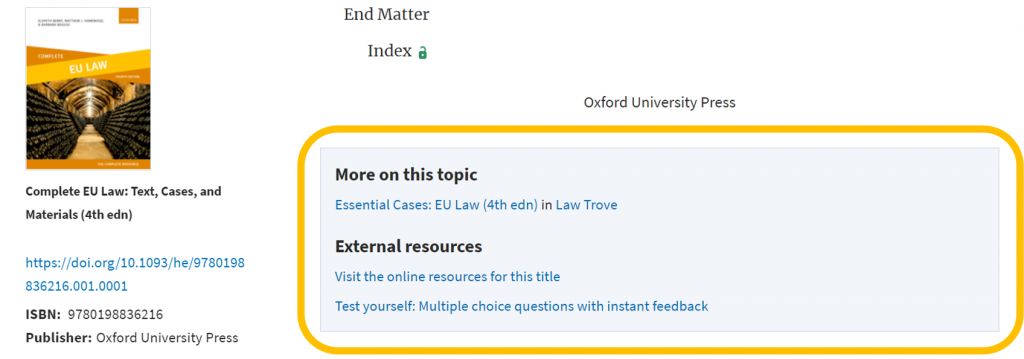
Finally, scroll to the bottom of the contents page of a book to see if there are additional resources available:
Further information on the online resources, including multiple choice questions (MCQs), is provided by OUP in this video (1:47 mins):
We think you will find OUP Law Trove very useful in supporting your studies at Newcastle Law School. If you have any feedback or questions, please leave a comment or contact libraryhelp@ncl.ac.uk.
We like the variety of content on the platform from essays, presentations, videos, articles and chapters.
From a teaching point of view, academics will want to check out the teaching and learning resources, teaching guides and lesson plans.
The collection was brought together to help governments, NGOs and organisation respond to the UN call to action and we think it will be of benefit to both teaching and research at the University.