A common mistake made in referencing is grouping all sources
found online under the category and reference type of a website. Your aim
should be to reference the information you have in front of you rather than
where it was sourced. Simply grouping items found online as a website would be
the equivalent of referencing a book by the publisher details rather than the
author and title.
For example, a government publication found online would be referenced like this in Chicago:
United Kingdom. Department for Education. Cloud computing: how schools can move services to the cloud. London: The Stationary Office, 2016. Accessed: November 4, 2019. https://www.gov.uk/government/publications/cloud-computing-how-schools-can-move-services-to-the-cloud.
An electronic journal article might appear like this in APA:
Gillum, J. (2012). Dyscalculia: Issues for
practice in education psychology. Educational Psychology in
Practice, 28(3), 287-297. doi:10.1080/02667363.2012.684344
While a video posted on the Tate website would look something like this
in Harvard.
TateShots (2016) Grayson Perry: think like an artist. Available at: https://www.tate.org.uk/whats-on/tate-modern/talk/what-makes-artist-grayson-perry-conversation-sarah-thornton (Accessed: 11 November 2019).
Identifying the type of information you are using as well as the source, are essential skills of evaluation and developing a critical approach to information. In many cases you will be unconsciously using your judgment to assess the value of information for your purpose. So when you are using any source of information, ask yourself what it is you are looking at, what details are recorded about it and whether it measures up as a quality piece of information. You can find more information on evaluating information on the Academic Skills Kit.
Harvard at Newcastle is the most frequently used
referencing style and if your school does not have a preferred style, it is the
one that we would recommend. This is because there is the most comprehensive
guidance available for Harvard and it is a style that can manage referencing
all types of information. Whether you are referencing a book, news
article, Instagram or market research, the Harvard at Newcastle style has got
you covered.
There are many
variations of Harvard but the one used at Newcastle can be found in Cite Them Right. Harvard uses an in-text citation (Millican, 2018, p.12)
inserted in the text, coupled with a reference list at the end of the document,
which provides the key. Cite Them Right is available as a published book to borrow from the
library and Cite Them Right Online provides the same comprehensive
guidance in a searchable interface that can be accessed anywhere online. It
includes guidance about how to reference just about every type of information
you can think of, including the more tricky online sources such as social
media.
You will find the Harvard at Newcastle style in EndNote on campus PCs and through the RAS, and are able to download the style from our EndNote guide if you are using it locally on your own device. We’ve also included some useful tips and advice about getting to grips with Harvard on the Academic Skills Kit.
There are lots of different referencing styles, but which one is right for you?
Once you start creating
citations and references, you need to consider referencing styles. There are hundreds of them out there
and each has a slightly different set of rules about how citations and
reference lists should appear in your text.
Most Newcastle University students use the Cite them Right Harvard style, but there is also Vancouver, IEEE, OSCOLA, Chicago, and many more. Your lecturers will expect you to use one specific style and all of your citations and references should conform to that style accurately and consistently; same punctuation, same capitalisation, same everything.
We have lots of help about using some of the popular referencing styles Academic Skills Kit. The Cite Them Right website is also a valuable online resource that will show you how to hit all of the right steps on your way to mastering an individual referencing style.
When walking in the snow we need the right footwear, and to keep warm, a scarf, hat, and gloves are also of great help. By doing so, we are adapting to the environment and using the right tools at the right time for the job at hand.
The same is true when adapting to academic writing where referencing is a key tool.
When you are writing a piece of work and you use someone else’s thoughts, words or ideas, you must reference them. But why do we talk about referencing so much at University, and why is it so important? Why should you bother spending time on ensuring that your references are consistent, accurate and correct?
It all comes down to why we reference in the first place:
To make your contribution clear by showing which words and ideas are yours, and which have come from your reading.
To acknowledge the work of others and to demonstrate how you have built on the knowledge that you’ve gained from your reading.
To ensure that the reader can follow up on your references for themselves.
To avoid being wrongly accused of plagiarism.
Watch our short video to find out a little more about why we should bother with referencing.
A strong research project such as an essay, dissertation or thesis will always be supported by good quality information from a wide range of sources. There are a huge variety of resources available to you and being able to make appropriate choices when selecting materials to include in your project and explain why you have chosen them, is an important academic skill that demonstrates a good awareness of your subject and an ability to think critically about ideas and research.
Of course, not all information resources will be relevant to your particular research. You will have to think about the type of information you need then identify the type of resource that will provide that kind information.
For example:
Books will offer an in-depth overview of popular ideas, theories, and opinions in your subject area and are likely to be broader in scope than a journal article or conference paper.
While a conference paper will often discuss ‘work-in-progress’, and therefore can be an ideal way of finding out about up to date research and ideas.
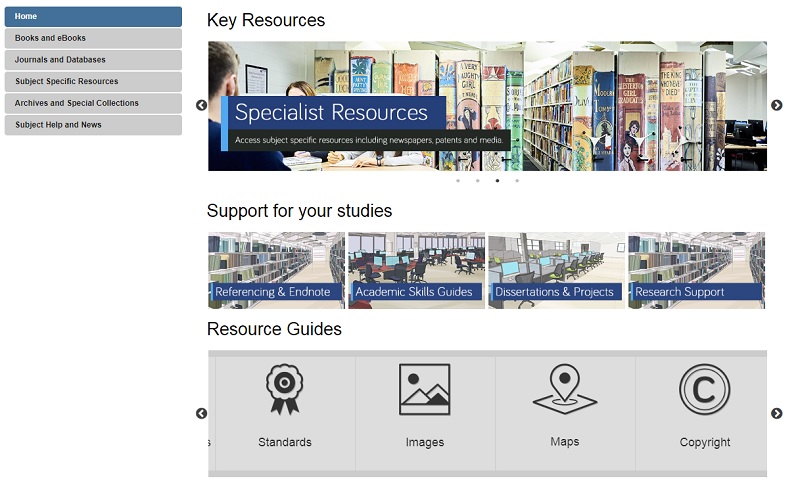
For more information on different resource types, including standards, patents, maps, newspapers and more, take a look at our range of Resource guides.
Your Subject Guide can also help you identify useful sources of information for your research as it contains a carefully curated list of resources that are tailored to your subject area. Here you’ll find useful lists of online reference books, eBook collections and recommended databases for finding relevant journal articles and conference papers. Also, under the Subject Specific Resources tab, you’ll discover a further host of specialised materials relevant to your subject such as audiovisual media, data-sets or professional organisation’s websites.
Depending on your research topic, you might also want to explore the Special Collections tab to see materials held in our Library archives that are relevant to your subject area specifically.
Searching should be easy, right? We do it all the time in our day to day lives and with Google so ingrained into our existence, we don’t give it much thought. We type some words into the search engine and most of the time we find what we are looking for. Nothing to it!
However, while this approach certainly works for checking out cinema times or booking flights, it lets us down where research is concerned. We have high expectations that information will be quick and easy to come by and that it will be neatly organised in one place, rather than having to search in multiple locations, using different techniques. We imagine that the time consuming part of our research will be the analysing, synthesizing and the writing of it and we often don’t even think about the searching side of things.
The reality though is quite different. Without investing in our searching techniques and the development of a search plan, we can often find ourselves overwhelmed by information and not being able to see the wood from the trees. Our stress levels rise and our frustrations explode. Surely finding information shouldn’t be this hard!
The good news is, is that there is help to be had. Our job as Liaison Librarians is to equip you with the skills you need to create that all-important search plan and to encourage you to pause and stop before you dive straight into finding information for your research. We have a fantastic range of online tools for you to do this, not least an interactive search plannerthat you can keep adding to throughout your search and which you can even email to yourself, your supervisor, or us as a Liaison team for feedback. The Academic Skills Kit has lots of advice on how to start a search, including how to break your concept down into manageable chunks and how to identify keywords and synonyms.
You can also check out this short video to get you started…….
Keep your eyes peeled for our next blog installment of how to find particular resources. See you then!
Will you be working on a dissertation or project this summer or next year? Worried that the Library might not have access to the specialist books and other resources which you need? Wondering how you can find out about resources relating to your research topic which are held in other libraries?
Wonder no more! There are three main ways you can find and access books and other resources held elsewhere:
1. Search
You can search the catalogues of over 100 UK and Irish academic libraries, national libraries and other major research libraries via COPAC. For a more in-depth and up to date search, you can also search individual academic library catalogues online. Need to look further afield? Search library catalogues internationally via WorldCat.
2. Visit
We have more information about how you can visit other libraries, locally and nationally, here. The SCONUL Access Scheme enables students to use other academic libraries around the country, but you need to register online first (and be sure to check the access arrangements for any library you are planning to visit, as they may alter during the year).
3. Obtain
If we haven’t got the book you want, you can ask us to consider buying or borrowing it, via our Books on Time service. If you need a copy of a journal article to which we don’t have access, please apply via our inter library loan service.
Have you tried using UbuWeb yet? You’ll be surprised at the amount of ‘stuff’ in there!
First of all, what is UbuWeb? UbuWeb is a completely independent resource dedicated to all strains of the avant-garde, ethnopoetics, and outsider arts. It hosts a wide range of texts and audio-visual materials. A few examples include:
Conceptual Writing:
“Poetry expresses the emotional truth of the self. A craft honed by especially sensitive individuals, it puts metaphor and image in the service of song.” Read how Craig Douglas Dworkin continues his explanation of ‘The UbuWeb Anthology of Conceptual Writing’ and have a look at examples such as John Baldessari’s text “I will not make any more boring art”
Outsiders:
Here’s how the editors describe this section: “Formerly known as UbuWeb’s Found + Insane section, we’ve redesigned and renamed it Outsiders, reflecting broader cultural trends toward the legitimization of Outsider work, be it in the visual, musical, or literary arts. Beginning with the mainstreaming of Folk Art (now known as Outsider Art) and the work of Jean Dubuffet in the mid-twentieth century, and moving into the present with the recent well-received museum retrospectives of visionary art of the insane (Adolf Wolfli and Henry Darger), there appears to be an insatiable hunger for this raw and emotionally-charged work”
UbuWeb Contemporary:
Read about the works presented by over 100 (to date) contemporary practitioners including one of our own Fine Art graduates, http://www.ubu.com/contemp/copeland/index.html who’s also listed among UbuWeb’s Top Ten!
Podcasts:
Produced by the Poetry Foundation, listen to podcasts of, for example: interviews with artists; the sound of Fluxus; women of the Avante-garde; the malady of writing, to name but a few.
Why not give UbuWeb a try – you’ll be surprised at how much ‘stuff’ there is!
(You can get to UbuWeb from the Fine Art Subject Guide http://www.ubu.com/).
Librarians have been warning people about ‘Fake News’ for many, many, many, many years – how to find and select reliable, authoritative, quality resources is at the heart of any good library teaching session. In a way we librarians have to thank Mr Trump for making Fake News a popular term; he has made everyone aware that there are fake stories out there and that there has been for centuries (see our historical time-line of Fake News).
2019 is NU Library’s third year of promoting awareness of Fake News, and by looking at the large number of visits to our Fake News Guide over these three years (4,672 visits in total), and again thanks to Mr Trump, it’s not something that’s going away anytime soon. So we Librarians will continue our quest of highlighting all information that is fake for the greater good.
Until I went to Librarian’s Fake News conference last year, I hadn’t heard of the terms ‘Filter Bubble’ and ‘Echo Chambers’ in relation to Fake News. However, once explained hopefully it will make you more aware of what information/news stories you read via the likes of Google, Facebook and Twitter, and how they could potentially be fake. So here is the low-down on what these terms mean and how you can avoid falling into their traps; we’ve also offered the alternative view that they’re a load of old nonsense so you can decide for yourselves…
What is a ‘Filter Bubble’?
A Filter Bubble is when you are in a virtual bubble on social media – you only encounter information and opinions that agree with or reinforce your own beliefs. Your ‘personalised’ online experience is the result of algorithms that work away in the background and dictate what you see/read online. Google, Facebook, Pinterest, Netflix, YouTube and many more all do this.
These Filter Bubbles in turn create Echo Chambers…
What are ‘Echo Chambers’?
When information within a closed system online is only giving you (‘echoing’) back your opinion and beliefs and establishing confirmation bias (only accepting information that confirm your own opinion and beliefs).
What are the dangers?
As much as I enjoy Facebook fuelling my love of funny dog videos by suggesting similar videos and articles, being aware of why and how Facebook is doing this helps when it comes to more serious topics such as the news, social issues and politics.
Regarding Fake News, confirmation bias is particularly worrying as you will start believing fake news stories that confirms your opinions and beliefs. I know I have done this, which is really scary to realise.
Watch this short TedTalks video from Eli Pariser on the dangers of Filter Bubbles:
You could argue that this type of ‘personalisation’ is editing the web – only showing you one half of the story. So what can you do to pop the bubble?
What can you do to stop the bubbles and echoes?
There are a few simple things you can do to stop this and open yourselves up to a wider web:
Read news sites, websites and blogs that offer a wide range of perspectives, such as the BBC.
Use Incognito browsing, delete search histories and try and resist the temptation of logging into your accounts every time you go online.
Deleting or blocking browser cookies – these cookies hold the algorithms that determine what we see.
Turn off your curated feed in Facebook.
Click ‘Like’ on everything! – This will tell the AI that you are into everything – all politics, all news etc.
Don’t clink on links, especially politics and social issues – will stop fuelling the algorithms.
Tell everyone else to turn off their curated feed!
Is it all a myth?
Below are a few articles that claim Filter Bubbles and Echo Chambers are myths and that it’s not the technology at fault, but rather the user. I’ll let you decide:
Or maybe you like being in your own little bubble? The safety and comfort in knowing what information you are going to be presented with – nothing that offends or upsets your online world. I know I will carry on being fed humorous dog videos.
There are some interesting thoughts and opinions on the Social Network Bubble – the pros and cons – on this Radio 4 programme:
Farnam Street (2017) How filter bubbles distort reality: everything you need to know. Available at: https://fs.blog/2017/07/filter-bubbles/. (Accessed: 27 March 2019).
You already know that referencing is important – it not only gives credit to the original creator of a work you have used but also helps to highlight your skills as a researcher; showing that you have read around your topic, found relevant information, applied it to your arguments and used it to develop your own ideas.
However, when it comes to referencing, all of those punctuation rules, different styles and the vast array of document formats can seem overwhelming. Happily, we’ve got a great resource to help you work out your references in three easy steps!
Cite Them Right:
‘Cite Them Right’ is a fantastic referencing guide that provides clear instructions and examples for how to reference a wide range of documents including books, journals, websites and audio-visual materials. Available as both a physical textbook and an online tool, ‘Cite Them Right’ helps you to format your references correctly using Harvard, American Psychological Association (APA), Modern Humanities Research Association (MHRA), Modern Languages Association (MLA), Oxford Standard for the Citation of Legal Authorities (OSCOLA), Vancouver or Chicago referencing styles.
(Remember to always use the referencing style recommended by your school.)
Three steps to an accurate reference:
Search for the type of document you want to reference on Cite Them Right online using the search box at the top right of the screen or by browsing the drop down menus at the top of the page.
Select the referencing style you need from the drop down menu at the top of the page. This defaults to Harvard (author-date).
Follow the example references given, copying the format to create your own reference in the ‘You Try’ box.
Why not have a go and create a reference for this blog post!
If you need some more advice on how to reference, take a look at our video: