Walton Library – MCQs and Clinical Skills Equipment

These DNA models are part of the Walton’s clinical skills equipment collection. Ask at the desk to loan one today.

While exams may seem a long way away, it’s important to be prepared for them. You can minimise stress and maximise efficiency with a good revision timetable and organised notes.

You can also find helpful material to aid your revision at the Walton Library. Your subject support guide is full of information and resources, tailored to suit your programme of studies. There are boxes of flash cards covering a number of subjects available to borrow from our long loan collection – ask at the service desk if you are interested in loaning a set. You may also find it helpful to broaden your revision from notes and textbooks to include clinical skills equipment and books from our MCQ (Multiple Choice Question) section. This could be the difference between a good and a great exam result! You’ll find more information about both of these collections in this blog post, as well as where to find them and how to loan them.

Multiple Choice Question (MCQ) books
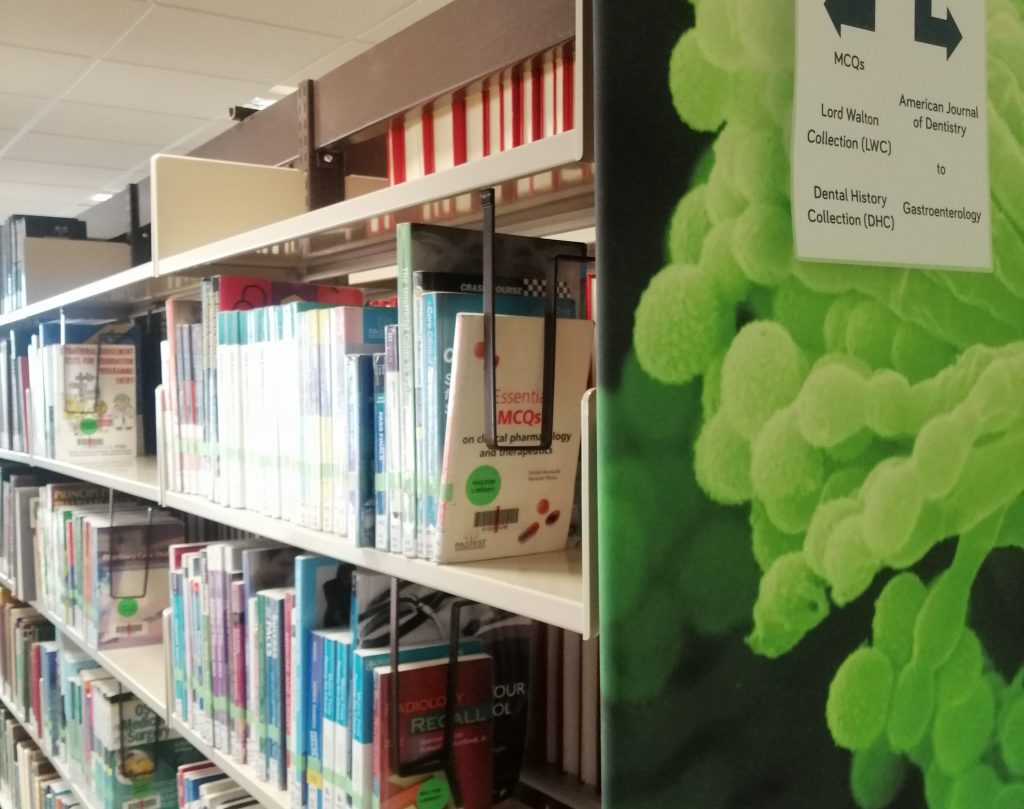
Books in the MCQ collection are located in the quiet study area. You can identify them by the green stickers on the book spines.

There are a variety of topics covered in our Multiple Choice Question (MCQ) section. Within the collection, you’ll find books to on a number of subjects from anaesthesia to surgery. There are also books to aid revision for specific exams – including OSCEs, PACES and MRCS.

If you’d like to browse the MCQ collection, go to Library Search. You’ll need to click the ‘Advanced Search’ link and then change the “Any field” drop down menu to say ‘Collection’. In the text space, enter “MCQs” and you can view the entire collection. You can narrow down your search by adding a subject, author or title if you’re interested in a specific topic.
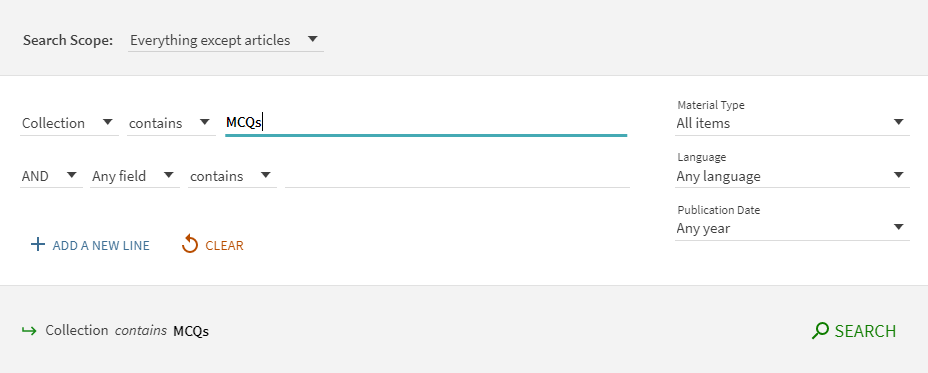
You can search the entire MCQ collection by changing the search filters to “Collection” and adding MCQs in the text bar.

You can find the MCQ collection in the quiet study area of the Walton Library. They’re easily identifiable by the green stickers on the book’s spine.

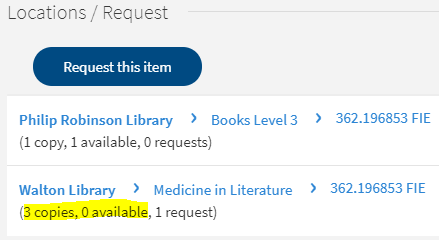
The books are long loan – meaning you can have them for up to 20 weeks, providing they’re not requested by another Library user. If the MCQ book is already on loan, follow these instructions to place a request.

If there is a book you think would help your exam revision, use our Books on Time service and recommend it. Find out more about this service here.

Clinical skills equipment

At the Walton Library, there is a wide selection of clinical skills equipment available to loan. There are medical tools, like tendon hammers, sphygmomanometers and otoscopes. Anatomical models, such as skulls and teeth. Plus eye charts, DNA models and even a spine! (A model one, that is.)
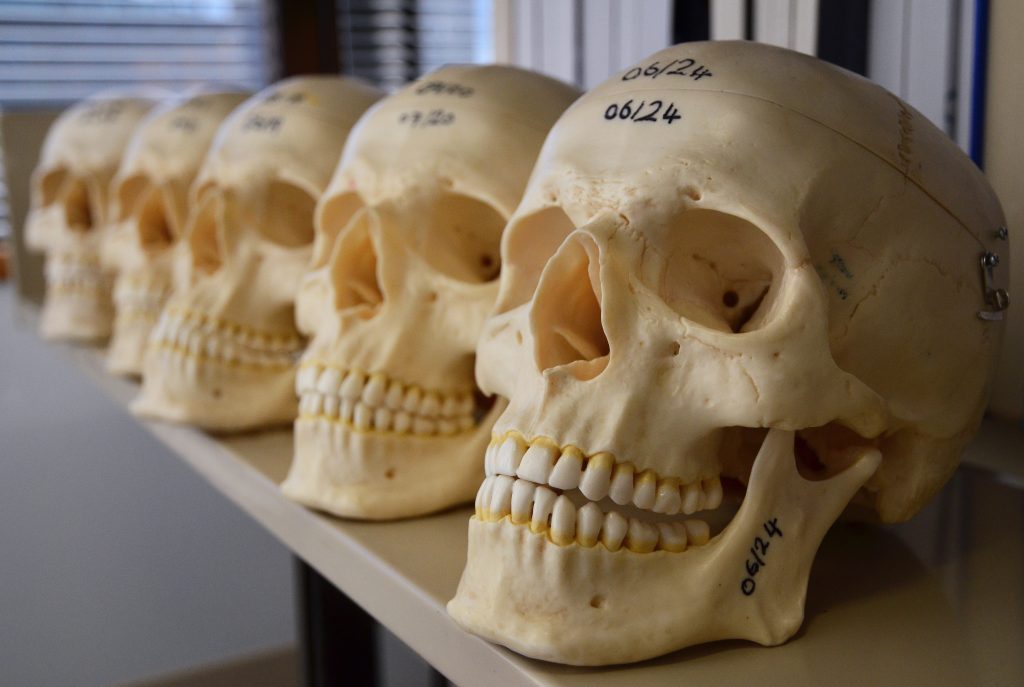
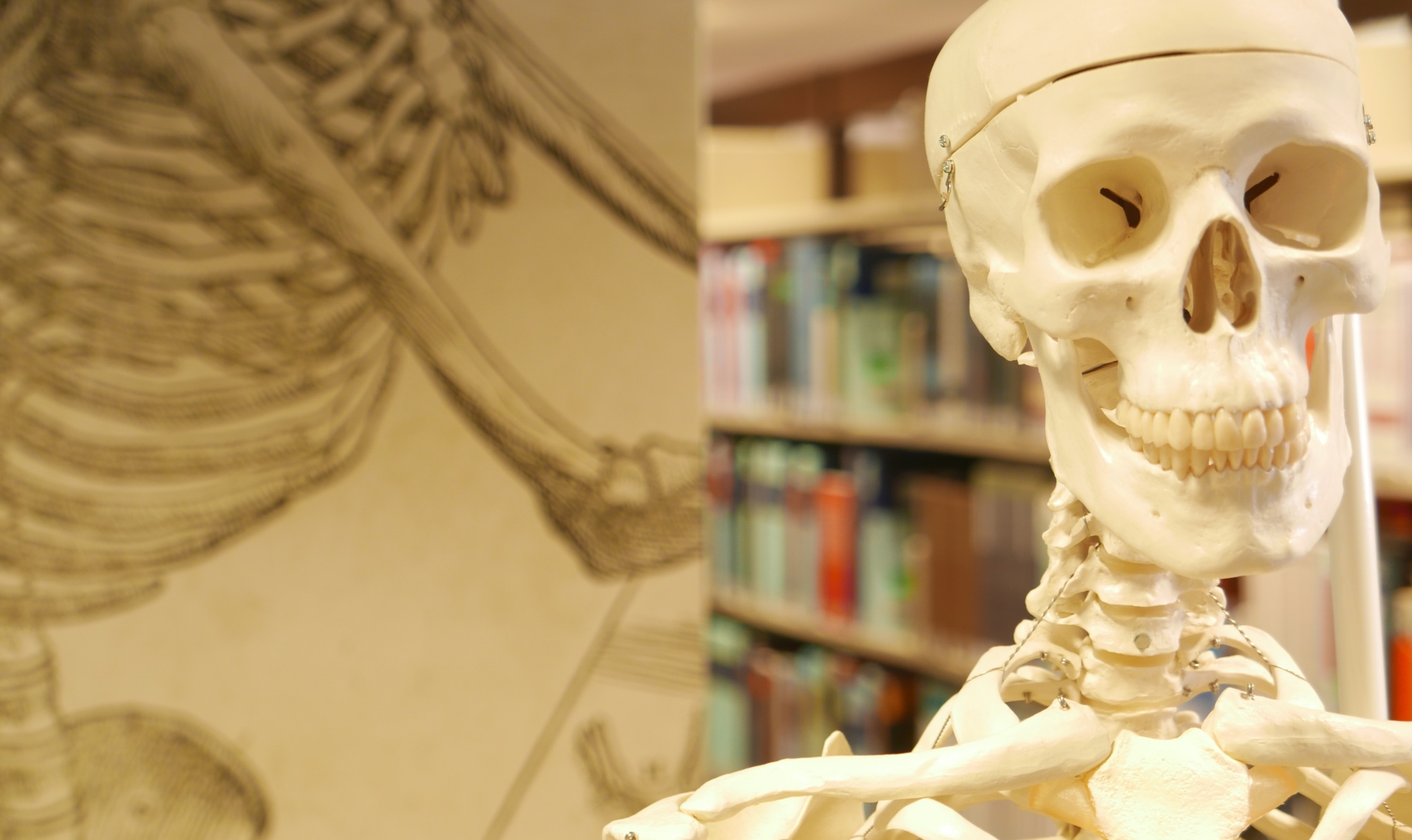
You can borrow a skull from the service desk or the STC room at the Walton Library!

The main bulk of clinical skills equipment is located behind the service desk at the Walton Library. Ask a member of staff and they’ll retrieve it for you. You can have up to three clinical skills items on loan at any time. Unfortunately, you can’t place requests on the items if they’re all out on loan.

There are also a small number of skulls available to loan from the Student Texts Collection (STC) room. You can loan them using the self-issue machine in the STC.

You may have also noticed a collection of anatomical models on a table in the collaborative study area. These models are free to use within the Library for as long as you like – but they can’t be taken out of the Library.

Clinical skills equipment items are available as a next day loan. This means that if you borrow a skull at 9AM on a Monday morning, it needs to be returned before the Walton Library closes on Tuesday. Items in the clinical skills equipment collection are non-renewable.   

Beyond the Walton, there is exam and revision assistance available from the wider Library services and the University. You may find it useful to check out the Academic Skills Kit (ASK) to learn more about different revision strategies and exam techniques. You can also use ASK to find out about available counselling and chaplaincy services to help combat exam stress. Follow this link to ASK!

Hip-hop your way around the Harvard style

Harvard at Newcastle is the most frequently used referencing style and if your school does not have a preferred style, it is the one that we would recommend. This is because there is the most comprehensive guidance available for Harvard and it is a style that can manage referencing all types of information. Whether you are referencing a book, news article, Instagram or market research, the Harvard at Newcastle style has got you covered.

There are many variations of Harvard but the one used at Newcastle can be found in Cite Them Right. Harvard uses an in-text citation (Millican, 2018, p.12) inserted in the text, coupled with a reference list at the end of the document, which provides the key. Cite Them Right  is available as a published book to borrow from the library and Cite Them Right Online provides the same comprehensive guidance in a searchable interface that can be accessed anywhere online. It includes guidance about how to reference just about every type of information you can think of, including the more tricky online sources such as social media.

You will find the Harvard at Newcastle style in EndNote on campus PCs and through the RAS, and are able to download the style from our EndNote guide if you are using it locally on your own device. We’ve also included some useful tips and advice about getting to grips with Harvard on the Academic Skills Kit.

It’s all a matter of style

There are lots of different referencing styles, but which one is right for you?

Once you start creating citations and references, you need to consider referencing styles. There are hundreds of them out there and each has a slightly different set of rules about how citations and reference lists should appear in your text.

Most Newcastle University students use the Cite them Right Harvard style, but there is also Vancouver, IEEE, OSCOLA, Chicago, and many more. Your lecturers will expect you to use one specific style and all of your citations and references should conform to that style accurately and consistently; same punctuation, same capitalisation, same everything. 

We have lots of help about using some of the popular referencing styles Academic Skills Kit. The Cite Them Right website is also a valuable online resource that will show you how to hit all of the right steps on your way to mastering an individual referencing style.

Referencing – why is it snow important?

Photo by Aaron Burden on Unsplash

When walking in the snow we need the right footwear, and to keep warm, a scarf, hat, and gloves are also of great help. By doing so, we are adapting to the environment and using the right tools at the right time for the job at hand.

The same is true when adapting to academic writing where referencing is a key tool.

When you are writing a piece of work and you use someone else’s thoughts, words or ideas, you must reference them. But why do we talk about referencing so much at University, and why is it so important? Why should you bother spending time on ensuring that your references are consistent, accurate and correct?

It all comes down to why we reference in the first place:

  • To make your contribution clear by showing which words and ideas are yours, and which have come from your reading.
  • To acknowledge the work of others and to demonstrate how you have built on the knowledge that you’ve gained from your reading.
  • To ensure that the reader can follow up on your references for themselves.
  • To avoid being wrongly accused of plagiarism.

Watch our short video to find out a little more about why we should bother with referencing.

Find out more on the Academic Skills Kit.

Walton Library: Reading Lists and the STC

Hopefully you are feeling settled at the Walton Library and finding your way around.  During your induction session you may have heard Library staff mention reading lists and STC books. This blog post breaks these terms down to help you get the most out of the Library.

What are reading lists?

When it comes to reading lists, the clue is in the name. They are materials your lecturer(s) have selected to help you understand your subject – and are not necessarily books! Reading lists can contain journal articles, websites and other media, such as podcasts and videos. The material on your reading list is broken down into essential, recommended or background reading for your convenience.

Not all reading lists look the same. Some lists are divided into the above categories, and some are divided into weekly or even daily reading. Speak to your lecturer if you have a query about the content on your module’s reading list.

Where are they?

There’s more than one way to access your reading list. If you use the Medical Learning Environment (MLE), you can access your reading list from the “Reading” tab on the “Learning Materials” window. These are embedded in each Case. See below for reference:

A reading list on the Medical Learning Environment (MLE).

You can click on the items within the reading list and it’ll take you directly to Library Search, where you will be able to see the item’s location and availability.

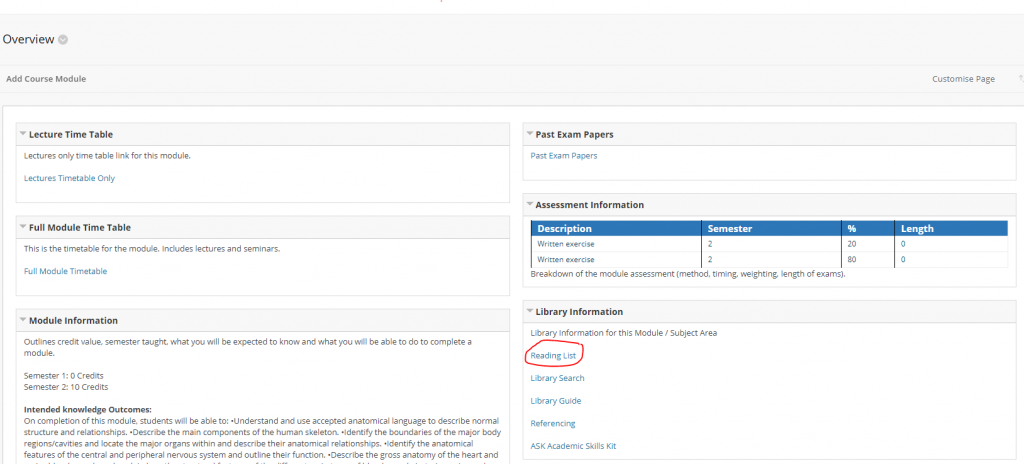
If you use Blackboard, once you’ve logged in, you will see that the “Reading Lists” link is on the “Overview” page for each module you’re registered on. See below for reference:

The location of a module’s reading list on Blackboard.

You can also access your reading lists from the Library homepage. Follow this link and click the green “More information for students” button.

If you’re having a technical problem when using your reading list, email: med-reading-lists@ncl.ac.uk and we’ll investigate the problem for you.

What is the STC?

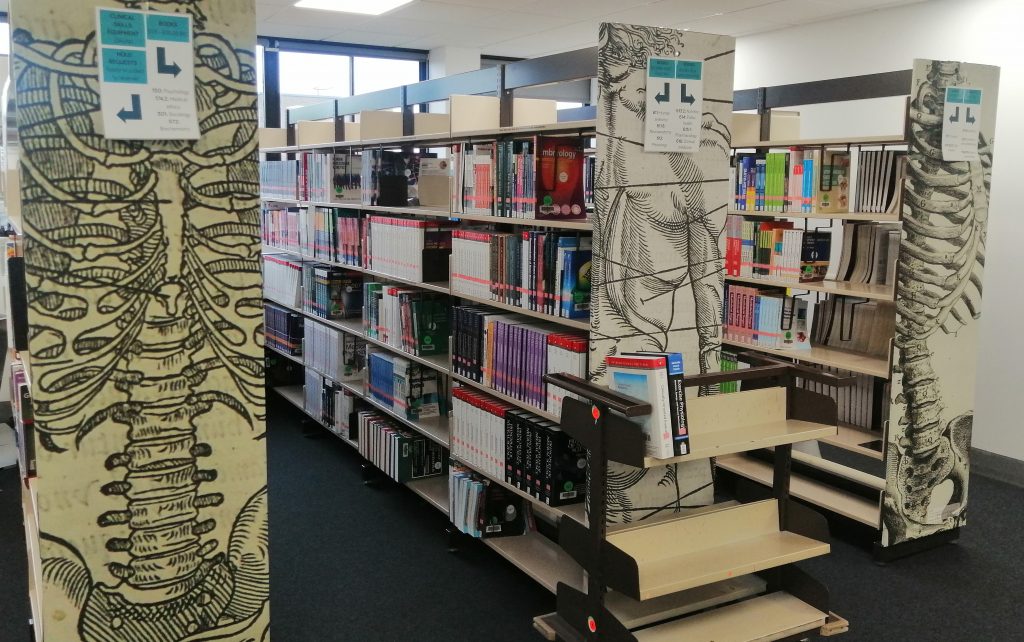
The Student Texts Collection (STC) at the Walton Library.

If you’ve been to the Walton’s service desk asking for a stapler, you may have heard the staff directing you to the STC. STC or Student Texts Collection is a separate room, located next to the printers and the self-issue machine, which contains our high demand texts. Many of these will be essential on your reading lists. These books are available for short loan only – four hours during the day, unless you take them out four hours before the Library closes, when you can loan them overnight (providing you return them before 9:30AM the next weekday and 10:30AM on weekends!)

These short loan books are perfect if you’re on the go. You can issue one before a lecture and then return it just after! They’re also ideal if you only need to use a short section of a book: you can copy up to one chapter or 10% of a book (whatever is greater) using the photocopier.

How does it work?

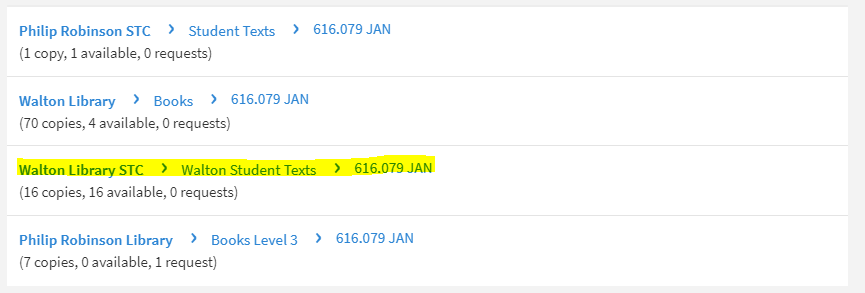
Just like long loan items, STC books are on Library Search. However they can’t be reserved if all the copies are out on loan. STC books need to be checked out and returned from your account using the self-issue machine in the STC room.

STC books are listed separately on Library Search.

If you have any further queries about the STC, you might want to check out our Library FAQs here. Desk staff at the Walton can also be called upon to lend a hand if you’re stuck.

Thieme Science of Synthesis (SOS) trial

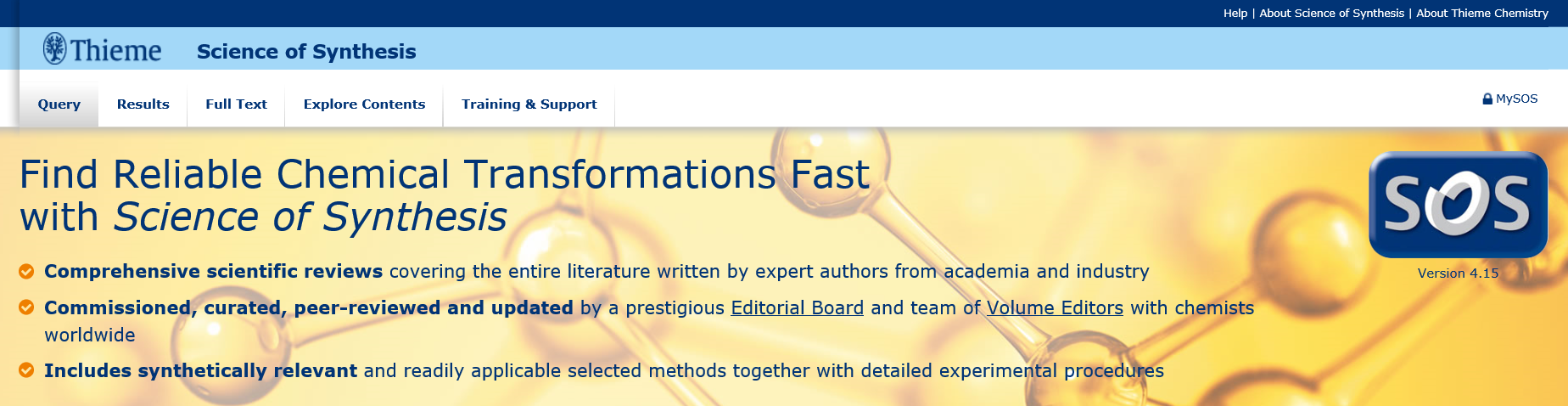
We have trial access to Thieme Science of Synthesis (SOS) from now until the end of the year.

Are you looking for critically-reviewed, synthetically-relevant and readily-applicable methods with detailed experimental procedures to support your research projects?

To start getting to the synthesis quicker, try Thieme Science of Synthesis (SOS), a full-text resource for evaluated methods in synthetic organic chemistry.

There is no need to login as you will be recognized automatically by IP address during the trial. However, you can register for a personal account by clicking on “MySoS” in order to save searches and results lists.

Click the “Training & Support” button in the top menu to find case studies, author lists and further help. There is a quick start guide and video tutorials to support you.

We would like to know how this resource supports your research, assessed work and teaching, so please send any comments to Julia Robinson, Faculty Liaison Librarian for chemistry.

Freshers’ Guide to the Walton Library

Wishing a Warm Walton Welcome to all new and continuing students in the new academic year!

Just as you are settling into life at University we thought that you might benefit from this list of tips of how to make the most out of your time in the Walton Library.

Opening hours

The Library opening hours change throughout the year, but during term time, we are open normally until 22:00.

Resources

Use your Reading Lists as a great starting point for finding academic material. They can be accessed via your VLE (Virtual Learning Environment), which is either Blackboard or the MLE, depending on the course you are studying.

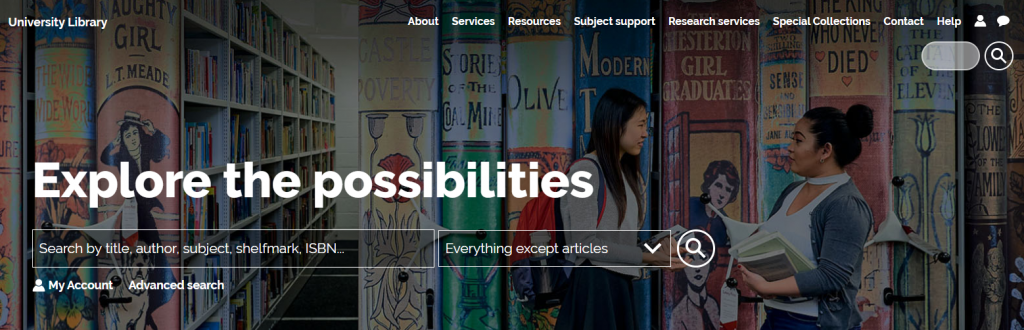
All academic resources that we purchase will be available via Library Search. It is the most prominent element on our colourful website and it will show you books, articles, journals in both physical or electronic format, databases and others.

The library website can be found here: www.ncl.ac.uk/library/

Use keywords to find the titles that you need and Library Search will tell you whether we have them or not, whether they are available on the shelves, in which library and part of which collection they are. If a book we have in stock is NOT currently available on the shelves, the best thing you can do is to log in with your student ID and password and place a reservation:

Reserving is in your best interest because this is what will prompt a current reader of the book to bring it back so that you can use it. So remember: Shy bairns get nowt.

Specialist help

There are subject-specific guides that give you information directly relevant to your course. You can find them by selecting your course in Subject Support, on the Library website.

Want to ask us a question?

Library Help is the place you seek. You can browse our FAQ database by topic or search it by using keywords. You can also send us an email or chat with us. Library Chat is monitored 24/7, so as long as you have access to the internet, wherever you are in this great, big world, you can contact us.

Spotlight on OECD iLibrary

OECD iLibrary is the online library of the Organisation for Economic Cooperation and Development (OECD) it contains a vast collection of books, papers and statistics, some of which date back to the 1960s, it is the gateway to OECD’s analysis and data. OECD content covers over 100 countries.

Every year around 300 new titles are published, associated with the following themes:

  • Agriculture & Food,
  • Development,
  • Economics,
  • Education,
  • Employment,
  • Energy
  • Environment
  • Finance and Investment
  • Governance
  • Industry and Services
  • Nuclear Energy
  • Science and Technology
  • Social Issues / Migration / Health
  • Taxation
  • Trade
  • Transport
  • Urban, Rural and Regional Development

You can browse by theme, country, or choose the type of content you require (for example, books, papers, statistics). You can also carry out simple or advanced searches.

If you’re looking for Statistics and Indicators?

OECD iLibrary contains all of the publications and datasets released by International Energy Agency (IEA), Nuclear Energy Agency (NEA), OECD Development Centre, PISA (Programme for International Student Assessment), and International Transport Forum (ITF) since 1998 – present.

It presents all content so users can find and cite tables and databases as easily as articles or chapters in any available format: PDF, WEB, XLS, DATA, ePUB,READ.

For a quick introduction to OECD i Library, including how to search the database and how to use advanced features and find statistical information and indicators, take a look at the user guide.

You can  find details on other sources of statistics on our Statistics Guide.


Identify resources for your research project

A strong research project such as an essay, dissertation or thesis will always be supported by good quality information from a wide range of sources.  There are a huge variety of resources available to you and being able to make appropriate choices when selecting materials to include in your project and explain why you have chosen them, is an important academic skill that demonstrates a good awareness of your subject and an ability to think critically about ideas and research.

Of course, not all information resources will be relevant to your particular research.  You will have to think about the type of information you need then identify the type of resource that will provide that kind information.

For example:

Books will offer an in-depth overview of popular ideas, theories, and opinions in your subject area and are likely to be broader in scope than a journal article or conference paper.

While a conference paper will often discuss ‘work-in-progress’, and therefore can be an ideal way of finding out about up to date research and ideas.

For more information on different resource types, including standards, patents, maps, newspapers and more, take a look at our range of Resource guides.

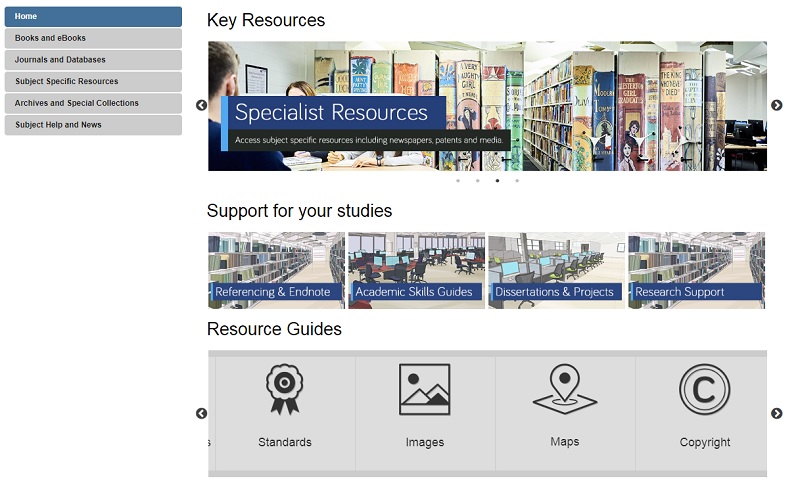
Your Subject Guide can also help you identify useful sources of information for your research as it contains a carefully curated list of resources that are tailored to your subject area.  Here you’ll  find useful lists of online reference books, eBook collections and recommended databases for finding relevant journal articles and conference papers.  Also, under the Subject Specific Resources tab, you’ll discover a further host of specialised materials relevant to your subject such as audiovisual media, data-sets or professional organisation’s websites.

Screen capture of a Library Subject Guide, showing various tabs and resource links.

Depending on your research topic, you might also want to explore the Special Collections tab to see materials held in our Library archives that are relevant to your subject area specifically.

For more advice on finding and evaluating resources for your research take a look at our Finding Information and Evaluating Information Guides.

Brush up on your search skills

A pot of paint brushes

Searching should be easy, right? We do it all the time in our day to day lives and with Google so ingrained into our existence, we don’t give it much thought. We type some words into the search engine and most of the time we find what we are looking for. Nothing to it!

However, while this approach certainly works for checking out cinema times or booking flights, it lets us down where research is concerned. We have high expectations that information will be quick and easy to come by and that it will be neatly organised in one place, rather than having to search in multiple locations, using different techniques. We imagine that the time consuming part of our research will be the analysing, synthesizing and the writing of it and we often don’t even think about the searching side of things.

The reality though is quite different. Without investing in our searching techniques and the development of a search plan, we can often find ourselves overwhelmed by information and not being able to see the wood from the trees. Our stress levels rise and our frustrations explode. Surely finding information shouldn’t be this hard!

The good news is, is that there is help to be had. Our job as Liaison Librarians is to equip you with the skills you need to create that all-important search plan and to encourage you to pause and stop before you dive straight into finding information for your research. We have a fantastic range of online tools for you to do this, not least an interactive search planner that you can keep adding to throughout your search and which you can even email to yourself, your supervisor, or us as a Liaison team for feedback. The Academic Skills Kit has lots of advice on how to start a search, including how to break your concept down into manageable chunks and how to identify keywords and synonyms.

You can also check out this short video to get you started…….

Keep your eyes peeled for our next blog installment of how to find particular resources. See you then!

Photo by Debby Hudson on Unsplash