Love reading? Browse through BrowZine…

Not sure which journal article you’re looking for? Do it the ‘old school’ way and browse through your favourite journals using BrowZine without having to trek to the library or newsagents to flick through the magazines.

BrowZine is a publisher-neutral reading and discovery platform for eJournals. You can browse complete issues, set up a personal bookshelf of your favourite titles and receive notifications when new issues are released.

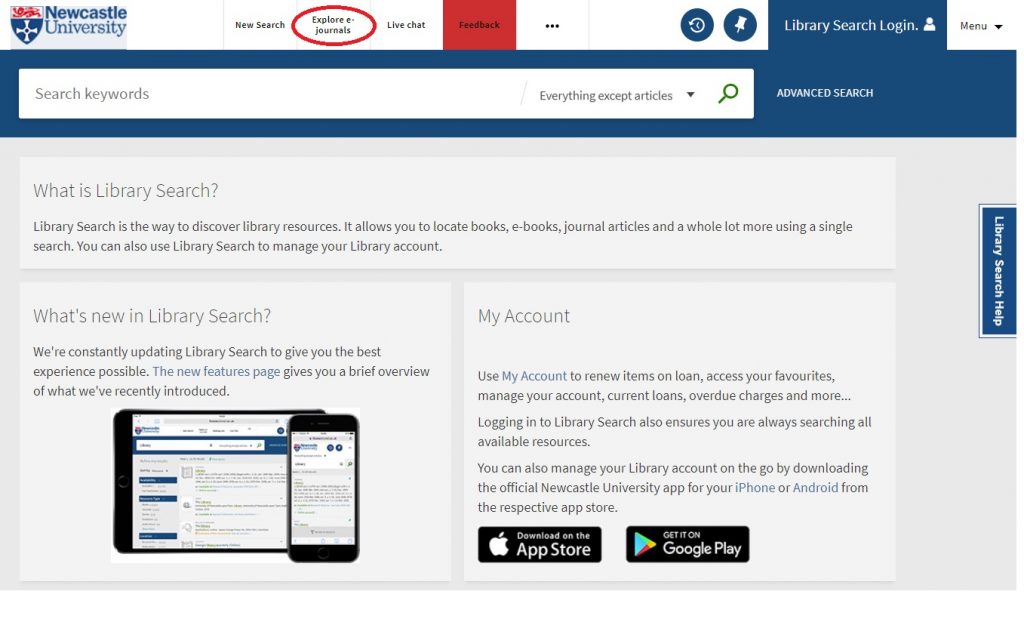
Library Search and browsing eJournals via BrowZine

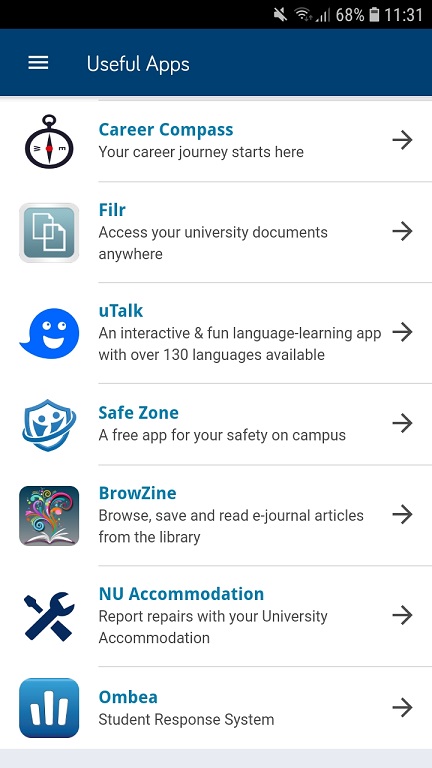
You can do this on your PC via Library Search or perhaps you prefer using your smartphone? Access BrowZine via the University App or download the BrowZine App from the Apple Store or Play Store.

Access BrowZine via the Newcastle University App

Set up your personal account using your University email address and BrowZine will always recognise you as a member of Newcastle University and give you access to the full-text articles it contains.

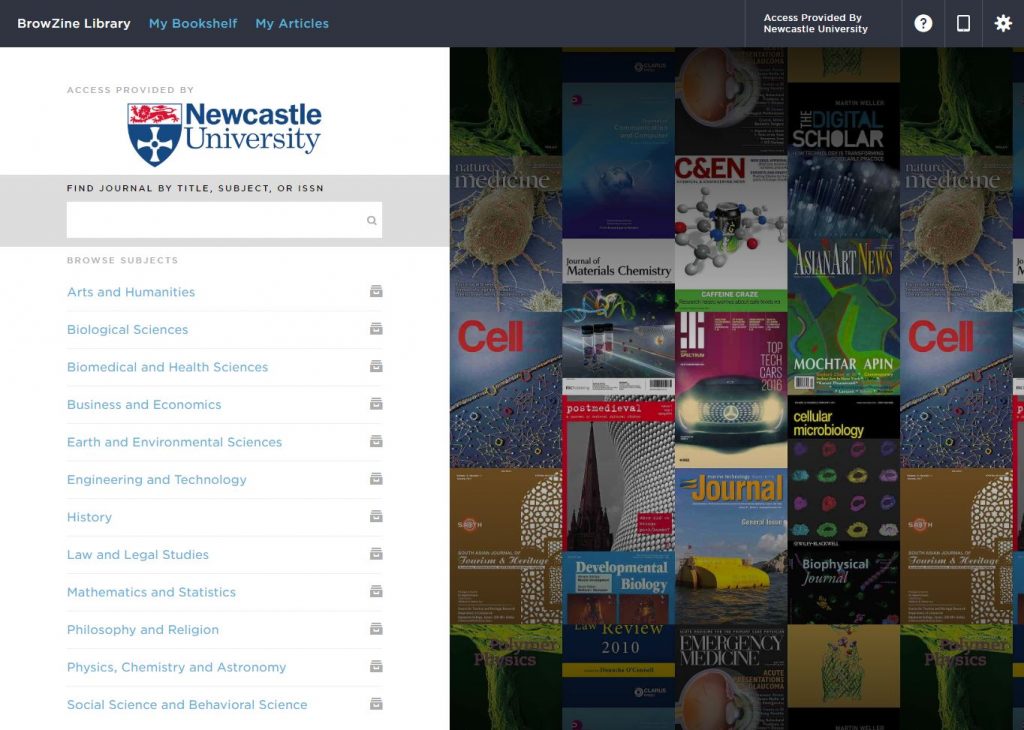
BrowZine Subject Areas

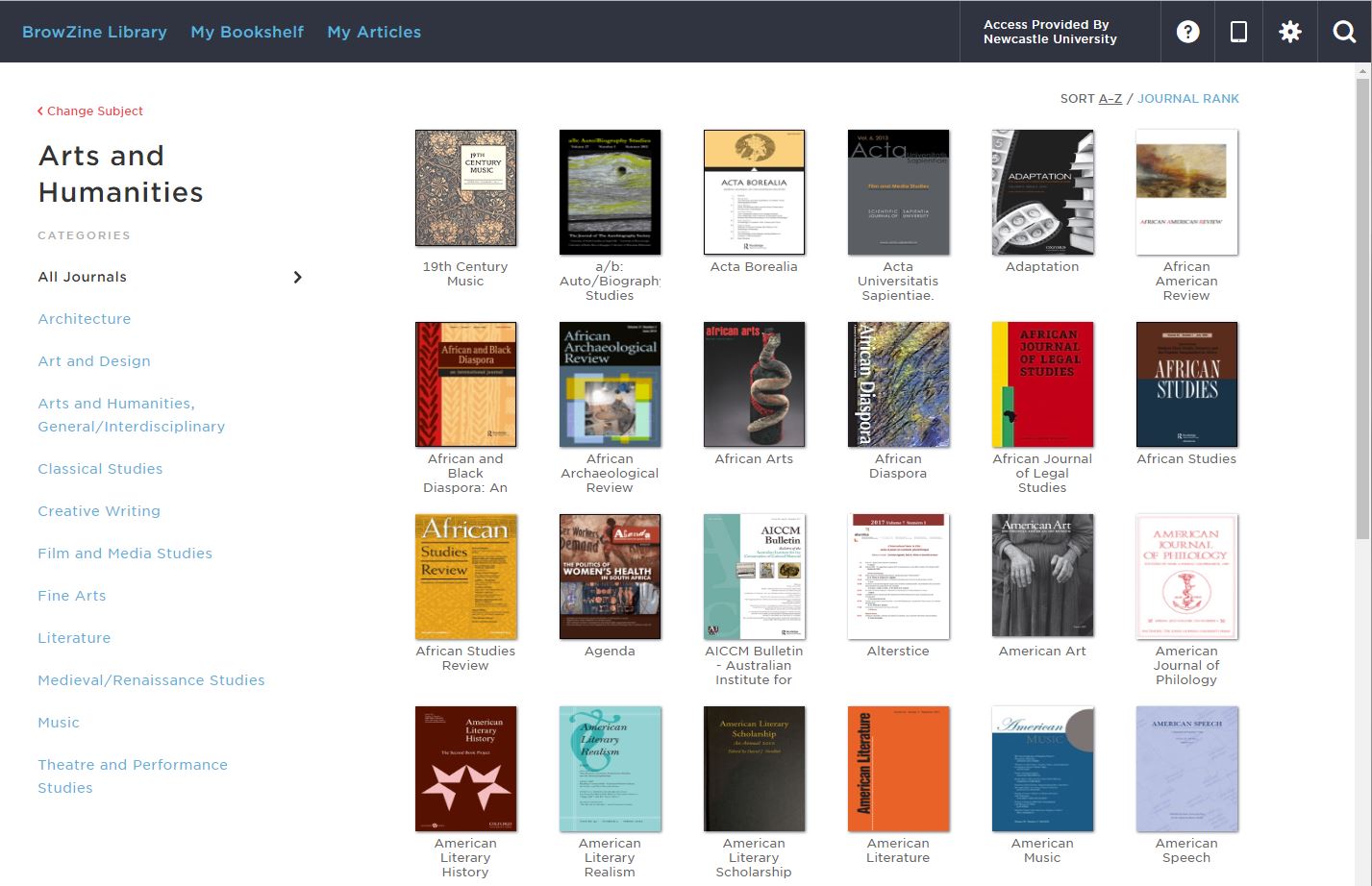
BrowZine Arts and Humanities

Get browsing!

Where could maps take you?

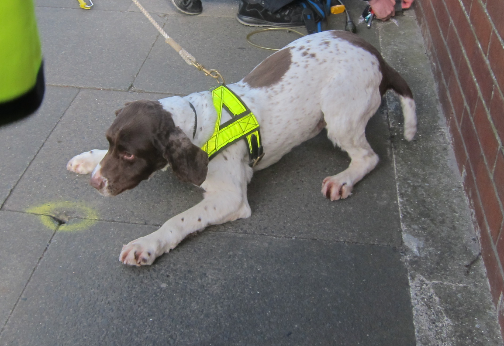
Sniffer dog in high vis detecting a gas leak

So when does an Animal Science student need to use EDINA Digimap and GIS software?  The answer is not all do, but you never know where your dissertation project may take you, and what software may help your research or your presentation or visualisation of results.

Grace’s dissertation took her to Sunderland to road test the country’s first gas sniffer dog.  Collaborating with an Earth Science student to help her use the mapping products and with training from the geosciences team in using GNSS (Global Navigation Satellite System) accurate to 2cm, she plotted the gas leaks and successful finds by her faithful four legged co-worker.  The team demonstrated that a dog’s nose is as good conventional gas detection equipment, and could be very helpful with difficult to trace gas leaks.

Sniffer dog in high vis finds gas leak
Sniffer dog, image used with permission from Dr Catherine Douglas, School of Natural and Environmental Sciences.
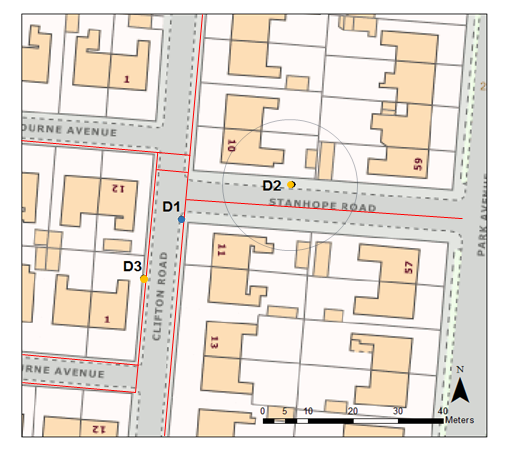
Digimap illustrating gas leaks detected
Map created by student using EDINA Digimap https://digimap.edina.ac.uk/ and used with permission by Dr Catherine Douglas, School of Natural and Environmental Sciences.

With many thanks to Dr Catherine Douglas, School of Natural and Environmental Sciences, for providing this content.

See what is available to you on the Maps Guide and take up opportunities to collaborate or share good practice with other disciplines. You never know where it might lead!

Please note: EDINA Digimap requires registration before use.

Are you using the best information to make your point?

With the huge volume of information available and the speed with which you can find something on just about any topic with a simple search, it can be difficult to be sure that you are using the best quality information for your task. Your tutors will often give advice such as recommending that you use academic or peer-reviewed journal articles, and it can be tempting to stick to ‘safe’ types of information such as books.

But depending on your assignment topic, you will need to explore a breadth of different information types, including many that will be online. So how do you know which ones to you?

You will need to consider many issues, including authority, accuracy, objectivity, currency and coverage within an information source. This will help you make decisions about the quality of the information, its reliability and what role it could play within your thinking.

You will evaluate information all the time without thinking about it. It doesn’t need to be a conscious or difficult task. Our Six Questions video will help give you some ideas for the types of questions to keep in mind to make your own judgement.

You may also sometimes decide to include a piece of information, even though it may not be from a credible source or its impartiality is questionable, because it illustrates the point you are trying to make. Being aware of your reservations about a reference allows you to be more confident in your judgment.

EndNote

What is EndNote?

The official blurb on EndNote is that it is “…the industry standard software tool for publishing and managing bibliographies, citations and references.”

Have you drifted off yet? Don’t – read on!

EndNote takes a little getting used to and we recommend you familiarise yourself with it at the start of your research process. But as Library Staff, we wouldn’t spend a significant amount of time demonstrating and training our academic staff and students on what EndNote is, and how to use it, if we didn’t think it was valuable. It will save you a huge amount of time in terms of writing up your assignments.

Essentially, you can use EndNote to create and organise a personal library of resources relevant to your research. You can import references from Library Search, and a huge range of databases such as Scopus, Web of Science, IEEE Xplore and Business Source Complete. You can ask EndNote to locate the full-text PDFs of the resources you are going to use in your research, and you can annotate them as you wish too. Did you know you can instruct Google Scholar to import references into EndNote? No? Try it. Finally, if you already have materials stored in your home folder (H:\) then you can attach them to a manually-created reference within EndNote, bringing all your research together in one place.

In addition to organising your references (and this is the clever bit) you can then get EndNote to ‘talk’ to your word processing software, e.g. Microsoft Word, and insert the citations into your work for you in your chosen referencing style, e.g. Harvard at Newcastle, Vancouver, APA or MLA. If you don’t want to do that, then EndNote will also allow you to create an independent bibliography of your references, saving you an awful lot of typing.

Using EndNote

Intrigued? You should be. Take a look at our EndNote Guide. It contains all the introductory information you need, step-by-step workbooks to train yourself on the use of EndNote (the Desktop and Online versions), videos, useful FAQs, and contacts for help, should you need it.

Finally, Newcastle University provides support for EndNote but it is not compulsory to use. You may prefer Mendeley, Zotero, RefWorks or another piece of bibliographic management software. That’s fine, whatever makes your referencing lives easier. Go on, give them a try.

When is a website not a website?

A common mistake made in referencing is grouping all sources found online under the category and reference type of a website. Your aim should be to reference the information you have in front of you rather than where it was sourced. Simply grouping items found online as a website would be the equivalent of referencing a book by the publisher details rather than the author and title.

For example, a government publication found online would be referenced like this in Chicago.

United Kingdom. Department for Education. Cloud computing: how schools can move services to the cloud. London: The Stationary Office, 2016. Accessed: February 01, 2018. https://www.gov.uk/government/publications/cloud-computing-how-schools-can-move-services-to-the-cloud. 

An electronic journal article might appear like this in APA.

Gillum, J. (2012). Dyscalculia: Issues for practice in education psychology.  Educational Psychology in Practice, 28(3), 287-297. doi:10.1080/02667363.2012.684344

While a video posted on the Tate website would look something like this in Harvard.

TateShots (2016) Grayson Perry: think like an artist. Available at: http://www.tate.org.uk/context-comment/video/grayson-perry-think-artist-tateshots (Accessed: 27 November 2018). 

Identifying the type of information you are using as well as the source, are essential skills of evaluation and developing a critical approach to information. In many cases, you will be unconsciously using your judgment to assess the value of information for your purpose. So when you are using any source of information, ask yourself what it is you are looking at, what details are recorded about it, and whether it measures up as a quality piece of information.

To google or not to google?…That is the question

Can you remember life before Google? It is such a huge part of our lives that even those of us who can remember a time before it (hmmm, yes I am that old!) can’t imagine life without it now. It is a great place to find the latest cinema listings or who won last night’s football match, but what about finding information for your latest assignment or research?

There is a time and a place to use Google, but you need to be aware of its limitations. Google, after all, is a business. It earns the majority of its money from advertising, and it will not reveal how it ranks its search results (every wonder how Wikipedia always appears at the top of every search you do?). A search that we do today and repeat tomorrow for a piece of research could give us hugely different results, with no explanation of why. We are also often bombarded with millions of search results and the reality of our searching habits mean that we rarely look beyond the first or second page.  Admittedly, advanced search features on Google and the use of Google Scholar can really help us to become a smarter and effective Google users, but is it enough for our own research? Are we finding everything that is out there?

We need to think about our information needs before we work out where it will be best for us to search. Imagine, for a moment, that we are want to buy a particular local cheese, which we love. Would we go to a general shop or would we go to a specialist deli? We are probably going to need to go to a deli. It is just the same when searching for information. Google may be great for some background information or a starting point of a project, but it may simply not give us the high quality, niche information that we need to give us top marks for an assignment. So what are the other options?

Aimee Cook, a Liaison Librarian here at Newcastle University, explains more.

So next time you think about googling something for an assignment, stop and check out Library Search and your subject guide first for the books, eBooks and specialist databases that are available to you. If you are going to use Google, make use of the advanced search features and get to grips with Google Scholar. Happy searching!

Photo by Emily Morter on Unsplash

Welcome from the SAgE Library Team

Explore the possibilities rocket image banner


Welcome from the SAgE Library Team

Need specific subject help?

The SAgE Library Team provide support for students and staff from the Faculty of Science, Agriculture and Engineering. Julia Robinson is the Liaison Librarian for the Schools of Natural & Environmental Sciences and Mathematics, Statistics & Physics. Lorna Smith is the Liaison Librarian for the Schools of Computing and Engineering. The rest of the team work for the whole SAgE Faculty: Catherine Dale is Assistant Liaison Librarian and Yvonne Davison, Susan Millican and Christina Taylor are Liaison Assistants.

So what can we help you with? We can:

  • Direct you to quality information
  • Help with study and research skills
  • Advise on how to evaluate information sources
  • Help you to navigate databases

… and much more!

We’re here to help you get the best from the Library’s services and resources so feel free to contact us at any time. Come and find us on level 4 of the Philip Robinson Library, email us at lib-sage@ncl.ac.uk, book a one-to-one appointment, or follow us on Twitter @ncllibsage.

For more information, check out the Subject Guides.

We look forward to meeting you!


New resources: Natural and Environmental Sciences

This summer we have been very busy buying new journals, databases, eBook collections and print books in hot topics of interdisciplinary interest across Science, Agriculture and Engineering. Here is what we have purchased for Natural and Environmental Sciences:

JOURNALS
EBOOKS AND DATABASES

Click here for a list of all of the new resources we have purchased for the SAgE faculty.

Resource in Focus: Ovid

All resources on Ovid

Ovid enables researchers, clinicians, students and other healthcare professionals find medical information to make critical decision, improve patient care, enhance ongoing research, and fuel new discoveries.  The Ovid platform gives access to a collection of databases.

Database and Coverage:

Click on the database name above to go to the Fact file to find out more and to see whether they would be useful for your research.

Where can you find Ovid?

There will be links on your relevant subject guide or you can access the catalogue, Library Search.

Database Guides
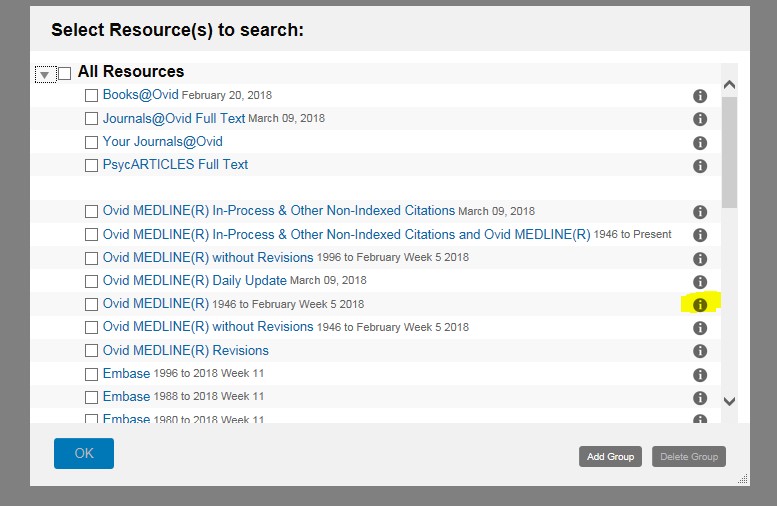
Once you have accessed OVID through the above methods, you will see an initial selection window. To find out more about  a specific resource, click on the Information icon at the right hand side of the page (see example below):

Screenshot of the Ovid list of databases. Need to click on the information button next to each database to find out more. Once you have decided on which database to search within OVID, then all you need to do is to tick the box next to the database you would like to search and then select ‘OK’.
Want to know more?
Each database in OVID has different subject headings and thesauri, however there are tips and tricks that you can learn that are common to searching all the databases on OVID.  So why not check out the Advanced Searching Techniques or watch some of the help videos we have on our YouTube Channel.

Where to find theses and dissertations?

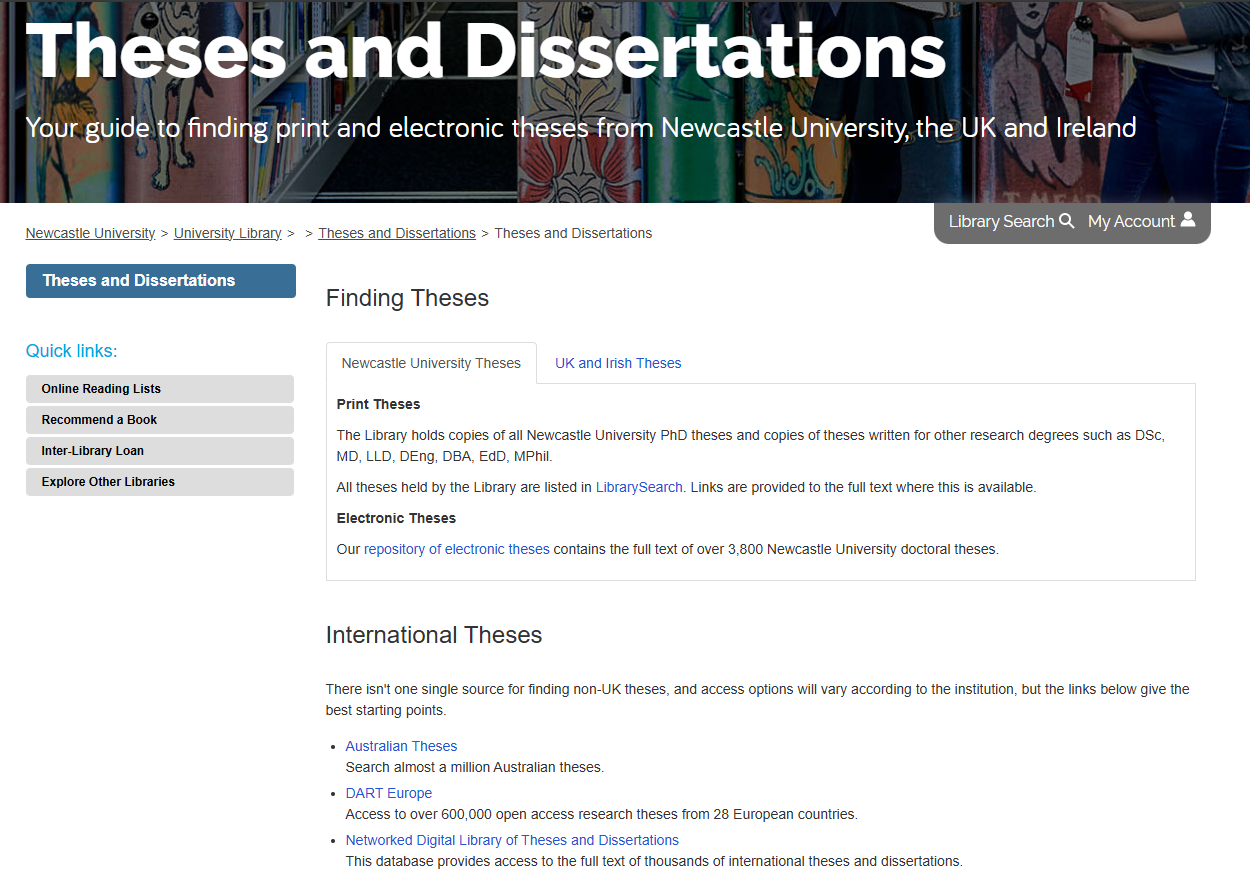
Many of you are busy writing your dissertation right now, in the depths of your Masters project or wrestling with your PhD. If you are looking for ideas then look no further than our Theses and Dissertations Guide.

There are many reasons why you would use other theses and dissertations for your studies:

  • Has anyone else done a thesis or dissertation on my topic? If so…
  • How similar is it to my research question? Do I need to change my question slightly?
  • What references/citations did they use? Check them out, they might have used some good references that can help you.
  • Can you use this theses/dissertation as a reference for your research?
  • Inspiration! Maybe you have a vague idea what your research question is, but you want to see what’s been done already.

Our Theses and Dissertations Guide tells you what print and electronic theses NU Library holds, where to find international theses and signposts you to further information on theses/dissertation production.