Institute of Physics Ebook collections offer high-quality research across physics and related disciplines. They have been created to meet the needs of students, early-career researchers and established leaders in the fields.
An additional 255 IOP ebooks covering subjects such as astronomy, particle and nuclear physics, medical physics and biophysics, quantum science and more have just been added to the Library’s collection.
If you find a title that we don’t have full-text access to and you would like us to add it to the collection, just use our Books on Time form available on the Library website to request it.
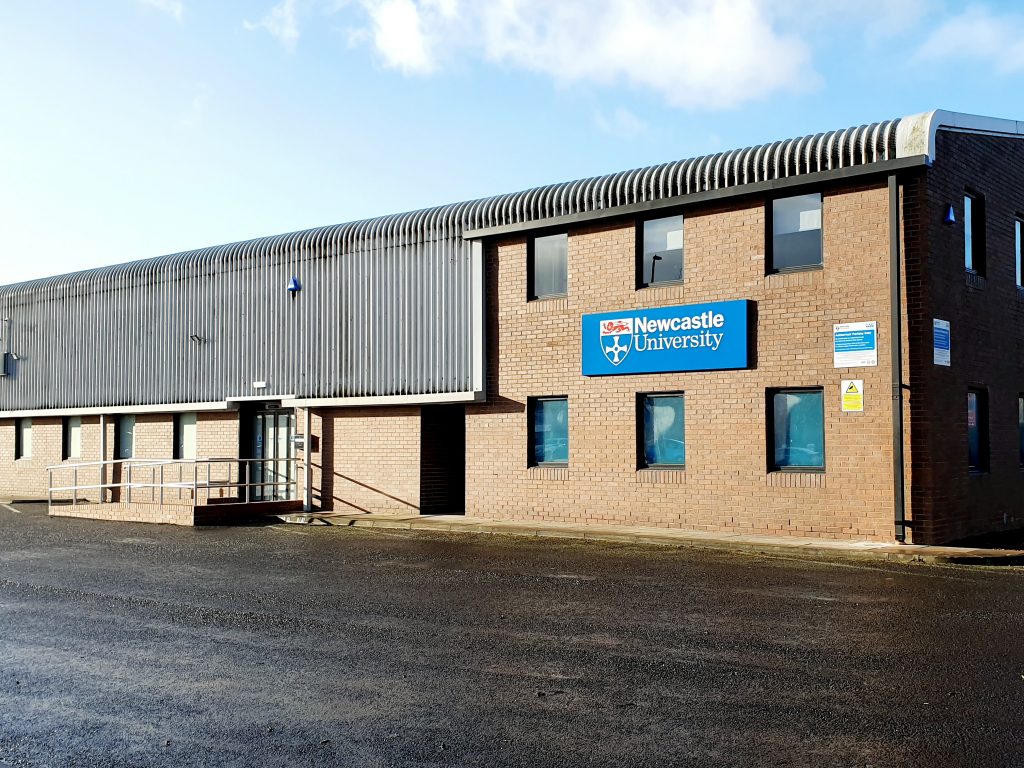
The exterior of the Research Reserve facility in the Team Valley.
The eagle-eyed amongst you may have noticed a curious thing on Library Search. Where normally you would expect to see the name of one of the libraries next to an item’s shelfmark, occasionally you’ll see “Research Reserve”.
If you’ve ever wondered just what exactly the Research Reserve is, this is the blog for you, discover here exactly what the Research Reserve can offer you and your studies.
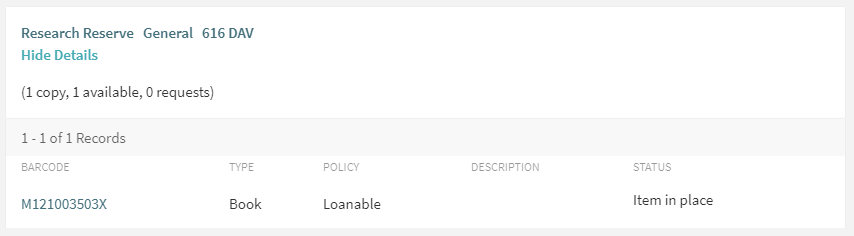
Before an item’s shelfmark is its location. This book is held off-site at the Research Reserve facility in the Team Valley.
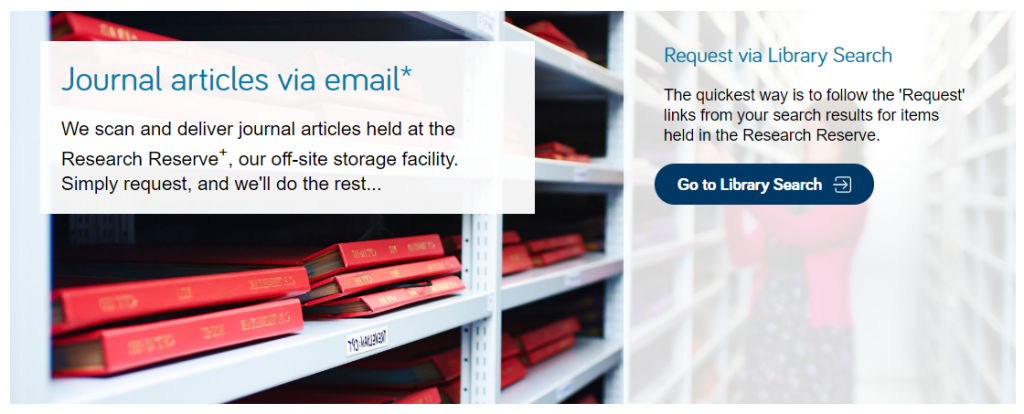
The Research Reserve is the Library’s stores, located throughout campus and including a state-of-the-art storage facility in the Team Valley. These facilities allow the Library to keep less-used material for much longer than other academic libraries. These combined storage facilities provide over 29 kilometres of storage space, which is used to house old editions of journals and books which are consulted infrequently.
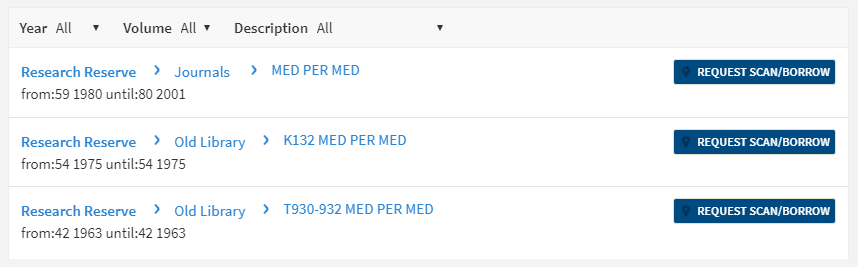
If you’d like to request items from the Research Reserve facilities, click the “Request Scan/Borrow” button once you’ve located the item on Library Search.
You can loan a variety of materials from the Research Reserve,
including: books, theses and journal volumes. These can be requested from Library
Search. Simply log
in using your campus ID, find the item you are looking for and then click
the blue “Request Scan/Borrow”
button. You’ll get a choice of pickup locations (either the Walton or Philip
Robinson libraries).
There are request forms to complete if you’d like to borrow
a thesis
or an entire volume
of a journal.
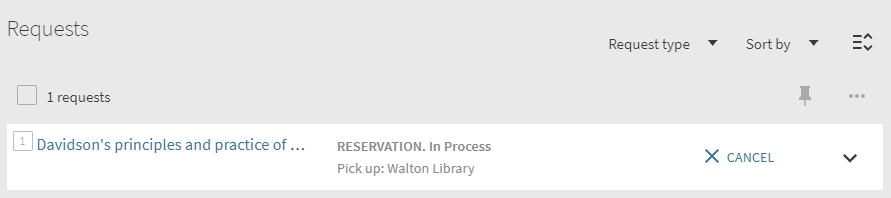
Requests can be viewed by going to “My Account” in Library Search and clicking on “My Requests” from the drop down menu. If you’d like to cancel your request, simply click the blue cancel hyperlink (as seen below). You’ll receive an email confirming your cancellation shortly afterwards.
You can cancel requests for Research Reserve items by clicking the blue ‘Cancel’ hyperlink, as shown above.
There is a collection service that runs between the Research
Reserve and the various libraries (weekdays only, not on bank holidays) and
your request will be generally be fulfilled within 24 hours. Anything requested
on a Friday or over the weekend will be delivered on the following Monday
afternoon.
Once your item has arrived at your chosen library, you’ll receive an email letting you know it’s available to loan. The item will be kept on the reservations shelves for five days before being returned to the Team Valley, or passed on to the next person in the reservation queue. Items from the Research Reserve are issued in the same way as standard long loan items, either using the self-issue machines or at the service desk. Once you’ve finished with the item, simply return it as normal.
The Desktop Delivery Service (DDS) allows you request a
scanned article from a journal held in one of the Library’s stores. Articles
can be requested via Library Search (same as a book) or by filling out the relevant request form. Please try and include
as much detail as possible on your request form. This helps Library staff
locate your article and fulfil your request quicker.
You are only able to request one scanned article per journal
issue. The scanned article will be delivered to your University email address,
where it can be downloaded and printed off. Requests are generally fulfilled
within 24 hours, although this may take longer over the weekends or on bank
holidays. You have 30 days to download your article before it is ‘archived’ and
no longer available.
We do not scan items that are available electronically or
can be borrowed.
If you have any other queries about the Desktop Delivery Service, read the FAQs.
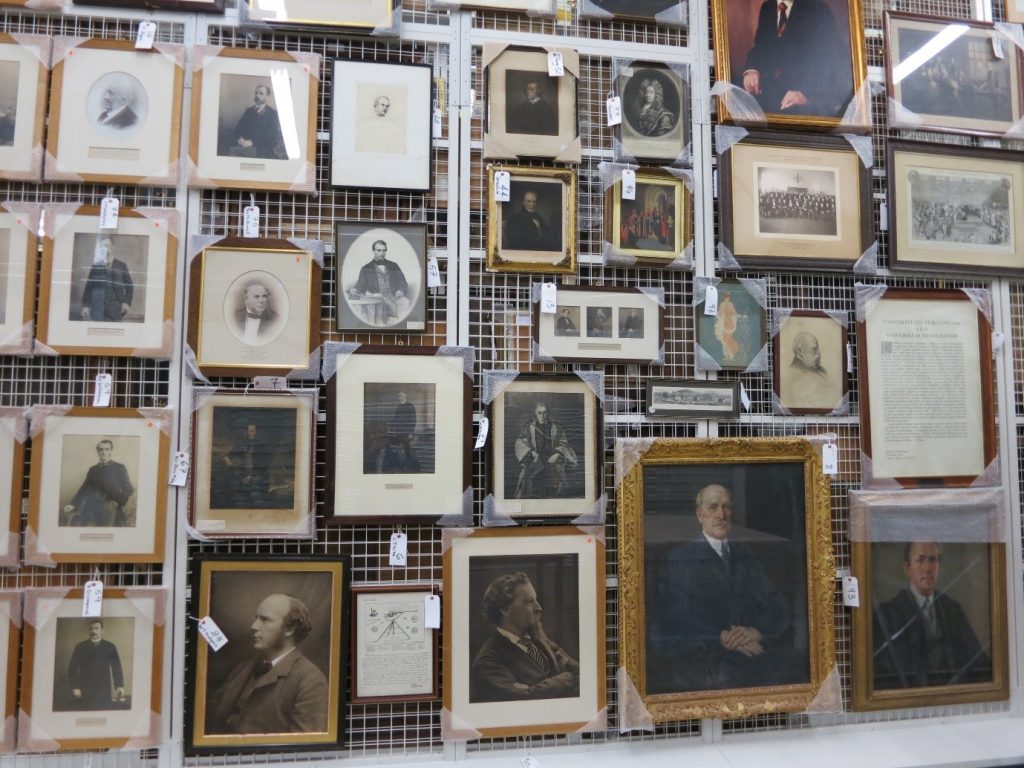
Just some of the amazing treasures held at the Research Reserve facility in the Team Valley.
You can also visit the off-campus Research Reserve facility in the Team Valley. Daily access is available by appointment only with the Research Reserve team, weekdays between 10AM and 4PM. Access outside of these hours can be organised given sufficient notice. There is a large car park available at the facility and buses stop nearby.
Full contact information, directions and opening hours for the Team Valley facility are available via the Library website.
ACM Digital Library is a full-text, online collection of all publications by the Association of Computing Machinary, including journals, conference proceedings, technical magazines, newsletters and books. Publications run from 1936 to present day, with 2,807,672 publications and 576,689 of these available for download.
Top topics include:
Artificial Intelligence, Machine Learning, Computer Vision, Natural language processing.
Networks and Communications.
Society and the Computing Profession
Human Computer Interaction.
Data science.
Applied computing.
Security and Privacy.
Hardware, Power and Energy.
…plus much more.
Though the topics are primarily computing, it would definetly be a collection worth having a look at if you are in Electrical Engineering or studying/researching an interdiciplinary topic which contained elements of computer science.
ACM have just recently updated it’s interface and search function (thanks goodness!), making it much easier to search and discover a range of invaluable resources.
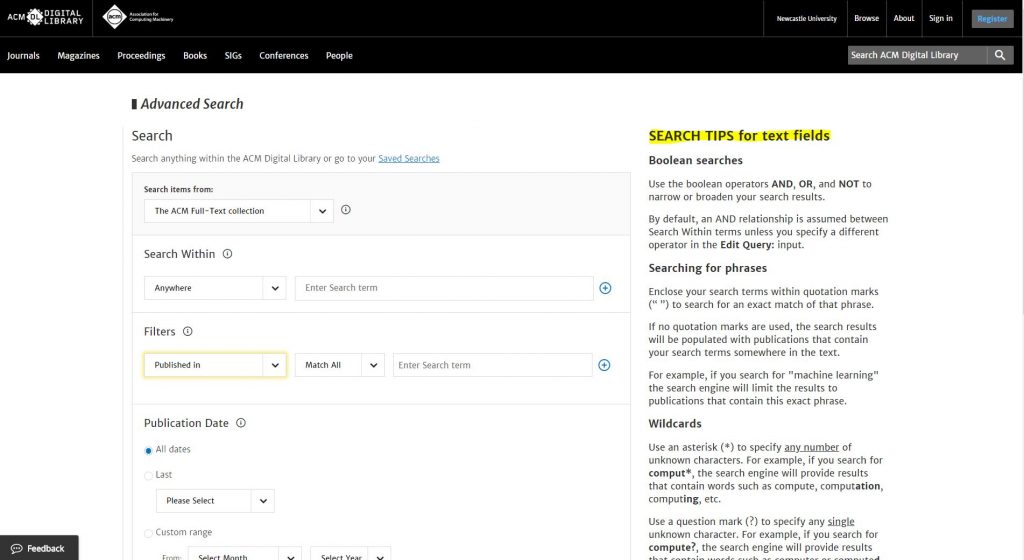
You can now browse by topic or type (book, journal etc.), search by simple keyword or use its advanced search:
Loving their ‘Search tips’ on the right hand side in Advanced Search – wish all databases had this. Would help us all so much!
So, go and explore ACM – a definite ‘must’ for all Computing students. You can either find the ACM eJournal collection in your Computing Subject Guide (under Journals and Databases/eJournal Collections) or you can search for ‘ACM Digital Library’ in Library Search. Remember, if you find anything that doesn’t have full text, first check Google Scholar, then if still no luck you can request an interlibrary loan. If you need further help with any Computing or Engineering resources, please feel free to make an appointment with your Librarian.
Exams are a tricky time. Often you will be juggling different exams themselves, on top of other deadlines. However, we want you to know that you aren’t alone at this crazy time of year. We are here to help you through.
But how exactly can we help? Sadly, we can’t take go into the exam with you, or magically freeze time to give you more hours in the day, but do make the most of the following:
Library Help – the place to go when have a question via chat, email, text, twitter, Facebook. Or alternatively search our Frequently Asked Question (FAQ) database.
Librarians – yes you heard right. Book a one-to-one appointment to get the best out of the University Library resources. Also remember our staff in every library are friendly and approachable. There is no such thing as a silly question, so ask away!
Study Space– The University Library has a range of different study rooms and spaces to suit your needs.
24/7 – The Philip Robinson Library is open 24/7 during the exam period. We want you to sleep and get enough rest, but if you do need to study through the night, we are here.
Subject guides – we have a range of subject guides put together by expert librarians which draw together all the main resources for your studies.
Be well@NCL collection – we don’t just have books for study. This new collection includes tried and tested books that support your wellbeing.
The official blurb on EndNote is
that it is “…the industry standard software tool for publishing and managing
bibliographies, citations and references.”
Have you drifted off yet? Don’t – read on!
EndNote takes a little getting used to
and we recommend you familiarise yourself with it at the start of your research
process. But as Library Staff, we wouldn’t spend a
significant amount of time demonstrating and training our academic staff and
students on what EndNote is, and how to use it, if we didn’t think it was
valuable. It will save you a huge amount of
time in terms of writing up your assignments.
Essentially, you can use EndNote to
create and organise a personal library of resources relevant to your research.
You can import references from Library Search, and a huge range of databases such
as Scopus, Web of Science, IEEE Xplore and Business Source Complete. You can ask EndNote to locate
the full-text PDFs of the resources you are going to use in your research, and
you can annotate them as you wish too. Did you know you can instruct Google Scholar to
import references into EndNote? No? Try
it. Finally, if you already have materials stored in your home
folder (H:\) then you can attach them to a manually-created
reference within EndNote, bringing all your research together in one place.
In addition to organising your references (and this is the clever bit) you can then get EndNote to ‘talk’ to your word processing software, e.g. Microsoft Word, and insert the citations into your work for you in your chosen referencing style, e.g. Cite Them Right Harvard, Vancouver, APA or MLA. If you don’t want to do that, then EndNote will also allow you to create an independent bibliography of your references, saving you an awful lot of typing.
Using EndNote
Intrigued? You should be. Take a look at our EndNote Guide. It contains all the introductory information you need, step-by-step workbooks to train yourself on the use of EndNote (the Desktop and Online versions), videos, useful FAQs, and contacts for help, should you need it.
Finally, Newcastle University
provides support for EndNote but it is not compulsory to use. You may
prefer Mendeley, Zotero, RefWorks or another piece of bibliographic
management software. That’s fine, whatever makes your referencing lives easier. Go on, give them a try.
A common mistake made in referencing is grouping all sources
found online under the category and reference type of a website. Your aim
should be to reference the information you have in front of you rather than
where it was sourced. Simply grouping items found online as a website would be
the equivalent of referencing a book by the publisher details rather than the
author and title.
For example, a government publication found online would be referenced like this in Chicago:
United Kingdom. Department for Education. Cloud computing: how schools can move services to the cloud. London: The Stationary Office, 2016. Accessed: November 4, 2019. https://www.gov.uk/government/publications/cloud-computing-how-schools-can-move-services-to-the-cloud.
An electronic journal article might appear like this in APA:
Gillum, J. (2012). Dyscalculia: Issues for
practice in education psychology. Educational Psychology in
Practice, 28(3), 287-297. doi:10.1080/02667363.2012.684344
While a video posted on the Tate website would look something like this
in Harvard.
TateShots (2016) Grayson Perry: think like an artist. Available at: https://www.tate.org.uk/whats-on/tate-modern/talk/what-makes-artist-grayson-perry-conversation-sarah-thornton (Accessed: 11 November 2019).
Identifying the type of information you are using as well as the source, are essential skills of evaluation and developing a critical approach to information. In many cases you will be unconsciously using your judgment to assess the value of information for your purpose. So when you are using any source of information, ask yourself what it is you are looking at, what details are recorded about it and whether it measures up as a quality piece of information. You can find more information on evaluating information on the Academic Skills Kit.
Harvard at Newcastle is the most frequently used
referencing style and if your school does not have a preferred style, it is the
one that we would recommend. This is because there is the most comprehensive
guidance available for Harvard and it is a style that can manage referencing
all types of information. Whether you are referencing a book, news
article, Instagram or market research, the Harvard at Newcastle style has got
you covered.
There are many
variations of Harvard but the one used at Newcastle can be found in Cite Them Right. Harvard uses an in-text citation (Millican, 2018, p.12)
inserted in the text, coupled with a reference list at the end of the document,
which provides the key. Cite Them Right is available as a published book to borrow from the
library and Cite Them Right Online provides the same comprehensive
guidance in a searchable interface that can be accessed anywhere online. It
includes guidance about how to reference just about every type of information
you can think of, including the more tricky online sources such as social
media.
You will find the Harvard at Newcastle style in EndNote on campus PCs and through the RAS, and are able to download the style from our EndNote guide if you are using it locally on your own device. We’ve also included some useful tips and advice about getting to grips with Harvard on the Academic Skills Kit.
There are lots of different referencing styles, but which one is right for you?
Once you start creating
citations and references, you need to consider referencing styles. There are hundreds of them out there
and each has a slightly different set of rules about how citations and
reference lists should appear in your text.
Most Newcastle University students use the Cite them Right Harvard style, but there is also Vancouver, IEEE, OSCOLA, Chicago, and many more. Your lecturers will expect you to use one specific style and all of your citations and references should conform to that style accurately and consistently; same punctuation, same capitalisation, same everything.
We have lots of help about using some of the popular referencing styles Academic Skills Kit. The Cite Them Right website is also a valuable online resource that will show you how to hit all of the right steps on your way to mastering an individual referencing style.
When walking in the snow we need the right footwear, and to keep warm, a scarf, hat, and gloves are also of great help. By doing so, we are adapting to the environment and using the right tools at the right time for the job at hand.
The same is true when adapting to academic writing where referencing is a key tool.
When you are writing a piece of work and you use someone else’s thoughts, words or ideas, you must reference them. But why do we talk about referencing so much at University, and why is it so important? Why should you bother spending time on ensuring that your references are consistent, accurate and correct?
It all comes down to why we reference in the first place:
To make your contribution clear by showing which words and ideas are yours, and which have come from your reading.
To acknowledge the work of others and to demonstrate how you have built on the knowledge that you’ve gained from your reading.
To ensure that the reader can follow up on your references for themselves.
To avoid being wrongly accused of plagiarism.
Watch our short video to find out a little more about why we should bother with referencing.
For those of you reading this that don’t know, the IEEE referencing style is a numeric citation system used in engineering, electronics, computer science and information technology publications. And for those of you reading that already know this, you will be pleased to hear that the IEEE referencing style has now been added to Cite them right (If you have trouble accessing Cite them right off campus, just search for it on Library Search).
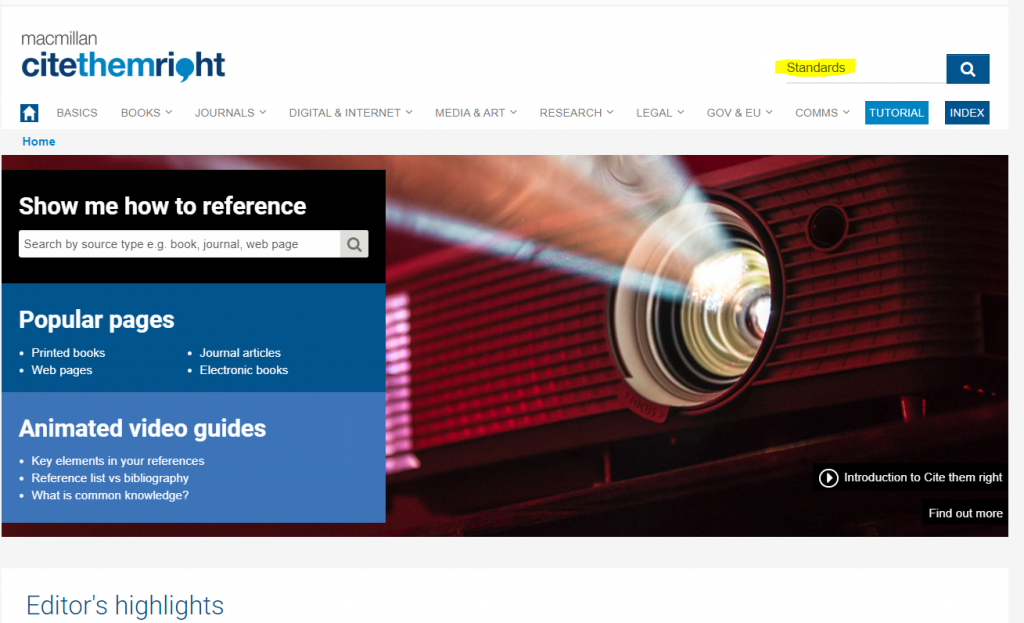
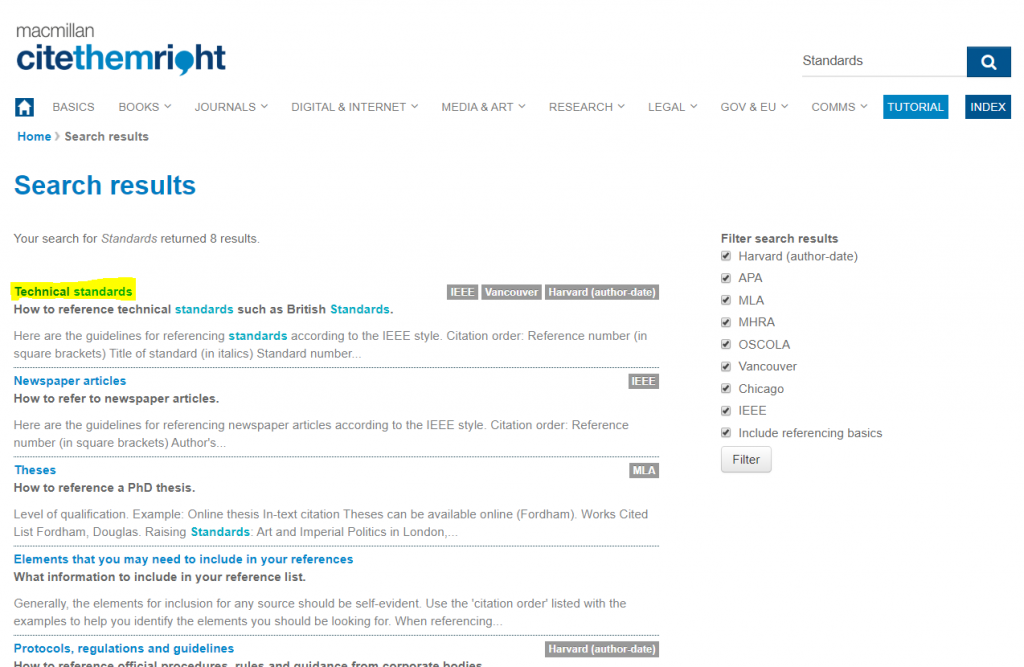
So what does this mean and how does it help? Well, let’s say that you have referred to a set of specific technical standards in your most recent academic work but aren’t quite sure how to reference them accordingly. Open Cite them right and type standards into the search bar at the top right of the home page and hit the Enter key:
The search results will return a link detailing how to reference technical standards:
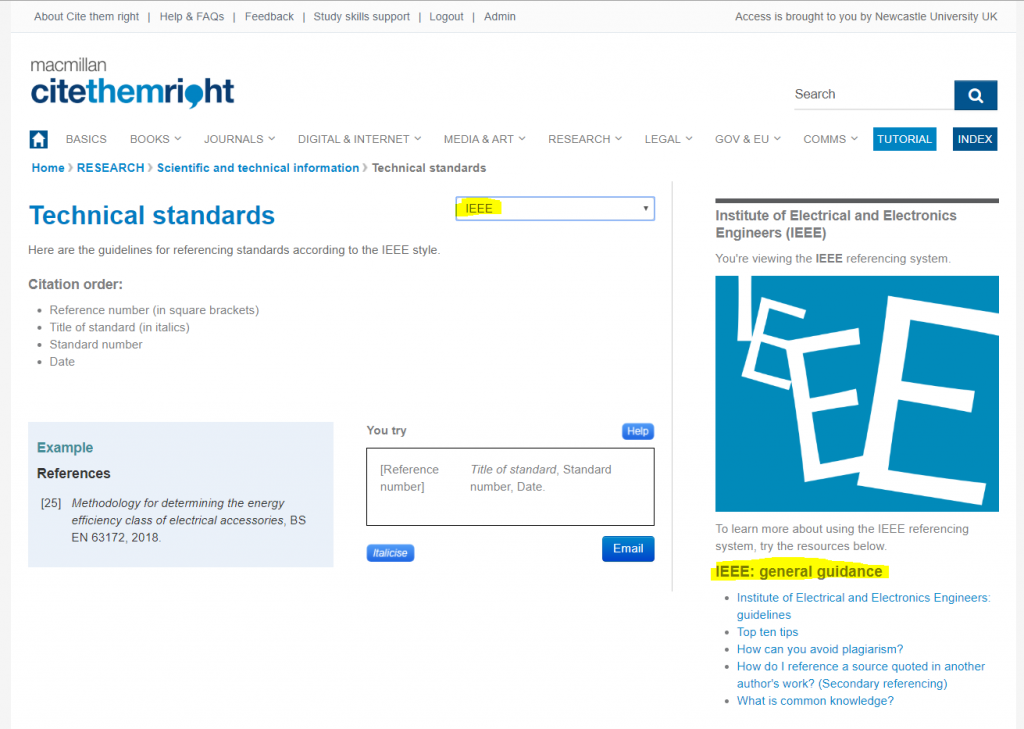
All that’s left to do now is to click on the link, select IEEE from the drop down reference style menu and follow the excellent guidance. There’s further help on IEEE referencing on the far right hand side:
As well as referencing technical standards, journal articles and books in the IEEE style, Cite them right will also show you how to reference more unusual items, such as Twitter posts and YouTube videos, enabling you to correctly include all of your research sources with ease.