The Library has recently bought access to this major eight volume online work.
For the first time ever, the eight volumes gather together all of T.S. Eliot’s collected, uncollected and unpublished prose, making available material that has been restricted or inaccessible until now.
The content includes letters, essays, lectures, commentaries and transcripts of broadcasts, and is annotated by leading Eliot scholars.
You can read more about the background to this significant collection here or watch the trailer:
The eight volumes are individually catalogued on Library Search: just search for complete prose Eliot to find them.
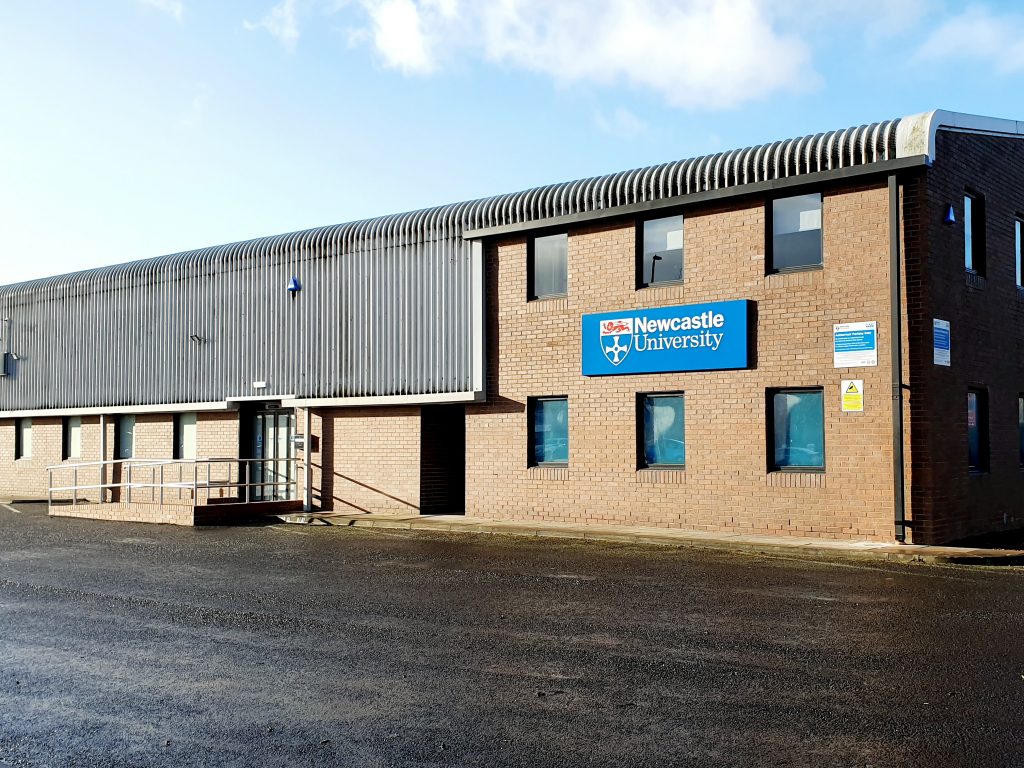
The exterior of the Research Reserve facility in the Team Valley.
The eagle-eyed amongst you may have noticed a curious thing on Library Search. Where normally you would expect to see the name of one of the libraries next to an item’s shelfmark, occasionally you’ll see “Research Reserve”.
If you’ve ever wondered just what exactly the Research Reserve is, this is the blog for you, discover here exactly what the Research Reserve can offer you and your studies.
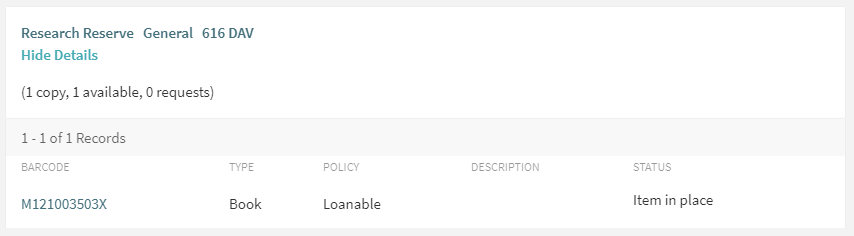
Before an item’s shelfmark is its location. This book is held off-site at the Research Reserve facility in the Team Valley.
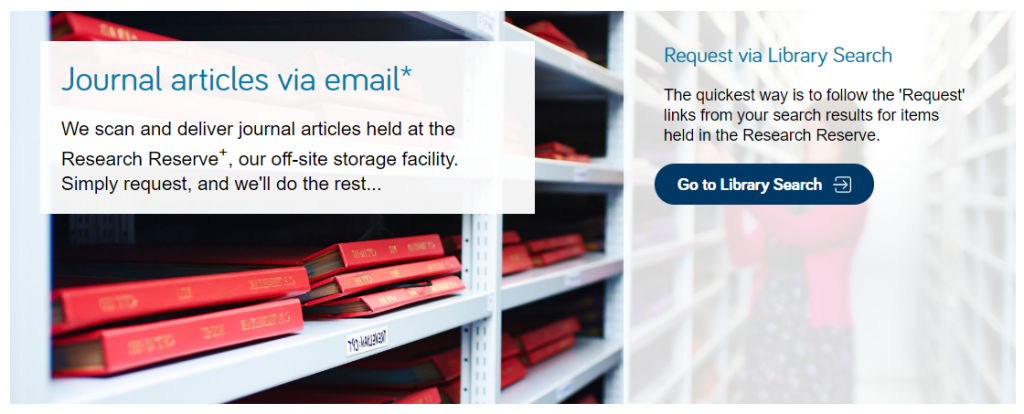
The Research Reserve is the Library’s stores, located throughout campus and including a state-of-the-art storage facility in the Team Valley. These facilities allow the Library to keep less-used material for much longer than other academic libraries. These combined storage facilities provide over 29 kilometres of storage space, which is used to house old editions of journals and books which are consulted infrequently.
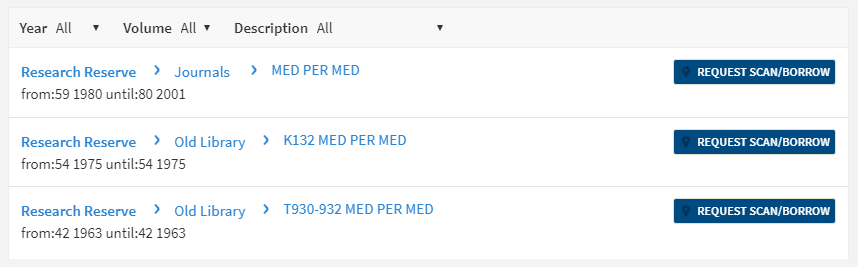
If you’d like to request items from the Research Reserve facilities, click the “Request Scan/Borrow” button once you’ve located the item on Library Search.
You can loan a variety of materials from the Research Reserve,
including: books, theses and journal volumes. These can be requested from Library
Search. Simply log
in using your campus ID, find the item you are looking for and then click
the blue “Request Scan/Borrow”
button. You’ll get a choice of pickup locations (either the Walton or Philip
Robinson libraries).
There are request forms to complete if you’d like to borrow
a thesis
or an entire volume
of a journal.
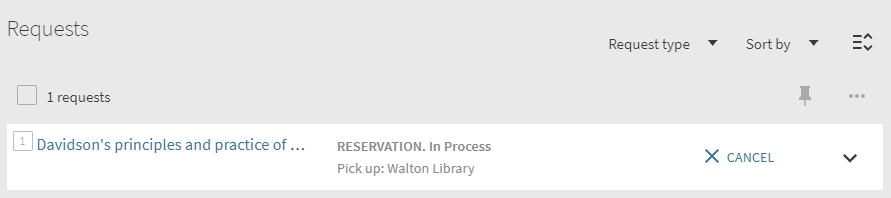
Requests can be viewed by going to “My Account” in Library Search and clicking on “My Requests” from the drop down menu. If you’d like to cancel your request, simply click the blue cancel hyperlink (as seen below). You’ll receive an email confirming your cancellation shortly afterwards.
You can cancel requests for Research Reserve items by clicking the blue ‘Cancel’ hyperlink, as shown above.
There is a collection service that runs between the Research
Reserve and the various libraries (weekdays only, not on bank holidays) and
your request will be generally be fulfilled within 24 hours. Anything requested
on a Friday or over the weekend will be delivered on the following Monday
afternoon.
Once your item has arrived at your chosen library, you’ll receive an email letting you know it’s available to loan. The item will be kept on the reservations shelves for five days before being returned to the Team Valley, or passed on to the next person in the reservation queue. Items from the Research Reserve are issued in the same way as standard long loan items, either using the self-issue machines or at the service desk. Once you’ve finished with the item, simply return it as normal.
The Desktop Delivery Service (DDS) allows you request a
scanned article from a journal held in one of the Library’s stores. Articles
can be requested via Library Search (same as a book) or by filling out the relevant request form. Please try and include
as much detail as possible on your request form. This helps Library staff
locate your article and fulfil your request quicker.
You are only able to request one scanned article per journal
issue. The scanned article will be delivered to your University email address,
where it can be downloaded and printed off. Requests are generally fulfilled
within 24 hours, although this may take longer over the weekends or on bank
holidays. You have 30 days to download your article before it is ‘archived’ and
no longer available.
We do not scan items that are available electronically or
can be borrowed.
If you have any other queries about the Desktop Delivery Service, read the FAQs.
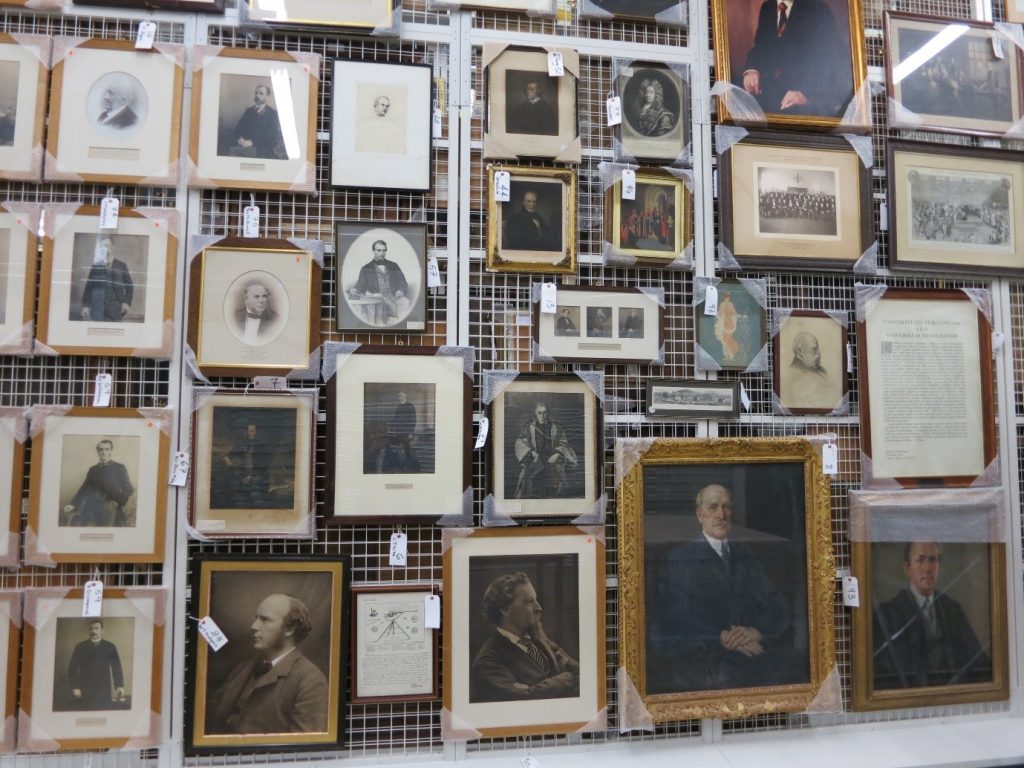
Just some of the amazing treasures held at the Research Reserve facility in the Team Valley.
You can also visit the off-campus Research Reserve facility in the Team Valley. Daily access is available by appointment only with the Research Reserve team, weekdays between 10AM and 4PM. Access outside of these hours can be organised given sufficient notice. There is a large car park available at the facility and buses stop nearby.
Full contact information, directions and opening hours for the Team Valley facility are available via the Library website.
Frantextis a French language corpus, and a useful research tool for French linguistics.
It contains the full text of 5,400 French language texts, mainly published between the 16th and 21st centuries (though there are some earlier works). 90% of the texts are literary (including novels, poetry and memoirs) with the rest being mainly technical in nature. It aims to represent the diversity of written French, and contains 256 million words.
Once you have accessed Frantext, click on Frantext intégral to access the full corpus, or Frantext démonstration to access a selection of 40 texts and explore how it works.
Top level menu
On the top menu, choose Corpus to view different corpora (for example, Old French) or create your own corpus: intégral will search the entire corpus.
Select Recherche to search for a word, or series of words (note the different search options in the sub-menu):
Recherche sub menu
Select Liste de mots to view or create a word list (for example, days of the week).
For more information about recent enhancements to Frantext, choose nouvelles fonctionalités from the home page.
The archive brings you the full content of this world-renowned weekly literary and arts publication, dating back to its first issue. For over a century, the TLS has published reviews, features, debates and original works from across the arts world, not to mention its legendary letters page!
Many of the world’s most notable writers and thinkers have contributed to the TLS over the decades, including T.S. Eliot, W.H. Auden, Seamus Heaney, Noam Chomsky, Virginia Woolf, Bertolt Brecht and Umberto Eco. Until 1974, contributions published in the TLS were often anonymous, but the digital archive now reveals the identity of all contributors.
To find out more about the TLS, click Research Tools to read a selection of essays about different periods of its history.
You can browse the TLS by date to find a specific issue, or search in various ways (choose Advanced Search to see all options, including searching by contributor, book title, or document type.)
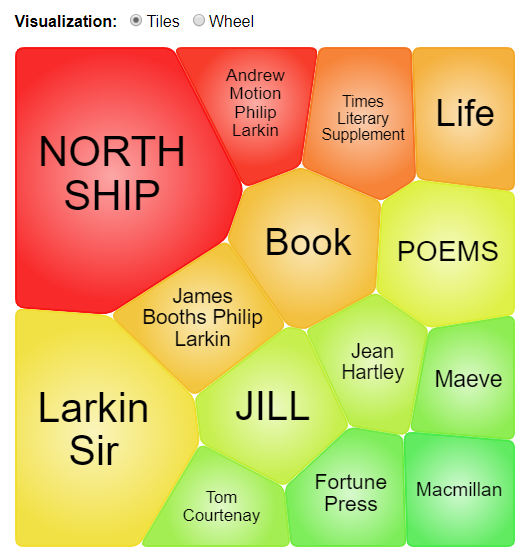
Additional search features on the home page include Term Frequency, to trace how often a word, phrase or person has featured in the TLS over the years, and Topic Finder, to explore and visualise connections between topics.
Topic finder
As the TLS archive is published by the company Gale, you can cross-search it with any of the other Gale archives to which we have access, via Gale Primary Sources.
Exams are a tricky time. Often you will be juggling different exams themselves, on top of other deadlines. However, we want you to know that you aren’t alone at this crazy time of year. We are here to help you through.
But how exactly can we help? Sadly, we can’t take go into the exam with you, or magically freeze time to give you more hours in the day, but do make the most of the following:
Library Help – the place to go when have a question via chat, email, text, twitter, Facebook. Or alternatively search our Frequently Asked Question (FAQ) database.
Librarians – yes you heard right. Book a one-to-one appointment to get the best out of the University Library resources. Also remember our staff in every library are friendly and approachable. There is no such thing as a silly question, so ask away!
Study Space– The University Library has a range of different study rooms and spaces to suit your needs.
24/7 – The Philip Robinson Library is open 24/7 during the exam period. We want you to sleep and get enough rest, but if you do need to study through the night, we are here.
Subject guides – we have a range of subject guides put together by expert librarians which draw together all the main resources for your studies.
Be well@NCL collection – we don’t just have books for study. This new collection includes tried and tested books that support your wellbeing.
The Library has subscribed to Drama Online for several years. This resource contains the text of over 2,200 international plays, from ancient to contemporary, together with contextual resources. It’s likely to be of interest to anyone studying literature, languages (ancient to modern), film studies and media.
We’ve recently upgraded our subscription to include the 2018/19 top-ups of the Nick Hern Books collection and the Core Collection (featuring plays published by Bloomsbury and Faber), giving us access to an additional 150 plays.
All the plays are individually catalogued and searchable via Library Search, or you can search/browse them all in various ways on the Drama Online site.
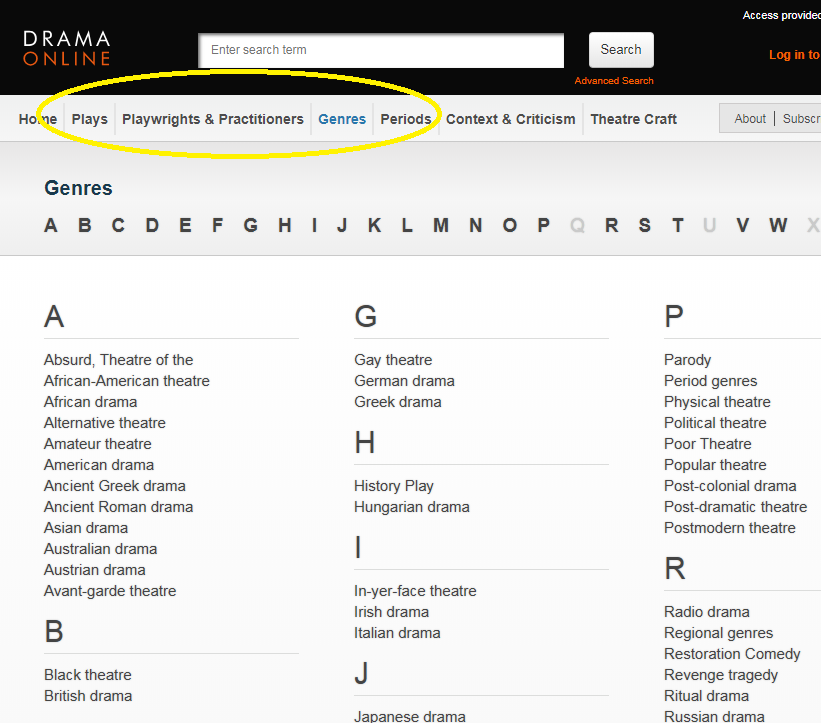
For example, using the options at the top of the screen, you can browse by title, author, genre and time period, or if you click Find Plays on the home page, you can add in other search filters, such as number of roles or scenes. Select Context and Criticism for access to a wide range of e-books about drama.
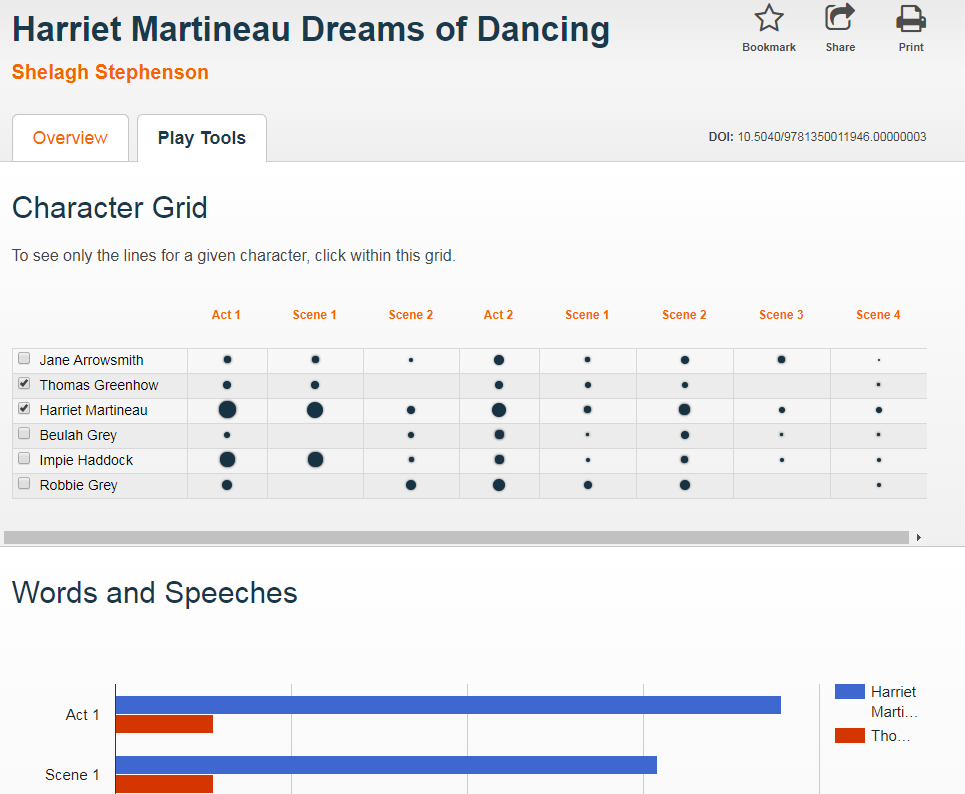
When viewing a play text, click Play Tools to analyse the speaking parts and appearances of different characters throughout the play.
Finally, follow @dramaonlinelib for news and features about this fantastic resource!
If you use any of our historic newspaper and periodical archives which are published by Gale, you’ll notice they have recently upgraded their platform.
There is no change to the content, but you should notice a more unified design on the search pages, together with improvements to the display of search results, plus new search tools, including ‘topic finder’ and ‘more like this’. You can also use ‘term frequency’ on all Gale databases to analyse the use of a particular term over time.
The following collections are affected:
British Library Newspapers; Burney Newspapers; Eighteenth Century Collections Online; Nineteenth Century UK Periodicals.
Together with these individual archives:
Picture Post; Punch; The Daily Mail; The Economist; The Financial Times; The Independent; The Listener; The Sunday Times; The Telegraph; The Times; The Times Literary Supplement.
They are all individually catalogued on Library Search, or you can find quick links to them all (plus resources from other publishers) on our historic news guide. If you would like to search across several Gale resources at once, search Gale Primary Sources.
Where can I get more advice about searching historic newspapers online?
The content remains the same, but you should note various improvements to the interface. Key changes include:
Additional search and filter options.
The new platform adapts fully to all devices, including phones and tablets.
Improved viewing of results, with larger thumbnails and images.
Text Creation Partnership transcriptions are now included.
Improved export and personalisation options.
You can now cross-search EEBO with other Proquest content, such as Early European Books.
You will still be able to access the old EEBO platform until the end of June 2020, but we would encourage you to familiarise yourselves with the new platform as soon as possible.
Find out more about the new platform, together with further enhancements planned for early 2020, on the Proquest EEBO site or for more detail, visit the EEBO lib guide.
The official blurb on EndNote is
that it is “…the industry standard software tool for publishing and managing
bibliographies, citations and references.”
Have you drifted off yet? Don’t – read on!
EndNote takes a little getting used to
and we recommend you familiarise yourself with it at the start of your research
process. But as Library Staff, we wouldn’t spend a
significant amount of time demonstrating and training our academic staff and
students on what EndNote is, and how to use it, if we didn’t think it was
valuable. It will save you a huge amount of
time in terms of writing up your assignments.
Essentially, you can use EndNote to
create and organise a personal library of resources relevant to your research.
You can import references from Library Search, and a huge range of databases such
as Scopus, Web of Science, IEEE Xplore and Business Source Complete. You can ask EndNote to locate
the full-text PDFs of the resources you are going to use in your research, and
you can annotate them as you wish too. Did you know you can instruct Google Scholar to
import references into EndNote? No? Try
it. Finally, if you already have materials stored in your home
folder (H:\) then you can attach them to a manually-created
reference within EndNote, bringing all your research together in one place.
In addition to organising your references (and this is the clever bit) you can then get EndNote to ‘talk’ to your word processing software, e.g. Microsoft Word, and insert the citations into your work for you in your chosen referencing style, e.g. Cite Them Right Harvard, Vancouver, APA or MLA. If you don’t want to do that, then EndNote will also allow you to create an independent bibliography of your references, saving you an awful lot of typing.
Using EndNote
Intrigued? You should be. Take a look at our EndNote Guide. It contains all the introductory information you need, step-by-step workbooks to train yourself on the use of EndNote (the Desktop and Online versions), videos, useful FAQs, and contacts for help, should you need it.
Finally, Newcastle University
provides support for EndNote but it is not compulsory to use. You may
prefer Mendeley, Zotero, RefWorks or another piece of bibliographic
management software. That’s fine, whatever makes your referencing lives easier. Go on, give them a try.
A common mistake made in referencing is grouping all sources
found online under the category and reference type of a website. Your aim
should be to reference the information you have in front of you rather than
where it was sourced. Simply grouping items found online as a website would be
the equivalent of referencing a book by the publisher details rather than the
author and title.
For example, a government publication found online would be referenced like this in Chicago:
United Kingdom. Department for Education. Cloud computing: how schools can move services to the cloud. London: The Stationary Office, 2016. Accessed: November 4, 2019. https://www.gov.uk/government/publications/cloud-computing-how-schools-can-move-services-to-the-cloud.
An electronic journal article might appear like this in APA:
Gillum, J. (2012). Dyscalculia: Issues for
practice in education psychology. Educational Psychology in
Practice, 28(3), 287-297. doi:10.1080/02667363.2012.684344
While a video posted on the Tate website would look something like this
in Harvard.
TateShots (2016) Grayson Perry: think like an artist. Available at: https://www.tate.org.uk/whats-on/tate-modern/talk/what-makes-artist-grayson-perry-conversation-sarah-thornton (Accessed: 11 November 2019).
Identifying the type of information you are using as well as the source, are essential skills of evaluation and developing a critical approach to information. In many cases you will be unconsciously using your judgment to assess the value of information for your purpose. So when you are using any source of information, ask yourself what it is you are looking at, what details are recorded about it and whether it measures up as a quality piece of information. You can find more information on evaluating information on the Academic Skills Kit.