
New resource: Westlaw Edge UK
Westlaw Edge UK. Is this a new resource? Possibly not by definition, but it is most certainly a significant enhancement within the existing Westlaw UK service.
Westlaw Edge UK (not to be confused with the Microsoft Edge browser) is available via the Law Subject Guide and Library Search within Westlaw UK. Once logged in with your Newcastle University Campus ID and password you will find the tools available to help you keep currently aware and able to anticipate change – skills which are incredibly important to develop as a law student to be carried into your legal career.
These tools include:
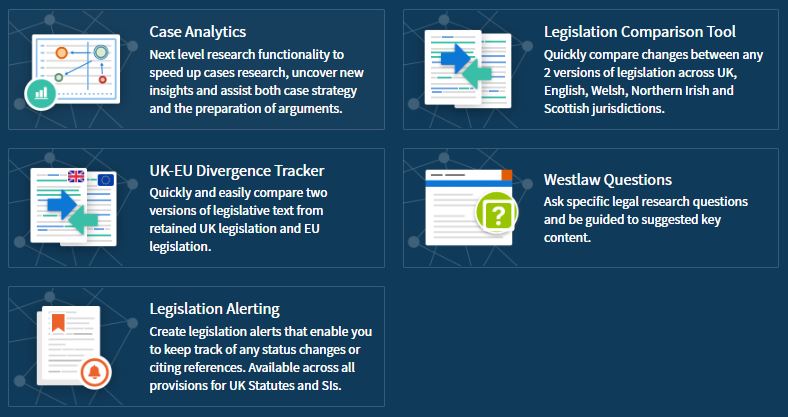
With inclusion of an interactive precedent map within Case Analytics to easily locate relevant cases…
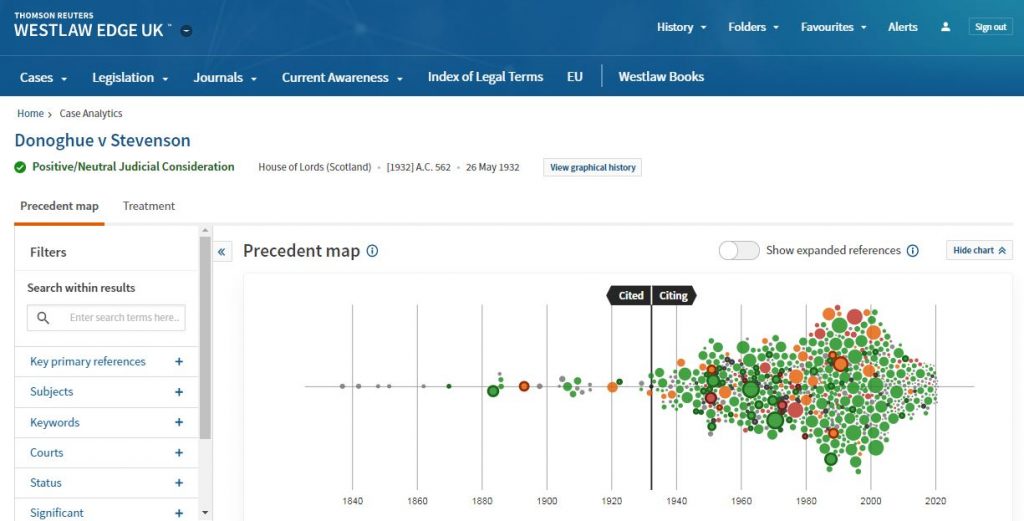
…and the UK-EU Divergence Tracker to assist with analysing the legal implications of Brexit, it’s even easier to carry out effective and efficient legal research.
You can go beyond search results lists with AI-suggested relevant research and resources tailored to your needs. Skynet hasn’t got a look in. Go on, don’t be slow. Lose yourself in Westlaw Edge UK and get ahead.

New dataset – Digimap Pilot
A new dataset is now available within Digimap called the Pilot Collection. This provides temporary access to data that EDINA are trying out and want feedback from users. This means the data will be replaced with other data sets over time as new sets become available.
Digimap Pilot is free for staff and students at current subscribing higher and further education institutions and research councils. All you will need to do is to accept the end user licence agreement which is available when you log into Digimap with your Campus ID and password. As these datasets will change regularly then you’ll need to re-accept each new licence agreement as sets are replaced.
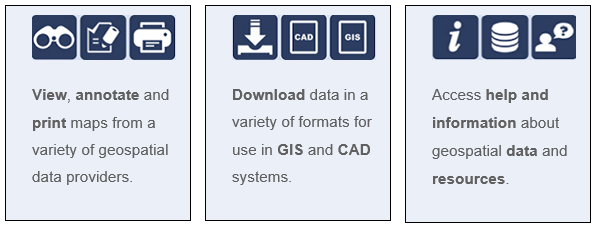
Digimap Pilot comprises two applications, one for creating maps online, the other for downloading data which enables further analysis and investigation in other packages:
- Use Roam to view, annotate and print maps online.
- Use Data Download to download data and load it into a GIS or CAD package for further manipulation
As of April 2020, Pilot currently offers access to the following data.
Geomni data which consists of:
- UKMap a modern, highly detailed, feature-rich mapping database of Greater London. Its unique, innovative design offers users a flexible choice of integrated map features within a single geographic information source. It comprises addresses, retail names, detailed shopping centre data, building heights, a wide range of points of interest, aerial photography, together with Digital Terrain and Surface Models.
- This one dataset has different components for Greater London. This includes UKMapLondon which provides aerial imagery with a resolution of 10cm, UKMap Upper Floors which shows more granular information e.g. which shops are on different floors of shopping centres, UKMap Tree Canopy which indicates tree canopies.
- UKBuildings a unique database created and regularly updated to help you understand the age, structure, characteristics and use, of commercial, public and residential buildings across the UK.
- UKLand a maintained, national land information database providing a detailed consistent breakdown of the use of land across the UK. There are 30 different land classes available e.g. woodland, water features, transport and commerical.
An EDINA Satellite data collection initially consisting of:
- Sentinel 2 derived cloud free optical mosaic for Great Britain, 2019.
- Sentinel 2 derived Near Infrared mosaic for Great Britain, 2019.
These 2 sections are currently available until the 31/07/2020.
Within the Pilot Data Download section you’ll also find some useful product information such as where the data comes from, it’s availability and sizing and Copyright information.
If you’re using mapping data already you might want to use this in conjunction with GIS if you’re manipulating or working with the data. Or doing a comparison to other maps you might have found freely available e.g. Google Maps.
Resource on trial: Westlaw student textbooks

We are pleased to announce we have trial access to Westlaw’s student textbooks, in addition to the standard Westlaw All Books collection we use on a daily basis.
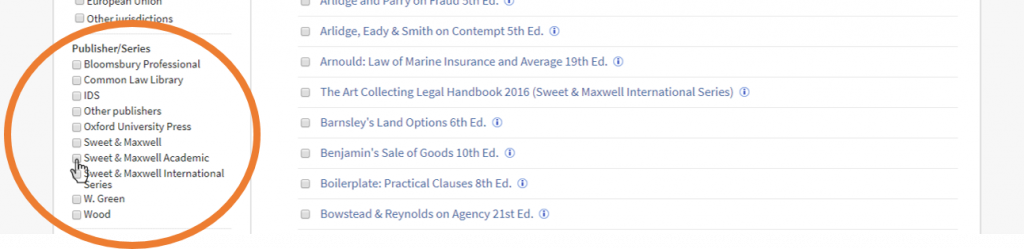
The Sweet & Maxwell Academic collection gives access to an additional 19 titles to support studying at home during this pandemic. Titles include Winfield & Jolowicz on Tort, Treitel on the Law of Contract, Megarry & Wade on the Law of Real Property and Elliott & Wood’s Cases and Materials on Criminal Law, among others.
To access this content, log into Westlaw and click on Books in the menu at the top of the page.
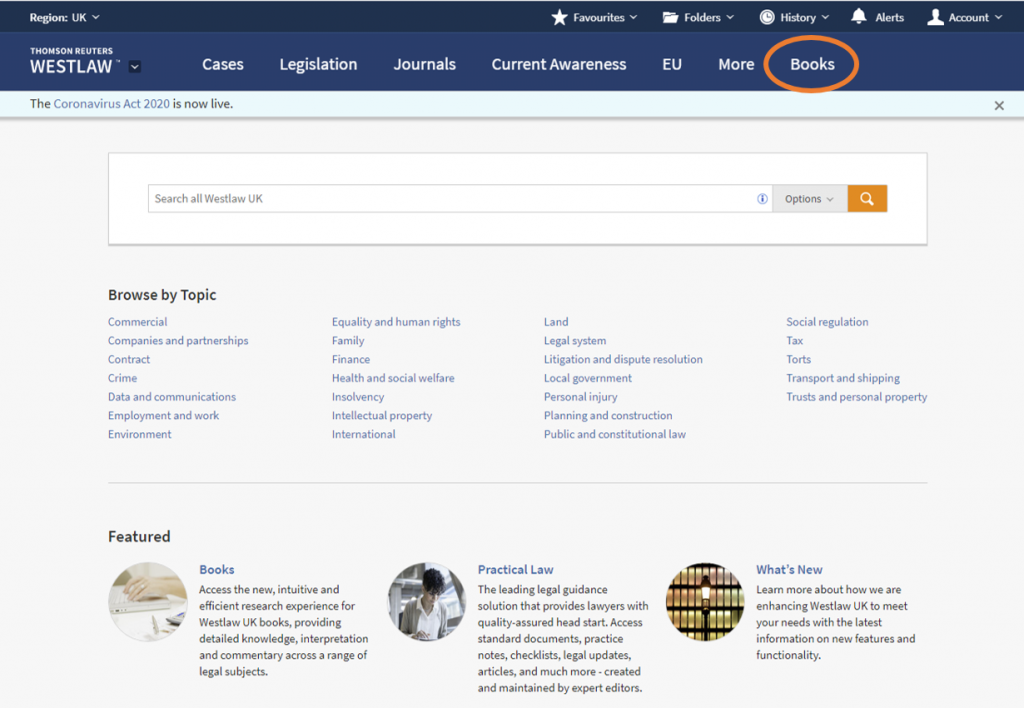
If you know the book you are looking for, search by a title keyword, e.g. tort.
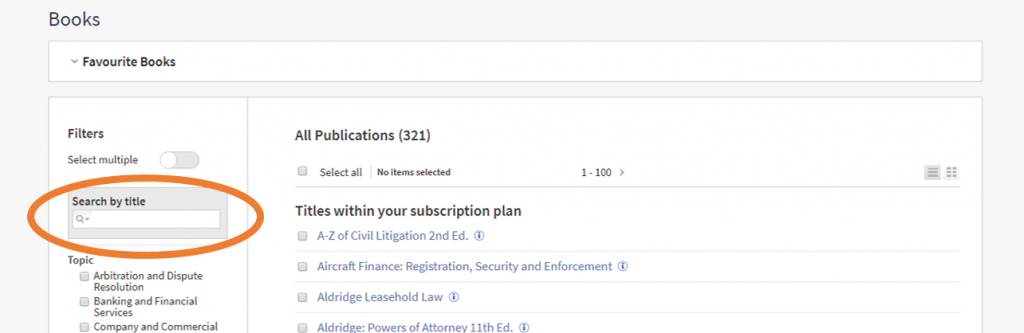
If you want to browse these student-focused books, use the filters on the left-hand side of the screen. Scroll down and select ‘Sweet & Maxwell Academic’.
We hope you find this additional access to Westlaw useful; please leave feedback or contact libraryhelp@ncl.ac.uk you want to get in touch. The temporary access ends on May 27th 2020.
17 useful online resources for architecture essays.
1. Online resources in Library Search
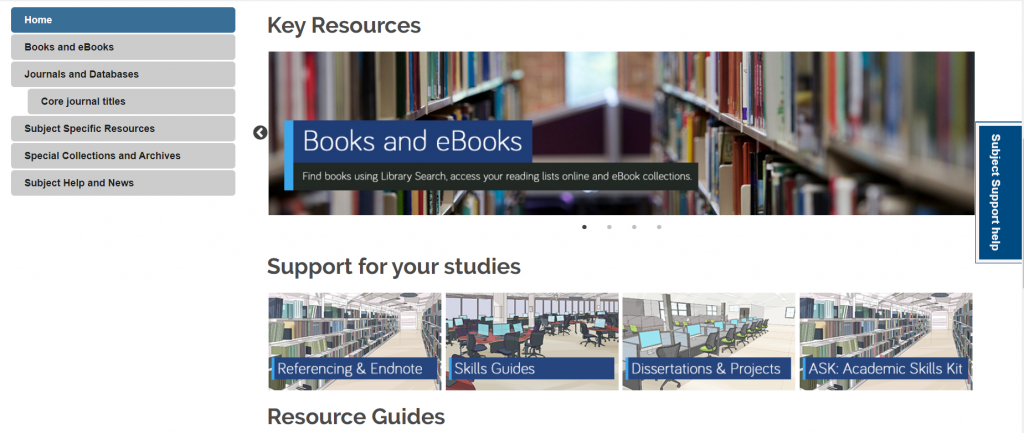
You can access the full collection of ebooks, electronic journals and professional magazines, newspapers, conferences and more, from Library Search.
Additional ebook titles are being added to the collection every day while we are all working remotely. Search by author, title or keyword to find books to help you with your essay topic.
We’ve put together a page of tips and help videos all about Library Search on our finding information skills guide
2. Your Subject Guide
The Subject Guide for Architecture, Planning and Landscape draws together in one place, the resources available from the library to help you with your academic and design work. Use the Journals and Database page to access subject databases such as Avery and Building Types Online.
The Subject Specific Resources page gives you a curated list of good quality image and buildings websites which will be great to reference in your essays.
You can contact the Liaison Team for one-to-one support or send your questions to Library Help, where there are staff logged into our live chat service, 24/7.
Between Library Search and your Subject Guide, you will be able to find excellent information to use in your essay, but there are many other resources you may want to try.
3. RIBA ebooks
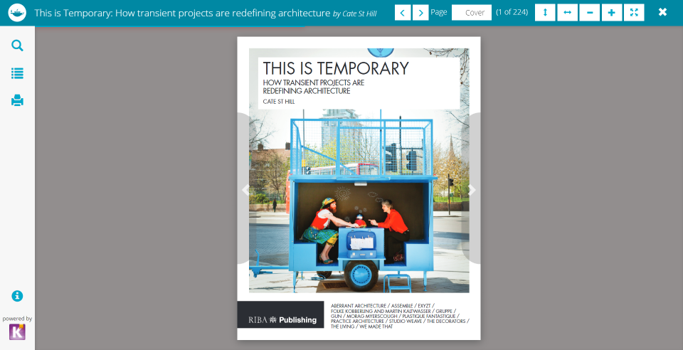
The Library recently purchased 89 ebook titles, available through a partnership between RIBA and Taylor & Francis. You can access the RIBA ebooks in Library Search when books match your keywords, or you can find a full list on this blog post.
4. Building Types Online
Find excellent quality building examples for your academic work. The database includes case studies, articles, essays, building plans and photographs for different building types and construction methods. You can find out more about
5. Avery Index to Architectural
Published by the Getty Research Institute, the index is a comprehensive American guide to the current literature of architecture and design. It surveys more than 2,500 international journals and provides nearly 13,000 citation records for architects’ obituaries. Some of the articles have full-text attached, while others will link using the Find@Newcastle University button to take you back to Library Search to access the full-text if we have it.
You can filter your results to scholarly journals or the wider professional collection.
6. Art and Architecture Archive
A full text, full colour archive of 25 art and architecture magazines from the 19th to 21st centuries. You can search across the whole archive or individual magazines.
7. Architects Journal Buildings Database
The AJ Buildings Library is a digital database that showcases more than 1,900 exemplar projects, most from the last 20 years but including major projects back to 1900.
When accessing the database for the first time, you will need to set up an account using your Newcastle email on the Architects Journal website. Click on Sign In at the top left of the homepage, and then register, to complete the form. You will be able to log in to the Buildings Database.
You can search for projects by age, cost, architect, building type, footprint, location, and a combination of these. Each project featured in this digital database includes full project data (more than 20 items of information) and comprehensive architectural photographs and drawings (plans, elevation, section) – all provided at high resolution.
Drawings can be downloaded and printed out to their original scale. Vector pdfs and CAD files are not available for download and all copyrighted images are protected.
8. Box of Broadcasts
Box of Broadcasts can be used to access TV and radio broadcasts from over 65 channels, including most of the UK’s freeview network, all BBC TV and radio content from 2007, and several foreign language channels. It’s a great resource to use to find documentaries or critical opinions.
You can view archived programmes, record new ones, create clips and playlists and see transcripts to help with citation and translation. You can also search for other user’s public playlists to help you in your own search.
Unfortunately, Box of Broadcasts is not available outside the UK.
9. JSTOR
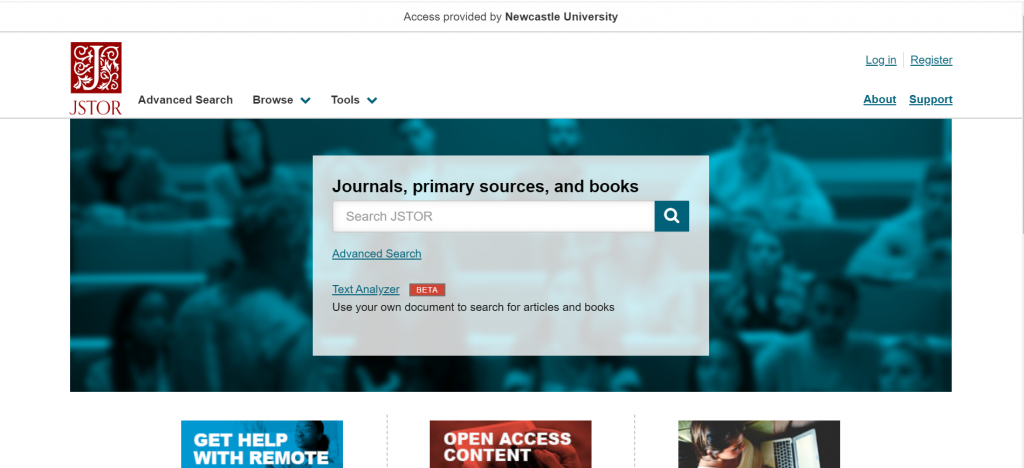
JSTOR is a full-text collection, giving you online access to scholarly journals, books and book chapters in the arts, humanities, and social sciences.
It has basic and advanced search options that allow you to search by topic keyword, author, subject area, title or publisher
10. ArchDaily
ArchDaily is a great resource that provides news and information from around the world on all aspects of architecture. Founded in 2008, is is one of the biggest and most popular architecture websites in the world.
You can keyword search across the website, or use the browse options to find information about hot topics, different types of architectural project. The interviews section is well worth exploring.
11. Internet Archive
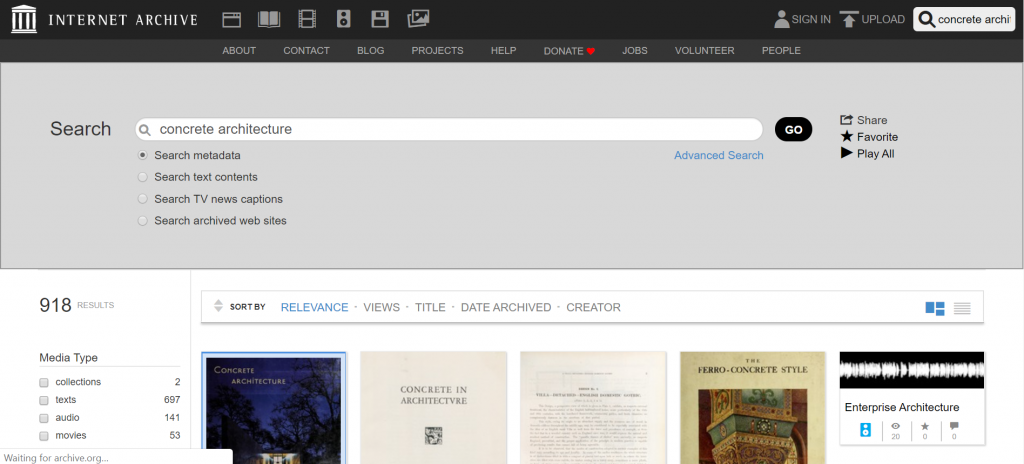
Internet Archive is a non-profit library of millions of free books, videos, music, websites, and more. You can do a simple keyword search around your topic area, and refine by the information type. Or search within the ebooks for specific titles.
12. US Modernist Library
The US Modernist Library is the world’s largest open digital collection of major US 20th-century architecture magazines with approximately 2.7 million downloadable pages – all free to access. You can search for a specific modernist house, search by architect, original owner or keyword.
13. RIBApix
RIBA’s image library of over 100,000 photographs and drawings
from the RIBA Collections, available to view, buy and download. Many of the images are protected by copyright so will need to be used with caution.
14. Architectural Association photo Library
With over 8,000 images, the slides, negatives and prints of historical and contemporary architecture are all available in low resolution for educational purposes. It also includes photographs of work produced by students at the School of Architecture since the 1880s, as well as a video archive for its lectures, conferences, and seminars.
15. Pathé Newsreel Archive
Access over 85,000 high res videos on the British Pathe Youtube channel. The archive contains films produced from 1910 to 1970, and covers all sorts of subjects relating to architecture. Watch features on the construction of the Empire State Building, Frank Lloyd Wright’s Johnson Wax Building, Le Corbusier’s Couvent de la Tourrette, and Montreal’s Expo’ 67 and the construction of Buckminster Fuller’s geodesic dome.
16. archINFORM
This is the largest online-database about worldwide architects and buildings, including information about more than 81,000 built and unrealised projects. The information varies for each project but includes images, commentary, drawings and links to references to read more about the project.
You can search the database using your topic keywords, or by architect, building name or location.
17. Construction Information Service
CIS is produced jointly with the National Building Specification (NBS) especially for architects, civil and structural engineers, building control officers, building services engineers and other professionals in the construction industry. It provides industry information and legislation, along with full-text access to key professional publications, including Architects Journal.
The full-text documents cover all aspects of the building, engineering, design and construction process.
Resource in Focus: RIBA eBook collection
We have 89 eBook titles available through a partnership between RIBA and Taylor & Francis. We like them as they are available on a unlimited DRM free model.
All titles are available through our catalogue, Library Search.
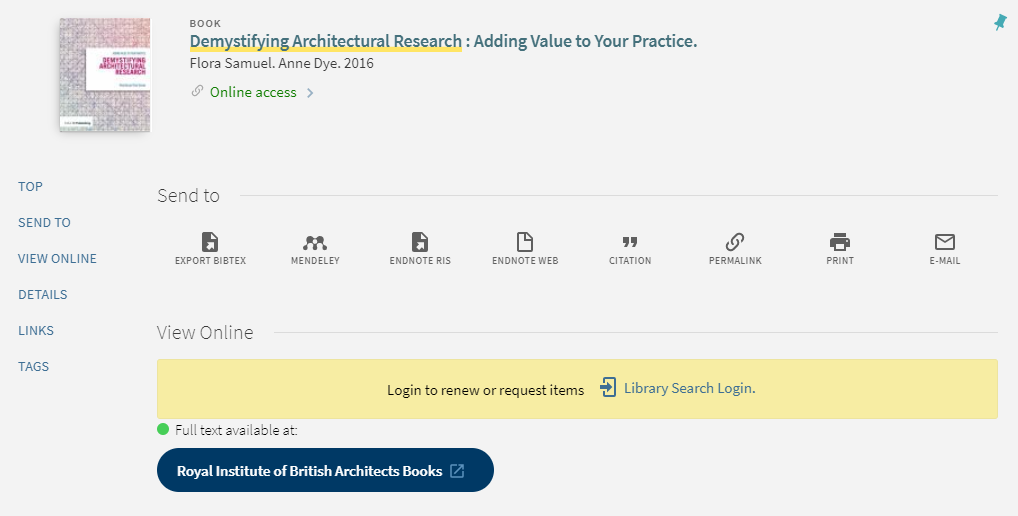
Follow the links to the platform which supply that title e.g. the large blue button to the “Royal Institute of British Architects Books”
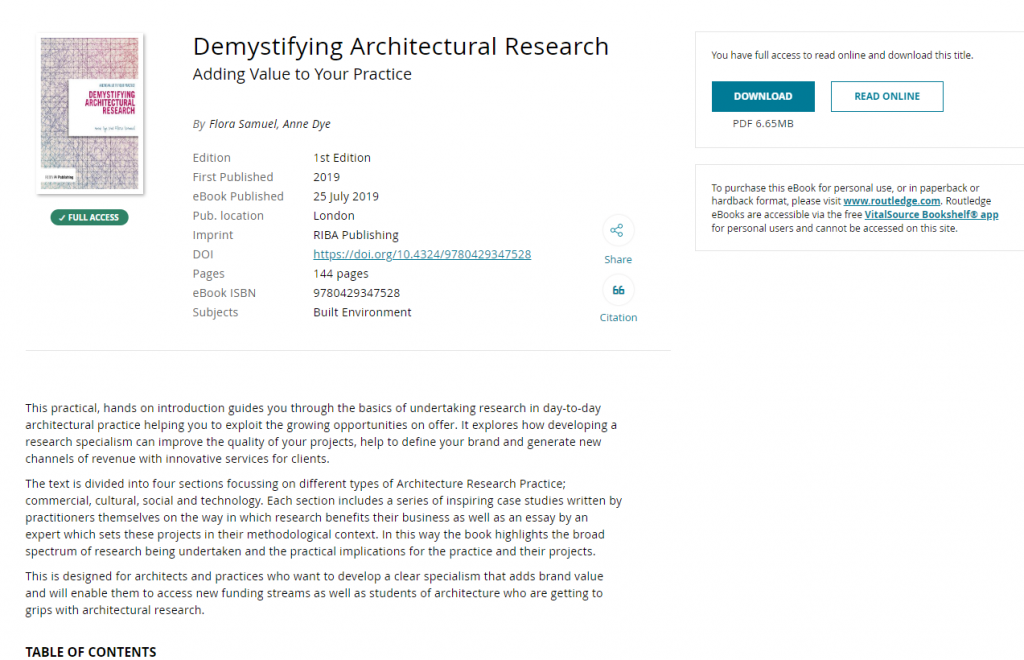
Once you are transferred to the Taylor and Francis platform you will see options to navigate to specific chapters or content, download read online. Once you’re inside the eBook then you can keyword search, make the text size larger/smaller or jump into chapters.
The full list of titles includes :
| 101 Rules of Thumb for Low Energy Architecture |
| 101 Rules of Thumb for Sustainable Buildings and Cities |
| 20/20 Visions |
| A Gendered Profession |
| Age-friendly Housing |
| An Architect’s Guide to Public Procurement |
| An Introduction to Architectural Conservation |
| An Introduction to Passive House |
| Architect’s Guide to NEC4 |
| Assembling a Collaborative Project Team |
| Automatic for the City |
| Avoiding and Resolving Disputes |
| Being an Effective Construction Client |
| Better Buildings |
| BIM Demystified |
| Biomimicry in Architecture |
| Briefing |
| Building Condition Surveys |
| Building in Arcadia |
| Building Revolutions |
| CDM 2015 |
| Chinese Urban Transformation |
| Climax City |
| Commercial Client’s Guide to Engaging an Architect |
| Competition Grid |
| Conservation |
| Construction |
| Contemporary Vernacular Design |
| Contract Administration |
| Creating Winning Bids |
| Demystifying Architectural Research |
| Design |
| Design for Biodiversity |
| Design for Climate Change |
| Design Management |
| Designed to Perform |
| Desire Lines |
| Domestic Client’s Guide to Engaging an Architect |
| Extensions of Time |
| Financial Management |
| Future Campus |
| Future Office |
| Future Schools |
| Good Office Design |
| Guide to JCT Design and Build Contract 2016 |
| Guide to JCT Intermediate Building Contract 2016 |
| Guide to JCT Minor Works Building Contract 2016 |
| Guide to JCT Standard Building Contract 2016 |
| Guide to RIBA Domestic and Concise Building Contracts 2018 |
| Guide to RIBA Professional Services Contracts 2018 |
| Guide to the RIBA Domestic and Concise Building Contracts 2014 |
| Guide to Using the RIBA Plan of Work 2013 |
| Happy by Design |
| Health and Safety |
| How Buildings Work |
| HR for Creative Companies |
| Information Exchanges |
| Lead Designer’s Handbook |
| Light in Architecture |
| Loft Conversion Handbook |
| Mediated Space |
| Mobilising Housing Histories |
| New Design for Old Buildings |
| Planning, Politics and City-Making |
| Principal Designer’s Handbook |
| Re-readings: 2 |
| Rescue and Reuse |
| Residential Retrofit |
| Retrofit for Purpose |
| Retropioneers: Architecture Redefined |
| Revisiting Postmodernism |
| Revolution |
| Small Practice and the Sole Practitioner |
| Social Housing |
| Starting a Practice |
| Sustainability |
| Sustainable Building Conservation |
| Targeting Zero |
| The Art of Building a Garden City |
| The BIM Management Handbook |
| The Design Companion for Planning and Placemaking |
| The Re-Use Atlas |
| This is Temporary |
| Town Planning |
| Urban Lighting for People |
| Wellbeing in Interiors |
| What Colour is your Building? |
| Wheelchair Housing Design Guide |
| ZEDlife |
GUEST POST – OFF THE SHELF
Hi! I’m Caitlin, a final year law student and law library aide – and by now I’m used to the stress of exams and deadlines.
I tried the ‘poetry-pick me up’ after going into the common room for a revision break.
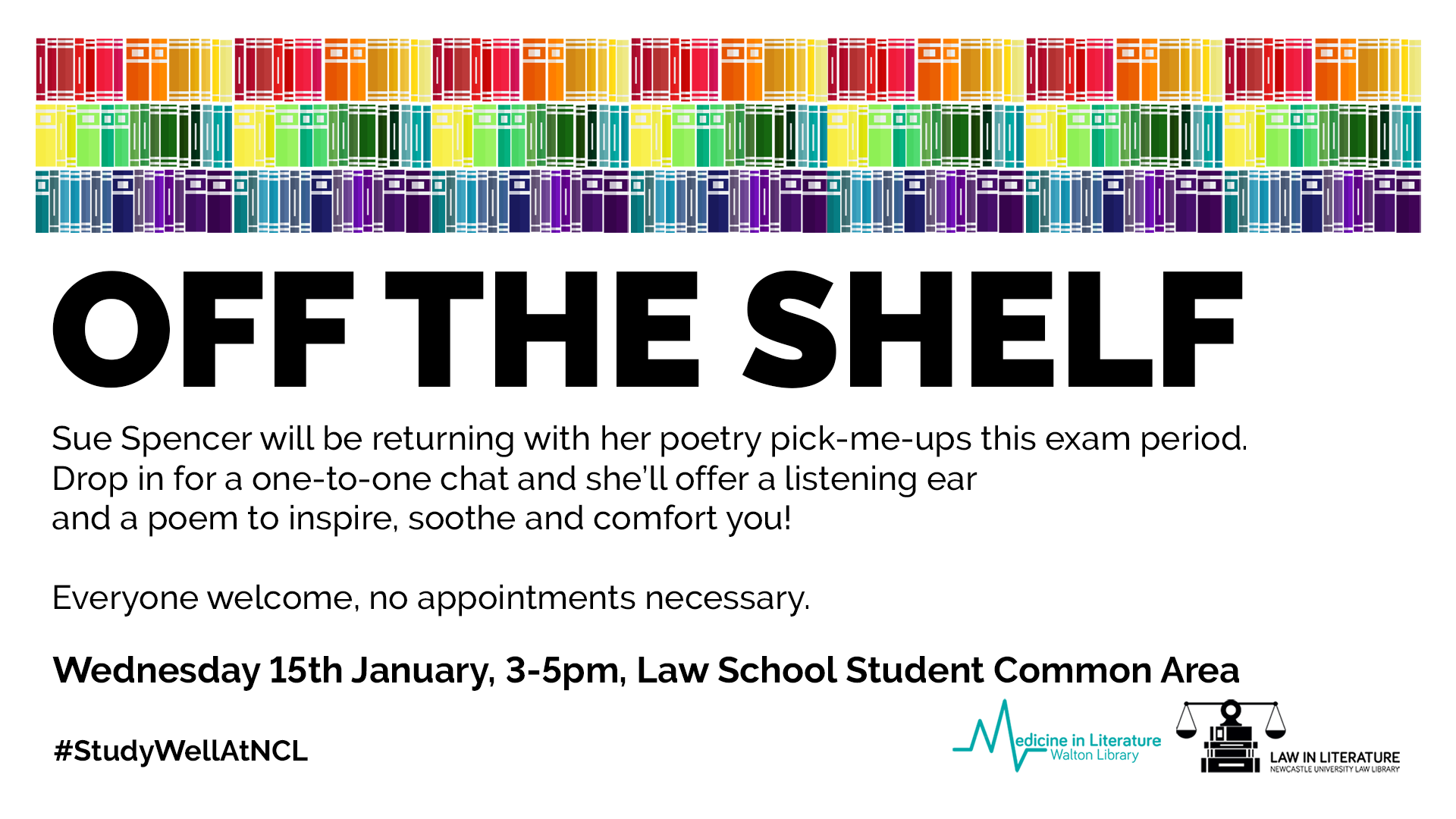
I stumbled across Sue (@kind_curious) in the Law School Student Common Room, where she asked, ‘do you want a poem?’. Not really knowing what to expect, I had to overcome a bit of social awkwardness! I was surprised by Sue’s passion and love of poetry, which was clear in the way she spoke about how she’d used poetry in the NHS before and it was what she enjoyed most.
I was asked questions about my current stress levels and how I was feeling with exams, and how I dealt with stress. I told her that when I get stressed I talk even more than usual, which for anyone who knows me sounds like I’m going at a million miles an hour, and she suggested something that would relax me.
I laughed as I saw no signs of chocolate or Netflix – my usual go to relaxation strategies.
Instead she said I needed something like a lavender bubble bath – again I saw no sign of a bubble bath in the Law School and I’d yet to find one in the Dungeon.
She picked out two poems that would make me feel like the relaxing in lavender: she suggested ‘Sonnet’ by Elizabeth Bishop and Shennagh Pugh’s ‘What if This Road’.
What if this road reminded me of Robert Frost’s ‘A Road Not Taken’, and was great for me as a an indecisive person. It was matched perfectly to the questions that Sue had asked me, as I read it as a ‘roll with it’ approach to life, which is definitely needed to cope with exams and deadline stress.
The second poem, Bishop’s ‘Sonnet’, had great visualisation techniques, almost like a meditative poem – which was spot on to turn off the stress and slow everything down!
The experience was a great switch off from deadline stress, and a great use of the 10 minutes which I’d usually scroll through twitter or Instagram. It was something different, and really quite unique and relaxing, which I would definitely recommend to help have a break from any exam and deadline stress!
Resource in focus: Historic Digimap
Who doesn’t like maps?
Historic Digimap is an online map and data delivery service, available to all staff and students of Newcastle University. It delivers access to historical Ordnance Survey maps of Great Britain dating from 1846-1996 across various scales, including 1:25,000 and 1:10,650.
If you are a first time user of Digimap then you will need to complete a brief registration form and agree to the license agreements for each collection, but that takes seconds and then you’re ready to go!
If you want to ‘roam’ through the ages in an area, then you can use the timeline tool to see how the landscape has developed through the years, or view two maps side-by-side to compare and contrast your findings. Imagine looking at the Newcastle University Campus and seeing what used to be on the site before buildings such as the Henry Daysh Building, Stephenson Building and Philip Robinson Library graced us with their facilities!
Once you have your area of interest, the Roam service will allow you to view, annotate and print the map in PDF format. Data Download will allow you to download OS data for use in GIS/CAD (if you wish!).
The full scope of what Historic Digimap (and the other collections available to you including Ordnance Survey, Geology, Marine, Environment, Aerial, Lidar and Improvement Service) are covered in EDINA’s comprehensive Help service:
(Improvement Services is an organisation dedicated to the improvement of local government services in Scotland. This data collection comprises of 37 local authority datasets, such as planning applications, green belts and school catchment areas. A wealth of information, who’d have thought.)
Go on, give it a try! But please do read EDINA’s Digimap FAQs on what you are permitted to do with the data you use, to ensure you comply with the educational use licence.
Waltzing with EndNote
What is EndNote?
The official blurb on EndNote is that it is “…the industry standard software tool for publishing and managing bibliographies, citations and references.”
Have you drifted off yet? Don’t – read on!
EndNote takes a little getting used to and we recommend you familiarise yourself with it at the start of your research process. But as Library Staff, we wouldn’t spend a significant amount of time demonstrating and training our academic staff and students on what EndNote is, and how to use it, if we didn’t think it was valuable. It will save you a huge amount of time in terms of writing up your assignments.
Essentially, you can use EndNote to create and organise a personal library of resources relevant to your research. You can import references from Library Search, and a huge range of databases such as Scopus, Web of Science, IEEE Xplore and Business Source Complete. You can ask EndNote to locate the full-text PDFs of the resources you are going to use in your research, and you can annotate them as you wish too. Did you know you can instruct Google Scholar to import references into EndNote? No? Try it. Finally, if you already have materials stored in your home folder (H:\) then you can attach them to a manually-created reference within EndNote, bringing all your research together in one place.
In addition to organising your references (and this is the clever bit) you can then get EndNote to ‘talk’ to your word processing software, e.g. Microsoft
Word, and insert the citations into your work for you in your chosen referencing style, e.g. Cite Them Right Harvard, Vancouver, APA or MLA. If you don’t want to do that, then EndNote will also allow you to create an independent bibliography of your references, saving you an awful lot of typing.
Using EndNote
Intrigued? You should be. Take a look at our EndNote Guide. It contains all the introductory information you need, step-by-step workbooks to train yourself on the use of EndNote (the Desktop and Online versions), videos, useful FAQs, and contacts for help, should you need it.
Finally, Newcastle University provides support for EndNote but it is not compulsory to use. You may prefer Mendeley, Zotero, RefWorks or another piece of bibliographic management software. That’s fine, whatever makes your referencing lives easier. Go on, give them a try.
Strictly Referencing: When is a website not a website?

A common mistake made in referencing is grouping all sources found online under the category and reference type of a website. Your aim should be to reference the information you have in front of you rather than where it was sourced. Simply grouping items found online as a website would be the equivalent of referencing a book by the publisher details rather than the author and title.
For example, a government publication found online would be referenced like this in Chicago:
United Kingdom. Department for Education. Cloud computing: how schools can move services to the cloud. London: The Stationary Office, 2016. Accessed: November 4, 2019. https://www.gov.uk/government/publications/cloud-computing-how-schools-can-move-services-to-the-cloud.
An electronic journal article might appear like this in APA:
Gillum, J. (2012). Dyscalculia: Issues for practice in education psychology. Educational Psychology in Practice, 28(3), 287-297. doi:10.1080/02667363.2012.684344
While a video posted on the Tate website would look something like this in Harvard.
TateShots (2016) Grayson Perry: think like an artist. Available at: https://www.tate.org.uk/whats-on/tate-modern/talk/what-makes-artist-grayson-perry-conversation-sarah-thornton (Accessed: 11 November 2019).
Identifying the type of information you are using as well as the source, are essential skills of evaluation and developing a critical approach to information. In many cases you will be unconsciously using your judgment to assess the value of information for your purpose. So when you are using any source of information, ask yourself what it is you are looking at, what details are recorded about it and whether it measures up as a quality piece of information. You can find more information on evaluating information on the Academic Skills Kit.