We’ve decided we like this platform so much we have created a short 4 minute video highlighting it’s key features, how to access and search.
On the platform you can choose to search or browse by theme or use interactive features such as the visual timeline and world map. The timeline puts the world’s key buildings and architectural history in perspective. It provides context for movements, themes and periods throughout 5,500 years of history.
Users can click on the images to discover more, with links through to the Building Pages and in-depth reading via reference articles and book chapters.
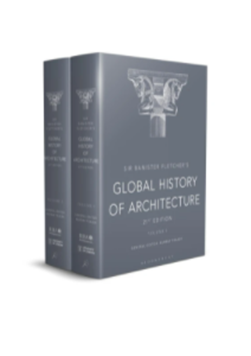
The resource contains Sir Banister Fletcher’s Global History of Architecture 21st edition. This covers 5,500 years of architecture right up to the present day. From abacus to ziyada, the Sir Banister Fletcher Glossary contains over 900 key architectural terms, clearly explained and defined. The glossary covers a complete range of technical, design, and historical terms, including non-English language vocabulary, and serves both as a core reference resource and an invaluable primer to enhancing the reader’s understanding of global architectural history.
There are descriptions of major buildings together with 2,200 photographs, drawings and building plans.
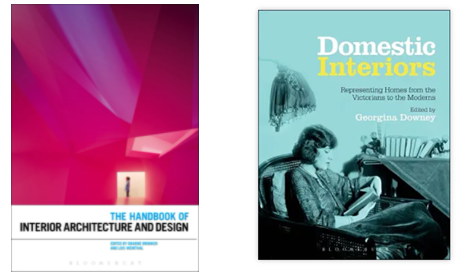
The platforms also contains 42 eBooks.
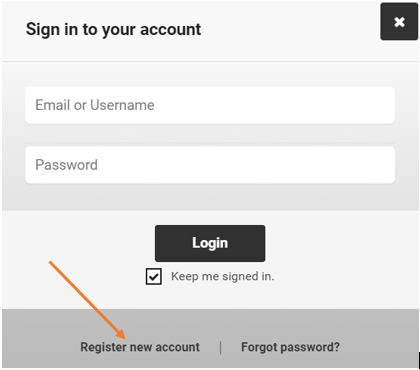
We like this resource as there’s no Digital Rights Management, you can create your own log in to bookmark or save content and there are lots of options to search so easy if you’re looking for geographical information or from a specific date range or keyword or topic or person.
The AJ Buildings Library is a digital database that showcases more than 1,900 exemplar projects, most from the last 20 years but including major projects back to 1900.
This is a core resource for the School of Architecture, Planning and Landscape.
You can search for projects by age, cost, architect, building type, footprint, location, and a combination of these.
We like it as each project featured includes full project data (more than 20 items of information) and comprehensive architectural photographs and drawings (plans, elevation, section) – all provided at high resolution.
This 3 minute video covers:
How to set up an account on the AJ website so that you can access Buildings
How to access and log in
How to search
To access for free you will need to set up an account first.
We’re delighted to welcome a guest blog post from Leanna Thomson. Leanna is a second year undergraduate English Literature student, and a blogger for the School of English Literature, Language and Linguistics.
Leanna Thomson
“This semester, I studied the module ‘Independent Research Project Preparation’, which included a guest lecture from the Library all about their resources. I found the information about databases so useful that I wanted to share it with students outside of the module, because I think it could really revolutionise their remote learning! I hope you find these resources as useful as I did.”
Our top eight sites for finding secondary and specialist sources
The search for relevant, high quality secondary sources to reference in your assignment can seem like a challenge, especially during remote learning. Sometimes your online search can yield so many texts that you don’t know where to start; other times you struggle to find anything at all. However, our top online database picks will help you find the perfect text in no time! All you have to do is use Library Search or your library subject guide to access the databases.
1. Library Search
A search on the University library catalogue, Library Search, not only fetches up results from the Library’s huge range of books, articles, newspapers, audiovisual content and more, many of which you can either access online or order for click and collect or home delivery. It will also find papers from the hundreds of journals and databases that the Library subscribes to, including both interdisciplinary and SELLL specific titles. Library Search also has advanced search setting and filters, which can help you find exactly what you need. You can also access specialised guides about finding secondary sources for your subject.
2. Literature Online (LION)
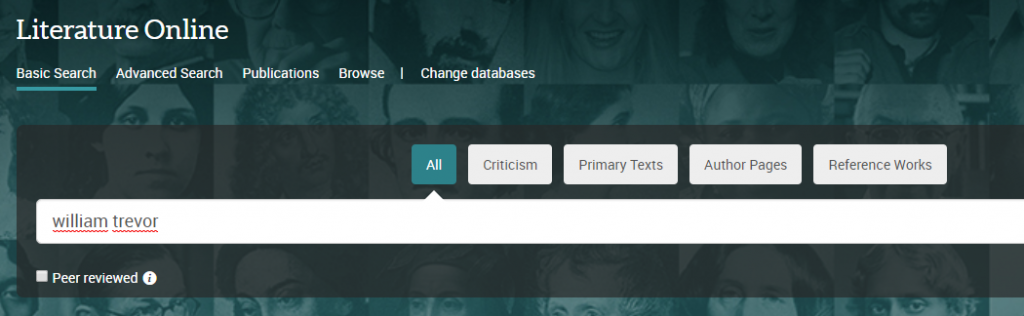
LION is a literature-specific database, perfect for seeking content such as literary criticism, works of literature to use as comparisons to your primary texts or enforcements of your argument, reviews, periodicals and audiovisual content, to name but a few of its elements. Its advanced search engine can be modified so that it only finds what you are looking for, and it is a perfect database to turn to when you can’t find quite enough literary-focused content on your topic.
3. JSTOR
JSTOR offers full text online access to scholarly journals, books and book chapters across all subject areas. It has basic and advanced search options that allow you to search by topic keyword, author, subject area, title or publisher.
You can also download JSTOR texts as pdf files, meaning you can store them on your computer or print them off.
4. Linguistics and Language Behavior Abstracts (LLBA)
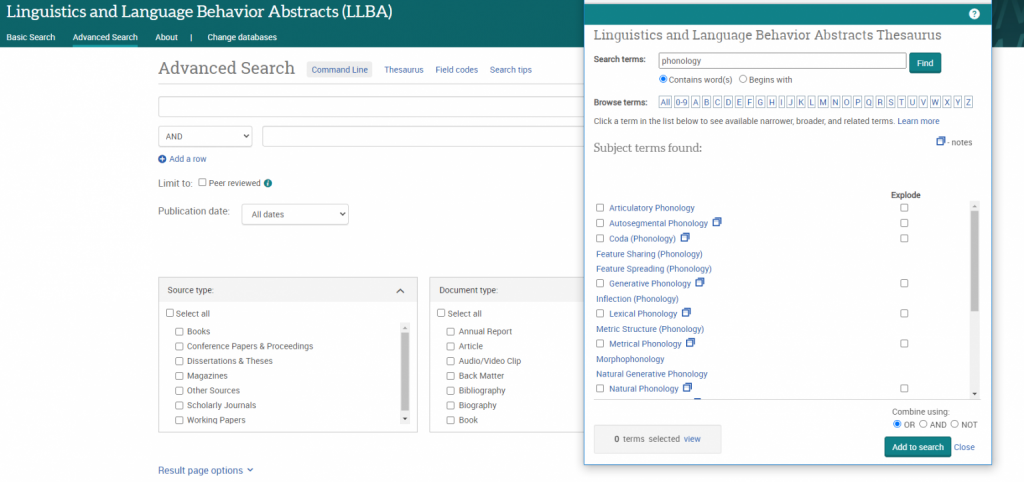
LLBAfocuses on academic resources for the study of language: including phonetics, phonology, morphology, syntax and semantics, and descriptive, historical, comparative, theoretical and geographical linguistics.
LLBA thesaurus
It also features a specialised linguistics thesaurus, which you can use in advanced search to refine and focus your search. The thesaurus provides a searchable list of all the subject terms used in the database, and highlights links between broader, narrower and related terms, helping you to select all of the keywords relevant to your topic.
5. Scopus
Scopus is a large, interdisciplinary database of peer-reviewed literature, including articles, book chapters and conference papers. It includes a range of smart tools that can help you track the research in your area. You can search for documents, sources, authors and institutions, and compare and contrast them using a variety of different tools.
It includes full reference lists for articles, as well as lists of texts which have cited a particular article. This allows you to uncover all the information relevant to your research. You can also set up citation alerts, so you can be informed of new, relevant material automatically.
6. MLA International Bibliography
The MLA international bibliography is produced by the Modern Language Association, an organisation dedicated to the study and teaching of language and literature. It indexes books and articles published about modern languages, literature, folklore, and linguistics. It contains many links to full texts, and as its title suggests, it includes texts from all over the world. The electronic version of the bibliography dates back to 1925 and contains over 2.2 million citations from more than 4,400 periodicals (including peer-reviewed e-journals) and 1,000 book publishers. It’s an ideal database for any SELLL student!
7. Google Scholar
A search on Google Scholar is just as simple and fruitful as an ordinary Google search, but the results will be peer-reviewed, academic sources, so it’s a much more reliable search engine for your university work. It will also bring up references from a range of different information sources, including Google Books, online journals, downloadable pdf files and even many of the databases discussed on this post!
What’s more, there are lots of useful filters: you can search by relevance and by time period, which is really useful for when you are looking for sources from a particular moment in time. There are also “cited by” lists, so you can track research forwards in time, and suggestions of similar texts for each source.
8. Accents and Dialects
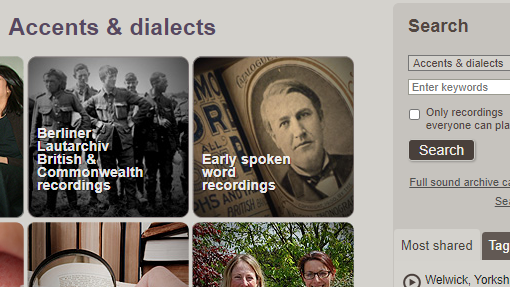
Accents and Dialects is a searchable database of English accent recordings from the British Library Sound Archive.
Recordings include early spoken word snippets from the 1890s onwards, Opie’s collection of children’s songs and games, an evolving English word bank, and a survey of English dialects. Each recording includes a detailed description, with some containing linguistic information too, and most can be downloaded for academic use. You can browse the database by project, county, or date: the search box on the top right of the page can be used to look for specific keywords, including dialects or places.
Thanks Leanna: some great tips there! If you are a student, and would like to write a guest blog post for us about any aspect of the Library and its resources, please just get in touch with us: we’d love to hear from you!
Have you been told that you need to diversify your search, or maybe use a new database such as PubMed? Did someone mention that MeSH terms could improve your search?
If you do not know what those terms mean or where to start, you are in the right place. The following video will explain to you what controlled vocabularies are and why they are a powerful tool for retrieving relevant papers.
Now, let’s put theory into practice and demonstrate how to use Medical Subject Headings (MeSH) in PubMed. The video below will do just that.
Let’s have a look at what other controlled vocabulary databases you can use in medical sciences or if your Social Sciences student whose work crosses over with medical sciences. You can find all the databases mentioned below and others in Library Search:
Since the previous videos focus on PubMed, you might wonder what other databases you should be using. If you are unsure how to find the most relevant databases for your course, you can watch a video that will show you how to identify them.
Is Medline the database for you, but you need some help with the basics? Watch our:
Finally, please remember that this is general advice and it might not cover your particular area of interest. If you have any specific questions, please do not hesitate to contact us on Library Help, where you can email us or speak to us through the Live Chat feature.
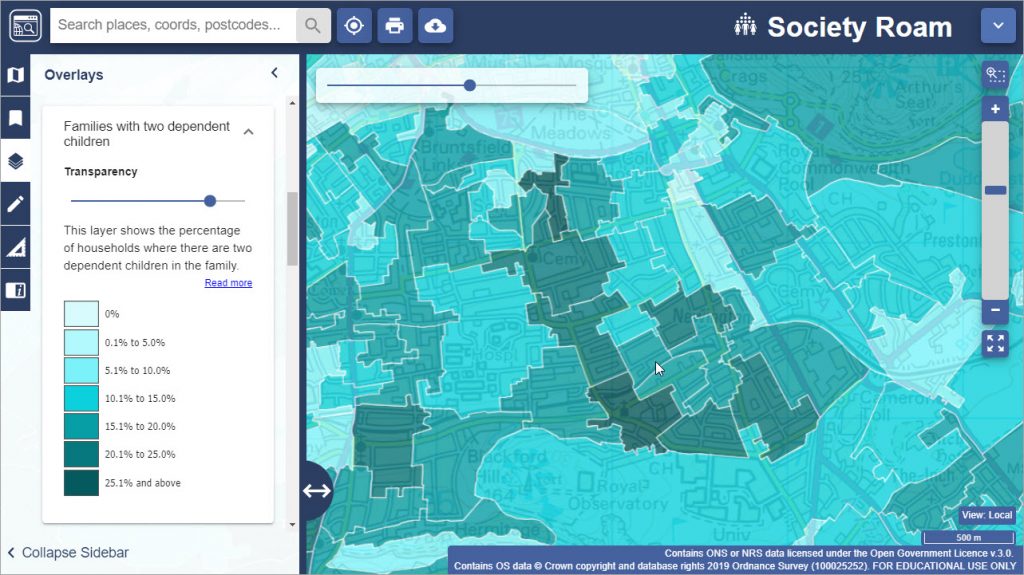
Adding to our existing EDINA collection, we now have access to both Global and Society Digimap.
Society includes census and socio-economic data which can be layered across the map software to provide a picture and give an insight of society in a given area. For more information about how to use the Society data, watch this video from EDINA.
Whilst Global provides access to global datasets in cartographic styles and downloadable formats. It allows you to browse, annotate and print global maps and access to downloadable global datasets for use in GIS software.
To access these resources, click on the link to the Digimap collection via Library Searchor our Maps Resources guide, log in with your university account and click on the Society or Global tab to access the data. You will need to accept the license agreement the first time you use it.
Please explore and email us if you have any questions, or post it as a comment on this blog. For other map resources, check out our Maps Resources guide.
We have recently subscribed to Fortune Magazine Archive – an extensive cover-to-cover collection of the long-running business magazine dating from its very first issue in February 1930 through December 2000.
Subjects Covered in this magazine:
American business
International business
Economics
Industry
Technology
Published monthly by Time Inc., Fortune Magazine sought to provide news and analysis of both American and, later, international business, economics, technology, and industry. Each issue featured vivid color illustrations and photographs, as well as high-quality feature articles, published at a time when most business magazines were merely black and white compendiums of statistics and figures.
Articles and cover pages are fully indexed and advertisements are individually identified, ensuring researchers and readers can quickly and accurately locate the information they seek. Fortune Magazine Archive is valuable to researchers of 20th-Century current events, politics and culture, as well as those interested in the history of business, advertising, and popular culture.
JSTOR is one of our most popular academic databases, and you may be one of the many people who uses it regularly. It provides access to thousands of journal titles, books and other resources.
We subscribe to many of its collections, giving us access to thousands of journal backruns, spanning many decades and subject areas, together with 6,500 Open Access books (all catalogued on Library Search), and over 1.3 million images, videos and audio files, via Artstor Public Collections.
STOP PRESS! We now have access to an additional 59,000 JSTOR ebooks. Read all about it!
But are you getting the best out of JSTOR? Read on to find some tips and features you might not know about…..
Advanced search
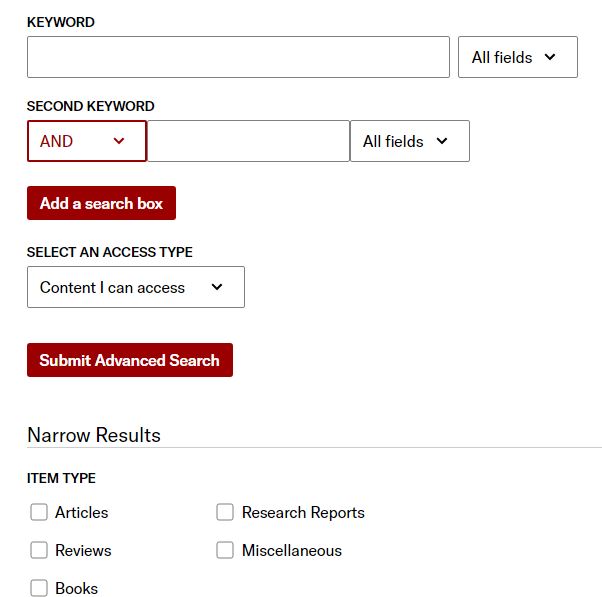
JSTOR is a very large, multidisciplinary database, so a simple keyword search won’t usually be the most effective way to search it. Click on Advanced Search to get more options which will give you better control over your search: for example, just searching in certain fields (e.g. author or abstract) or limiting your search by date, resource type, language or subject area.
Text analyser
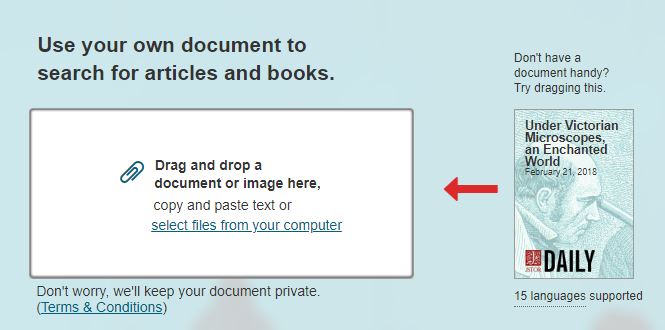
This exciting new feature enables you to drag and drop a document, and JSTOR will then process your document’s text to find the most significant topics and recommend other documents within its database. Try it out!
Workspace
Using Workspace, you can save, organise, and share your sources, including non-JSTOR content. You can also add notes and generate citations in many popular formats. You need to create an account on JSTOR in order to use this feature.
Text mining
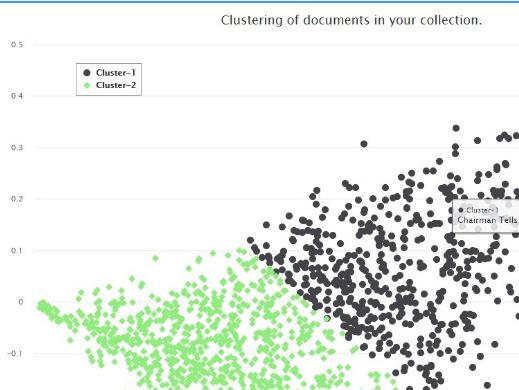
Data for Research (DfR) provides datasets of JSTOR content for use in research and teaching. Data available through the service include metadata, n-grams, and word counts for most articles and book chapters, and for all research reports and pamphlets. Datasets are produced at no cost to researchers, and may include data for up to 25,000 documents.
Further help
You can get more help with JSTOR by clicking on Support at any time, or visit their specialised library guides for a more in-depth focus on particular topics. For the very latest JSTOR developments, tips and features, follow @jstor on Twitter.
As a globally recognised market analyst, Mintel produces hundreds of reports into UK-specific consumer markets every year. Each report provides a unique overview of a market’s dynamics and prospects, giving you the knowledge to devise informed and profitable marketing strategy. Mintel is also one of the many Business specialist databases that we subscribe to here at Newcastle University, which you can access via Library Search, or along with many other of our resources via our Business Subject Guide.
Mintel also produce an excellent podcast, A Little Conversation Podcast, on YouTube which covers ideas and new perspectives on how we eat, drink, shop, groom and think – from the key issues impacting society to trends in food, beauty, tech and retail, they discuss what consumers want and why.
So if you are looking for an alternative resource in market research, have a look at these podcasts. You can subscribe to their podcast via their website or where you normally download your podcasts.
Here’s their latest podcast which is looking consumer behaviour of upcoming holiday shopping:
The Library has purchased Gale’s Digital Scholar Lab: a digital humanities platform with potential uses for students, researchers and module leaders, whatever your previous experience. It enables you to:
create and clean customised content sets, using our Gale Primary Sources collections (which include a wide range of historic newspaper, periodical and book archives)
analyse and interrogate the data, using the Lab’s text analysis and visualisation tools
manage and share content sets with others.
For those who regularly use digital techniques or methods, you can use the Lab to dramatically reduce the time needed to compile, curate and clean datasets, either using Gale data or locally held data, which can be uploaded into the Lab.
For those interested in teaching using the Lab, it contains a comprehensive Learning Centre that you can use to introduce students to basic and advanced concepts, with worked examples that can form the basis of a lesson plan.
Finally, for those new to digital humanities, and intimidated by thoughts of coding, the Lab provides a way to produce sophisticated, analytical research that requires no coding skill and allows you to make discoveries in archives that would otherwise be impossible.
To help you find out more about Digital Scholar Lab, representatives from Gale will be running two online training sessions for Newcastle University staff and students via Zoom on:
Monday November 16th, 14.00-15.30 and repeated on
Thursday November 19th, 10.00-11.30
The session will introduce you to Digital Scholar Lab, and its interface and workflows. It will cover text mining in general, search queries, curating and managing datasets, using analysis tools, and reviewing results. There will be plenty of opportunities for questions.
Any Newcastle University staff and students are welcome: you don’t need any previous knowledge of Digital Scholar Lab. However, if you have previously used Digital Scholar Lab, you may also find the session useful as a refresher, and to find out about recent enhancements.
To book your place on one of the sessions, please fill in our booking form.
If you are interested in more bespoke training (for example, for a specific cohort of students, or at a more advanced level), please contact Lucy Keating, and we’ll discuss with Gale representatives.
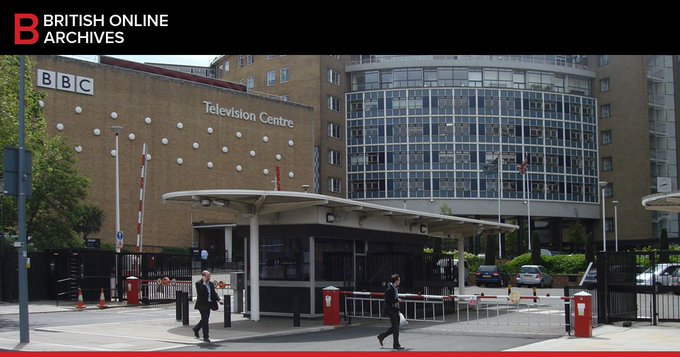
This collection contains handbooks, annual reports and accounts published by the BBC between 1927 and 2002. It also includes a review of each year’s public service broadcasting, with detailed schedules, audience research, performance and objective tables, commentaries, and editorials. A great opportunity to examine the social and cultural forces that shaped Britain in the 20th century.
These diaries reveal what life was like for the average British soldier in the Battle of the Somme and later battles of Ypres. The battles of Loos, Arras, Vimy Ridge, and Bethune are also covered. The letters home will have been censored by the army: how much was removed depended on the censor. Tactical information and details of military training often remain, as the main concern was morale.
This collection charts the rise and fall of fascism in Britain during the 1930s and 1940s, with a particular focus on Oswald Mosley’s blackshirt movement.
The bulk of the documents are official BUF publications, including Fascist Week¸ The Blackshirt, The East London Pioneer, and Action. In addition, there are hundreds of Government documents relating to Mosley’s internment during the Second World War, including Cabinet Office, Home Office and Prime Ministerial papers.
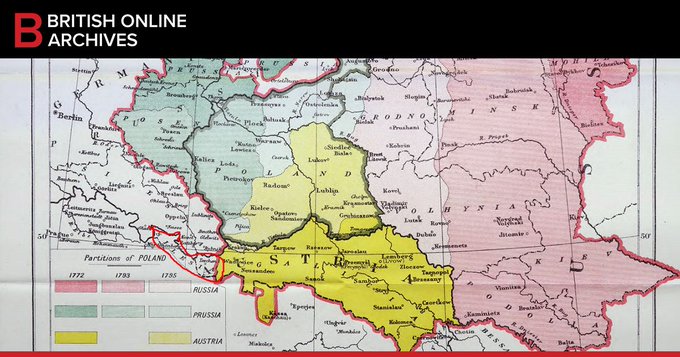
This collection contains archival material relating to this tumultuous period in European and world history. The documents cover the treaties of Versailles, Saint-Germain-en-Laye, Neuilly-sur-Seine, Trianon, Sèvres, Lausanne, and Locarno, as well as the foundation of the League of Nations. Most of the files are drawn from the UK National Archives, while the British Library provided the personal papers of Lord Robert Cecil and Sir Arthur Balfour.