Resource Guides: it’s all in the name!

Last week, we let you in on the secrets of Library Search. This week we want to introduce you to our Resource Guides.

Library Search is a great starting point for any piece of research or essay, but there comes a time, when you need some extra help in finding a particular type of information. And that’s where our Resource Guides come in.  We have a range of guides to suit your information needs including: company information, market research, government publications, newspapers, maps, statistics, patents, standards, theses and dissertations, plus much more.

The guides group together all the main library subscriptions we have for that specific type of information, as well as linking out to key external links and resources too. Wherever possible we also include guidance and help on how to get the best out of the databases and links and group the information together into a logical and helpful way. We know how busy life is and we simply want to save you time!

So what you are waiting for, go and check out our fabulously named Resource Guides, because they do exactly what they say on the tin!

Getting the most out of e-books

Woman reading on an eReader device.

We have over 0.7 million e-books accessible through Library Search, including titles that feature on your reading lists, or those that have been recommended by staff and students. Sometimes we buy them through large bundle deals with specific publishers so we gain access to lots of research titles all at once.

Why use e-books?

e-books are incredibly useful resources as they are available 24/7 from any location, work with most devices and some come with snazzy features such as keyword searching, annotation options, links to other relevant information, and reading aloud facilities to name but a few.

How do e-books work?

As we get e-books from different platforms and providers you might see a different layout each time you access one of our titles but the logic is the same. You can navigate using a toolbar, you can normally turn pages using little arrows at the top or side of the page, you can jump to specific chapters and in some cases, print or download all or some sections of the e-book to read offline.

Unfortunately, one thing you can’t do with e-books is download and save offline a copy of the book to keep forever, there are usually some download restrictions. This is because we have subscriptions or licence access to titles but we don’t own the title. There is something called Digital Rights Management where publishers can control the copying, pasting and downloading of their content, this is linked to issues with privacy and copyright.

How do I access e-books?

Simply navigate to Library Search and enter your keywords to look for a book title as usual. Library Search is the best way to access resources whether you’re on or off campus as it makes sure you’re logged in correctly and can access resources simply and quickly.

Watch this short video to begin searching for books and e-books.

From your search results, choose an e-book which looks relevant e.g. Essentials of Business Research Methods by Hair, which we know is popular book for Business students doing dissertations. If you are off campus, you will need to sign in with your University ID and Password.

Once the e-book has loaded on the screen, hover over the functionality buttons to see what they do. For example; the search option will be useful if you’re looking for specific topics; use the Table of Contents to navigate straight to a chapter you’ve been told to read, or select the paint pallet to change the colour of the background to help with your reading.

Not all titles are available in eBook format for an institutional library to purchase, but if you’d prefer a title in electronic format we can certainly investigate. Just let us know by recommending a book.

Library Search: top search tips

Library Search is a powerful tool that can help you find good quality, relevant information quickly.  Using Library Search is pretty intuitive but there are some useful search tips that can help you improve and get the most out of your searches:

Keywords and Subject Terms

When you’re searching for information it’s important to use a range of related keywords to ensure you find everything relevant to your topic.  For example, if you’re searching for information on ‘Climate Change’ you might also want to search for ‘Greenhouse Effect’ or ‘Global Warming’ too.  Thinking of related keywords can sometimes be difficult but Library Search can help!

From your search results page, click on the title of a resource to open the resource record and scroll down to the ‘Details’ section.  Here you will find a list of ‘Subjects’, also known as subject terms, used to describe the topics and themes this particular resource discusses.  Take a look at this list and add any relevant words to your search string.
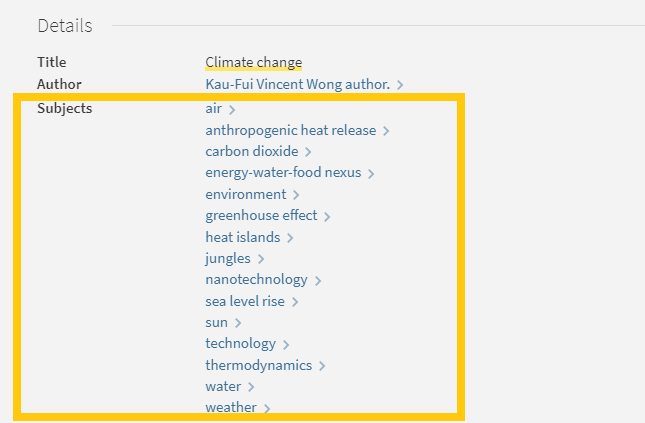
Screen shot of Library Search subject terms for climate change

There are some other useful features in the resource record page that can help with your searches too:

Browse the virtual shelf

At the very bottom of the record you’ll find a virtual bookshelf, a visual list of the books that can be found next to this one if you were looking in the physical library.  As the library is organised by subject some of these titles might be useful for your research too.
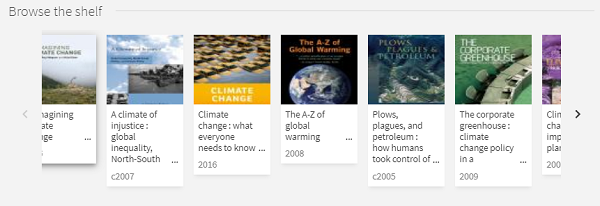
Screen shot of virtual shelf on library search

Read the abstract

A quick way to tell if a resource is going to be relevant and useful for your research is to read the abstract, a summary of the contents of the resource.  On the resource record in Library Search, you’ll find this under the heading ‘Description’.

Advanced Search

The Advanced Search function in Library search allows you to create a search that will produce more focused results.  It does this by providing a range of search fields and drop down lists that help you build up your search.
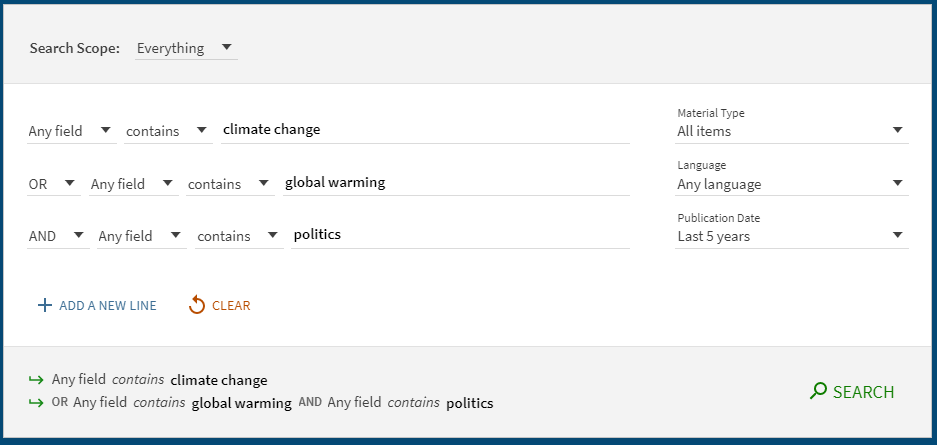
Screen shot of advanced search

Select from the options to:

  • Limit your search field to the title, author, subject, collection etc.
  • Apply BOOLEAN operators (AND, OR, NOT) to your keywords
  • Filter by specific material types, languages and dates to focus your search results to the most relevant resources.

Take a look at the Advanced Searching page on our Finding Information Guide for more on how to combine your keywords, create a search string and improve your search results.
New resources for Science, Agriculture and Engineering 2020

We have been very busy over the summer adding to our growing collection of e-resources to support your studies and research. Discover individual titles in Library Search and browse some of the new collections now available to you below.

We have also invested in continued access to our Evidence-Based Acquisition (EBA) collections from multiple publishers, so you can browse and access hundreds of ebook titles and we can see which are the most popular titles for our students and researchers.

New resource: Westlaw Edge UK

Westlaw Edge UK. Is this a new resource? Possibly not by definition, but it is most certainly a significant enhancement within the existing Westlaw UK service.

https://youtu.be/K2hiP_AsLag

Westlaw Edge UK (not to be confused with the Microsoft Edge browser) is available via the Law Subject Guide and Library Search within Westlaw UK. Once logged in with your Newcastle University Campus ID and password you will find the tools available to help you keep currently aware and able to anticipate change – skills which are incredibly important to develop as a law student to be carried into your legal career.

These tools include:

An image showing the Westlaw Edge UK tools to enable current awareness.

With inclusion of an interactive precedent map within Case Analytics to easily locate relevant cases…

An image of the precedent map associated with Donoghue v Stevenson (snail in a bottle case).

…and the UK-EU Divergence Tracker to assist with analysing the legal implications of Brexit, it’s even easier to carry out effective and efficient legal research.

https://youtu.be/RIo7_d54VDY

You can go beyond search results lists with AI-suggested relevant research and resources tailored to your needs. Skynet hasn’t got a look in. Go on, don’t be slow. Lose yourself in Westlaw Edge UK and get ahead.

A photo of a snail in a glass bottle. Photo by Rodion Kutsaev on Unsplash.

The Research Reserve and Desktop Delivery Service (DDS)

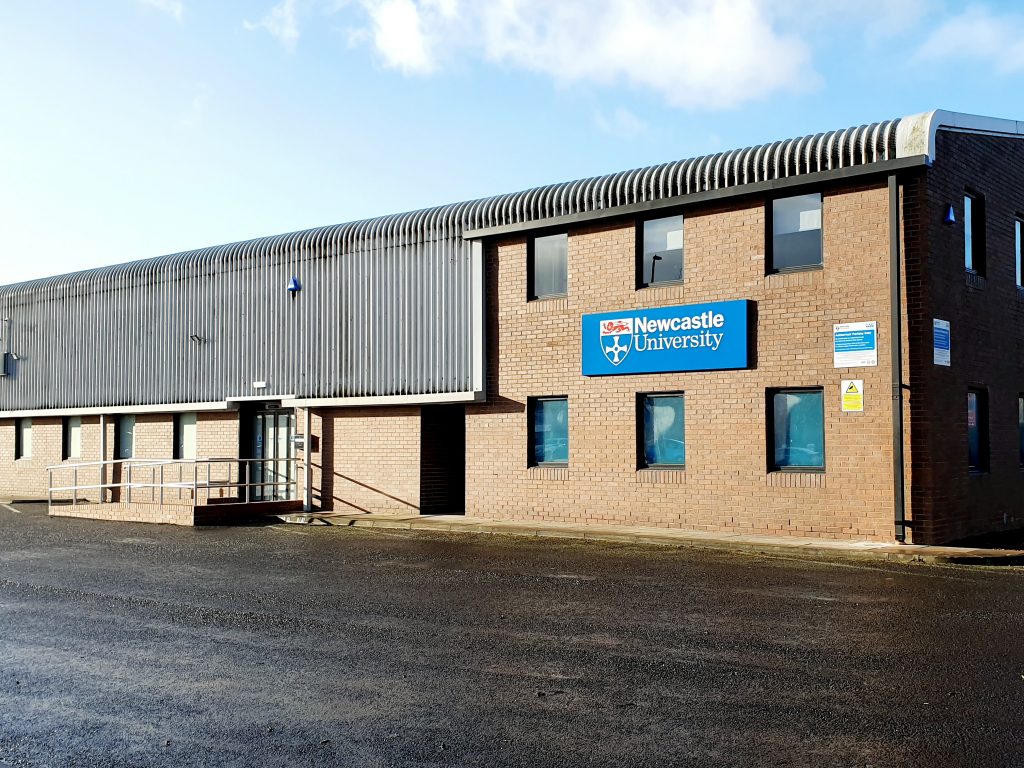
The exterior of the Research Reserve facility in the Team Valley.

The eagle-eyed amongst you may have noticed a curious thing on Library Search. Where normally you would expect to see the name of one of the libraries next to an item’s shelfmark, occasionally you’ll see “Research Reserve”.

If you’ve ever wondered just what exactly the Research Reserve is, this is the blog for you, discover here exactly what the Research Reserve can offer you and your studies.

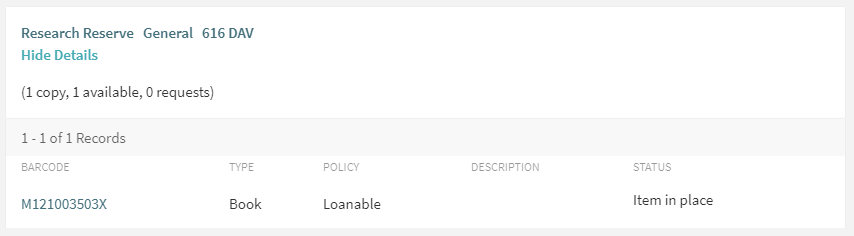
Before an item’s shelfmark is its location. This book is held off-site at the Research Reserve facility in the Team Valley.

The Research Reserve is the Library’s stores, located throughout campus and including a state-of-the-art storage facility in the Team Valley. These facilities allow the Library to keep less-used material for much longer than other academic libraries. These combined storage facilities provide over 29 kilometres of storage space, which is used to house old editions of journals and books which are consulted infrequently.

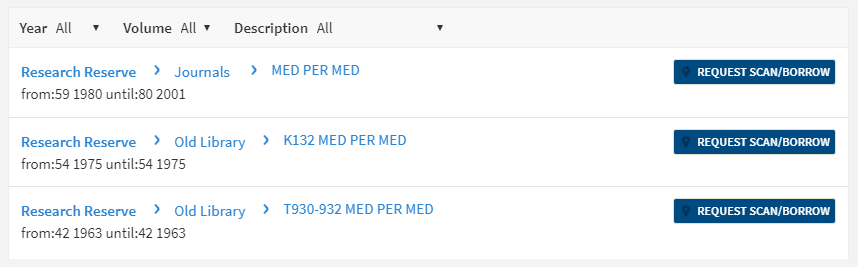
If you’d like to request items from the Research Reserve facilities, click the “Request Scan/Borrow” button once you’ve located the item on Library Search.

You can loan a variety of materials from the Research Reserve, including: books, theses and journal volumes. These can be requested from Library Search. Simply log in using your campus ID, find the item you are looking for and then click the blue “Request Scan/Borrow” button. You’ll get a choice of pickup locations (either the Walton or Philip Robinson libraries).

There are request forms to complete if you’d like to borrow a thesis or an entire volume of a journal.

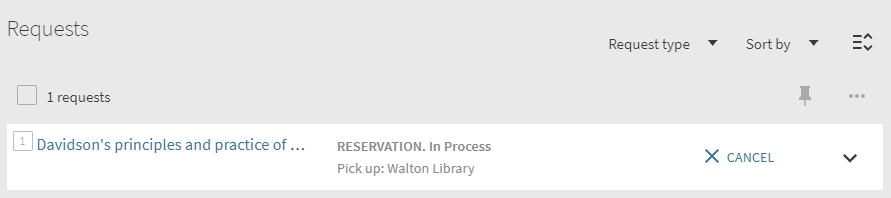
Requests can be viewed by going to “My Account” in Library Search and clicking on “My Requests” from the drop down menu. If you’d like to cancel your request, simply click the blue cancel hyperlink (as seen below). You’ll receive an email confirming your cancellation shortly afterwards.

You can cancel requests for Research Reserve items by clicking the blue ‘Cancel’ hyperlink, as shown above.

There is a collection service that runs between the Research Reserve and the various libraries (weekdays only, not on bank holidays) and your request will be generally be fulfilled within 24 hours. Anything requested on a Friday or over the weekend will be delivered on the following Monday afternoon.

Once your item has arrived at your chosen library, you’ll receive an email letting you know it’s available to loan. The item will be kept on the reservations shelves for five days before being returned to the Team Valley, or passed on to the next person in the reservation queue. Items from the Research Reserve are issued in the same way as standard long loan items, either using the self-issue machines or at the service desk. Once you’ve finished with the item, simply return it as normal.

The Desktop Delivery Service (DDS)

The Desktop Delivery Service can also be reached at: http://dds.ncl.ac.uk

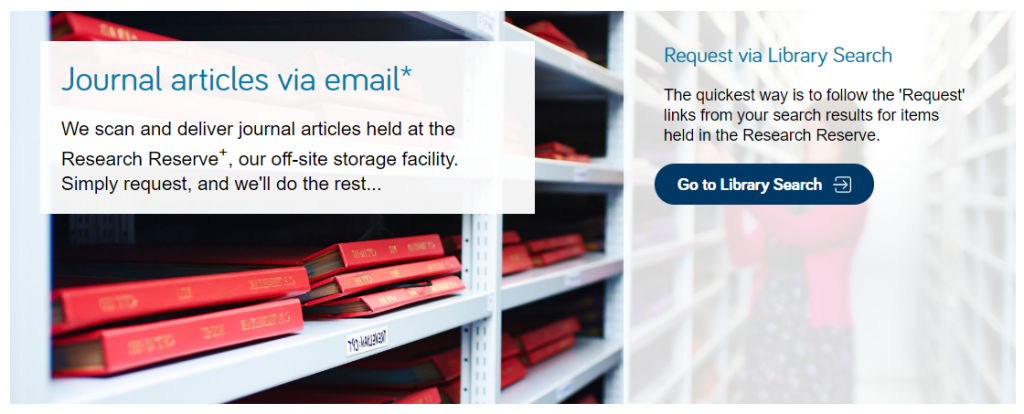
The Desktop Delivery Service (DDS) allows you request a scanned article from a journal held in one of the Library’s stores. Articles can be requested via Library Search (same as a book) or by filling out the relevant request form. Please try and include as much detail as possible on your request form. This helps Library staff locate your article and fulfil your request quicker.

You are only able to request one scanned article per journal issue. The scanned article will be delivered to your University email address, where it can be downloaded and printed off. Requests are generally fulfilled within 24 hours, although this may take longer over the weekends or on bank holidays. You have 30 days to download your article before it is ‘archived’ and no longer available.  

We do not scan items that are available electronically or can be borrowed.

If you have any other queries about the Desktop Delivery Service, read the FAQs.

Just some of the amazing treasures held at the Research Reserve facility in the Team Valley.

You can also visit the off-campus Research Reserve facility in the Team Valley. Daily access is available by appointment only with the Research Reserve team, weekdays between 10AM and 4PM. Access outside of these hours can be organised given sufficient notice. There is a large car park available at the facility and buses stop nearby.

Full contact information, directions and opening hours for the Team Valley facility are available via the Library website.

GUEST POST – OFF THE SHELF

Off the Shelf poster

Hi! I’m Caitlin, a final year law student and law library aide – and by now I’m used to the stress of exams and deadlines.

I tried the ‘poetry-pick me up’ after going into the common room for a revision break.

I stumbled across Sue (@kind_curious) in the Law School Student Common Room, where she asked, ‘do you want a poem?’. Not really knowing what to expect, I had to overcome a bit of social awkwardness! I was surprised by Sue’s passion and love of poetry, which was clear in the way she spoke about how she’d used poetry in the NHS before and it was what she enjoyed most.

I was asked questions about my current stress levels and how I was feeling with exams, and how I dealt with stress. I told her that when I get stressed I talk even more than usual, which for anyone who knows me sounds like I’m going at a million miles an hour, and she suggested something that would relax me.

I laughed as I saw no signs of chocolate or Netflix – my usual go to relaxation strategies.

Instead she said I needed something like a lavender bubble bath – again I saw no sign of a bubble bath in the Law School and I’d yet to find one in the Dungeon.

She picked out two poems that would make me feel like the relaxing in lavender: she suggested ‘Sonnet’ by Elizabeth Bishop and Shennagh Pugh’s ‘What if This Road’.

What if this road reminded me of Robert Frost’s ‘A Road Not Taken’, and was great for me as a an indecisive person. It was matched perfectly to the questions that Sue had asked me, as I read it as a  ‘roll with it’ approach to life, which is definitely needed to cope with exams and deadline stress.

The second poem, Bishop’s ‘Sonnet’, had great visualisation techniques, almost like a meditative poem – which was spot on to turn off the stress and slow everything down!

The experience was a great switch off from deadline stress, and a great use of the 10 minutes which I’d usually scroll through twitter or Instagram. It was something different, and really quite unique and relaxing, which I would definitely recommend to help have a break from any exam and deadline stress!

Advancements to searching Economist and Financial Times archives

Through our subscriptions we have access to the early versions of The Economist and The Financial Times.

The Gale platform these are hosted on have recently implemented some new features.

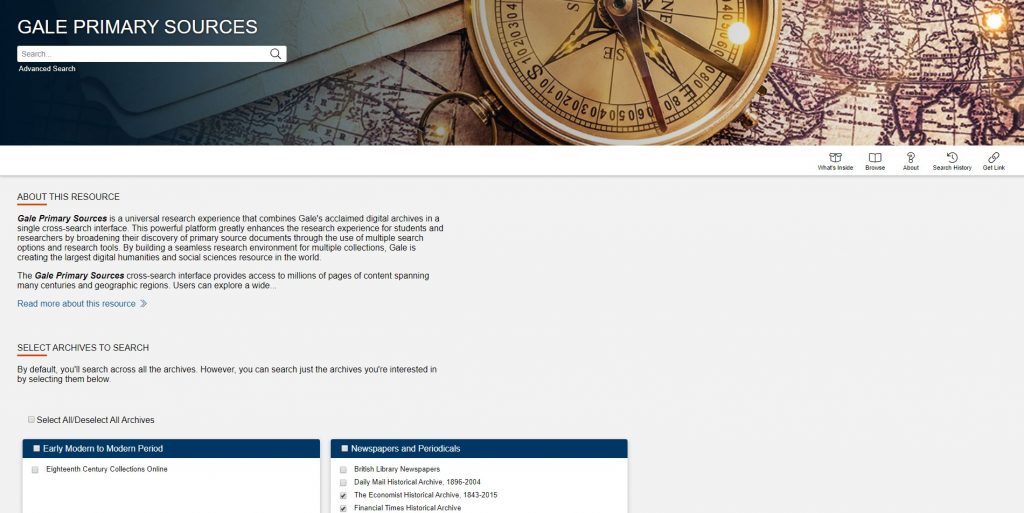
If you want to search across many historic newspapers at once, we would recommend using Gale Primary Sources.

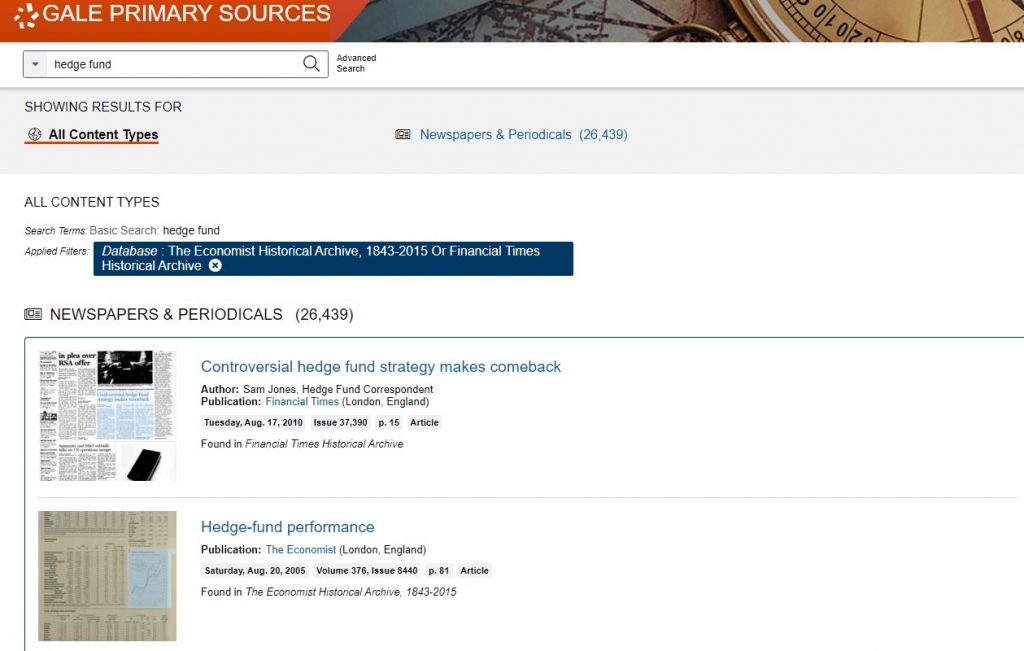
So for example if you wanted to search both the Economist and the FT Archive you now can. From the Gale Primary Sources simply ensure you have only those two resources selected and then enter your keywords in the search box

You will then see your results page contains results from both resources (if there are matches to your keywords)

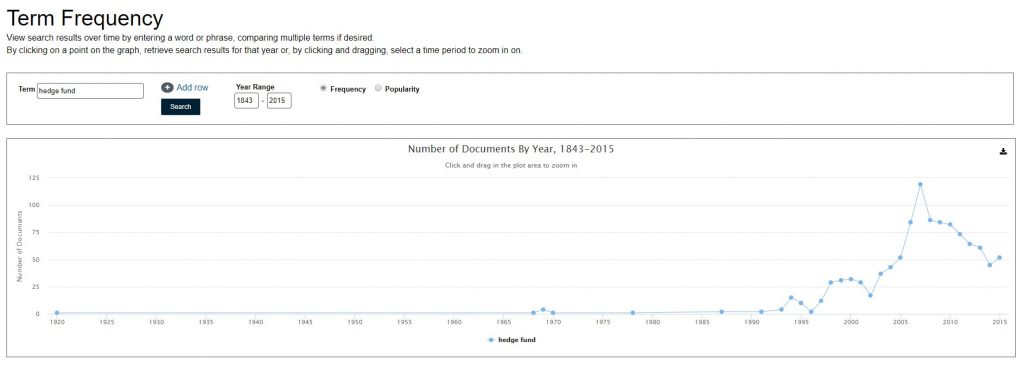
There are also some new search tools, including ‘topic finder’ and ‘term frequency’. The last one allows you to track topics over time e.g. for hedge funds you can see this started to become a widely used term from around 1996 onwards.

Exams: we are here to help

Woman throwing books up in the air

Exams are a tricky time. Often you will be juggling different exams themselves, on top of other deadlines. However, we want you to know that you aren’t alone at this crazy time of year. We are here to help you through.

But how exactly can we help? Sadly, we can’t take go into the exam with you, or magically freeze time to give you more hours in the day, but do make the most of the following:

  1. Library Help – the place to go when have a question via chat, email, text, twitter, Facebook. Or alternatively search our Frequently Asked Question (FAQ) database.
  2. Librarians – yes you heard right. Book a one-to-one appointment to get the best out of the University Library resources. Also remember our staff in every library are friendly and approachable. There is no such thing as a silly question, so ask away!
  3. Study Space – The University Library has a range of different study rooms and spaces to suit your needs.
  4. 24/7 – The Philip Robinson Library is open 24/7 during the exam period. We want you to sleep and get enough rest, but if you do need to study through the night, we are here.
  5. Subject guides – we have a range of subject guides put together by expert librarians which draw together all the main resources for your studies.
  6. Be well@NCL collection – we don’t just have books for study. This new collection includes tried and tested books that support your wellbeing.
  7. Additional support – don’t suffer and please don’t be shy. You can seek additional support from your NUSU, Student Wellbeing Service, Nightline and the University chaplaincy.

So remember……pace yourself, access the help you need and believe that you can do this!