
EndNote

What is EndNote?

The official blurb on EndNote is that it is “…the industry standard software tool for publishing and managing bibliographies, citations and references.”

Have you drifted off yet? Don’t – read on!

EndNote takes a little getting used to and we recommend you familiarise yourself with it at the start of your research process. But as Library Staff, we wouldn’t spend a significant amount of time demonstrating and training our academic staff and students on what EndNote is, and how to use it, if we didn’t think it was valuable. It will save you a huge amount of time in terms of writing up your assignments.

Essentially, you can use EndNote to create and organise a personal library of resources relevant to your research. You can import references from Library Search, and a huge range of databases such as Scopus, Web of Science, IEEE Xplore and Business Source Complete. You can ask EndNote to locate the full-text PDFs of the resources you are going to use in your research, and you can annotate them as you wish too. Did you know you can instruct Google Scholar to import references into EndNote? No? Try it. Finally, if you already have materials stored in your home folder (H:\) then you can attach them to a manually-created reference within EndNote, bringing all your research together in one place.

In addition to organising your references (and this is the clever bit) you can then get EndNote to ‘talk’ to your word processing software, e.g. Microsoft Word, and insert the citations into your work for you in your chosen referencing style, e.g. Harvard at Newcastle, Vancouver, APA or MLA. If you don’t want to do that, then EndNote will also allow you to create an independent bibliography of your references, saving you an awful lot of typing.

Using EndNote

Intrigued? You should be. Take a look at our EndNote Guide. It contains all the introductory information you need, step-by-step workbooks to train yourself on the use of EndNote (the Desktop and Online versions), videos, useful FAQs, and contacts for help, should you need it.

Finally, Newcastle University provides support for EndNote but it is not compulsory to use. You may prefer Mendeley, Zotero, RefWorks or another piece of bibliographic management software. That’s fine, whatever makes your referencing lives easier. Go on, give them a try.
When is a website not a website?

A common mistake made in referencing is grouping all sources found online under the category and reference type of a website. Your aim should be to reference the information you have in front of you rather than where it was sourced. Simply grouping items found online as a website would be the equivalent of referencing a book by the publisher details rather than the author and title.

For example, a government publication found online would be referenced like this in Chicago.

United Kingdom. Department for Education. Cloud computing: how schools can move services to the cloud. London: The Stationary Office, 2016. Accessed: February 01, 2018. https://www.gov.uk/government/publications/cloud-computing-how-schools-can-move-services-to-the-cloud. 

An electronic journal article might appear like this in APA.

Gillum, J. (2012). Dyscalculia: Issues for practice in education psychology.  Educational Psychology in Practice, 28(3), 287-297. doi:10.1080/02667363.2012.684344

While a video posted on the Tate website would look something like this in Harvard.

TateShots (2016) Grayson Perry: think like an artist. Available at: http://www.tate.org.uk/context-comment/video/grayson-perry-think-artist-tateshots (Accessed: 27 November 2018). 

Identifying the type of information you are using as well as the source, are essential skills of evaluation and developing a critical approach to information. In many cases, you will be unconsciously using your judgment to assess the value of information for your purpose. So when you are using any source of information, ask yourself what it is you are looking at, what details are recorded about it, and whether it measures up as a quality piece of information.

To google or not to google?…That is the question

Can you remember life before Google? It is such a huge part of our lives that even those of us who can remember a time before it (hmmm, yes I am that old!) can’t imagine life without it now. It is a great place to find the latest cinema listings or who won last night’s football match, but what about finding information for your latest assignment or research?

There is a time and a place to use Google, but you need to be aware of its limitations. Google, after all, is a business. It earns the majority of its money from advertising, and it will not reveal how it ranks its search results (every wonder how Wikipedia always appears at the top of every search you do?). A search that we do today and repeat tomorrow for a piece of research could give us hugely different results, with no explanation of why. We are also often bombarded with millions of search results and the reality of our searching habits mean that we rarely look beyond the first or second page.  Admittedly, advanced search features on Google and the use of Google Scholar can really help us to become a smarter and effective Google users, but is it enough for our own research? Are we finding everything that is out there?

We need to think about our information needs before we work out where it will be best for us to search. Imagine, for a moment, that we are want to buy a particular local cheese, which we love. Would we go to a general shop or would we go to a specialist deli? We are probably going to need to go to a deli. It is just the same when searching for information. Google may be great for some background information or a starting point of a project, but it may simply not give us the high quality, niche information that we need to give us top marks for an assignment. So what are the other options?

Aimee Cook, a Liaison Librarian here at Newcastle University, explains more.

So next time you think about googling something for an assignment, stop and check out Library Search and your subject guide first for the books, eBooks and specialist databases that are available to you. If you are going to use Google, make use of the advanced search features and get to grips with Google Scholar. Happy searching!

Photo by Emily Morter on Unsplash

Guest Post: A Review of Box of Broadcasts

BoB Screen GrabLaura-Jayne Beattie, a final year Law School student, takes a look at Box of Broadcasts, and reviews a film she watched using it (a Law Library favourite!).
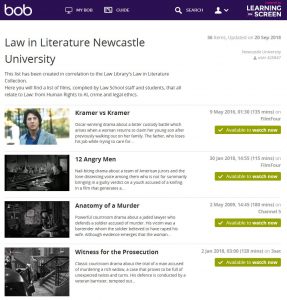

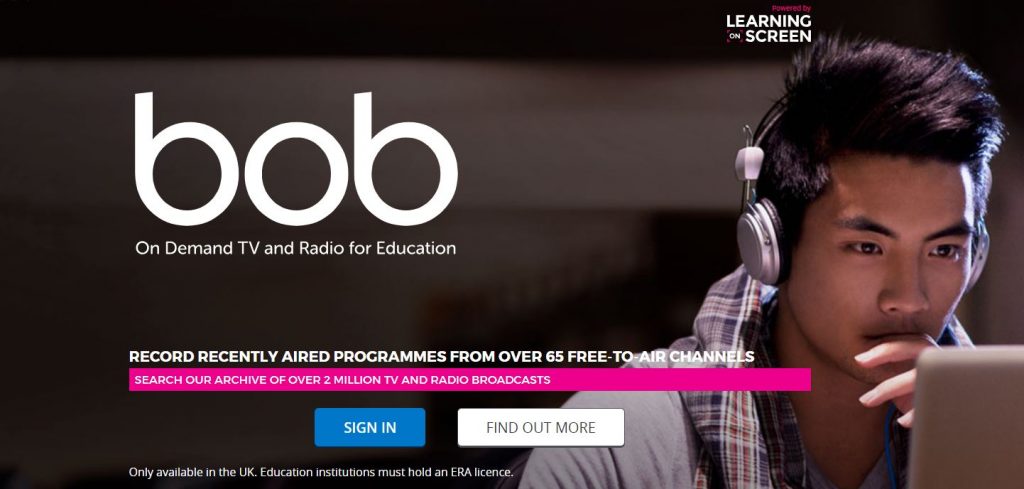
BoB (Box of Broadcasts), available to all Newcastle University students regardless of degree discipline, is an excellent resource. Best of all, it’s FREE for students studying at Newcastle (just what a student wants to hear)! You just have to select the university from the list of institutions, sign in with your university login details (username and password), and away you go! You’re free to explore the thousands of television programmes, radio broadcasts and films available on the website. It’s incredibly easy-to-use, and reminds me a lot of Netflix, but is less guilt-free as most of these programs and films are education-related in some way. The broadcasts may relate to your degree or another academic interest of yours (e.g. psychology-related films).

You can watch live TV, or search (by name) for a pre-recorded film, radio show or television programme. The system holds over 2 million broadcasts, which have been shown on television or aired on the radio at some point since the 1990s. If you don’t have a specific film or programme in mind which you would like to watch, why not try out the advanced search feature? Click on the ‘Search’ icon, then on ‘Search options’, change as many or as little options as you like, and then hit ‘search’! A list of broadcasts matching your search criteria will be shown. I’m sure there will be at least one that interests you!

SCreen grab of BoBAfter a few minutes of exploring the website, I decided to choose a film from the ‘Law in Literature Newcastle University’ playlist. To find this, I clicked on the ‘Search’ icon (on the tab across the top) and selected ‘Public Playlists’. I then typed the playlist’s name into the search box. I was surprised at how many titles were available within this collection (all related to Law). I chose to watch ‘Legally Blonde’, a personal favourite of mine but one that I haven’t watched for years.

Here’s what I thought…

Legally Blonde’, a fun-filled film showcasing a story of love and success, shows Law in a new perspective and is a must-watch for any Law students (Yes, even you boys). It’s a feel-good film, and is motivational in terms of showing that anyone really can succeed if they put their mind to it! It’s particularly perfect for any law student who feels ‘out-of-place’ with the supposed societal ‘ideal’ of who should be studying law.

Defying all pre-conceptions derived from her appearance, Elle Woods gains a place at the prestigious Harvard Law school. While this was initially to follow her ex-boyfriend, who broke her heart just before he proceeded to study Law there, she soon develops a passion for Law and becomes top of the class. She helps to win a case while on work experience using her knowledge of fashion, and later delivers an inspirational speech at graduation saying words like “you must always have faith in yourself”. When making this speech, it’s clear from the smiles in the room that she has won the hearts of students and staff alike and made lifelong friends with her heart-warming personality. Graduating with a job in a high-ranking law firm, she puts her career ahead of everything and even rejects her ex-boyfriend who wanted her back towards the end of the film.

Legally Blonde’ relates to Law, as Elle overcomes sexual harassment while on work experience (Employment Law). Initially, Elle doesn’t report the man and decides to drop out of law school- possibly as she thought she wouldn’t be believed or that what happened wasn’t actually a crime (a common occurrence amongst victims in reality). Parts of Law lectures are filmed, and Elle overcomes stereotypes that are derived from her appearance (blonde female who evidently loves the colour pink) (Law, Gender and Sexuality). Despite not being a typical Harvard student, she still succeeds without letting these stereotypes stop her.

Reading Lists

Have you discovered your Reading Lists yet?

Reading Lists are what you need to access and read to get understanding of the subject on the module(s) you are taking. It’s not just the Library saying this – these lists came from your lecturers!

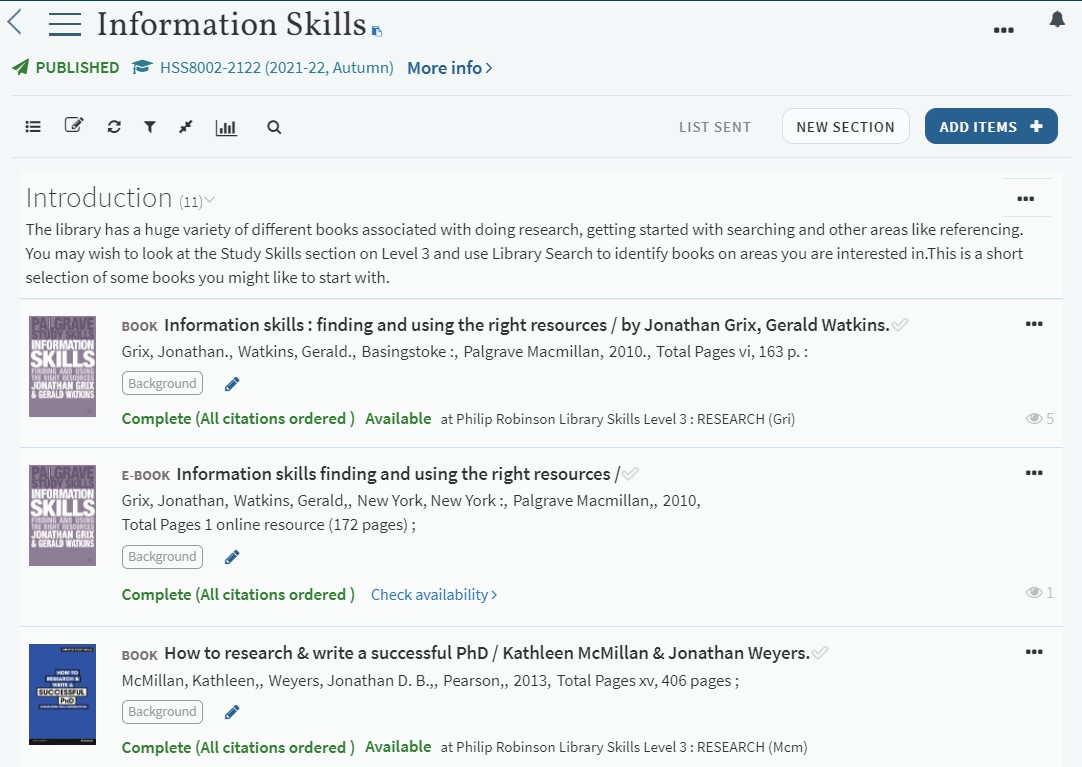
The Reading Lists are a list of essential, recommended and background reading for your module. Each item has a quick link through to Library Search (to find where the book may be on the shelves) or there could be a direct link through to the eBook or online journal article. It’s an efficient way of accessing your reading and can save you loads of time.

Log into Canvas to access your Reading List

If you have any questions about your Reading Lists then ask your lecturer, or if there is a technical issue then email readinglists@ncl.ac.uk for assistance.

Welcome from the SAgE Library Team

Explore the possibilities rocket image banner


Welcome from the SAgE Library Team

Need specific subject help?

The SAgE Library Team provide support for students and staff from the Faculty of Science, Agriculture and Engineering. Julia Robinson is the Liaison Librarian for the Schools of Natural & Environmental Sciences and Mathematics, Statistics & Physics. Lorna Smith is the Liaison Librarian for the Schools of Computing and Engineering. The rest of the team work for the whole SAgE Faculty: Catherine Dale is Assistant Liaison Librarian and Yvonne Davison, Susan Millican and Christina Taylor are Liaison Assistants.

So what can we help you with? We can:

  • Direct you to quality information
  • Help with study and research skills
  • Advise on how to evaluate information sources
  • Help you to navigate databases

… and much more!

We’re here to help you get the best from the Library’s services and resources so feel free to contact us at any time. Come and find us on level 4 of the Philip Robinson Library, email us at lib-sage@ncl.ac.uk, book a one-to-one appointment, or follow us on Twitter @ncllibsage.

For more information, check out the Subject Guides.

We look forward to meeting you!


New resources: Science, Agriculture and Engineering

This summer we have been very busy buying new journals, databases, eBook collections and print books in hot topics of interdisciplinary interest across Science, Agriculture and Engineering. Dive in and discover:

Computing

Journals
eBooks

Engineering

Journals
eBooks and databases

Mathematics, Statistics and Physics

Journals

Geophysical and Astrophysical Fluid Dynamics

eBooks

Natural and Environmental Sciences

Journals
eBooks and databases

Explore Library Search and your subject guide today and find out what else we now have available.


New resources: Engineering

This summer we have been very busy buying new journals, databases, eBook collections and print books in hot topics of interdisciplinary interest across Science, Agriculture and Engineering. Here is what we have purchased for Engineering:

Engineering

JOURNALS
EBOOKS AND DATABASES

Click here for a list of all of the new resources we have purchased for the SAgE faculty.

How to be a Fake News Ninja

As a University student it is imperative that you arm yourself against the barrage of fake news that can be found in today’s media.  To produce academically sound assignments and research, you need to be able identify and evaluate information quickly and with authority.

Here are 10 tips on how you can be a Fake News Ninja:

  1. Be aware: just simply knowing that not all information is created equal is the first step.
  2. Check the source: Where did the information come from? This can be tricky, especially on social media.
  3. Read more: don’t just rely on the piece of information that’s in front of you… go an find another reliable source and see if the facts are the same.
  4. Check the author: Do a bit of Google stalking to see if the author is credible.
  5. Check the references: does the item have references? What sources have they used? Are they credible?
  6. Check the date: watch out for re-posts old news items.
  7.  Check your biases: You own beliefs and prejudices can have an affect on how you accept information.
  8. Is it a joke?: If it sounds too good to be true, it probably is!
  9. Ask a Librarian: Librarians are the original Fake News Ninjas.  Come and ask us about any reference that you aren’t too sure about and we can help you make an authoritative decision on  the information you use for your research.
  10. Knowledge is power: Read more about Fake News and how you can win the fight. Everything you need to know is in our Fake News Guide.

Read our other blogs on Fake News to be aware of the consequences of Fake News and the history and growth of Fake News.

References
IFLA (2018) How to spot fake news. Available at: https://www.ifla.org/publications/node/11174 (Accessed: 23 March 18)

The consequences of Fake News

A scan of some of our “Fake or Fact?” stories this week might raise a few smiles, but as we’ve seen increasingly over the past couple of years, Fake News can have far-reaching consequences.
Hands up, who’s had the awkwardness of friends or family members reposting dubious material on Facebook? If so, you’re not alone. Apparently, according to a MIT study published this year, based on three years’ worth of Twitter meta-analysis, fake news travels up to six times faster than genuine stories. False stories were up to 70% more likely to receive a retweet – often due the novelty or shock factor.

In the sphere of politics, this can have worrying consequences. The U.S. election in late 2016 coined the term for us and is a particularly rich source of Fake news and political spin. Business Insider lists some of the most influential fake news stories to surface during this time; from false claims that WikiLeaks had proof of Clinton arms deals with ISIS, to a fictional Papal endorsement of Trump, said to have received nearly a million hits on Facebook. Only this month, the Jakarta Post reported on concerns of Fake News polluting the build-up to the Indonesian Presidential Elections next year as Facebook groups flood the country’s web spaces with doctored videos; something that has previous lead to protests in the streets of the capital.

And even when we know we might be dealing with dubious information, Fake News can continue to wield influence. Newcastle University’s own Dr. Gavin Stewart, a meta-analysis expert explains “claims with no scientific proof cast doubt over those with overwhelming evidence, leaving us at the best confused and in the worst case making totally the wrong decision.”

A strong example can be found in the now discredited research of Andrew Wakefield. Back in 1998, Wakefield drew unsubstantiated links between the MMR vaccination and childhood autism. Despite the widespread exposure of the fraudulent claims and rebuttals from the medical community, vaccination rates of the MMR vaccine dropped, and last year saw a 400% increase of measles cases across Europe.

So what does this mean for you as a current student?
The National Literacy Trust has been conducting research into pupils’ critical skills, and worryingly, has found that 35% of teachers in the UK taught pupils citing fake news and satire as legitimate sources. A fifth of pupils between 8 and 15 believe that everything found online is trustworthy and true. The antidote to this is building on one of your core graduate attributes and competencies – critical thinking. Always check out stories you’ve found online before using them in your work. Who have they come from, how partisan is that group or author? Is the material satire? What does the author stand to gain? Employers in all industries are looking for graduate with sharp reasoning skills and sound judgement. As students producing work in the current “post-truth” climate, your job is a little tougher, but you can turn this to your advantage by proving you have the skills and the smarts to outwit the Fake News racketeers.

Read our other blogs on Fake News to learn about the history and growth of Fake News and how you can become a Fake News Ninja.

References
1. Vosoughi, Roy and Aral, (2018). “The spread of true and false news online.” Science, 359: 6380, pp. 1146-1151.
2. Roberts (2016) “This is what fake news actually looks like — we ranked 11 election stories that went viral on Facebook.” Business Insider UK. November 17th
http://uk.businessinsider.com/fake-presidential-election-news-viral-facebook-trump-clinton-2016-11/#5-hillary-clinton-sold-weapons-to-isis-and-it-was-confirmed-by-wikileaks-7)
3. Pearl (2018). “Indonesia battels fake news as elections looms” Jakarta Post. 15th March http://www.thejakartapost.com/news/2018/03/15/indonesia-battles-fake-news-as-elections-loom.html
4. Newcastle university (2018) “Filtering out Fake News” 7th March. http://www.ncl.ac.uk/press/articles/latest/2018/03/fakenews/
5. Houston, (2018) “Measles back with a vengeance due to fake health news” The Irish Times. Feb 23rd. https://www.irishtimes.com/opinion/measles-back-with-a-vengeance-due-to-fake-health-news-1.3401960
6. National Literacy Trust (2018). “Commission on Fake News and the Teaching of Critical Literacy Skills in Schools” https://literacytrust.org.uk/policy-and-campaigns/all-party-parliamentary-group-literacy/fakenews/