When you’re looking for information to help you write your
essays, assignments or projects it can be tempting to turn to the source of
information you use every day – Google.
While Google can be useful in some ways (such as finding company
websites or journal author’s profiles), it wasn’t exclusively designed to help
you find good quality, academic information that is reliable and relevant. This means you’ll likely have to spend more
of your time wading through huge amounts of information and fact-checking
resources for accuracy.
Thankfully, Google isn’t your only option – there are a number of different places to look that have been created with the aim of providing you with the information that you need, such as your reading lists, Library Search, and key Subject Databases.
Take a look at this video to find out more about how these
sources can help you:
For more help on finding information, take a look at the Academic Skills Kit.
We have online access to the International Encyclopedia of Human Geography. This reference collection gives you an authoritative and comprehensive source of information on the discipline of human geography and its constituent, and related, subject areas. The Encyclopedia includes over 1,000 detailed entries on philosophy and theory, key concepts, methods and practices, biographies of notable geographers, and geographical thought and praxis in different parts of the world.
This online copy of the Encyclopedia features extensive browsing, searching, and internal cross-referencing between articles in the work, plus dynamic linking to journal articles and abstract databases, making navigation flexible and easy.
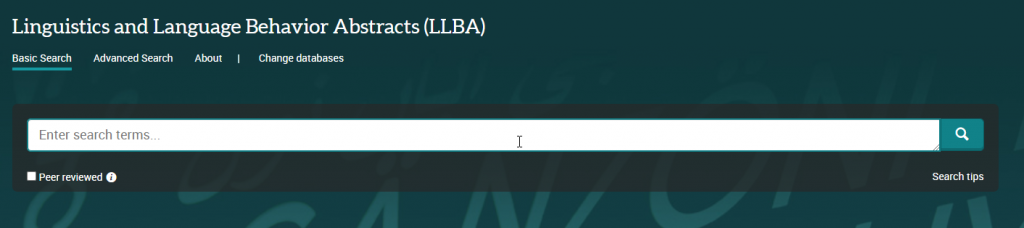
Linguistics and Language Behavior Abstracts (LLBA) indexes and provides abstracts of journal articles, books, book chapters and dissertations on linguistics and language sciences including topics such as:
Anthropological linguistics
Applied linguistics
Descriptive linguistics
Discourse analysis
Language – pathological and normal
Learning disabilities
Nonverbal communication
Phonetics
Phonology
Psycholinguistics
It’s an excellent resource for those interested in the nature and use of language.
The database provides both basic and advanced search options and you can limit your results by information (source) type, publication date, subject, language and more. You can also limit to peer reviewed items only. While some full text items are available, LLBA item records generally provide only bibliographic information and an abstract, so look out for the ‘Find@Newcastle’ button in your results page, which will help you check for a full text copy of an item in Library Search.
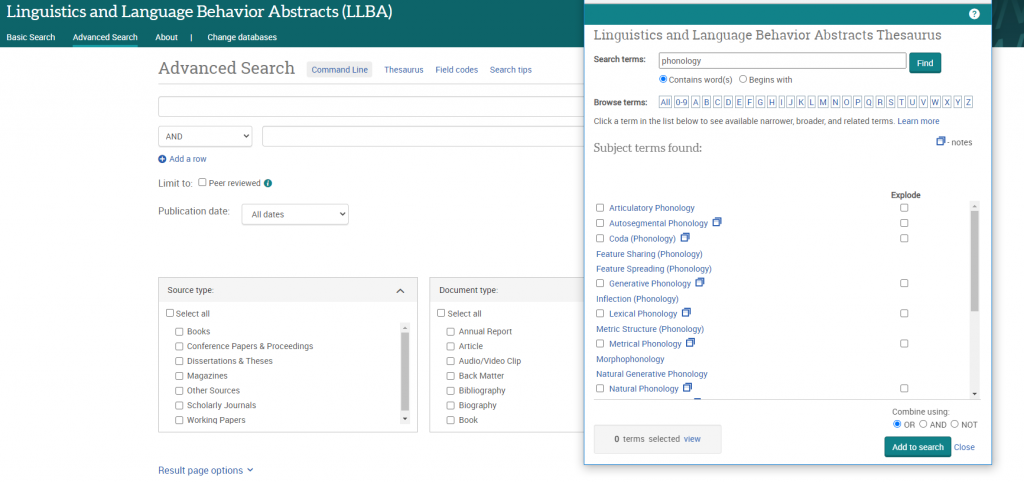
LLBA has the advantage of including a specialised linguistics thesaurus, which you can use in advanced search to refine and focus your search. The thesaurus provides a searchable list of all the subject terms used in the database and highlights links between broader, narrower and related terms, helping you to select all of the keywords relevant to your topic.
ProQuest provide a helpful and detailed guide to LLBA which includes search tips for basic and advanced search as well as some sample searches you can work through to familiarise yourself with the database.
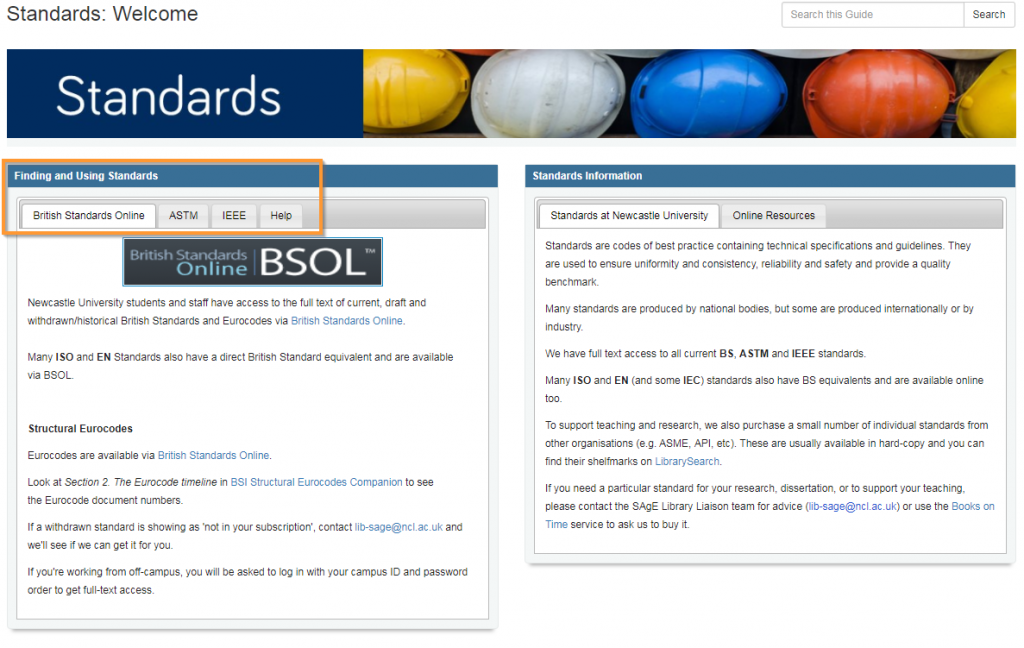
This small, but beautifully formed Standards Resource Guide will give you all you need to know about what standards you can access whilst at Newcastle University.
Standards are codes of best practice containing technical specifications and guidelines. They are used to ensure uniformity and consistency, reliability and safety and provide a quality benchmark.
We have full text access to all current BS, ASTM and IEEE standards.
Many ISO and EN (and some IEC) standards also have BS equivalents and are available online too.
To support teaching and research, we also purchase a small number of individual standards from other organisations (e.g. ASME, API, etc). These are usually available in hard-copy and you can find their shelfmarks on Library Search.
If you need a particular standard for your research, dissertation, or to support your teaching, please contact the Liaison Team or ask us to investigate buying it for library stock.
The guides group together all the main library subscriptions we have for that specific type of information, as well as linking out to key external links and resources too. Wherever possible we also include guidance and help on how to get the best out of the databases and links and group the information together into a logical and helpful way. We know how busy life is and we simply want to save you time!
So what you are waiting for, go and check out our fabulously named Resource Guides, because they do exactly what they say on the tin!
We have over 0.7 million e-books accessible through Library Search, including titles that feature on your reading lists, or those that have been recommended by staff and students. Sometimes we buy them through large bundle deals with specific publishers so we gain access to lots of research titles all at once.
Why use e-books?
e-books are incredibly useful resources as they are available 24/7 from any location, work with most devices and some come with snazzy features such as keyword searching, annotation options, links to other relevant information, and reading aloud facilities to name but a few.
How do e-books work?
As we get e-books from different platforms and providers you might see a different layout each time you access one of our titles but the logic is the same. You can navigate using a toolbar, you can normally turn pages using little arrows at the top or side of the page, you can jump to specific chapters and in some cases, print or download all or some sections of the e-book to read offline.
Unfortunately, one thing you can’t do with e-books is download and save offline a copy of the book to keep forever, there are usually some download restrictions. This is because we have subscriptions or licence access to titles but we don’t own the title. There is something called Digital Rights Management where publishers can control the copying, pasting and downloading of their content, this is linked to issues with privacy and copyright.
How do I access e-books?
Simply navigate to Library Search and enter your keywords to look for a book title as usual. Library Search is the best way to access resources whether you’re on or off campus as it makes sure you’re logged in correctly and can access resources simply and quickly.
Watch this short video to begin searching for books and e-books.
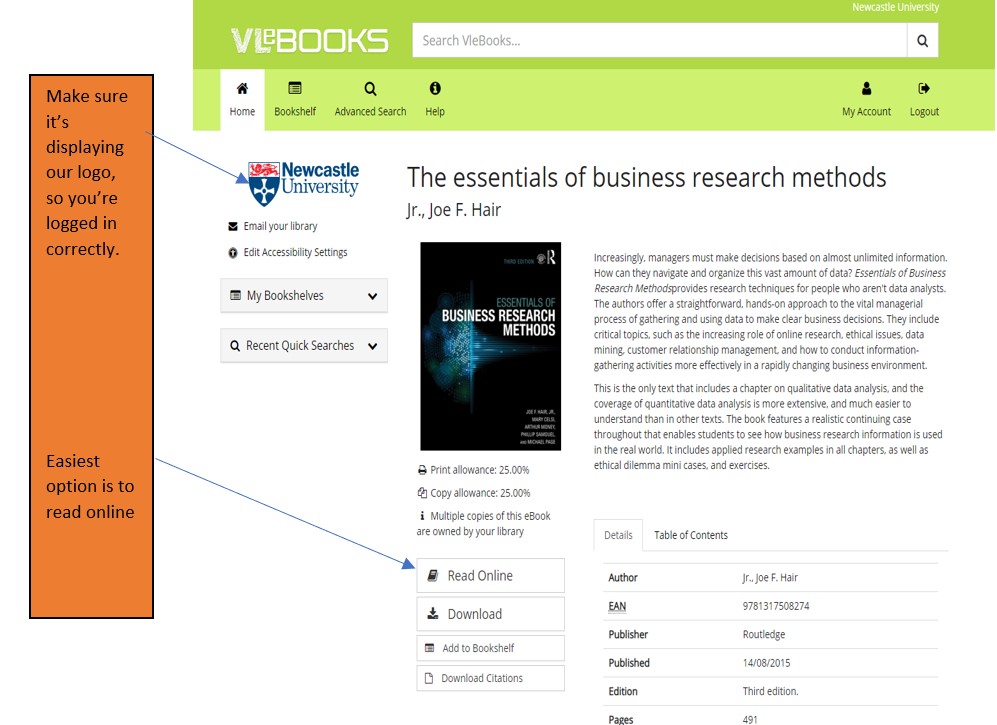
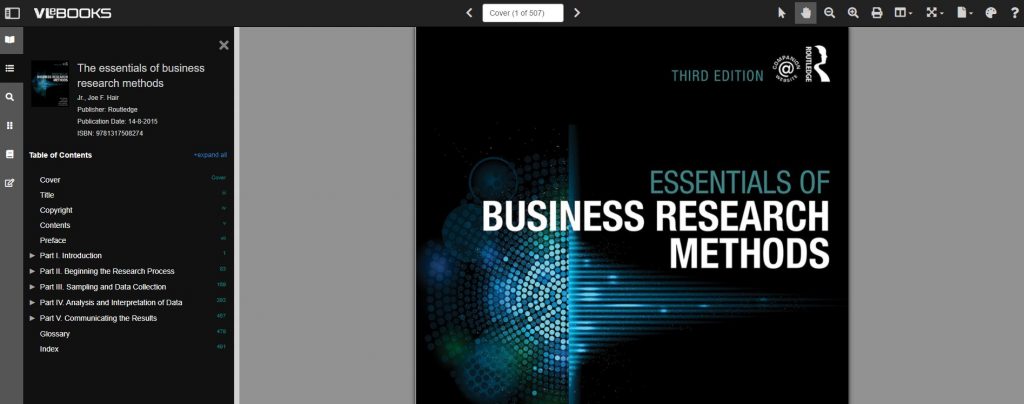
From your search results, choose an e-book which looks relevant e.g. Essentials of Business Research Methods by Hair, which we know is popular book for Business students doing dissertations. If you are off campus, you will need to sign in with your University ID and Password.
Once the e-book has loaded on the screen, hover over the functionality buttons to see what they do. For example; the search option will be useful if you’re looking for specific topics; use the Table of Contents to navigate straight to a chapter you’ve been told to read, or select the paint pallet to change the colour of the background to help with your reading.
Not all titles are available in eBook format for an institutional library to purchase, but if you’d prefer a title in electronic format we can certainly investigate. Just let us know by recommending a book.
We have been very busy over the summer adding to our growing collection of e-resources to support your studies and research. Discover individual titles in Library Search and browse some of the new collections now available to you below.
We have also invested in continued access to our Evidence-Based Acquisition (EBA) collections from multiple publishers, so you can browse and access hundreds of ebook titles and we can see which are the most popular titles for our students and researchers.
New to the University or just wanting a handy list of places to search for Sociology information. Then here are some of our suggestions to help you find the information you need.
Whether you are on or off campus you can access the full collection of ebooks, electronic journals and professional magazines, newspapers, conferences and more, from Library Search.
Watch our short video showing how to search for eBooks.
To find academic journal articles from across our collection that match your topic keywords, use the everything search option and filter your results on the left to peer-reviewed journals.
Find out how to search for electronic journal articles in this short video.
You can contact the Liaison Team for one-to-one support or send your questions to Library Help, where there are staff logged into our live chat service, 24/7.
Between Library Search and your Subject Guide, you will be able to find excellent information to use in your academic essays, but there are many other resources you may want to try.
The Social Sciences Premium Collection is a brilliant place to start if you would like to refine your results to sociology and the social sciences, while still searching broadly across different information types. It is a collection of social sciences databases, covering a range of information types including articles, reports, conference papers and theses, so you are able to find results that match your keywords from a variety of global sources.
Find out more about the Social Sciences Premium Collection, how to search it successfully and use the advanced features in the video guide below. It is a brilliant resource for sociology and excellent to use for any academic assignment.
Watch our introduction to the Social Sciences Premium Collection to explore basic and advanced searching.
Scopus is a large, multidisciplinary database, which indexes peer- reviewed journal articles, books, book chapters, conference proceedings and trade publications.
One of the main advantages of using Scopus is that it provides a lot of useful information about the articles it indexes. This includes full reference lists for articles and cited reference searching, so you can navigate forward and backward through the literature to uncover all the information relevant to your research.
You can also set up citation alerts so you can be informed of new, relevant material automatically. Other useful tools include citation overviews, author and affiliation searching, visual analysis of search results, a journal analyser, and author identifier tools (if you are interested in publishing work).Watch this video from Scopus about how to expand your search from a known article reference.Watch this video from Scopus about how to expand your search from a known article reference.
https://youtu.be/qCu-obYMFsE
Watch this video from Scopus about how to expand your search from a known article reference.
Government publications provide information in a variety of subjects. Statistics, White Papers, Parliamentary Bills and a whole range of Official Legislation published by the Government. The provide a good, reliable, source of accurate statistics, and can give support to your argument in essay topics.
OECD iLibrary is the online library of the Organisation for Economic Cooperation and Development (OECD) and gives you access to books, analyticalreports and statistics, covering a broad range of topics relevant for studies in sociology.
Statista is an extensive statistics platform covering over 1.5 million data sets. It includes reports, statistics and forecasts on a range of topics. So if you want to know which social media platforms are most popular across the globe, compare homelessness statistics, explore education trends or how many people read every day, Statista is a brilliant place to start.
Statistics and reports can be exported in a range of formats including images and PowerPoint, giving you flexibility to include the visuals in your assignments. The statistics source is included, giving you the information that you need to cite it successfully.
Find out more about Statista with this brief introduction.
Newspapers are an excellent resource to explore, to provide a range of perspectives on a topic. You can find opinion pieces, social commentary and identify trends in public opinion.
We have a huge range of newspaper archives, historic newspapers and international sources such as Nexis that can mostly be access online and off campus. Our Newspapers resource guide collates all of our resources and will guide you through how where to look.
LexisLibrary is an excellent place to start. It provides access to UK national and regional newspapers, from the 1990s to today. It includes the copy text without the images or formatting and all of the details you need to create a citation are on the article page.
Once you have followed the Library Search link to access Lexis, make sure you click on News at the top of the page for full text access to all UK publications.
As so many articles are published every day, you will need to refine your searching using date ranges, combined keywords or by selecting specific newspapers or publication type (i.e. broadsheet or tabloid).
Remember to use your critical skills when using newspapers however, and watch out for Fake News. They are biased sources and are best used in balance with other sources. You can find our tips on our Evaluating Information skills guide.
10. Box of Broadcasts
Box of Broadcasts can be used to access TV and radio broadcasts from over 65 channels, including most of the UK’s freeview network, all BBC TV and radio content from 2007, and several foreign language channels. It’s a great resource to use to find documentaries or critical opinions.
You can view archived programmes, record new ones, create clips and playlists and see transcripts to help with citation and translation. You can also search for other user’s public playlists to help you in your own search.
Unfortunately, Box of Broadcasts is not available outside the UK.
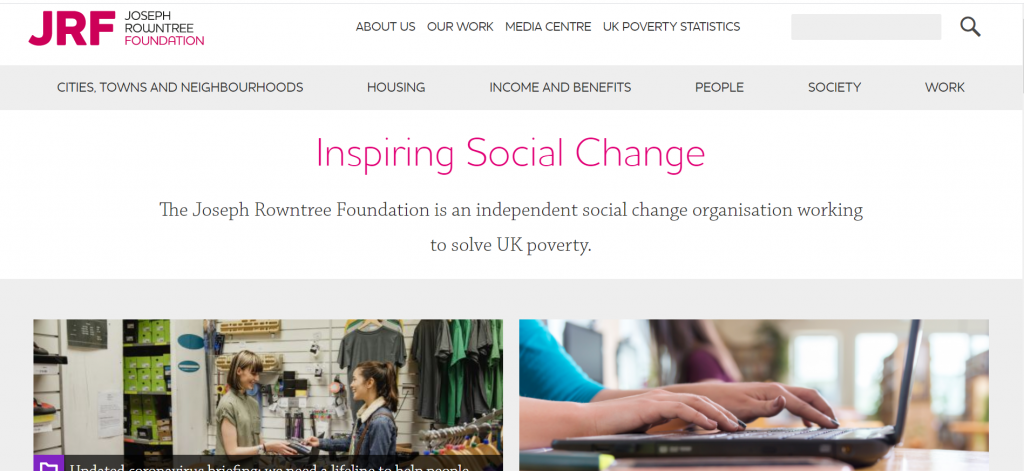
The Joseph Rowntree Foundation is a British social policy research and development charity, that funds UK-wide research and development programs. It aims to understand the root causes of social problems, and how social needs can be met in practice. The charity produces excellent topical research reports on cities towns and neighborhoods, housing, income and benefits, people, society and work.
The website is easy to search and browse by topic.
Written by the Social Science team at the British Library and guest contributors, it gives insight into their work, projects they are involved in as well as events, interesting resources and research methods related to the social sciences.
There is some great content on the blog and they run free, online short courses, with recent topics including things like propoganda and research methods for historical, society focused, research. This is definitely a blog worth bookmarking.
This a major resource for British social history from 1937-1967. It contains material generated by the Mass Observatihttps://libsearch.ncl.ac.uk/permalink/f/1jraif3/NCL_ALMA21112401630002411on social research organisation, including all the day surveys, diaries and subject directives from 1937-1967, a wide range of themed topic collections, together with other material such as images and essays.
The online exhibitions are an accessible way into the collections and highlight the wealth of information and documents available in the database.
To get started, browse by topic and you will quickly get a sense of the range of information that would be useful for your written assignments
As well as following your reading lists from your module leaders you will also need to find your own good quality resources. Here are some of our suggestions to help you find the information you need.
When working off campus, you can still access the full collection of ebooks, electronic journals and professional magazines, newspapers, conferences and more, from Library Search.
Additional ebook titles are being added to the collection every day while we are all working remotely. Search by author, title or keyword to find books to help you with your essay topic.
Our video will get you started with searching for eBooks.
To find academic journal articles from across our collection that match your topic keywords, use the everything search option and filter your results on the left to peer-reviewed journals.
Find out how to search for journal articles in this short video.
The Social Sciences Premium Collection is a brilliant place to start if you would like to refine your results to education and the social sciences, while still searching broadly across different information types. Find out more about the Social Sciences Premium Collection, how to search it successfully and use the advanced features in the video guide below. It is a brilliant resource for education.
You can contact the Liaison Team for one-to-one support or send your questions to Library Help, where there are staff logged into our live chat service, 24/7.
Between Library Search and your Subject Guide, you will be able to find excellent information to use in your academic essays, but there are many other resources you may want to try.
ERIC is the most widely used education database, that covers a broad spectrum of education literature including journal articles, books, conference papers and reports. It has global coverage although can be a little skewed towards American education.
It includes basic and advanced search options, and has a built in thesaurus that allows you to select subject headings for your search, that take into account the differences in how education levels or topics may be described internationally, e.g. elementary education versus primary education.
Find out how to do a basic search on the EBSCOhost platform, that hosts ERIC.
If you want to refine your search to UK education, use British Education Index instead. It is on the same platform as ERIC so is searched in the same way, but will refine your results to a British focus.
4. JSTOR
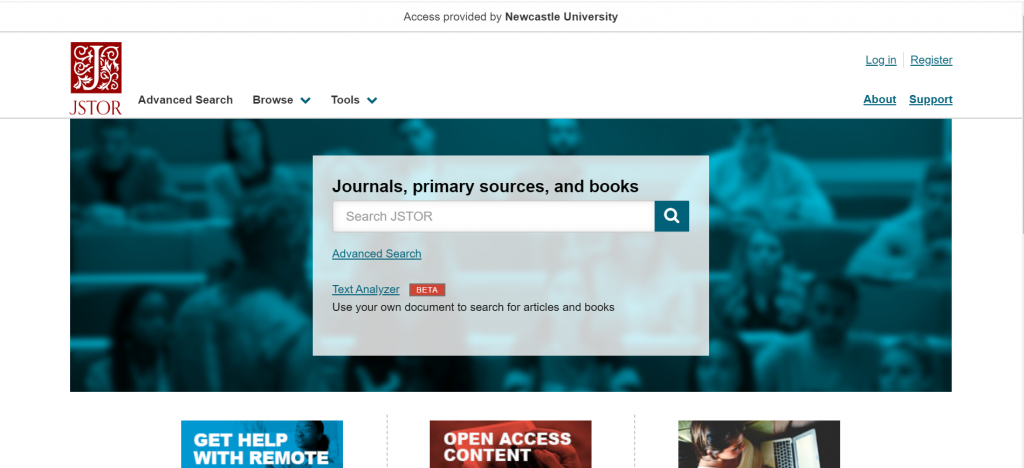
JSTOR is a full-text collection, giving you online access to scholarly journals, books and book chapters in the arts, humanities, and social sciences.
It has basic and advanced search options that allow you to search by topic keyword, author, subject area, title or publisher
Scopus is a large, multidisciplinary database, which indexes peer- reviewed journal articles, books, book chapters, conference proceedings and trade publications.
One of the main advantages of using Scopus is that it provides a lot of useful information about the articles it indexes. This includes full reference lists for articles and cited reference searching, so you can navigate forward and backward through the literature to uncover all the information relevant to your research.
You can also set up citation alerts so you can be informed of new, relevant material automatically. Other useful tools include citation overviews, author and affiliation searching, visual analysis of search results, a journal analyser, and author identifier tools (if you are interested in publishing work).Watch this video from Scopus about how to expand your search from a known article reference.
https://youtu.be/qCu-obYMFsE
Watch this video from Scopus about how to expand your search from a known article reference.
Government publications provide information in a variety of subjects. Statistics, White Papers, Parliamentary Bills and a whole range of Official Legislation published by the Government. The provide a good, reliable, source of accurate statistics, and can give support to your argument in essay topics. This includes OFSTED reports, Department for Education advice, policy and publications.
OECD iLibrary is the online library of the Organisation for Economic Cooperation and Development (OECD) and gives you access to books, analyticalreports and statistics, covering a broad range of topics relevant for studies in education.
OECD iLibrary is certainly worth searching to provide reputable supporting information for your academic work.
Statista is an extensive statistics platform covering over 1.5 million data sets. It includes reports, statistics and forecasts on a range of topics. So if you want to know which social media platforms are most popular across the globe, compare homelessness statistics, explore education trends or how many people read every day, Statista is a brilliant place to start.
Statistics and reports can be exported in a range of formats including images and PowerPoint, giving you flexibility to include the visuals in your assignments. The statistics source is included, giving you the information that you need to cite it successfully.
Find out more about Statista with this brief introduction.
Newspapers are an excellent resource to explore, to provide a range of perspectives on a topic. You can find opinion pieces, social commentary and identify trends in public opinion.
We have a huge range of newspaper archives, historic newspapers and international sources such as Nexis that can mostly be access online and off campus. Our Newspapers resource guide collates all of our resources and will guide you through how where to look.
LexisLibrary is an excellent place to start, including TES and The Guardian education. It provides access to UK national and regional newspapers, from the 1990s to today. It includes the copy text without the images or formatting and all of the details you need to create a citation are on the article page.
Once you have followed the Library Search link to access Lexis, make sure you click on News at the top of the page for full text access to all UK publications.
As so many articles are published every day, you will need to refine your searching using date ranges, combined keywords or by selecting specific newspapers or publication type (i.e. broadsheet or tabloid).
Remember to use your critical skills when using newspapers however, and watch out for Fake News. They are biased sources and are best used in balance with other sources. You can find our tips on our Evaluating Information skills guide.
Box of Broadcasts can be used to access TV and radio broadcasts from over 65 channels, including most of the UK’s freeview network, all BBC TV and radio content from 2007, and several foreign language channels. It’s a great resource to use to find documentaries or critical opinions.
You can view archived programmes, record new ones, create clips and playlists and see transcripts to help with citation and translation. You can also search for other user’s public playlists to help you in your own search.
You can get help at anytime during your studies by contacting your Social Science Liaison Team; Karen and Louise who are based in the Philip Robinson Library.
New to the University or just not sure where to start other than the Politics reading lists you’ve been told to follow? Then check out our list for where you might to look.
When working off campus, you can still access the full collection of ebooks, electronic journals and professional magazines, newspapers, conferences and more, from Library Search.
Additional ebook titles are being added to the collection every day while we are all working remotely. Search by author, title or keyword to find books to help you with your essay topic.
To find academic journal articles from across our collection that match your topic keywords, use the everything search option and filter your results on the left to peer-reviewed journals.
Watch our introduction to the main Library Search features.
The Social Sciences Premium Collection is a brilliant place to start if you would like to refine your results to politics and the social sciences, while still searching broadly across different information types.
Find out more about the Social Sciences Premium Collection, how to search it successfully and use the advanced features. It is a brilliant resource for politics.
You can contact the Liaison Team for one-to-one support or send your questions to Library Help, where there are staff logged into our live chat service, 24/7.
Between Library Search and your Subject Guide, you will be able to find excellent information to use in your academic essays, but there are many other resources you may want to try.
Scopus is a large, multidisciplinary database, which indexes peer reviewed journal articles, books, book chapters, conference proceedings and trade publications.
One of the main advantages of using Scopus is that it provides a lot of useful information about the articles it indexes. This includes full reference lists for articles and cited reference searching, so you can navigate forward and backward through the literature to uncover all the information relevant to your research.
You can also set up citation alerts so you can be informed of new, relevant material automatically. Other useful tools include citation overviews, author and affiliation searching, visual analysis of search results, a journal analyser, and author identifier tools (if you are interested in publishing work).
https://youtu.be/qCu-obYMFsE
Watch this video from Scopus about how to expand your search from a known article reference.
Government publications provide information in a variety of subjects. Statistics, White Papers, Parliamentary Bills and a whole range of Official Legislation published by the Government provide a good, reliable, source of accurate statistics, and can give support to your argument in essay topics.
OECD iLibrary is the online library of the Organisation for Economic Cooperation and Development (OECD) and gives you access to books, analyticalreports and statistics, covering a broad range of topics relevant for studies in politics.
Agriculture and food
Development
Economics
Education
Employment
Energy and nuclear energy
Environment
Finance and investment, taxation and trade
Industry and services
Science and technology
Social Issues / Migration / Health
Transport
Urban, Rural and Regional Development
OECD iLibrary is certainly worth searching to provide reputable supporting information for your academic work.
Statista is an extensive statistics platform covering over 1.5 million data sets. It includes reports, statistics and forecasts on a range of topics. So if you want to know which social media platforms are most popular across the globe, compare homelessness statistics, explore industry trends or how many people play video games, Statista is a brilliant place to start.
Statistics and reports can be exported in a range of formats including images and PowerPoint, giving you flexibility to include the visuals in your assignments. The statistics source is included, giving you the information that you need to cite it successfully.
Find out more about Statista with this brief introduction.
Newspapers are an excellent resource to explore, to provide a range of perspectives on a topic. You can find opinion pieces, social commentary and identify trends in public opinion.
We have a range of newspaper resources available from the Library, and LexisLibrary is an excellent place to start. It provides access to UK national and regional newspapers, from the 1990s to today. It includes the copy text without the images or formating and all of the details you need to create a citation are on the article page.
Once you have followed the Library Search link to access Lexis, make sure you click on News at the top of the page for full text access to all UK publications.
As so many articles are published every day, you will need to refine your searching using date ranges, combined keywords or by selecting specific newspapers or publication type (i.e. broadsheet or tabloid).
Remember to use your critical skills when using newspapers however, and watch out for Fake News. They are so biased sources and are best used in balance with other sources. You can find our tips on our Evaluating Information skills guide.
9. Newspaper archives and international news
We have a huge range of newspaper archives, historic newspapers and international sources such as Nexis that can mostly be access online and off campus. Our Newspapers resource guide collates all of our resources and will guide you through how where to look.
If you want to search across a range of newspapers, we suggest you start with Gale Primary Sources, as this gives access to nearly all our British newspaper archives, except for The Guardian and The Observer.
10. Box of Broadcasts
Box of Broadcastscan be used to access TV and radio broadcasts from over 65 channels, including most of the UK’s freeview network, all BBC TV and radio content from 2007, and several foreign language channels. It’s a great resource to use to find documentaries or critical opinions.
You can view archived programmes, record new ones, create clips and playlists and see transcripts to help with citation and translation. You can also search for other user’s public playlists to help you in your own search.
Unfortunately, Box of Broadcasts is not available outside the UK.