Government Publications: Questions in the House!

GOVERNMENT PUBLICATIONS
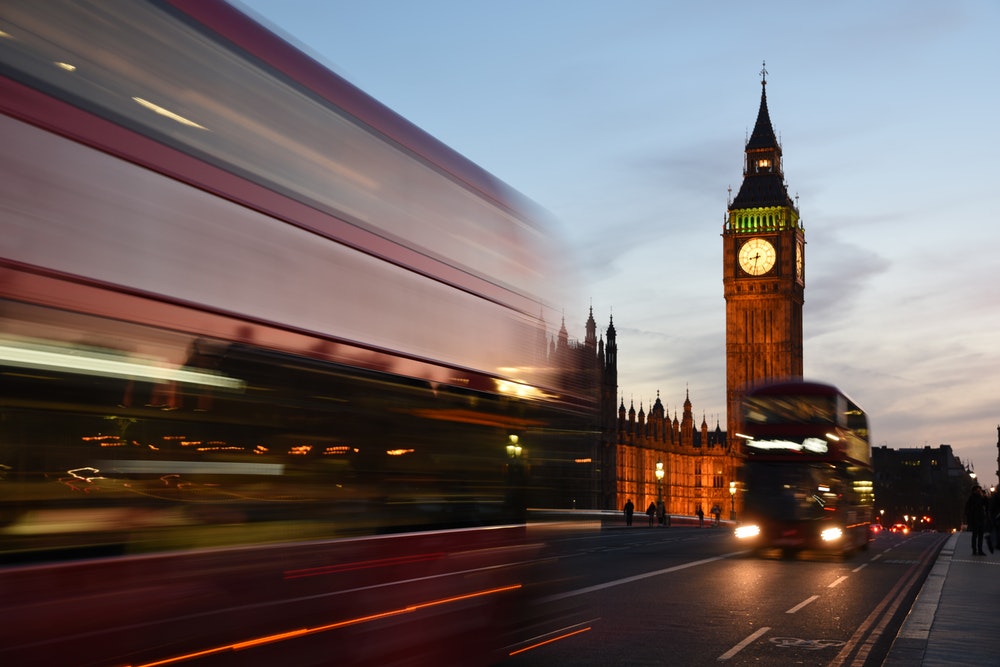
Surely all MPs are giving us the correct facts?

Take a look at our links to resources for Legislation, Statistics and Official Publications to make sure!

Government publications provide primary information in a variety of subjects. Statistics, White Papers, Parliamentary Bills and a whole range of Official Legislation.

These are a good reliable source of accurate statistics, and can give support to your argument in essay topics across all subjects.

Many government publications are now available online; our Library Guide highlights the useful websites.

Interested in Student Loans or the legal details of part time Employment Contracts?

Details of all UK legal processes can be found at the government website Gov.uk which provides lots of useful information about government services, with an A-Z of departments, agencies and local councils.

Meaningful Vote mean anything to you?

Keep up with the debate and Prime Ministers Questions at this website.

Follow the government shenanigans as it happens!

Democracy Live is the BBC’s new website which offers live and on demand video coverage of the UK’s national political institutions and the European Parliament.

Who stole 40 llbs of butter from Mr Wadsworths wagon in 1778?

You can find out here in The Proceedings of Old Bailey which contains accounts of over 100,000 criminal trial held at London’s criminal court.

So, for more information about finding your way around all aspects of Government Publications please take a look at our helpful video.

Managing your References: EndNote and OSCOLA

Recipe for referencing: Newcastle University Library

“Should I use EndNote as a way to manage my references?” is often a question we get asked. We wish that there was a simple answer to that question, but there isn’t! It all depends on how many references you have, how you like to work and if you are willing to make time to learn how to use EndNote properly. You see, while EndNote is tool that can make your academic life easier (for example, it can help you build a collection of references, insert references into your work and create bibliographies), it will only save you time, if you invest time NOW.

So if you’re using the OSCOLA referencing style and weighing up whether to use EndNote or not, then you might want to consider the following:

  • You need to have a good grasp of the OSCOLA fundamentals before you even start with EndNote. If you need a refresher on OSCOLA, then check out the OSCOLA referencing guide first before even looking at EndNote.
  • EndNote will not do EVERYTHING for you. You will still need to manually input and amend your references to ensure your footnotes and bibliography comply with OSCOLA.
  • Have you got the time to invest in EndNote before using it? We strongly recommend that you make a start using EndNote from the beginning, rather than in the middle or at the end, of your research.
  • How do you want to use EndNote? Some people decide to use it simply as a storage place for their references and PDFs and leave it at that. Others use it both as a storage place, as well as a tool to help them cite.

Still not sure? Watch the video below to see how to use OSCOLA style and the Cite While You Write feature in Word. Then take a look at the OSCOLA and EndNote guide and see if it’s something you’d like to start using.

Any questions? Have a look at our Frequently Asked Questions to see if it’s been asked before. If not, then do get in touch via Library Help


EndNote

What is EndNote?

The official blurb on EndNote is that it is “…the industry standard software tool for publishing and managing bibliographies, citations and references.”

Have you drifted off yet? Don’t – read on!

EndNote takes a little getting used to and we recommend you familiarise yourself with it at the start of your research process. But as Library Staff, we wouldn’t spend a significant amount of time demonstrating and training our academic staff and students on what EndNote is, and how to use it, if we didn’t think it was valuable. It will save you a huge amount of time in terms of writing up your assignments.

Essentially, you can use EndNote to create and organise a personal library of resources relevant to your research. You can import references from Library Search, and a huge range of databases such as Scopus, Web of Science, IEEE Xplore and Business Source Complete. You can ask EndNote to locate the full-text PDFs of the resources you are going to use in your research, and you can annotate them as you wish too. Did you know you can instruct Google Scholar to import references into EndNote? No? Try it. Finally, if you already have materials stored in your home folder (H:\) then you can attach them to a manually-created reference within EndNote, bringing all your research together in one place.

In addition to organising your references (and this is the clever bit) you can then get EndNote to ‘talk’ to your word processing software, e.g. Microsoft Word, and insert the citations into your work for you in your chosen referencing style, e.g. Harvard at Newcastle, Vancouver, APA or MLA. If you don’t want to do that, then EndNote will also allow you to create an independent bibliography of your references, saving you an awful lot of typing.

Using EndNote

Intrigued? You should be. Take a look at our EndNote Guide. It contains all the introductory information you need, step-by-step workbooks to train yourself on the use of EndNote (the Desktop and Online versions), videos, useful FAQs, and contacts for help, should you need it.

Finally, Newcastle University provides support for EndNote but it is not compulsory to use. You may prefer Mendeley, Zotero, RefWorks or another piece of bibliographic management software. That’s fine, whatever makes your referencing lives easier. Go on, give them a try.

Cambridge Histories Online: what’s new?

We subscribe to Cambridge Histories Online, the internationally renowned book series which first started in 1902.  We have access to over 360 volumes online, covering many different subject areas in depth, including history, music, language and literature.

We have recently bought access to several new volumes (in some cases, multiple volumes) which cover the following topics:

Ireland

Moral Philosophy

Intellectual History of Byzantium

Judaism

Communism

Modernism

Slavery

All the Cambridge Histories are individually catalogued and searchable via Library Search, or if you prefer, you can browse them all together on the Cambridge Histories platform.


New resource in focus: Aerial and Lidar Digimap

Digimap is an online map and data delivery service, comprising various collections, including Ordnance Survey and Historic. We have recently acquired access to two more modules: Aerial and Lidar Digimap.

Aerial Digimap 

This provides access to some of the highest quality aerial photography available for Great Britain, created and licensed by Getmapping plc. You can use a range of interactive tools, allowing interrogation and analysis of the data online and offline. You can also:

  • add annotations (text, point, lines and areas)
  • identify image capture date by clicking on the map
  • generate PDF, PNG or JPG files for printing
  • save maps to go back to or print later

Lidar Digimap

This offers detailed Lidar data from the Environment Agency and presents a model of the earth’s surface.

Uses of Lidar data are highly varied, from use in the creation of visual effects for virtual reality and film projects, to archaeology, forestry management, flood and pollution modelling.

You’ll need to agree to the new licence before using these new modules: please see our separate blogpost for more details. If you need help with Digimap, there are extensive help pages online for each component.

Finding and using images

New from the humanities library liaison team!

Every week, we’re giving you quick Twitter tips and tricks to help you get the best out of our resources. We’ve got so many great collections, it can be hard to keep up with what’s on offer. So sit back and let us tweet you to search success!

Earlier this week, we focused on finding and using images. Missed our tweets? Don’t worry, we’ve compiled them all together into a Twitter moment below!

News and media resources

New from the humanities library liaison team!

Every week, we’re giving you quick Twitter tips and tricks to help you get the best out of our resources. We’ve got so many great collections, it can be hard to keep up with what’s on offer. So sit back and let us tweet you to search success!

Last week, we focused on our news and media resources. Missed our tweets? Don’t worry, we’ve compiled them all together into a Twitter moment below!

Music and sound resources

New from the humanities library liaison team!

Every week, we’re giving you quick Twitter tips and tricks to help you get the best out of our resources. We’ve got so many great collections, it can be hard to keep up with what’s on offer. So sit back and let us tweet you to search success!
This week, our focus has been #soundandvision, and yesterday we highlighted our music and sound resources.

Missed our tweets? Don’t worry, we’ve compiled them all together into a Twitter moment below!

Film and television resources: quick tips


New from the humanities library liaison team!

Every week, we’re giving you quick Twitter tips and tricks to help you get the best out of our resources. We’ve got so many great collections, it can be hard to keep up with what’s on offer. So sit back and let us tweet you to search success!

Today, we focused on our film and television resources. Missed our tweets? Don’t worry, we’ve compiled them all together into a Twitter moment below!