British Online Archives: new collections now available

The Library has purchased access to several new collections in the British Online Archives series:

BBC Handbooks, Annual Reports and Accounts, 1927-2002

This collection contains handbooks, annual reports and accounts published by the BBC between 1927 and 2002. It also includes a review of each year’s public service broadcasting, with detailed schedules, audience research, performance and objective tables, commentaries, and editorials. A great opportunity to examine the social and cultural forces that shaped Britain in the 20th century.  

British Officers’ Diaries from World War One

These diaries reveal what life was like for the average British soldier in the Battle of the Somme and later battles of Ypres. The battles of Loos, Arras, Vimy Ridge, and Bethune are also covered. The letters home will have been censored by the army: how much was removed depended on the censor. Tactical information and details of military training often remain, as the main concern was morale.

British Union of Fascists: Newspapers and Secret Files 1933-1951

This collection charts the rise and fall of fascism in Britain during the 1930s and 1940s, with a particular focus on Oswald Mosley’s blackshirt movement. 

The bulk of the documents are official BUF publications, including Fascist Week¸ The BlackshirtThe East London Pioneer, and Action. In addition, there are hundreds of Government documents relating to Mosley’s internment during the Second World War, including Cabinet Office, Home Office and Prime Ministerial papers.

Paris Peace Conference and Beyond, 1919-1939

This collection contains archival material relating to this tumultuous period in European and world history. The documents cover the treaties of Versailles, Saint-Germain-en-Laye, Neuilly-sur-Seine, Trianon, Sèvres, Lausanne, and Locarno, as well as the foundation of the League of Nations. Most of the files are drawn from the UK National Archives, while the British Library provided the personal papers of Lord Robert Cecil and Sir Arthur Balfour.

These new resources add to the Parliamentary Labour Party Papers 1968-1994 collection, which we had previously purchased.

New ebook collections for arts and humanities

Image by Free-Photos from Pixabay

The Library has invested in thousands of new ebooks since March, to help widen our collections and enable access for students, wherever you are based.

As well as purchasing individual titles, we have also bought several specialist collections of particular interest to arts and humanities, including the following:

  • Bloomsbury collections in Education, Film and Media, Law, Linguistics and Literary Studies (535 titles in total)

In addition, we have leased access to multidisciplinary academic collections from the following publishers:

All the new titles are individually catalogued on Library Search, or you can browse the books available to us on the publisher’s platform (make sure you are logged in with your Newcastle University username and password).

Getting the most out of e-books

Woman reading on an eReader device.

We have over 0.7 million e-books accessible through Library Search, including titles that feature on your reading lists, or those that have been recommended by staff and students. Sometimes we buy them through large bundle deals with specific publishers so we gain access to lots of research titles all at once.

Why use e-books?

e-books are incredibly useful resources as they are available 24/7 from any location, work with most devices and some come with snazzy features such as keyword searching, annotation options, links to other relevant information, and reading aloud facilities to name but a few.

How do e-books work?

As we get e-books from different platforms and providers you might see a different layout each time you access one of our titles but the logic is the same. You can navigate using a toolbar, you can normally turn pages using little arrows at the top or side of the page, you can jump to specific chapters and in some cases, print or download all or some sections of the e-book to read offline.

Unfortunately, one thing you can’t do with e-books is download and save offline a copy of the book to keep forever, there are usually some download restrictions. This is because we have subscriptions or licence access to titles but we don’t own the title. There is something called Digital Rights Management where publishers can control the copying, pasting and downloading of their content, this is linked to issues with privacy and copyright.

How do I access e-books?

Simply navigate to Library Search and enter your keywords to look for a book title as usual. Library Search is the best way to access resources whether you’re on or off campus as it makes sure you’re logged in correctly and can access resources simply and quickly.

Watch this short video to begin searching for books and e-books.

From your search results, choose an e-book which looks relevant e.g. Essentials of Business Research Methods by Hair, which we know is popular book for Business students doing dissertations. If you are off campus, you will need to sign in with your University ID and Password.
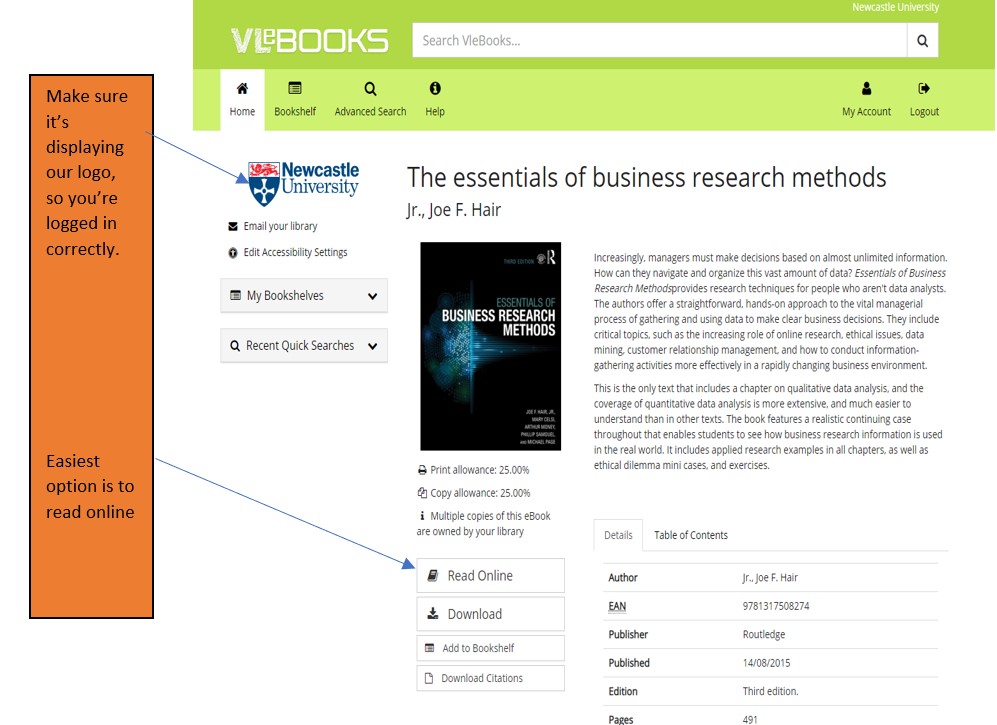
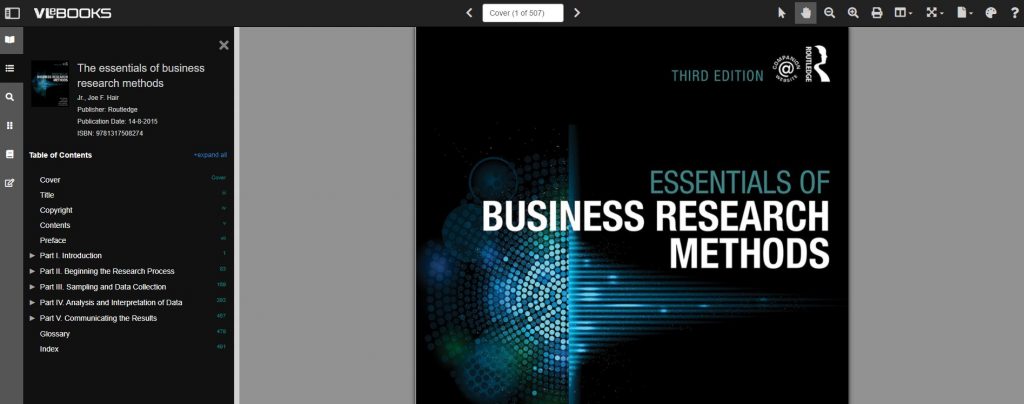
Once the e-book has loaded on the screen, hover over the functionality buttons to see what they do. For example; the search option will be useful if you’re looking for specific topics; use the Table of Contents to navigate straight to a chapter you’ve been told to read, or select the paint pallet to change the colour of the background to help with your reading.
Not all titles are available in eBook format for an institutional library to purchase, but if you’d prefer a title in electronic format we can certainly investigate. Just let us know by recommending a book.
Library Search: top search tips

Library Search is a powerful tool that can help you find good quality, relevant information quickly.  Using Library Search is pretty intuitive but there are some useful search tips that can help you improve and get the most out of your searches:

Keywords and Subject Terms

When you’re searching for information it’s important to use a range of related keywords to ensure you find everything relevant to your topic.  For example, if you’re searching for information on ‘Climate Change’ you might also want to search for ‘Greenhouse Effect’ or ‘Global Warming’ too.  Thinking of related keywords can sometimes be difficult but Library Search can help!

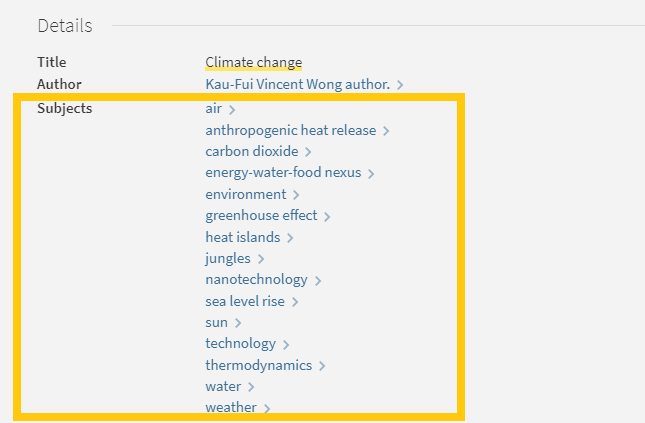
From your search results page, click on the title of a resource to open the resource record and scroll down to the ‘Details’ section.  Here you will find a list of ‘Subjects’, also known as subject terms, used to describe the topics and themes this particular resource discusses.  Take a look at this list and add any relevant words to your search string.

Screen shot of Library Search subject terms for climate change

There are some other useful features in the resource record page that can help with your searches too:

Browse the virtual shelf

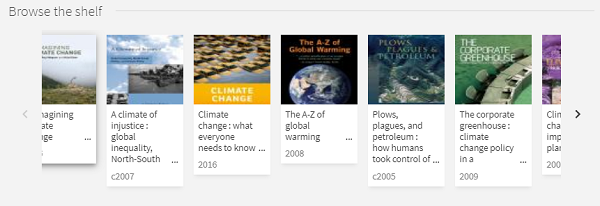
At the very bottom of the record you’ll find a virtual bookshelf, a visual list of the books that can be found next to this one if you were looking in the physical library.  As the library is organised by subject some of these titles might be useful for your research too.

Screen shot of virtual shelf on library search

Read the abstract

A quick way to tell if a resource is going to be relevant and useful for your research is to read the abstract, a summary of the contents of the resource.  On the resource record in Library Search, you’ll find this under the heading ‘Description’.

Advanced Search

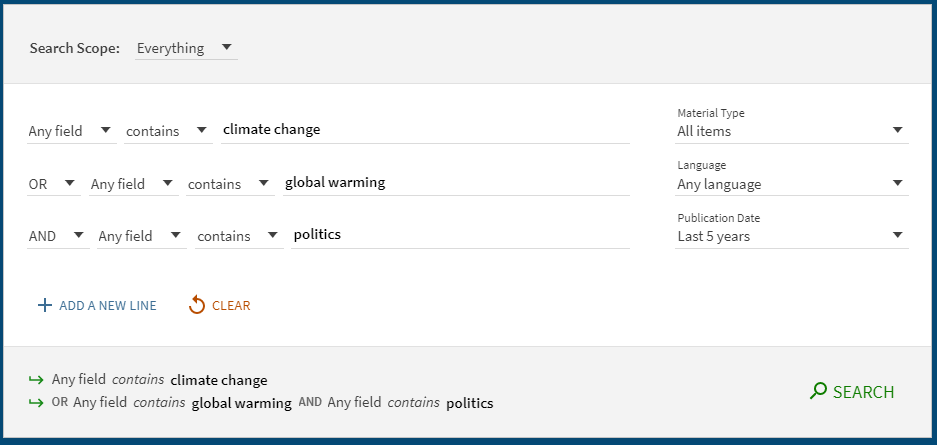
The Advanced Search function in Library search allows you to create a search that will produce more focused results.  It does this by providing a range of search fields and drop down lists that help you build up your search.

Screen shot of advanced search

Select from the options to:

  • Limit your search field to the title, author, subject, collection etc.
  • Apply BOOLEAN operators (AND, OR, NOT) to your keywords
  • Filter by specific material types, languages and dates to focus your search results to the most relevant resources.

Take a look at the Advanced Searching page on our Finding Information Guide for more on how to combine your keywords, create a search string and improve your search results.

Library Search: (the secret stuff?)

You know Library Search. You use it every day when you’re at University. Why are you going to read a blog post on it? Well, we’re wondering if you’re using Library Search to its full potential. Not sure? Then read on.

Library Search is Newcastle University Library’s discovery tool – essentially it’s how you find resources on the library shelves and access those invaluable resources online. But what else can it do?

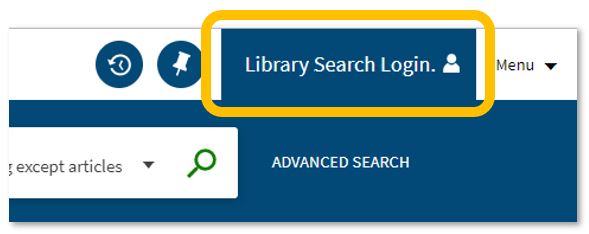
An image of the Library Search login function.

Log in. Using your usual Campus ID and password, you can open up the full functionality of Library Search by telling it who you are. It allows you to:

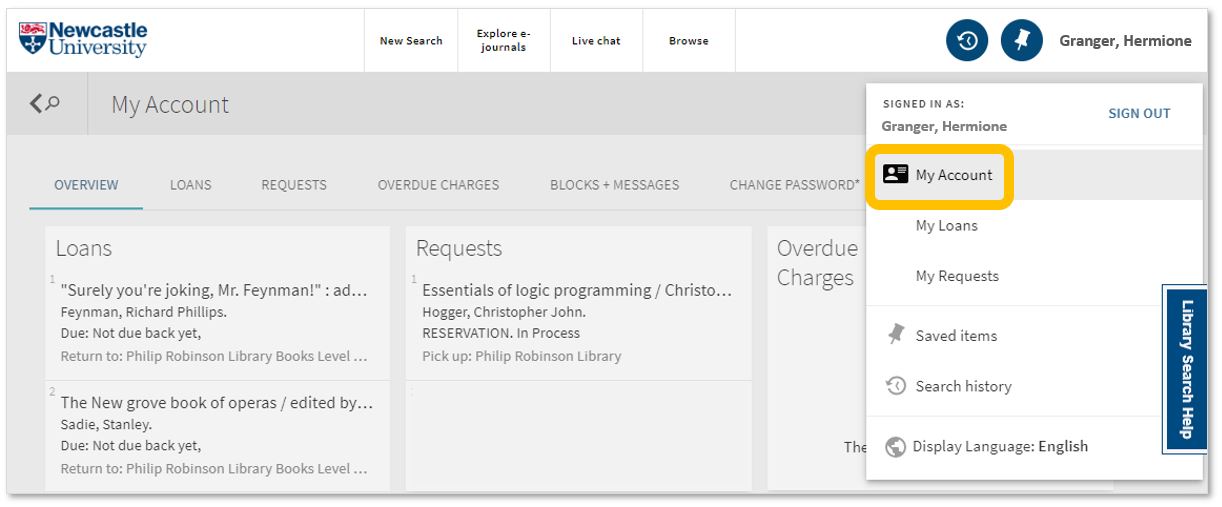
  • Log into your library account to see what books you have on loan (which you may be finished with and could return to any library site), those requests you’ve placed and any books you have on loan that may have been requested by someone else. The standard library stuff, but it’s important too.

An image of Library Search's My Account function.

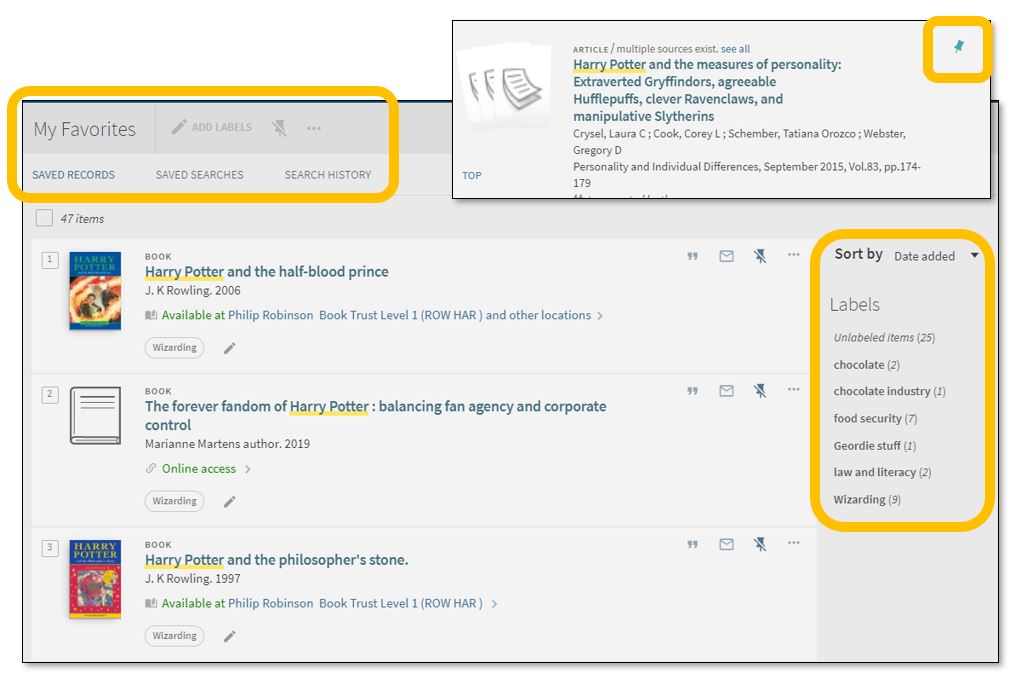
  • Save items you want to come back to (that’ll save you writing them down somewhere else). Find that favourite item and ‘pin’ it to your record. You can then access a list of your favourite books, journals or journal articles and label (or tag) them as to why you may need them, e.g. Herbology, Professor Snape’s essay, or Field Trip to Hogsmeade. That makes it easy to see what you need to use for each lecture, seminar or assessment.

An image of the Library Search Favourites tool.

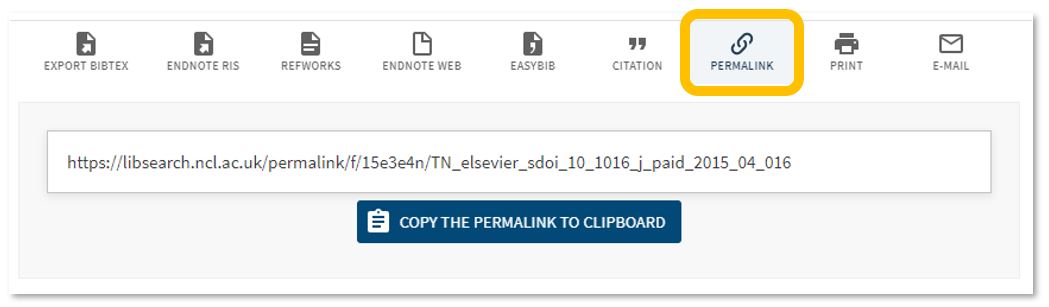
  • Permalink. You can share an item with someone if you want to – copy the permalink to the clipboard and send it to someone you know may be interested.

An image of Library Search's permalink tool.

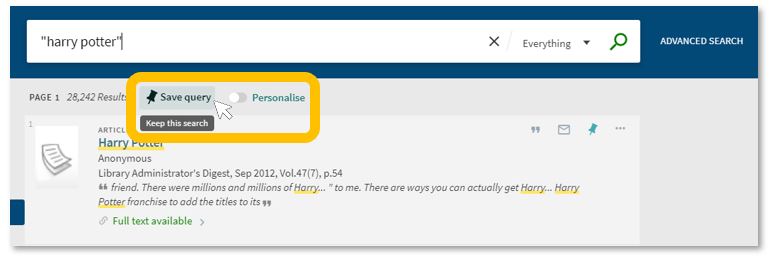
  • Save your search. If you need to repeat your search then save it within Library Search so you don’t need to remember the keywords and connectors (AND, OR, NOT) sequence. This is important if you are scoping a search and need to record or change your approach. You can also ‘Personalise’ your results to a particular discipline – give it a try!

Animage of the Library Search Save Search and Personalise tool.

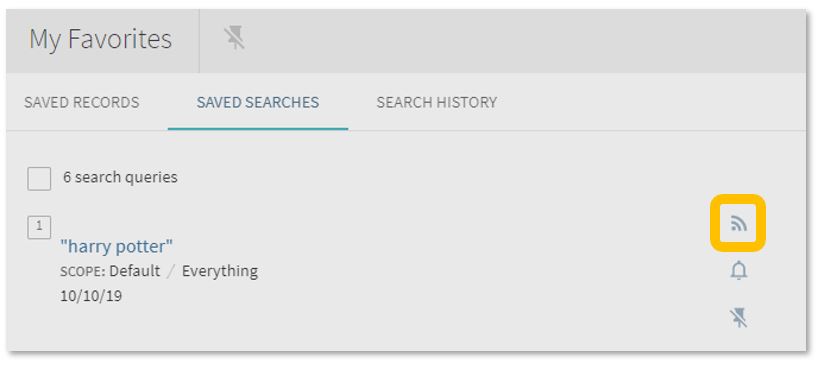
  • Set up a RSS Feed (yes, really!). The Rich Site Summary function allows you to be informed of changes to results in your saved searches. Handy, eh? Go to your Saved Searches and simply click the RSS icon.

An image of Library Search's RSS feed tool.

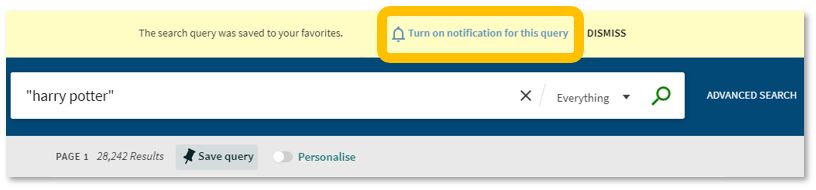
  • Receive an email alert when there are new results for your saved search. This can save you time in your research as Library Search will inform you if there is a new publication available which matches your search terms. Switch it off when you move onto a new subject area by accessing your Favourites list and deselecting the alarm bell icon.

An image of Library Search's email notification tool.

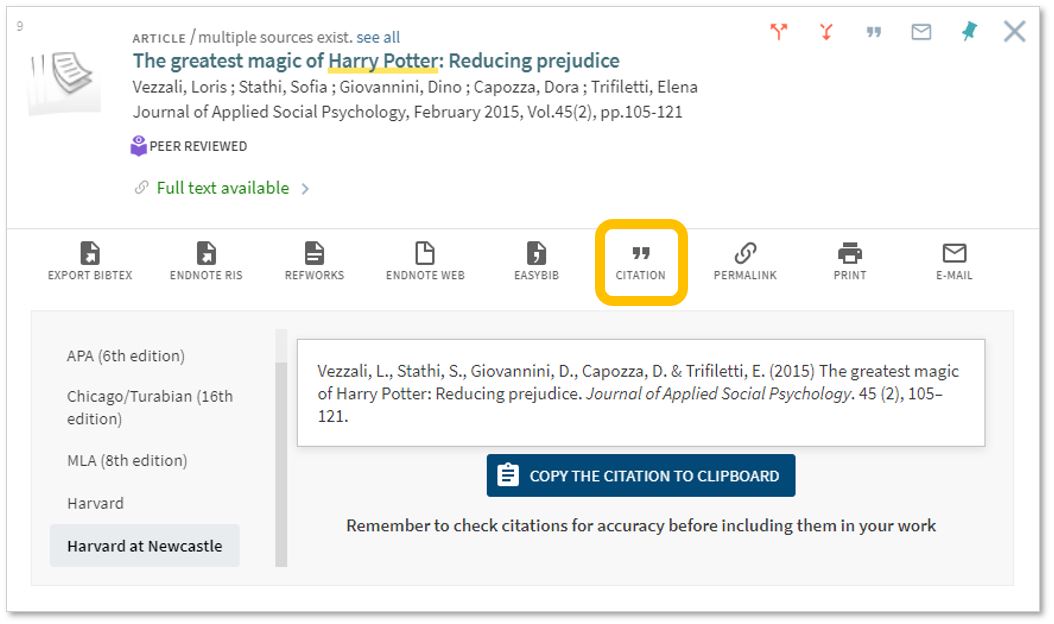
Finally, if you’re writing up your assignment and can’t remember the essential elements of a reference, then use Library Search for guidance. The Citation tool will allow you to view a suggested citation and to copy it to your clipboard for use in your work.*

An image of Library Search's Citation tool.

*BUT (you knew that was coming, didn’t you) ensure you choose the correct style and check your citations for accuracy before including them in your work. It pays to know your required referencing style and not to rely on automated or generated references. If you want to learn more about referencing then see our Managing Information guide and Cite Them Right. Cite Them Right is a great resource which will remind you of the importance of referencing, how to reference and will give guidance on how to cite those more tricky materials such as conference papers, newspaper articles, social media posts and more. Finally, there’s a new tutorial with lots of interactive questions so you can test yourself too.

If you know of any tips or tricks in Library Search that aren’t mentioned here, then leave us a comment and share them!

Resource in focus: Literary Print Culture

Love books? We hope so. Do you want to know more? Take a journey into the history of the book with Literary Print Culture.

Literary Print Culture: the Stationers’ Company Archive, 1554-2007 is a resource which will show you the primary source documents from the City of London archives. Covering the history of the book, publishing history, the history of copyright and the workings of the early London Livery Company, explore the variety of documents to uncover the story of the role the Stationers’ Company played in the history of the book trade.

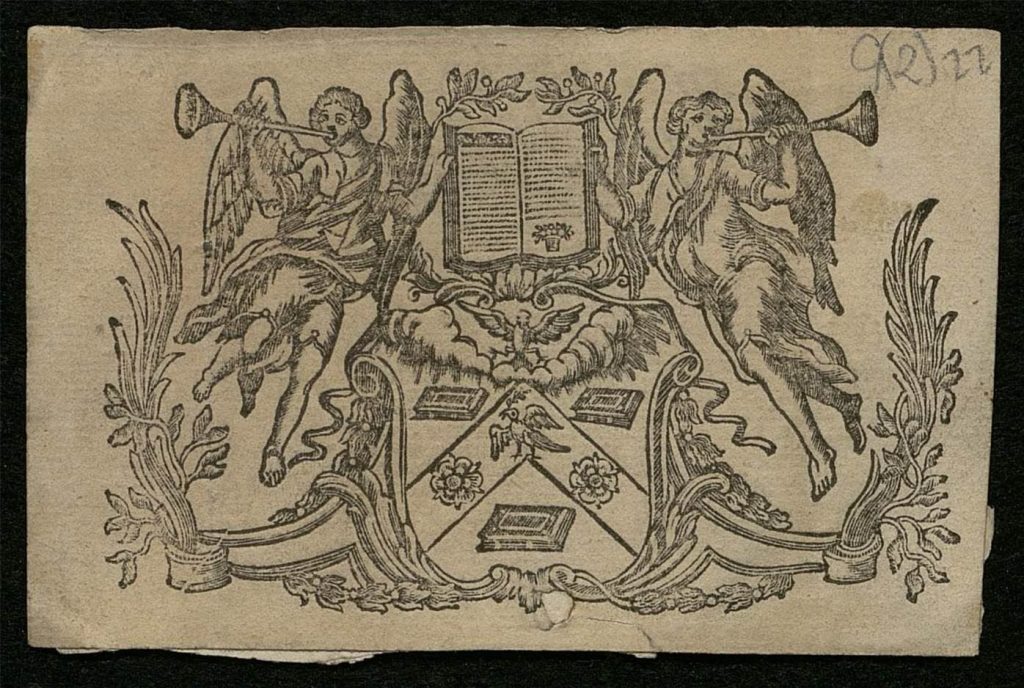
An image of the Arms of The Worshipful Company of Stationers and Newspaper Makers.
Arms of the company [1], c.1700-1900, © The Worshipful Company of Stationers and Newspaper Makers

This archive contains a huge range of primary sources, showcasing a diverse range of material from the archive of the Stationers’ Company archive including:

  • Constitutional Records
  • Court Records
  • Membership Records 
  • Financial Records
  • Trade Records
  • General Administrative Records
  • Charities and Property Records 

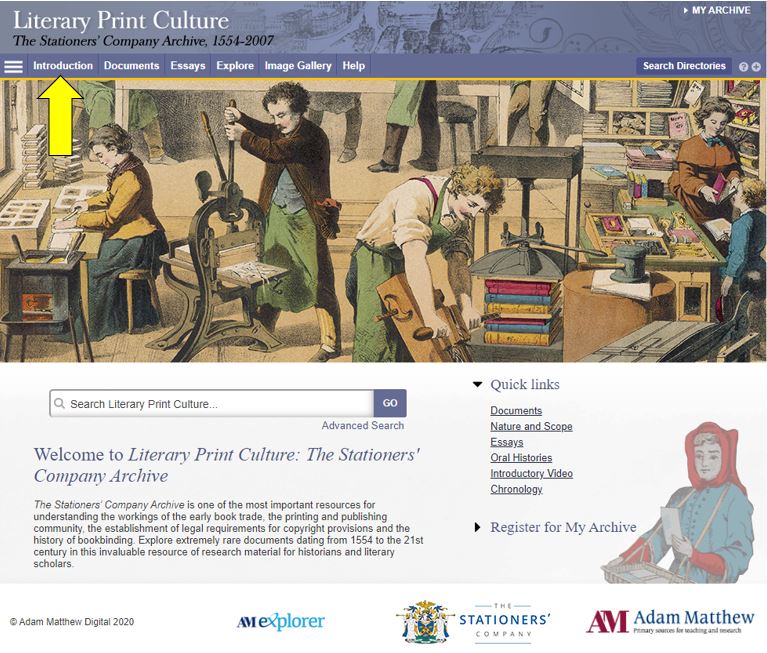
Before you begin, we’d recommend clicking Introduction, in which you can learn more about its scope and features.

An image of the Literary Print Culture resource homepage.

The primary sources are supplemented by contextual essays and other commentary to give you ideas for interpreting and exploiting the archive.

You can browse or search the archive contents by clicking Documents (to browse) or one of the two Search buttons. You can filter your search in various ways, e.g. by document type, year or theme.

For some of the documents in the archive, you can now use handwritten text recognition to enable you to search the handwritten items effectively. Split-screen viewing enables you to view a document and its index simultaneously.

Have you used Literary Print Culture? Please feel free to post your comments and experiences by clicking Leave a comment below.

GUEST POST – OFF THE SHELF

Off the Shelf poster

Hi! I’m Caitlin, a final year law student and law library aide – and by now I’m used to the stress of exams and deadlines.

I tried the ‘poetry-pick me up’ after going into the common room for a revision break.

I stumbled across Sue (@kind_curious) in the Law School Student Common Room, where she asked, ‘do you want a poem?’. Not really knowing what to expect, I had to overcome a bit of social awkwardness! I was surprised by Sue’s passion and love of poetry, which was clear in the way she spoke about how she’d used poetry in the NHS before and it was what she enjoyed most.

I was asked questions about my current stress levels and how I was feeling with exams, and how I dealt with stress. I told her that when I get stressed I talk even more than usual, which for anyone who knows me sounds like I’m going at a million miles an hour, and she suggested something that would relax me.

I laughed as I saw no signs of chocolate or Netflix – my usual go to relaxation strategies.

Instead she said I needed something like a lavender bubble bath – again I saw no sign of a bubble bath in the Law School and I’d yet to find one in the Dungeon.

She picked out two poems that would make me feel like the relaxing in lavender: she suggested ‘Sonnet’ by Elizabeth Bishop and Shennagh Pugh’s ‘What if This Road’.

What if this road reminded me of Robert Frost’s ‘A Road Not Taken’, and was great for me as a an indecisive person. It was matched perfectly to the questions that Sue had asked me, as I read it as a  ‘roll with it’ approach to life, which is definitely needed to cope with exams and deadline stress.

The second poem, Bishop’s ‘Sonnet’, had great visualisation techniques, almost like a meditative poem – which was spot on to turn off the stress and slow everything down!

The experience was a great switch off from deadline stress, and a great use of the 10 minutes which I’d usually scroll through twitter or Instagram. It was something different, and really quite unique and relaxing, which I would definitely recommend to help have a break from any exam and deadline stress!

Resource in focus: Historic Digimap

Who doesn’t like maps?

Historic Digimap is an online map and data delivery service, available to all staff and students of Newcastle University. It delivers access to historical Ordnance Survey maps of Great Britain dating from 1846-1996 across various scales, including 1:25,000 and 1:10,650.

If you are a first time user of Digimap then you will need to complete a brief registration form and agree to the license agreements for each collection, but that takes seconds and then you’re ready to go!

Viewing historic maps (3:36 min)

If you want to ‘roam’ through the ages in an area, then you can use the timeline tool to see how the landscape has developed through the years, or view two maps side-by-side to compare and contrast your findings. Imagine looking at the Newcastle University Campus and seeing what used to be on the site before buildings such as the Henry Daysh Building, Stephenson Building and Philip Robinson Library graced us with their facilities!

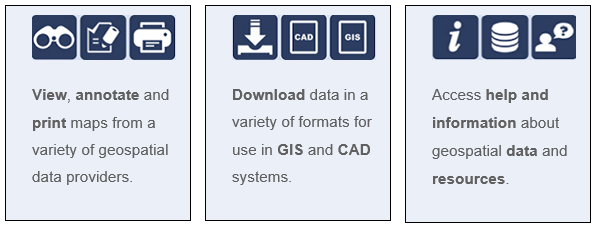
Once you have your area of interest, the Roam service will allow you to view, annotate and print the map in PDF format. Data Download will allow you to download OS data for use in GIS/CAD (if you wish!).

The full scope of what Historic Digimap (and the other collections available to you including Ordnance Survey, Geology, Marine, Environment, Aerial, Lidar and Improvement Service) are covered in EDINA’s comprehensive Help service:

(Improvement Services is an organisation dedicated to the improvement of local government services in Scotland. This data collection comprises of 37 local authority datasets, such as planning applications, green belts and school catchment areas. A wealth of information, who’d have thought.)

Go on, give it a try! But please do read EDINA’s Digimap FAQs on what you are permitted to do with the data you use, to ensure you comply with the educational use licence.

Music is forever…

Rock's Backpages logo.

Overdosed on Christmas carols? Or want to know more about the voices behind that ‘Fairytale of New York’ song you’ve heard so much during the last few weeks!? You need Rock’s Backpages.

Rock’s Backpages is an online library of music journalism: 40,000 classic articles and 600 audio interviews pop’s finest writers, spanning over 60 years across all pop genres.

You can read articles on Slade, Bjork, Van Halen, Fleetwood Mac, Ed Sheeran, Stormzy, our own Maximo Park, Queen, Lamb of God, 50 Cent or 5 Seconds of Summer. Perhaps you are researching jazz, country or folk? There’s something here for you.

Access the Library to easily browse by artist, genre or publication:

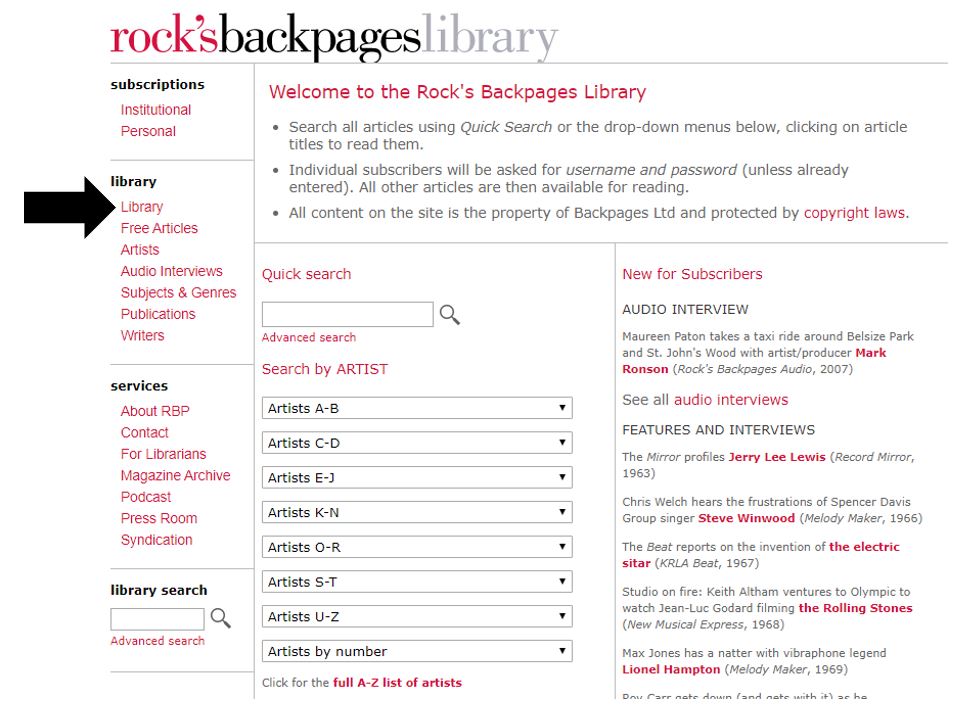
An image of the Rock's Backpages Library search screen.

Follow @rocksbackpages on Twitter for news of recently released articles or features on artists and their music, listen to the weekly podcast which highlights the latest additions or sign up to receive their newsletter.

An image of a guitar pick.