Following a successful trial of the resources in 2022-23, we have added two additional modules to our SAGE Research Methods collection. Through the Library you now have access to a host of guidance, worked examples, teaching resources and practice materials from SAGE Research Methods, SAGE Research Methods Video, SAGE Research Methods Datasets and SAGE Research Methods Data Visualisation.
Datasets
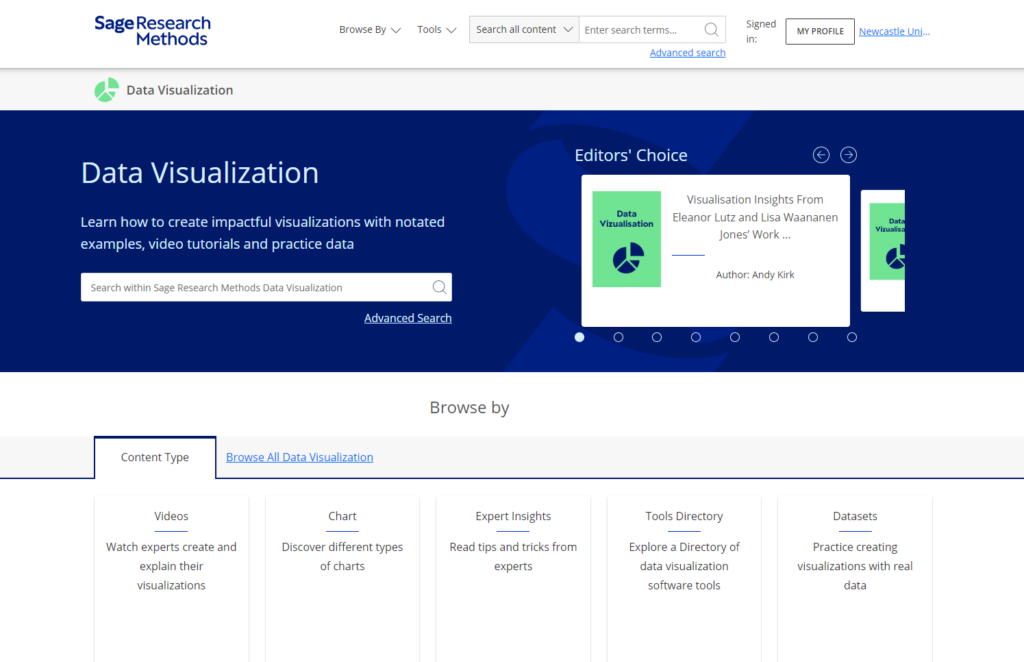
SAGE Research Methods Datasets is a collection of hundreds of teaching datasets and instructional guides that give you the chance to learn data analysis through hands-on practice.
This new resource is a bank of topical, practice datasets, indexed by method and data type. For academic staff, the datasets have been optimised for use in your teaching and can be used for in person teaching or within Canvas materials. This will save you the time of sourcing and cleaning data for use by you and your students.
The decisions researchers make when analysing data can be a mystery to students embarking on research for the first time. Through practicing analysis using real data from SAGE Research Methods Datasets, you can see how analytic decisions are made, helping you become confident researchers.
Quantitative datasets are taken from surveys and experiments and come with instructions to analyze the data in SPSS or R.
Qualitative datasets are taken from academic research projects, providing bite-size examples from interviews, focus groups, documentary sources, and more, plus advice on how to approach analysis.
SAGE Research Methods Data Visualisation will help all researchers, from beginners to more advanced practitioners develop the fundamentals of data and design necessary to create impactful visualisations. Through a series of practical video tutorials, text guides and practice datasets, the resources will help you identify the chart types that best fit your specific data story.
Researchers increasingly grapple with complex or big data and need to present their data in an understandable, easy to interpret, and informative way to disseminate their research successfully. Mastering the skills and techniques of data visualisation is, therefore, key for any researcher. This new resource will help you and your students to communicate data with impact so that audiences can grasp difficult concepts or identify new patterns and relationships easily.
You are able to search and browse by data and chart type to find how to guides and explainer videos, explore a directory of data visualisation software and access datasets to help you practice communicating data.
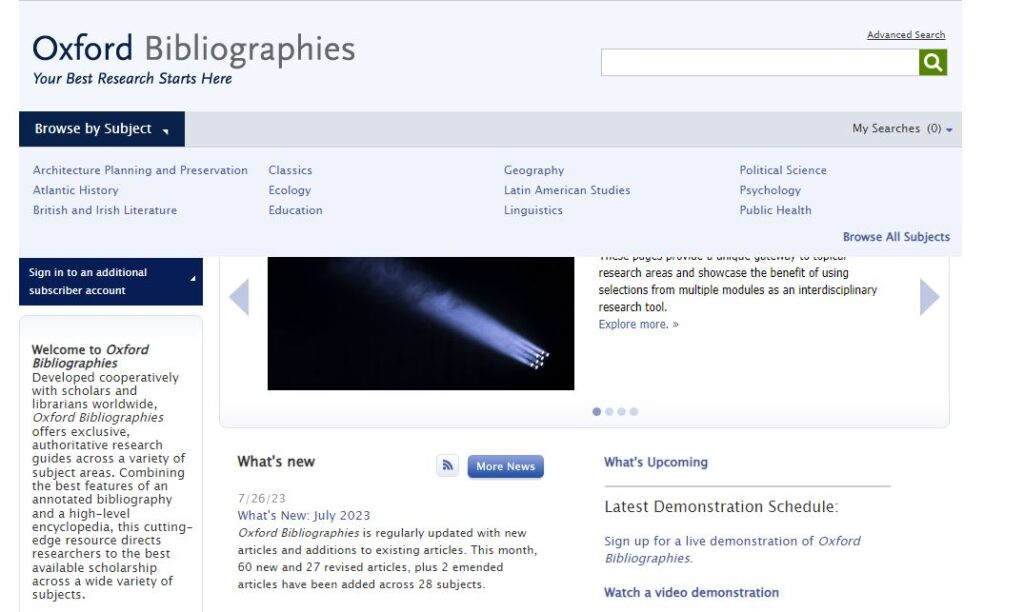
After trialling on several occasions we have recently been able to purchase the Oxford Bibliographies Online collection which gives staff and students access to a comprehensive collection of articles published and reviewed by academics covering a wide range of subject areas. Users can personalise their experience by saving citations and articles to their own profile.
Oxford Bibliographies Online
Subject areas covered (click on subject to link to resource via Library Search)
The Scopus Search Results page has been redesigned, the following new and exciting features include: –
Search functionality on search result page itself
User-friendly filters/facets and customized different views on how the results are displayed
A new an intuitive page layout
Why not try the new version for yourself! Just perform a Scopus search then click on the ‘try the new version’link at the banner at the top of the page. If you want to know more just click on ‘take a tour’. You can easily return to old version by clicking on the link ‘return to old version’.
If you want to know what else Scopus have done in 2022, have a look on their website.
We are hosting a Scopus webinar on December 8, which is a great opportunity to come and find out more about getting the most from the database.
The Topics pages on ScienceDirect have been compiled into a new homepage, and offers a way to:-
Search all Topics pages
Search and browse within specific subject areas
Register to receive recommended articles based on your search activity.
The extracts provided on ScienceDirect Topics are written by experts and are drawn from foundational and reference materials. The source materials used include major reference works such as encyclopaedias, journal review articles, monographs, book series and handbooks.
For a list of ScienceDirect topics, have a look on their website.
My name is Lia, and I am a 3rd year undergraduate law student. The modules I am doing this year are Employment, Careers, Company, Mediation, Evidence and Commercial. I am originally from Peterborough but love Newcastle so much that I want to stay here after I’ve finished studying! My career aspirations are hopefully to become a commercial solicitor in Newcastle.
What do I know now that I wish I knew when I first started?
My 1st year was very different to the norm as I was the Covid year, which made my 2nd year even harder having to learn to adapt to in-person teaching. My advice would be to work 9-5 during the week and give yourself as much time off in the evenings so that you can go out, hang out with your friends, and do extracurricular societies and sports clubs.
1st year and 2nd year are all about making mistakes and learning from them, so never be too hard on yourself. It is more important to always get feedback from coursework and exams, knowing that whatever questions you have other students, the librarians and lecturers will all be able to help.
Seminars are also everyone’s saviours as they literally ask you to prepare the exam questions. I think you should prepare these to your best ability and try do some follow up work on the seminar after you have had everyone’s input.
Client Interviewing
In my 2nd year I entered the client interviewing competition with my friend, Daisy. This was highly rewarding as we learnt how to conduct ourselves when meeting clients and eventually won the competition overall.
The best part of our prize was that we got free work experience at Ward Hadaway, a regional law firm in Newcastle. I completed seats in Real Estate and Commercial litigation whilst I was there.
Image from Newcastle Uni Law Society Instagram @nulawsociety
Now, in my 3rd year, I am one of the client interviewing officers this year for the law society. This year Daisy and I are hoping to make the competition better than ever and help participants develop their skills by offering more training sessions than previous years and more competitions. I really advise any 1st or 2nd years to do this as an extra-curricular as it doesn’t take up too much time, looks great on your CV and is judged by Ward Hadaway solicitors who offer money and work experience as a prize!
If you’re working on a dissertation, thesis or project right now, or will be doing so next academic year, what can you do if the Library doesn’t have access to all the specialist books and other information resources you need? How can you find out about resources relating to your research topic which are held elsewhere? Can you visit other libraries and archives if you’re away from Newcastle over the vacation?
Read on to find out how you can expand your search beyond our library….
1. Search
You can search across the catalogues of over 170 UK and Irish academic and national libraries, together with other specialist and research libraries, via Library Hub Discover (formerly COPAC). The range of libraries included in Library Hub Discover is expanding all the time, and includes all UK universities, as well as the libraries of such diverse organisations as Durham Cathedral, the Institution of Civil Engineers, the Victoria and Albert Museum, and the Royal Horticultural Society.
In response to Covid restrictions, Library Hub Discover has also made it easier for you to find Open Access resources via its catalogue: it has recently incorporated the HathiTrust Digital Library, as well as the Directories of Open Access Books and Journals to its searchable database.
For a more in-depth and up-to-date search, you can also search individual academic library catalogues online. Need to look further afield? Search library catalogues internationally via WorldCat.
If we haven’t got the book you want, you can ask us to consider buying or borrowing it via our Recommend a book service.
If you need a copy of a journal article to which we don’t have access, you can apply for it via our inter library loan service, which is currently free.
You can search UK doctoral theses via the national EThOS service. This has records for over 500,000 theses, dating back to the year 1800, of which over half are freely available online (do note you have to register with EThOS before being able to download: it’s a separate login process to your usual University login).
3. Visit
Special Collections Virtual Reading Room
The SCONUL Access Scheme enables students to visit most other academic libraries around the country, and in some cases, borrow from them. This service has recently resumed since its suspension during the Covid pandemic, but please note that not all academic libraries are currently participating in the scheme, so do check carefully before you visit, and read the latest information on the SCONUL Access site.
You will need to register with SCONUL Access before you can visit another Library, so do allow time for your registration to be processed.
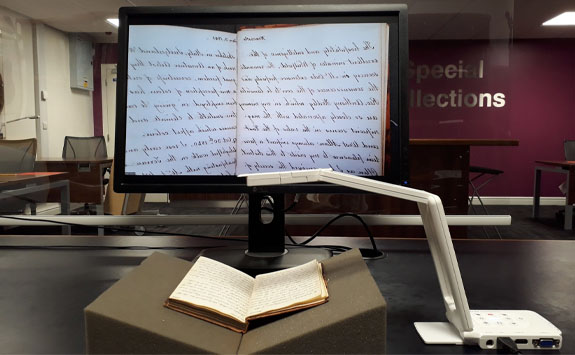
If you want to consult archives or special collections elsewhere, you’ll need to check with the organisation in question beforehand (you’ll usually need to request to consult items in advance of your visit). If you can’t visit in person, archives services may still be able to answer queries, provide access to selected digitised items, or even operate a Virtual Reading Room, so it may well be worth enquiring.
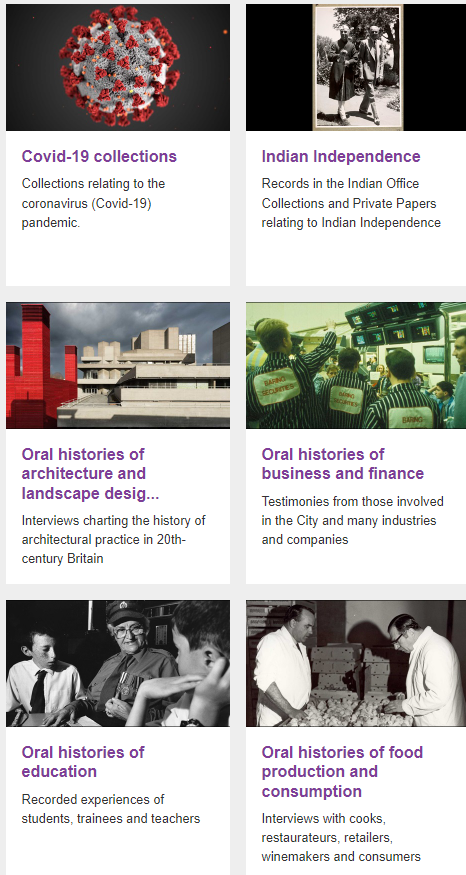
Where can I find pictures relating to transport which I can use in my project? How do I find out what was broadcast on British television and radio on a particular day in the 1970s? Where are the best places to find examples of digital art? I need audio clips of scary sounds for my presentation – where to start? Are there any interesting oral histories in my subject area? How do I reference a podcast? I’ve found an ideal picture online, but I don’t know where it’s from – what can I do? Is there an authoritative list of famous music plagiarism cases anywhere, including audio clips?
We’ve updated and expanded our old images guide, and included new databases and resources for finding films and television programmes, plus audio content such as radio programmes, sound clips, podcasts and oral histories.
We’ve also updated the original still images section, which helps you find images of all genres and subjects, such as anatomy, archaeology, architecture…. and all other letters of the alphabet!
Need more help?
Keyword searching isn’t always the best way to search for audiovisual content, so if you want to find an image which looks like another one, search by colour, or find exactly what you want on Box of Broadcasts, visit our guide.
Finally, if you’re unsure whether you’re permitted to use an audiovisual resource in your assignment, and/or how to cite it, we can help with that too. Our guide contains plenty of helpful advice on using and citing audiovisual materials, and we’ve tried to include links to collections and databases which are licensed for educational use where possible (but please do check the terms and conditions in each case).
Have you met BoB? Box of Broadcasts is a fantastic resource for all subject areas: an archive of over two million radio and television broadcasts from over 75 free-to-air channels, including all BBC channels, ITV and Channel 4, plus some international channels. New programmes are added to BoB as they are broadcast each day.
We know it’s a very popular resource, but are you getting the best out of it? Here are some quick tips for newbies and experienced users alike!
Smarter searching
BoB is a huge database, so searching by keyword may retrieve a lot of irrelevant results, especially as the default search looks for your keyword in all programme transcripts (i.e. every word spoken in a programme). Click on the Search options link just under the search bar to see various ways of making your search more precise, including searching in the programme titles only, or limiting by date. This help video gives more detail:
Playlists and clips
You can create your own playlists: really helpful if you’re researching for an assignment, or preparing to teach a module. You can also search public playlists curated by other BoB users around the UK: just select Public playlists underneath the search bar, or explore this showcase of playlists for more inspiration.
We’ve got a wide range of specialist information resources for English literature students. We know it can be rather overwhelming knowing where to start, so this blog post gives you a whistle stop tour of what you can find.
Library Search and your reading lists are great starting points for finding books, journals and other resources for your modules, but we’ve highlighted below some more specialised resources which you’ll want to explore.
Interdisciplinary academic research databases
Interdisciplinary bibliographic databases, such as Scopus or JSTOR are a great starting point after Library Search, as they enable you to discover secondary literature, irrespective of the subject area, and have really helpful features to help you focus your search. This can be useful if your topic covers more than one subject area, or if you’re trying to scope your topic broadly. Content includes journal articles, conference papers, book chapters and reviews.
Specialist English literature research databases
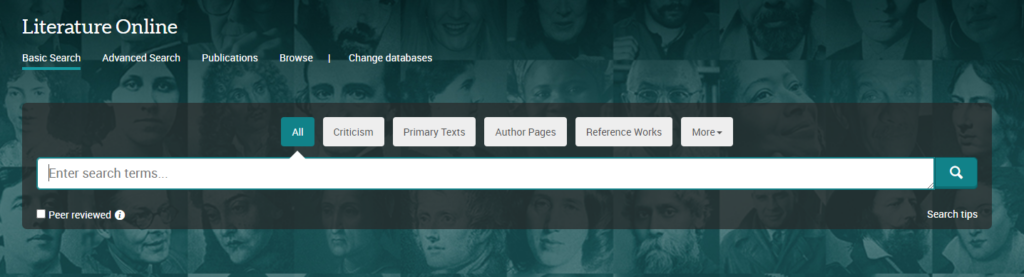
Literature Online (LION) is an indispensable database for researching English literature. It comprises three main sections:
literary criticism: search articles from over 400 journals, together with the Annual Bibliography of English Language and Literature
primary texts: 350,000 works of poetry, prose and drama from the 8th century to the present
reference: encylopedias, topic overviews and author biographies
LION search screen
You can search all of these information types at once with the All button selected, or focus on a particular section by choosing the appropriate button.
If you haven’t used LION before, or would like a refresher, a good way to get an insight into the content, and different ways to search, is to try out the sample searches in this LION guide (Links to an external site.).
Film and Television Literature Index
If you’re researching a film or television studies topic, including literary adapations, then you may find Film and Television Literature Indexto be useful. It includes articles from academic journals and film magazines, and coverage is focused on film and television theory, writing, production and reviews.
Digitised archives
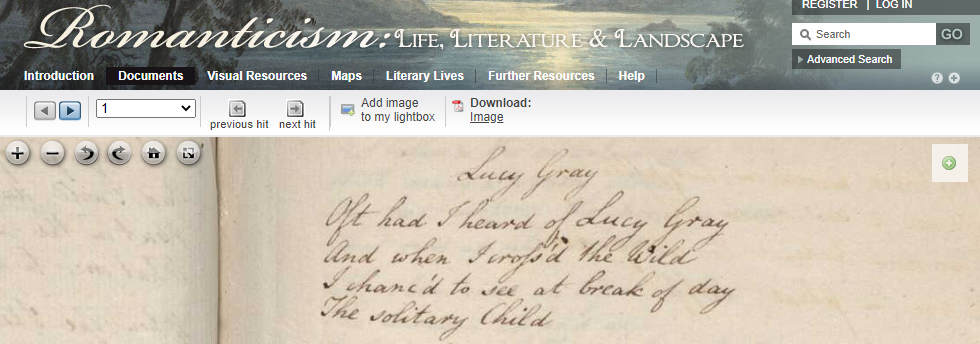
Romanticism: Life, Literature, Landscape
There is a vast range of digitised literary archives available, and it would be impossible to list every one, but we have picked out some major resources on the English Literature subject guide, in the General literary resources > archives section. These include:
Click on the links above for blog posts giving more information about these fascinating archives.
We also have a fascinating range of historic and contemporary literary archives in our own Special Collections section: please browse the web site by subject to find out more and read here for how to consult items and get further advice.
Literary texts: historic book collections online
Oxford World’s Classics
As well as the many individual literary print and e-books in our collections, we also have access to several major online collections of literary texts from different historical periods, which feature in-depth contextual information, facsimile images of the original texts, and sophisticated search and analytical features.
From Early English Books Online (EEBO) and Eighteenth Century Collections Online (ECCO), we have access to almost every book published in English from the fifteenth to nineteenth century, complemented by other specialist collections, such as Oxford Scholarly Editions Online.
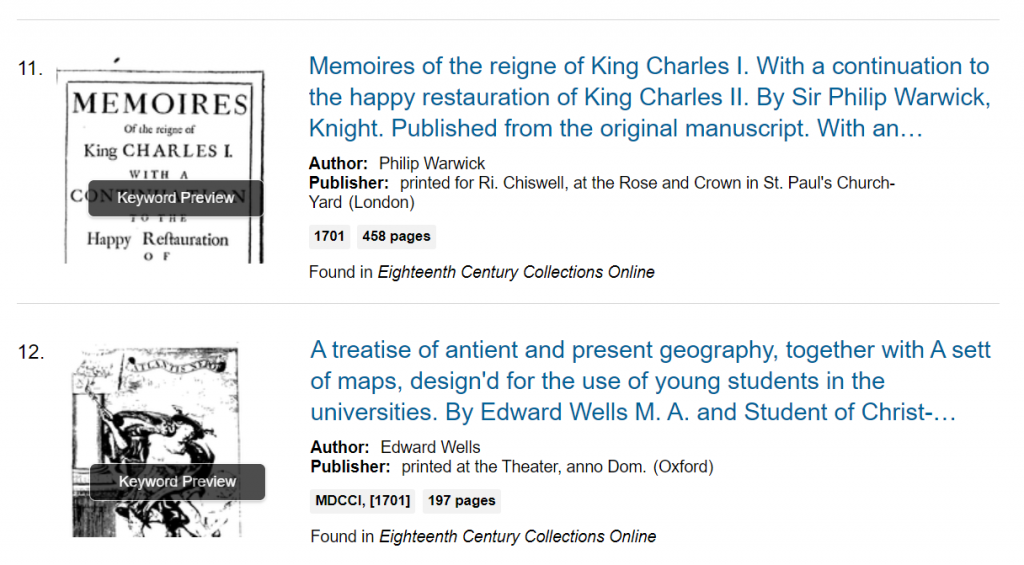
ECCO screenshot
Our blog post gives an overview of five of the major collections. You can find all the individual books from these collections on Library Search, but we recommend searching and browsing the databases themselves (for example, EEBO) to get the best searching and viewing experience.
Audiovisual resources: Box of Broadcasts and Drama Online
Box of Broadcasts (BoB) contains over two million programmes from over 75 television and radio channels. Coverage mostly dates from 2007 to the present day. It’s a great resource for finding literary adaptations on television, film and radio, together with documentaries about writers, and arts review broadcasts. Find out how to get the best out of BoB via our BoB blog post.
Drama Online screenshot
The Library has purchased various collections from the Drama Online database, which comprises the text of over 3,000 plays, from ancient Greek drama to contemporary works, together with contextual works relating to drama theory and practice. We have also recently bought several video collections, featuring films of major theatrical productions from the National Theatre, Globe and Royal Shakespeare Company.
Read more about this exciting platform and the very latest content on our blog post.
English Literature Subject Guide
This posting is just a taster of all the great resources available for your subject area. To access them and find out more, visit your Subject Guide and explore the databases and other subject specific resources which we’ve curated for English literature.
The Library has lots of great collections and resources, so when it comes to finding wider reading for your topic or beginning research for your assignment or dissertation it might all seem a bit overwhelming. Library Search can be a great place to start looking for information but there are many other resources you might want to try. To help you get the best out of our resources we’ve put together this list of some of the most useful online databases and collections for Classics and Ancient History.
Let’s dive in!
Scopus
Scopus is a large, interdisciplinary database of peer-reviewed literature, providing an index of articles, book chapters, conference papers and trade publications.
One of the main advantages of using Scopus is that it provides a lot of useful information about the articles it indexes. This includes full reference lists for articles and cited reference searching, so you can navigate forward and backward through the literature to uncover all the information relevant to your research. You can also set up citation alerts, so you can be informed of new, relevant material automatically.
https://youtu.be/qCu-obYMFsE
Scopus tutorial: How to expand your search results
Scopus includes other smart tools that can help you track and visualise the research in your area, including author and affiliation searching, visual analysis of search results, a journal analyser, and author identifier tools. You’ll find tutorials and advice on using these features in the Scopus support centre and on their YouTube Channel.
JSTOR
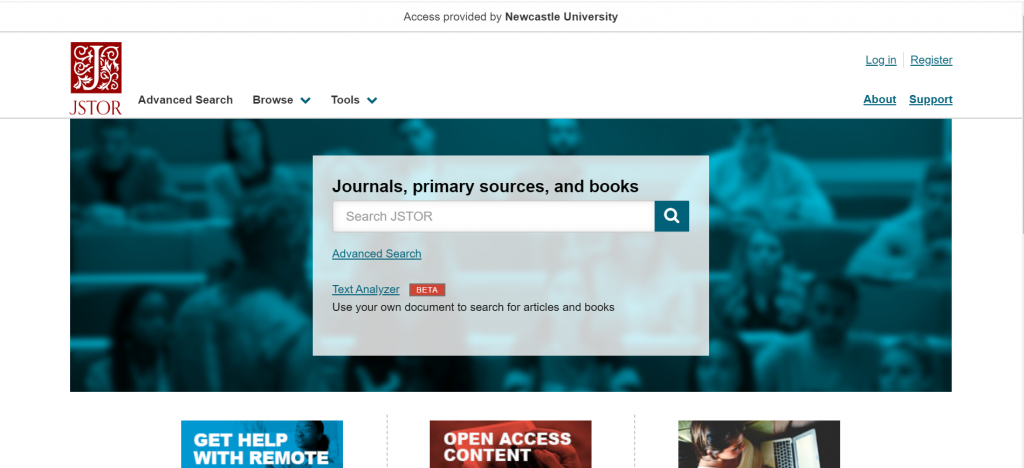
JSTOR provides access to full-text materials including scholarly journals, books and book chapters in the arts, humanities, and social sciences. It has basic and advanced search options that allow you to search by topic keyword, author, subject area, title or publisher.
Take a look at our Get more out of JSTOR blog post to find tips for advanced searching on this database.
Encyclopedia of Ancient History
The Encyclopedia of Ancient History is a reference work containing a comprehensive collection of 21st century scholarship on the ancient Mediterranean world. Entries span the bronze age through to 10th century Byzantium and extend to all Mediterranean civilisations including the Near East and Egypt. Materials include articles, images and maps of the ancient world. Our video guide below demonstrates how to browse and search for information using the Encyclopedia:
Video Guide to finding information on the Encyclopedia of Ancient History
l’Année philologique (Aph)
l’Année philologique is a bibliographic database, indexing journal articles and book chapters about the classical world, going back to 1924. It’s an excellent resource for researching topics related to Greek and Latin literature and linguistics, Greek and Roman history, art, archaeology, philosophy, religion and more. Our video guide below demonstrates how to find information on l’Année philologique:
Video guide to finding information on l’Année philologique
Loeb Classical Library Online
Containing over 520 volumes of Latin and Greek poetry, drama, oratory, history, philosophy and more, the Loeb Classical Library is a key resource for those studying the ancient Greek and Roman world. The side-by-side layout of the ancient text and English translation makes the literature accessible to readers and can be especially helpful to those new to the study of ancient Greek or Latin. While the online Library presents tools that allow readers to explore the texts at various levels, via browsing, searching, annotating, and sharing content.
You can find out more about key features by reading our Loeb Online blog post or take a quick visual tour of the digital Library via the Loeb Classical Library website.
Literature Online (LION)
Literature Online (LION) is a database containing full-text works of poetry, prose and drama from the 8th century to the present day, written in English. These are supported by full text journals and reference material to help contextualise primary works and authors. LION enables you to research international literature of all genres, and has good coverage in linguistics, philosophy and classics.
Screenshot of the Literature Online homepage
LION’s basic search allows you to look for criticism, primary texts, authors, reference works, dissertations, audio and video, and book reviews. You can search all of these information types at once with the All button selected, or focus on a particular section by choosing the appropriate button.
Brill’s Jacoby Online comprises five separate works, based on the original multi-volume work by the German classicist, Felix Jacoby (1876-1959). The ‘Jacoby’ was a critical edition of over 800 Greek historians whose works had been lost, but were preserved incompletely in fragments. It includes expert critical commentaries on the texts and fragments, together with brief biographies of all the historians.
You can browseeach of the five component works by historian name, historian number or publication date, and can searchfor words or phrases, or historians. You can search any of the five component works individually, or across all of them at once. Greek original texts and translations are included, and you can search in English or Ancient Greek. More detailed help is available on the database.
Box of Broadcasts (BoB)
Box of Broadcasts allows you to access TV and radio broadcasts from over 65 channels, including most of the UK’s Freeview network, all BBC TV and radio content from 2007, and several foreign language channels. It’s a great resource for finding documentaries or critical opinions.
You can view archived programmes, create clips and playlists, and see transcripts to help with citation and translation. You can also search other users’ public playlists to see curated lists around topics similar to your own. There are lots of helpful tutorial videos on the BoB website.
Unfortunately, Box of Broadcasts is not available outside the UK.
Classics and Ancient History Subject Guide
This list was just a taster of all the great resources available for your subject area, to access these and to find out more visit your Subject Guide and explore the journals, databases and subject specific resources we’ve curated for Classics and Ancient History students.
If you’re away from Newcastle over the Winter break you may be studying in unfamiliar or unusual spaces, which can make it more challenging to concentrate or find your motivation. Procrastination may be a struggle and creating a space, both physical and online, in which to be your most productive is something that many of us find challenging. It may not always be possible, but creating a managed space to study in will help. So what are our tips for creating the perfect study space at home?
1. Select your space
If possible, designate a space as your study environment. It may be your room in a shared house, the kitchen table, office, dining room or a spot in the hallway. Wherever you choose, claim it and make it yours in order to reduce distractions from those you live with and to create a studying mindset.
It can be invaluable to have a ‘work space’ which is separate from the rest of your life and spaces in which you relax. Even if this is simply a cheap desk in your bedroom, having a ‘study spot’ which is dedicated to your academic work will help you create structure and routine, and feel in the studying zone. It also makes for less embarrassment when you turn your camera on in Zoom or Teams.
2. Make it comfortable
While it may be tempting to study from your bed (which we’ve all done!), sitting upright will help you stay alert. Not to mention the benefits for your shoulders, back and neck. Start with a desk or table if you can, as it will allow you to make an organised space and leave your hands free to take notes.
It’s also worth thinking about how you can make the space more comfortable by opening a window for fresh air every so often, and the level of natural light you can introduce. Perhaps think about studying earlier in the day so that the natural brightness helps you stay alert and boosts your mood.
3. Tidy space, tidy mind
A cluttered study space can make it more difficult to focus and introduce unwanted distractions. By filing away your notes and de-cluttering your space at the end of a day, you will be able to start the next day fresh and find the learning materials you need.
This goes for your online spaces too. Think about how and where you keep your assignments, notes and any materials you download from Canvas, to ensure you are able to access the materials as you prepare assignments or revise for exams. Set up folders in One Drive that relate to each module or project you are working on and be sure to keep track of any collaborative work, such as projects in Teams. Managing the information you collect as you study and keeping it organised in some way is an essential study skill. Visit the Managing Information Guide for more tips.
4. Gather some stationery
It’s a simple tip, but keep a pen and paper nearby so that you can make quick notes. This might be jotting down an idea or something to remind yourself about at a later date. Many of you will take your notes digitally and may have a tablet you use within your programme, but having a notebook and pen to hand is a valuable backup. If you prefer handwritten notes, make sure you have a good organisational system so that you are able to retrieve the information you need.
You’ll find lots of useful tips around notetaking on the ASK website.
5. Listen to some music
Some of you may find studying in silence works best for you, while others may need a little background noise to block out distractions. Select a soundtrack for your study that helps you concentrate, with a mixture of mood boosting tracks and songs that are a little more mellow and calming. You’ll find lots of readymade study playlists on streaming services, or you could start with our Library Spotify playlists.
6. Switch off your devices
Many of us will recognise our mobile phone as a significant source of distraction and cause of many unproductive minutes. Switch off your mobile phone, log out of social media accounts on your study device and turn off the TV. This will help you create designated study time as well as space. It will also be a step towards introducing breaks in your study routine.
7. Take breaks
Taking regular breaks and walking away from your study space will help you return feeling refreshed. Why not download the iNCLude App? It has been designed to help you take small steps to improve and maintain your wellbeing, by creating positive habits and helping you focus on more than just your academic studies.
One valuable bonus tip from the WDC about taking breaks:
When you break, take a moment to leave a ‘note to future self’ about where you got to or what you were intending to do next.
8. Be organised
Learning remotely is challenging when you have to manage your own time and motivation. Being organised and creating your own plan or timetable can help.
When you begin your study session make sure you have everything you need to hand so that you don’t interrupt your flow. You might want to leave your laptop charger nearby!