Resources for Translating and Interpreting Studies

A portion of a map of England can be seen beneath a foreign language dictionary.

The Library has lots of great collections and resources, so when it comes to finding wider reading for your topic or beginning research for your assignment or dissertation it might all seem a bit overwhelming.  Library Search can be a great place to start looking for information but there are many other resources you might want to try. To help you we’ve put together this list of some of the most useful online databases and collections for Translating and Interpreting studies.

Let’s dive in!

Scopus

Scopus is a large, interdisciplinary database of peer-reviewed literature, providing an index of articles, book chapters, conference papers and trade publications. 

One of the main advantages of using Scopus is that it provides a lot of useful information about the articles it indexes. This includes full reference lists for articles and cited reference searching, so you can navigate forward and backward through the literature to uncover all the information relevant to your research.  You can also set up citation alerts, so you can be informed of new, relevant material automatically.

https://youtu.be/qCu-obYMFsE
Video guide from Scopus demonstrating how to expand your search results.

Scopus includes other smart tools that can help you track and visualise the research in your area, including author and affiliation searching, visual analysis of search results, a journal analyser, and author identifier tools. You’ll find tutorials and advice on using these features in the Scopus support centre and on their YouTube Channel.

JSTOR

JSTOR provides access to full-text materials including scholarly journals, books and book chapters in the arts, humanities, and social sciences. It has basic and advanced search options that allow you to search by topic keyword, author, subject area, title or publisher.

Take a look at our Get more out of JSTOR blog post to find tips for advanced searching on this database.
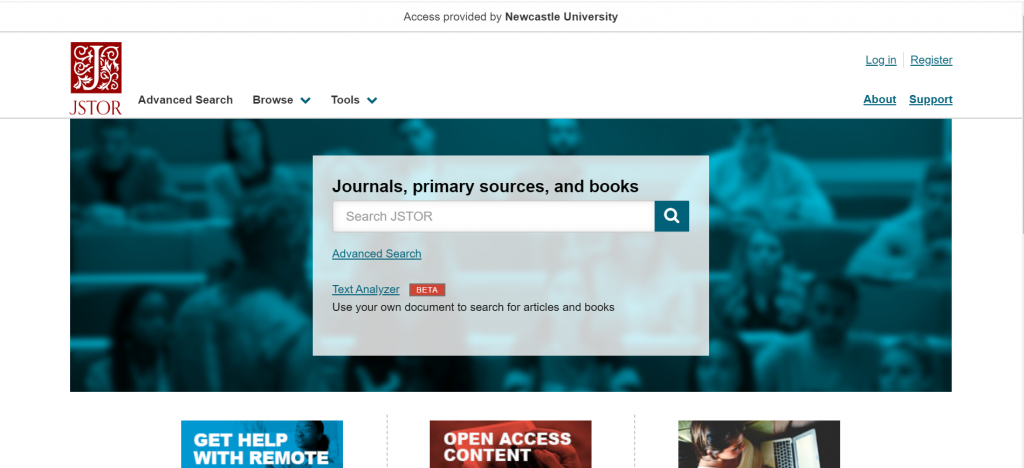
Screenshot showing the JSTOR homepage

Linguistics and Language Behavior Abstracts (LLBA)

Linguistics and Language Behavior Abstracts is an excellent resource for those interested in the nature and use of language.  The database focuses on academic resources for the study of language, including phonetics, phonology, morphology, syntax and semantics, and descriptive, historical, comparative, theoretical and geographical linguistics.

LLBA has the added advantage of including a specialised linguistics thesaurus, which you can use in advanced search to refine and focus your search. The thesaurus provides a searchable list of all of the subject terms used in the database and highlights links between broader, narrower and related terms, helping you to select all of the keywords relevant to your topic.
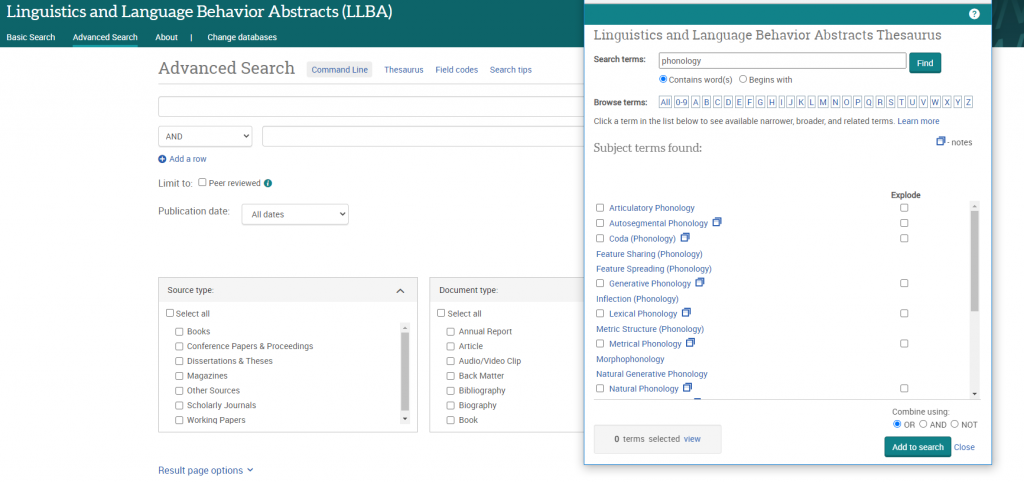
Screen shot showing the thesaurus in LLBA.

ProQuest provide a helpful and detailed guide to LLBA which includes search tips for basic and advanced search as well as some sample searches you can work through to familiarise yourself with the database. 

Bibliography of Interpreting and Translation (BITRA)

BITRA is a bibliographic database containing over 80,000 records, including books, book chapters, journal articles and PhD theses, on topics relating to translation and interpreting. You can search the database precisely by subject, author, publication date and language, or choose from a selection of keywords (controlled vocabulary) to broadly search all records containing those keywords in the subject field.

Item records provide bibliographic information and an abstract to help you decide if the item is relevant to your research but you’ll need to use Library Search or Google Scholar to find full text copies of useful resources.

Nexis – International Newspapers

Newspapers can be a great source of information, with news stories and editorial opinion offering a fascinating angle on your research topic.

The recently updated Nexis Uni database enables you to search over 17,000 news, business and legal sources. This includes most UK national and regional newspapers, together with international sources, including newspapers, newswires and news magazines in multiple languages. Coverage of news titles often dates back to the 1990s and includes today’s news. Coverage is text only, and doesn’t include images, layout, adverts etc.

The simplest way to search is by selecting the News button from the Guided Search section on the database homepage:
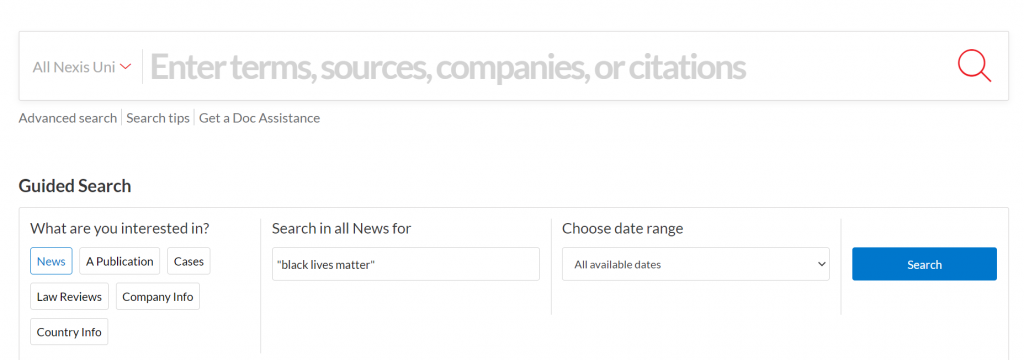
Screenshot of the Nexis home page showing Guided Search with News highlighted
Screenshot of the Nexis home page showing Guided Search with News highlighted.

Type in your search term (use ” ” if searching for a phrase), select your date range, and click Search.

If you would like to try more complex searching (e.g. searching in a particular section of the newspaper, or combining terms together in various ways), then click on Advanced search from the home page, and select the ‘News’ tab.

Our Nexis blog post provides more details on how to get the most out of the database and you can explore Nexis Uni Video Trainings via the Help button at the top of the database homepage. You can find out more about the Library’s collection of international news resources in the international section of our Newspapers guide.

Remember to use your critical thinking skills when using newspapers as they may present biased opinion and inaccurate facts – watch out for Fake News!

Box of Broadcasts (BoB)

Box of Broadcasts allows you to access TV and radio broadcasts from over 65 channels, including most of the UK’s Freeview network, all BBC TV and radio content from 2007, and several foreign language channels. It’s a great resource for finding documentaries or critical opinions.

You can view archived programmes, create clips and playlists, and see transcripts to help with citation and translation. You can also search other user’s public playlists to see curated lists around topics similar to your own. There are lots of helpful tutorial videos on the BoB website.

Unfortunately, Box of Broadcasts is not available outside the UK.

Translating and Interpreting Subject Guide

This list was just a taster of all the great resources available for your subject area, to access these and to find out more visit your Subject Guide and explore the journals, databases and subject specific resources we’ve curated for Translating and Interpreting studies. 

There are also subject guides for specific languages which may be useful for you to explore, including Chinese and Japanese studies, German studies, French studies, Italian studies, and Spanish and Latin American studies.

Resources for Philosophy

Bookshelves lit up by a row of ceiling strung bulbs.

The Library has lots of great collections and resources, so when it comes to finding wider reading for your topic, or beginning research for your assignment or dissertation it might all seem a bit overwhelming.  Library Search is a great place to start looking for information but there are many other resources you might want to try. To help you we’ve put together this list of some of the most useful online databases and collections for Philosophical studies.

Let’s dive in!

Scopus

Scopus is a large, interdisciplinary database of peer-reviewed literature, providing an index of articles, book chapters, conference papers and trade publications. 

One of the main advantages of using Scopus is that it provides a lot of useful information about the articles it indexes. This includes full reference lists for articles and cited reference searching, so you can navigate forward and backward through the literature to uncover all the information relevant to your research.  You can also set up citation alerts, so you can be informed of new, relevant material automatically.

https://youtu.be/qCu-obYMFsE
Video from Scopus on how to expand your search results.

Scopus includes other smart tools that can help you track and visualise the research in your area, including author and affiliation searching, visual analysis of search results, a journal analyser, and author identifier tools. You’ll find tutorials and advice on using these features in the Scopus support centre and on their YouTube Channel.

JSTOR

JSTOR provides access to full-text materials including scholarly journals, books and book chapters in the arts, humanities, and social sciences. It has basic and advanced search options that allow you to search by topic keyword, author, subject area, title or publisher.

Take a look at our Get more out of JSTOR blog post to find tips for advanced searching on this database.

Screenshot showing the JSTOR homepage

Arts and Humanities Citation Index

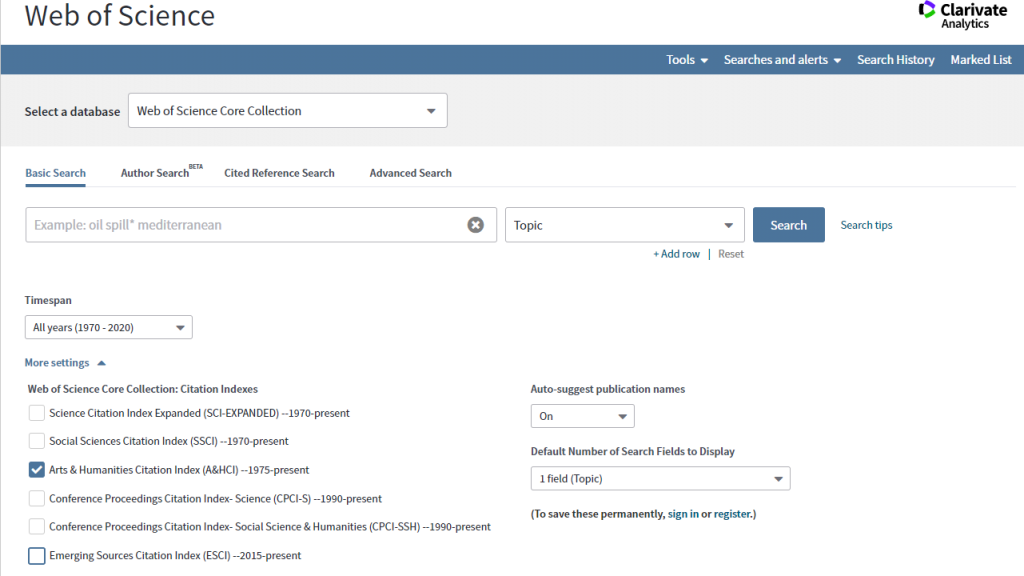
Part of the Web of Science Core Collection, the Arts and Humanities Citation Index contains indexes for over 1,800 journals across 28 arts & humanities disciplines, dating from 1975 to present.  Once you’ve accessed the Web of Science homepage, select more settings and tick the Arts and Humanities Citation Index, to limit your search to this database.

Screen shot showing how to select the Arts and Humanities Citation Index from the Web of Science search page.

Like Scopus, the Arts and Humanities Citation Index provides a lot of useful information about the articles it indexes, including abstracts, keyword descriptions, full reference lists and cited reference searching within the web of science collection.  There are smart tools for analysing your results and options to set up search alerts to be notified of any new relevant material.

Web of Science provide a helpful and detailed guide to their Core Collection which includes search tips for basic and advanced search as well as a guide to setting up alerts and saving results.

Stanford Encyclopedia of Philosophy

The Stanford Encyclopedia of Philosophy is a major reference work, compiled and kept up to date by experts in the field.  You can browse contents alphabetically, or use the search box to look for keywords, philosophers or philosophical movements. Each record includes an introductory abstract, entry contents, a bibliography, a list of related entries, and links to other useful online resources.

Reference works can be particularly useful at the beginning of your search when you’re looking for an overview of your topic area, or if you’re looking for a key fact to add to an argument, they can also be useful if you want to develop your knowledge of subject vocabulary.

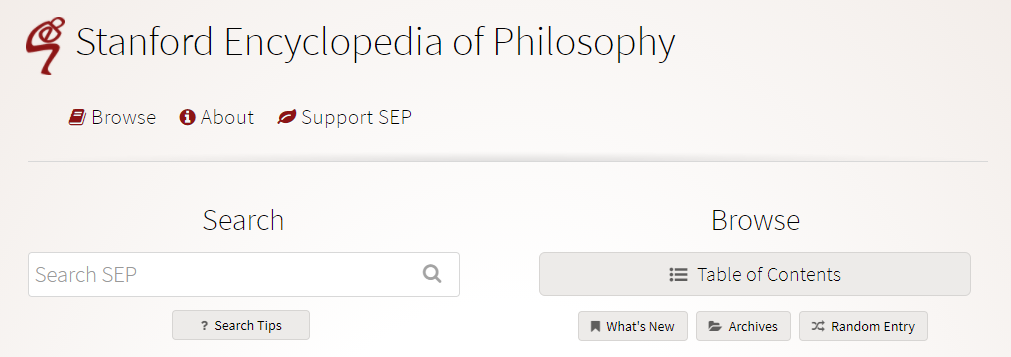
Screen shot of the Stanford Encyclopedia of Philosophy home page.

PhilPapers

PhilPapers is a comprehensive index and bibliography of online scholarly material for philosophy, maintained by a community of philosophers.  The database includes books, journals and open access archives, while the linked PhilArchive repository provides links to open access publications. 

You can use basic or advanced search tools to look for material by keyword, find specific journals or explore user profiles of members of the community.  Item records provide helpful details such as an abstract, keyword and relevant categories as well as a list of references, citing articles and related reading.  You’ll also find a range of download options for the item.

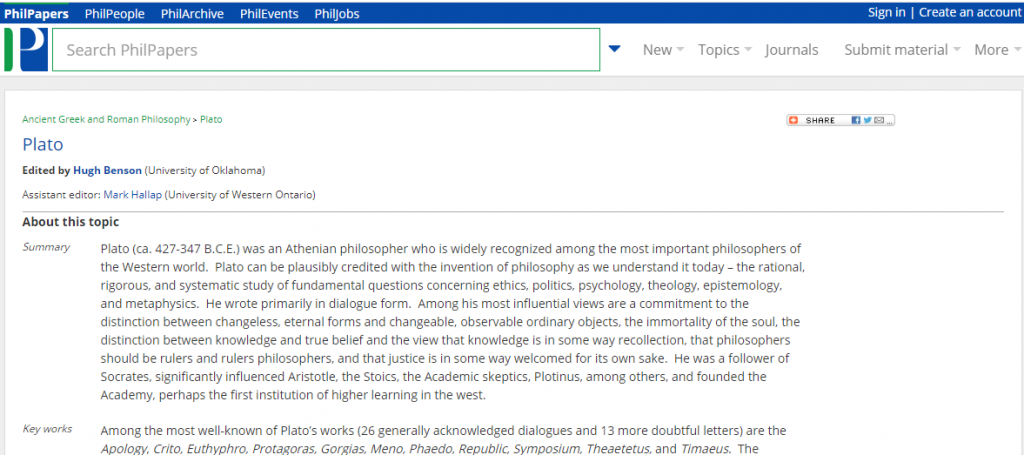
Additionally, PhilPapers provides a reference collection of over 5000 philosophical categories organised hierarchically by topic, which you can browse from the homepage or via the Topic tab in the menu.  These are maintained by experts in the field and include a summary of the topic, a list of key and introductory works and a links to related categories.

Screen shot of an example topic page on PhilPapers.

Look out for the option to take a quick guided tour on the main homepage, this introduces you to the main features and tools of the database.

Box of Broadcasts (BoB)

Box of Broadcasts allows you to access TV and radio broadcasts from over 65 channels, including most of the UK’s Freeview network, all BBC TV and radio content from 2007, and several foreign language channels. It’s a great resource for finding documentaries or critical opinions.

You can view archived programmes, create clips and playlists, and see transcripts to help with citation and translation. You can also search other user’s public playlists to see curated lists around topics similar to your own. There are lots of helpful tutorial videos on the BoB website.

Unfortunately, Box of Broadcasts is not available outside the UK.

Philosophy Subject Guide

This list was just a taster of all the great resources available for your subject area, to access these and to find out more visit your Subject Guide and explore the journals, databases and subject specific resources we’ve curated for Philosophy students. 

Resource in focus: State Papers Online

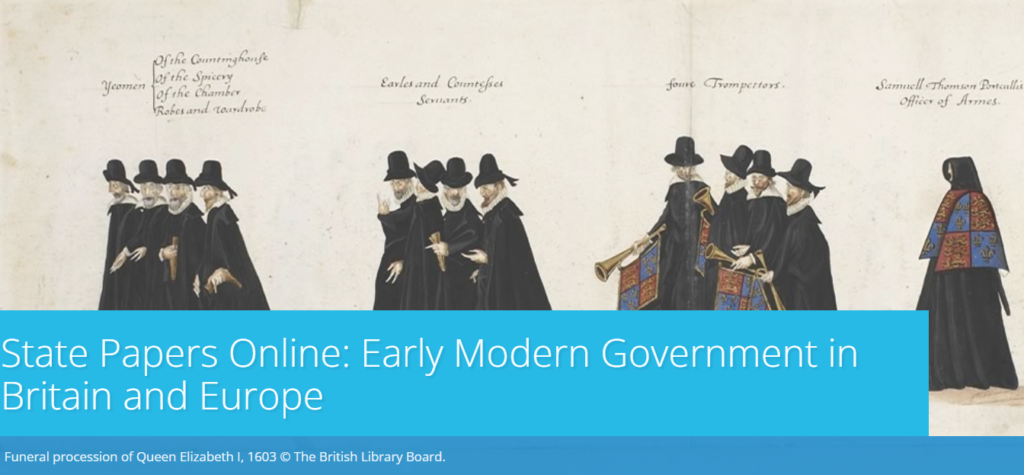
The Library has access to the digitised State Papers Online from 1509 to the end of the State Papers series in 1782, providing a fascinating research resource for early modern Britain and Europe.

What are the State Papers?

They are predominantly official papers of the Secretaries of State from the period, and include correspondence, reports, memoranda and civil service drafts, covering a wide range of domestic and international matters, and emanating from the highest levels of power. The collections include letters from popes, diplomats, and rulers of other countries, as well as records such as military and naval registers, and thus provide a fascinating record of the Tudor, Stuart and early Georgian periods in England and beyond.

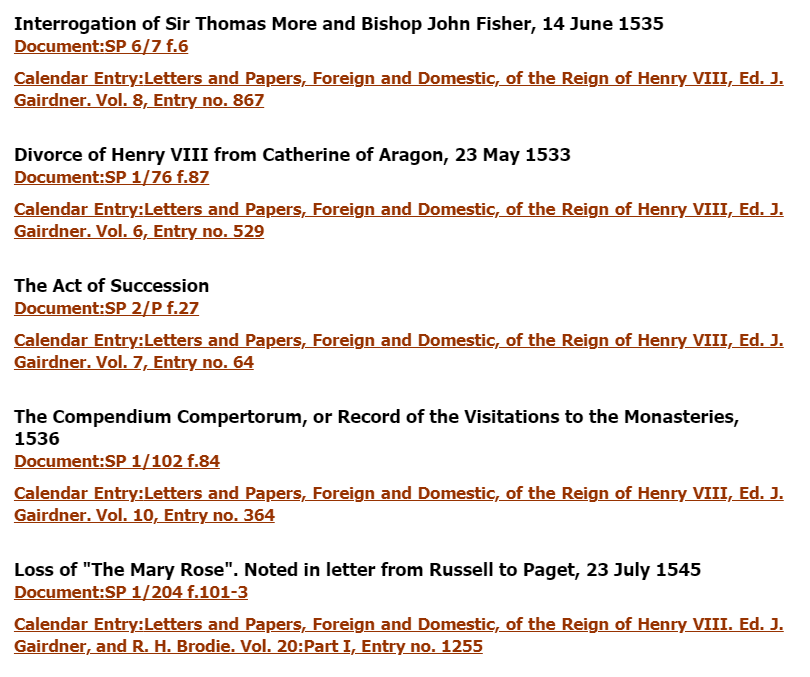
A selection of entries

It is an major resource for researching themes such as the monarchy, law and order, religious conflict, wars and treaties, international trade and the emergence of party politics.

What’s in this collection?

The digitised collections comprise the papers themselves, digitised from the original manuscripts, as well as the ‘calendars’, which catalogue and briefly describe or summarise the manuscripts, and which have been transcribed into text. The manuscripts themselves are mostly not searchable (except for a few series which have been transcribed). The calendars are searchable, and each calendar entry links to its manuscript, making the research process significantly easier than pre-digitisation.

How to search

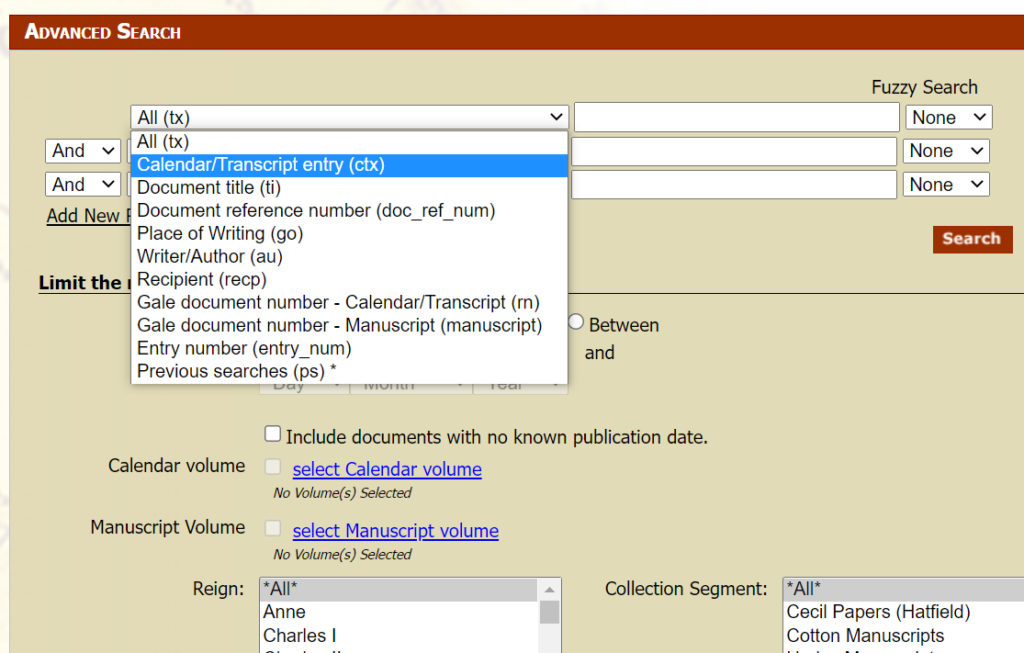
You can search or browse the State Papers in various ways. We’d recommend selecting Advanced Search to access all the options for focusing your search. Note useful options such as fuzzy search, which enables you to search for spelling variants, plus the option to limit your search to records with a manuscript, and/or a transcript of the manuscript.

Advanced search screen

The Browse function may be useful if you wish to work through a particular series of State Papers: you can either browse the calendars or manuscripts.

There are various options for saving, downloading and exporting results.

Help and guidance

Help options
Help options

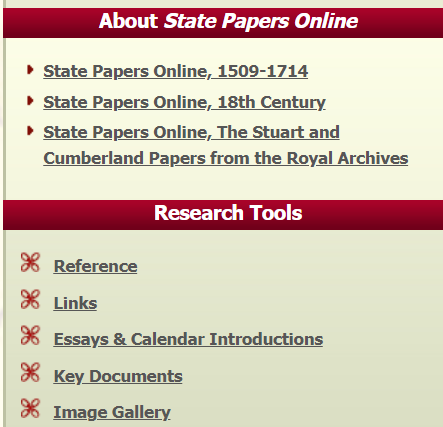
If you are using the State Papers for the first time, we’d recommend reading the relevant About State Papers Online section to get an overview of what each collection contains.

You will also find very helpful contextual information in the Research Tools section.

  • Reference includes glossaries, explanations of dates, weights and measures etc;
  • Links gives links to useful guidance such as paleography courses.
  • Essays gives more detailed insights into each collection, written by experts.
  • Key documents picks out important highlights from the collections.
  • You can also click Help in the top right of the screen for in-depth help with searching and exporting.

Tips for creating your study space

If you’re away from Newcastle over the Winter break you may be studying in unfamiliar or unusual spaces, which can make it more challenging to concentrate or find your motivation. Procrastination may be a struggle and creating a space, both physical and online, in which to be your most productive is something that many of us find challenging. It may not always be possible, but creating a managed space to study in will help. So what are our tips for creating the perfect study space at home?

1. Select your space

If possible, designate a space as your study environment. It may be your room in a shared house, the kitchen table, office, dining room or a spot in the hallway. Wherever you choose, claim it and make it yours in order to reduce distractions from those you live with and to create a studying mindset.

It can be invaluable to have a ‘work space’ which is separate from the rest of your life and spaces in which you relax. Even if this is simply a cheap desk in your bedroom, having a ‘study spot’ which is dedicated to your academic work will help you create structure and routine, and feel in the studying zone. It also makes for less embarrassment when you turn your camera on in Zoom or Teams.

2. Make it comfortable

While it may be tempting to study from your bed (which we’ve all done!), sitting upright will help you stay alert. Not to mention the benefits for your shoulders, back and neck. Start with a desk or table if you can, as it will allow you to make an organised space and leave your hands free to take notes.

It’s also worth thinking about how you can make the space more comfortable by opening a window for fresh air every so often, and the level of natural light you can introduce. Perhaps think about studying earlier in the day so that the natural brightness helps you stay alert and boosts your mood.

3. Tidy space, tidy mind

A cluttered study space can make it more difficult to focus and introduce unwanted distractions. By filing away your notes and de-cluttering your space at the end of a day, you will be able to start the next day fresh and find the learning materials you need.

This goes for your online spaces too. Think about how and where you keep your assignments, notes and any materials you download from Canvas, to ensure you are able to access the materials as you prepare assignments or revise for exams. Set up folders in One Drive that relate to each module or project you are working on and be sure to keep track of any collaborative work, such as projects in Teams. Managing the information you collect as you study and keeping it organised in some way is an essential study skill. Visit the Managing Information Guide for more tips.

4. Gather some stationery

It’s a simple tip, but keep a pen and paper nearby so that you can make quick notes. This might be jotting down an idea or something to remind yourself about at a later date. Many of you will take your notes digitally and may have a tablet you use within your programme, but having a notebook and pen to hand is a valuable backup. If you prefer handwritten notes, make sure you have a good organisational system so that you are able to retrieve the information you need.

You’ll find lots of useful tips around notetaking on the ASK website.

5. Listen to some music

Some of you may find studying in silence works best for you, while others may need a little background noise to block out distractions. Select a soundtrack for your study that helps you concentrate, with a mixture of mood boosting tracks and songs that are a little more mellow and calming. You’ll find lots of readymade study playlists on streaming services, or you could start with our Library Spotify playlists.

6. Switch off your devices

Many of us will recognise our mobile phone as a significant source of distraction and cause of many unproductive minutes. Switch off your mobile phone, log out of social media accounts on your study device and turn off the TV. This will help you create designated study time as well as space. It will also be a step towards introducing breaks in your study routine.

7. Take breaks

Taking regular breaks and walking away from your study space will help you return feeling refreshed. Why not download the iNCLude App? It has been designed to help you take small steps to improve and maintain your wellbeing, by creating positive habits and helping you focus on more than just your academic studies.

One valuable bonus tip from the WDC about taking breaks:

When you break, take a moment to leave a ‘note to future self’ about where you got to or what you were intending to do next.

Student studying with laptop and notebook.

8. Be organised

Learning remotely is challenging when you have to manage your own time and motivation. Being organised and creating your own plan or timetable can help.

When you begin your study session make sure you have everything you need to hand so that you don’t interrupt your flow. You might want to leave your laptop charger nearby!

Visit the Academic Skills Kit for more study and academic skills advice

Hot topics: where to find out more

If you are looking for information on cutting edge research and development to aid your studies there are a range of online resources available via Library Search.

Nature Communications is an open access, multidisciplinary journal dedicated to publishing high-quality research in all areas of the biological, health, physical, chemical, and Earth sciences. When exploring the content of Nature Communications you will find current research articles, reviews, and analysis, together with news, comments, FAQs, and editorials. Hot topics are brought together in collections like ‘Research in support of COP26’ and ‘Clean Air’ which can be extremely useful when thinking about literature and systematic reviews.

CAB Abstracts is a bibliographic database that covers significant research and development literature in the fields of agriculture, forestry, human health, nutrition, animal health, and the management and conservation of natural resources. Using targeted searching and filtering in CAB Abstracts will enable you to find information on current hot topics like climate change and Covid-19. It’s not all just about journal articles either, you will find access to videos, letters, conference proceedings, books, and reports. Collating this information and adding it to your reference management library will also help to broaden the scope of your research into a topic.

So, next time you see a hot topic related to your research appear on your social media feed, or in your favourite newspaper, head over to Library Search and use these resources to help you find out more about the current academic research and discussion.

E-book acquisitions

The library has prioritised the acquisition of e-books and electronic resources during the Covid-19 pandemic with a myriad of titles now available via Library Search. The number of individual e-books purchased in 2020/21 was 4,640 and the number of e-books in collections purchased in 2020/21 was 383,771. In total, the number of e-books purchased in 2020/21 stands at 388,411.

E-book collections from Cambridge University Press, De Gruyter, and IGI Global are all accessible via Library Search where you can casually browse specific subject areas to see what is available. However, by being more specific and using author, title, and/or ISBN details within these collections you will be able to quickly navigate to the e-books that you need for your research and study.

A number of SAgE specific electronic collections are available. These include Packt Publishing, which offers a range of computing and IT related resources on cloud, data, programming, and web development, and the Royal Society of Chemistry e-book collection where you can download PDF chapters, or read online, from key chemistry and chemistry related texts.

There is also substantial access to a range of SpringerLink electronic publications covering a variety of SAgE disciplines. This includes valuable 2021 collections specific to biomedical and life sciences, computer science, earth and environmental science, engineering, and intelligent technologies and robotics. Furthermore, e-books from the SpringerLink Lecture Notes Series covering mathematics, statistics, and physics, can be found and filtered using Library Search.

Spotlight on Packt ebooks

Woman sitting in a chair reading an ebook on an ereader.

Did you know the Library offers access to over half a million ebooks across a variety of subjects? This includes titles featured on your reading lists, or that have been recommended by staff and students. Ebooks are very useful resources as they’re available 24/7 wherever you are; simply navigate to them through Library Search. If you’re off campus, you’ll need your University ID and password to log in.

Watch our Library Search: eBooks searching video which shows you how to browse for and connect to ebooks.

Packt Publishing ebooks

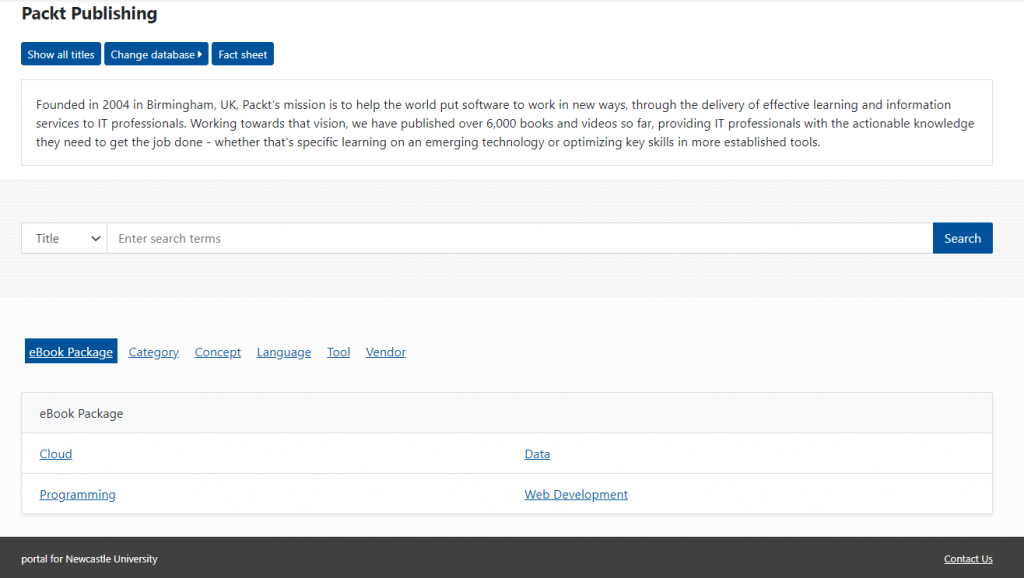
One of our newest collections is Packt Publishing ebooks. This package provides access to over 700 full-text ebooks on computing subjects. The 4 collections included are:

  • Data
  • Cloud
  • Programming
  • Web Development

You can find individual titles in Library Search by entering the title or your keywords, or access the collection here. If you’re browsing the publisher’s platform, choose Show All Titles or enter your search terms.

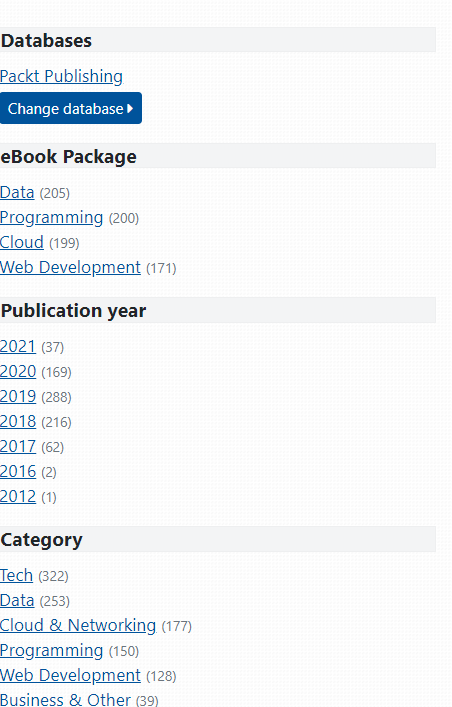
Once you have your results, you can use the filters on the left-hand side of the page to narrow your search.

When you’ve found a title, you can read it online, add it to your saved list, search within the text or download a PDF to read later.

Construction Industry Service – new platform

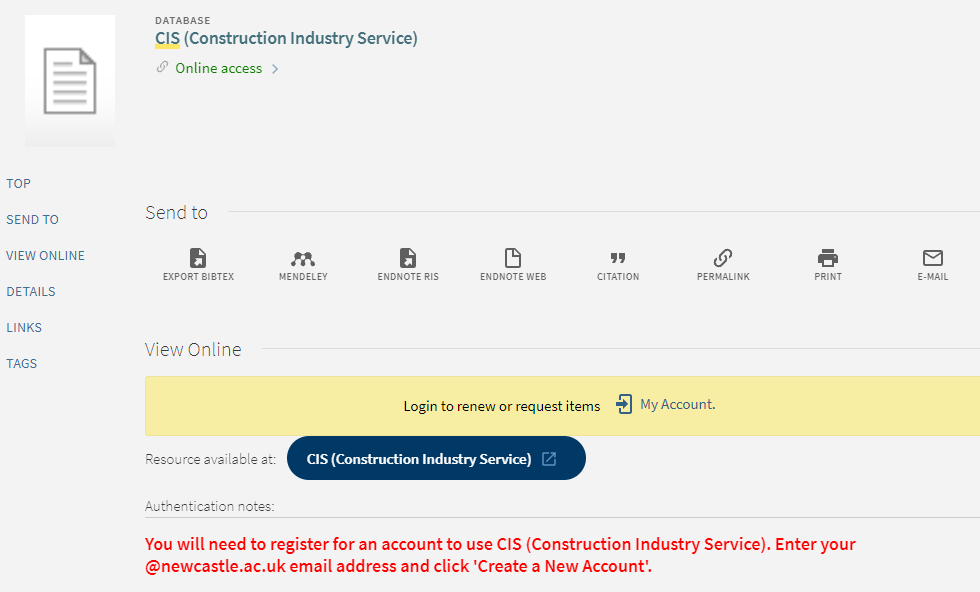
If you’re a user of a database called Construction Industry Service (CIS) then you might notice that our access to the platform is slightly different.

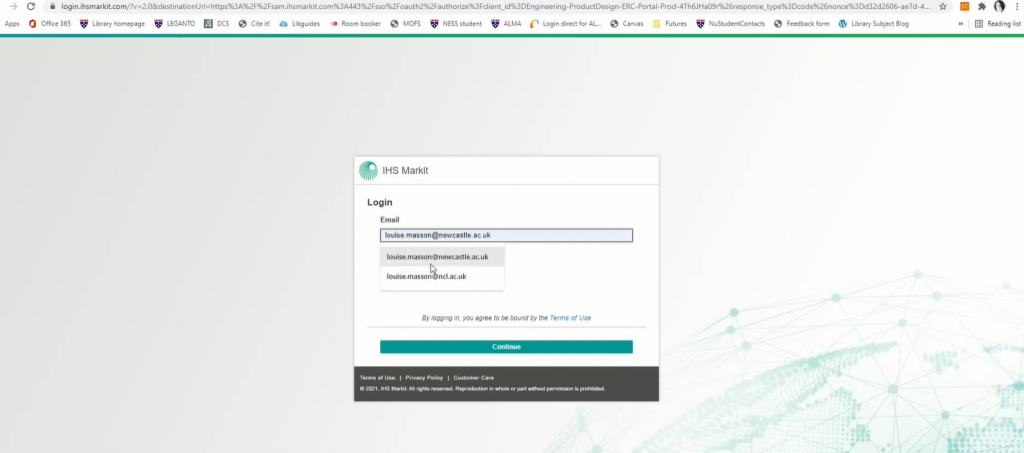
IHS Markit have recently moved this particular sub database to a new hosting site which has a slightly different way to access it. You will now need to set up a free account and password before you can search the platform. Hopefully this is obvious from the note we’ve added to record on our catalogue, Library Search.

We’ve also made a short video which shows you how to set up an account.

Available at : https://campus.recap.ncl.ac.uk/Panopto/Pages/Viewer.aspx?id=7c23df93-e89b-4297-8342-adbb00db0176

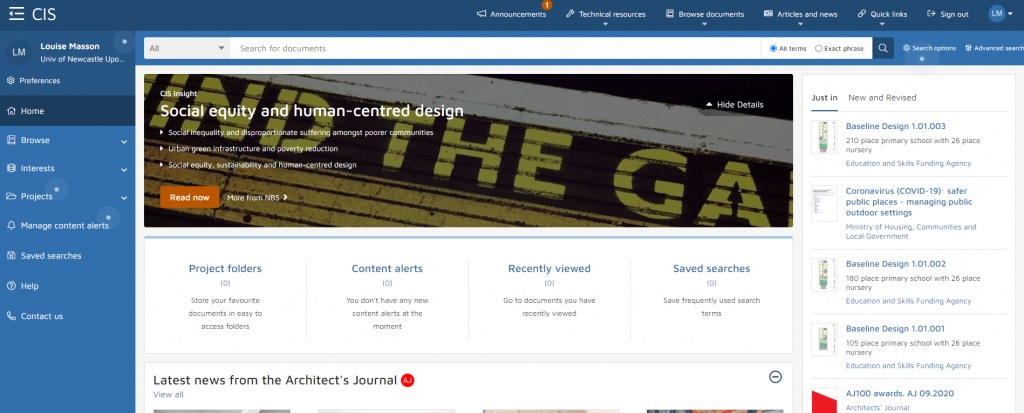
The new platform/layout has options along the top and on the left to browse by subject or publishers, there are A-Z lists to navigate through or quick links straight into Eurocodes, regulations and other handbooks.

Please let the Social Sciences Liaison Team know if there’s anything on the new platform you need help with.

New e-book collections: Bloomsbury and Manchester University Press

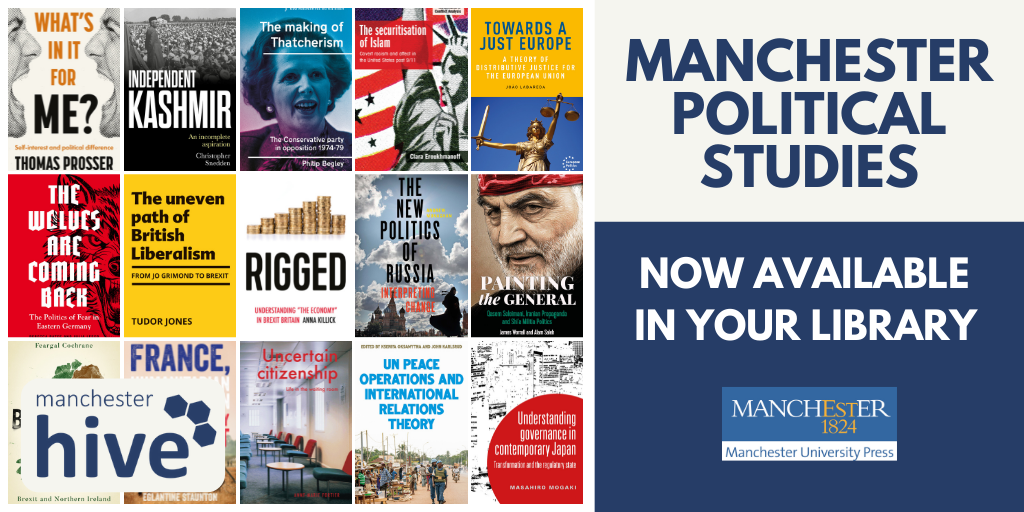
We have bought several new e-book collections from Bloomsbury and Manchester University Press, complementing and updating our existing collections from these two publishers.

From Bloomsbury, we have bought new collections in:

architecture

arts and visual culture

classical studies and archaeology

education

history

linguistics

music and sound

politics and international relations

These new modules give us just under 500 new titles in total.


From Manchester University Press, we have bought the latest collections in:

political studies

history of medicine

film and media studies

These give us 136 new titles in total.

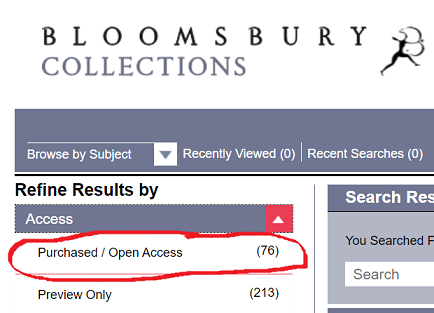
All the titles are individually catalogued on Library Search, or if you prefer, you can browse them from the publishers’ platforms via the links above. NB If you are browsing any of the Bloomsbury subject collections, under Access, tick Purchased/Open Access.

Drama Online: new collections for autumn 2021

The Library has recently added several new collections to its Drama Online portfolio. We now have access to over 3,000 playtexts, books and filmed productions via the Drama Online platform.

The latest collections added are:

  • Core Collection Update 2021: 70 playtexts from various publishers
  • Nick Hern Books 2020/2021: 30 playtexts
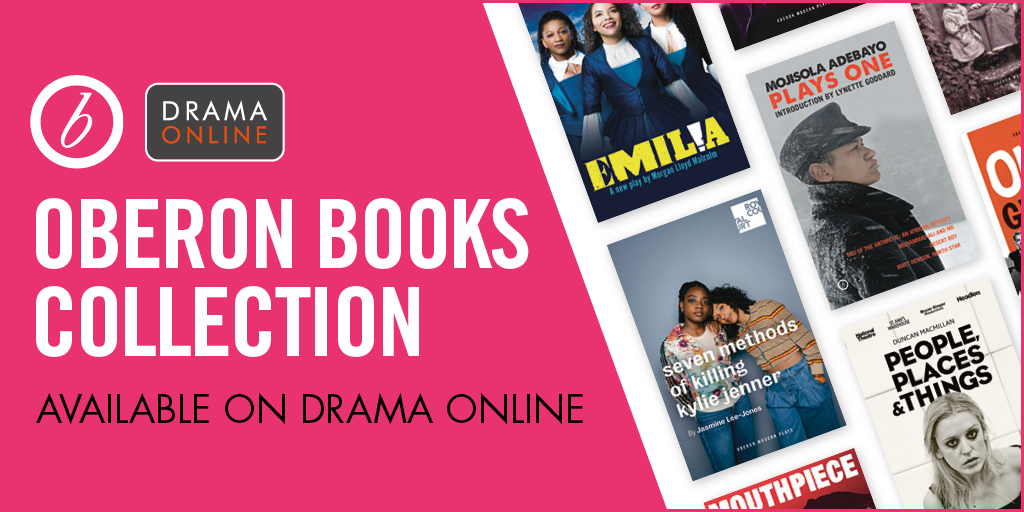
  • Oberon Books: 501 playtexts, including modern classics, contemporary plays, and international plays in translation.
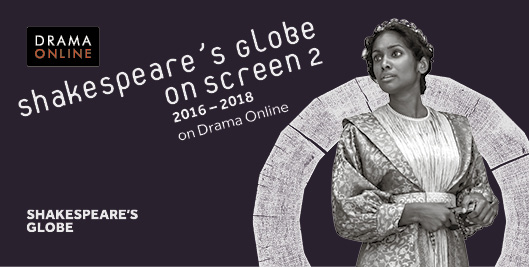
  • Shakespeare’s Globe 2: films of nine landmark productions from the Globe Theatre’s most recent seasons (complementing our existing access to 21 plays from the Globe 1 collection)

All the films and playtexts are individually catalogued and searchable via Library Search, or you can search/browse them all in various ways on the Drama Online site.

Browsing options

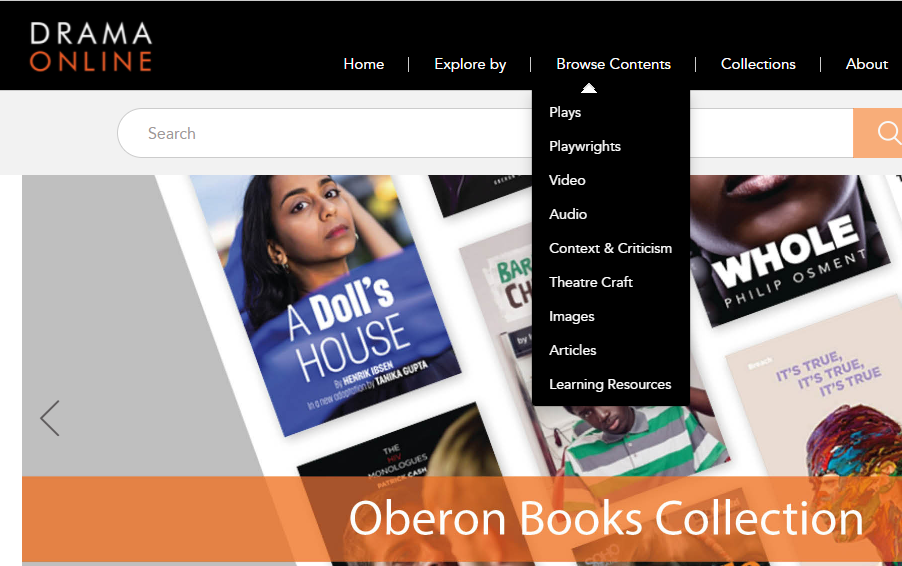
For example, using the Explore or Browse options at the top of the screen, you can browse by title, playwright, genre and time period, or if you click Advanced Play Search on the home page, you can use other search filters, such as number of roles, word count, gender etc. Select Context and Criticism for access to a wide range of e-books about drama.

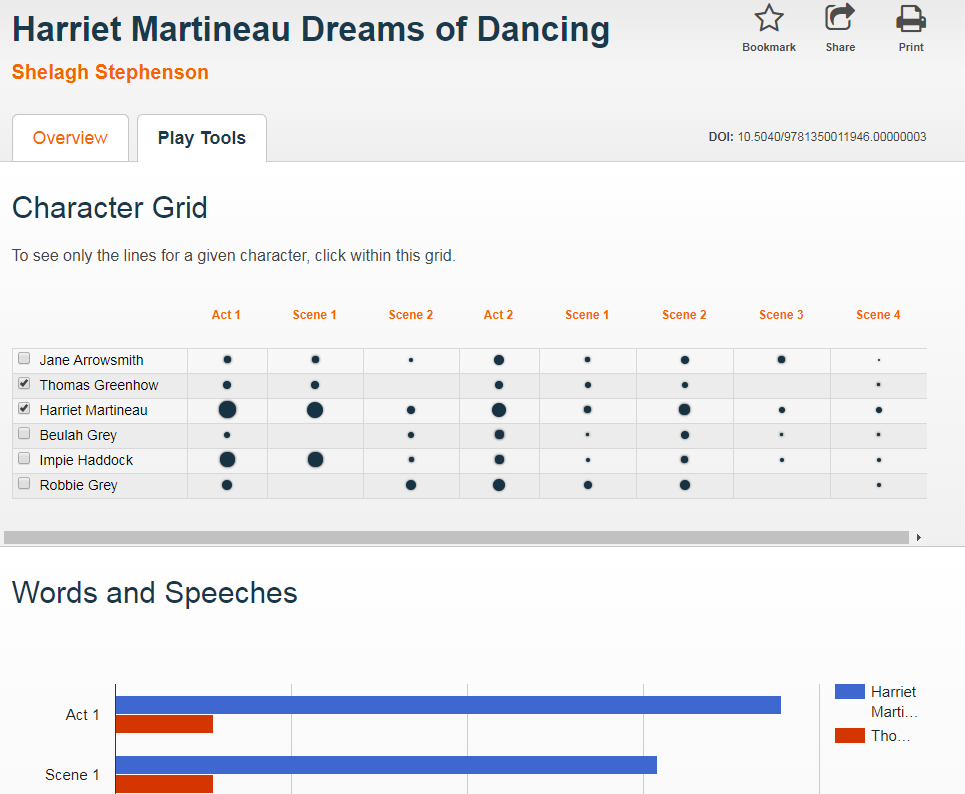
When viewing a playtext, click Play Tools to analyse the speaking parts and appearances of different characters throughout the play.

This image has an empty alt attribute; its file name is do2.png
Play Tools